BrewView

The Smart Coffee Machine Interface (BrewView) project focuses on developing an interactive interface that seamlessly connects with both a Interface touchscreen control panel and a coffee mobile application both connected and controlled via Bangle Watch. This system enables users to manage the brewing process manually or remotely, ensuring a flexible and intuitive user experience. The project highlights the integration of smart appliances with Bluetooth connectivity, making coffee brewing effortless and responsive to user preferences.

Project Type
Interaction Design
Timeline
1.5 Months
Concept
Ubiquitous Design System
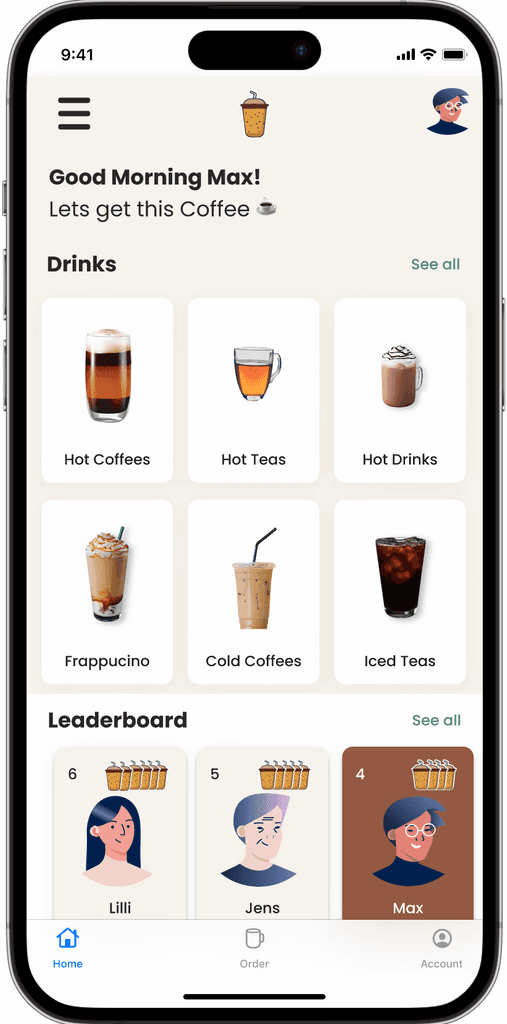
BrewView
Smart Interface & Mobile Application

CASE STUDY

My Role

Interaction Designer

Full Stack Developer

UX/UI Designer

Testing Moderator

ToolKit

Pen & Paper

Figma

Miro

Canva

Target Audience

Corporate Employee

Coffee Enthusiasts

Smart Appliance Users

Tech-Savvy Homeowners

Sign up today.

Introduction to the Interface

Introduce BrewView, the touchscreen interface that allows users to interact directly with the coffee machine, providing real-time control over the brewing process. Further the Coffee Mobile App extends this functionality, enabling users to brew their coffee remotely and receive notifications. Both systems emphasize ease of use, intuitive design, and seamless connectivity.

Problem Statement

Despite the growing trend of smart home devices, many coffee machines still lack seamless integration and flexible control mechanisms. Users often face a lack of real-time customization, remote control options, and user-friendly interfaces, making the brewing process inconvenient, especially for tech-savvy individuals seeking smarter solutions.

Goal Statement

The goal of this project was to create a smart coffee brewing system that allows users to manage their coffee machine effortlessly through both a touchscreen interface (BrewView) and a mobile app, providing flexibility, remote control, and customization for a better coffee-making experience.

Tailored Solutions For
  1. Corporate Workers

  2. Busy Professionals: Quick and efficient remote coffee management.

  3. Tech Enthusiasts: A modern, tech-forward experience with connectivity across multiple devices.

  4. Coffee Aficionados: Customization at their fingertips to brew the perfect cup of coffee.

Proposed Solution

The proposed solution integrates a touchscreen interface (BrewView) and a mobile app, both connected via Bluetooth with Bangle Watch, allowing users to control the brewing process manually or remotely. The system supports real-time brewing commands, notifications, and customization features, ensuring a streamlined and personalized experience for every user.

The solution adheres to the principles of Ubiquitous Computing combined with Interaction Design by enabling seamless interaction between the coffee machine and users through multiple devices, allowing control from anywhere. This integration ensures that the technology blends into everyday life, offering convenience, adaptability, and continuous connectivity with minimal disruption.

Introduction to the Interface

Introduce BrewView, the touchscreen interface that allows users to interact directly with the coffee machine, providing real-time control over the brewing process. Further the Coffee Mobile App extends this functionality, enabling users to brew their coffee remotely and receive notifications. Both systems emphasize ease of use, intuitive design, and seamless connectivity.

Problem Statement

Despite the growing trend of smart home devices, many coffee machines still lack seamless integration and flexible control mechanisms. Users often face a lack of real-time customization, remote control options, and user-friendly interfaces, making the brewing process inconvenient, especially for tech-savvy individuals seeking smarter solutions.

Goal Statement

The goal of this project was to create a smart coffee brewing system that allows users to manage their coffee machine effortlessly through both a touchscreen interface (BrewView) and a mobile app, providing flexibility, remote control, and customization for a better coffee-making experience.

Tailored Solutions For
  1. Corporate Workers

  2. Busy Professionals: Quick and efficient remote coffee management.

  3. Tech Enthusiasts: A modern, tech-forward experience with connectivity across multiple devices.

  4. Coffee Aficionados: Customization at their fingertips to brew the perfect cup of coffee.

Proposed Solution

The proposed solution integrates a touchscreen interface (BrewView) and a mobile app, both connected via Bluetooth with Bangle Watch, allowing users to control the brewing process manually or remotely. The system supports real-time brewing commands, notifications, and customization features, ensuring a streamlined and personalized experience for every user.

The solution adheres to the principles of Ubiquitous Computing combined with Interaction Design by enabling seamless interaction between the coffee machine and users through multiple devices, allowing control from anywhere. This integration ensures that the technology blends into everyday life, offering convenience, adaptability, and continuous connectivity with minimal disruption.

Project Overview

Approach Followed

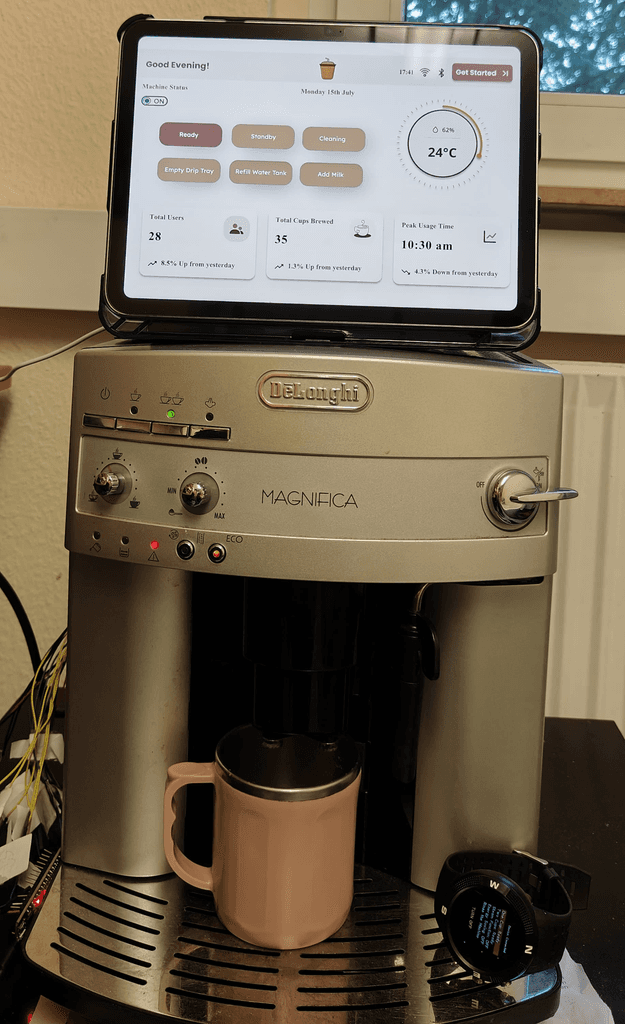
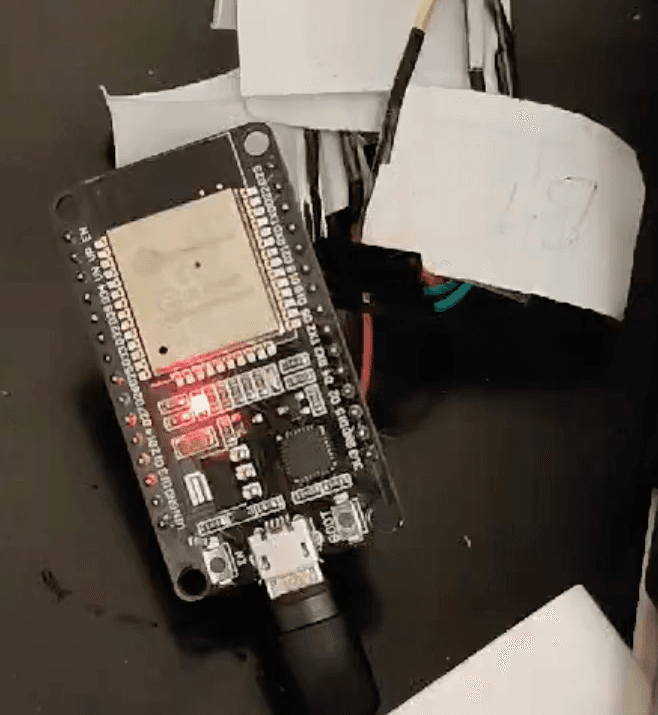
Hardware Integration

ESP32, Bangle Watch, Coffee Machine

Backend Development

Arduino Code, Espruino IDE
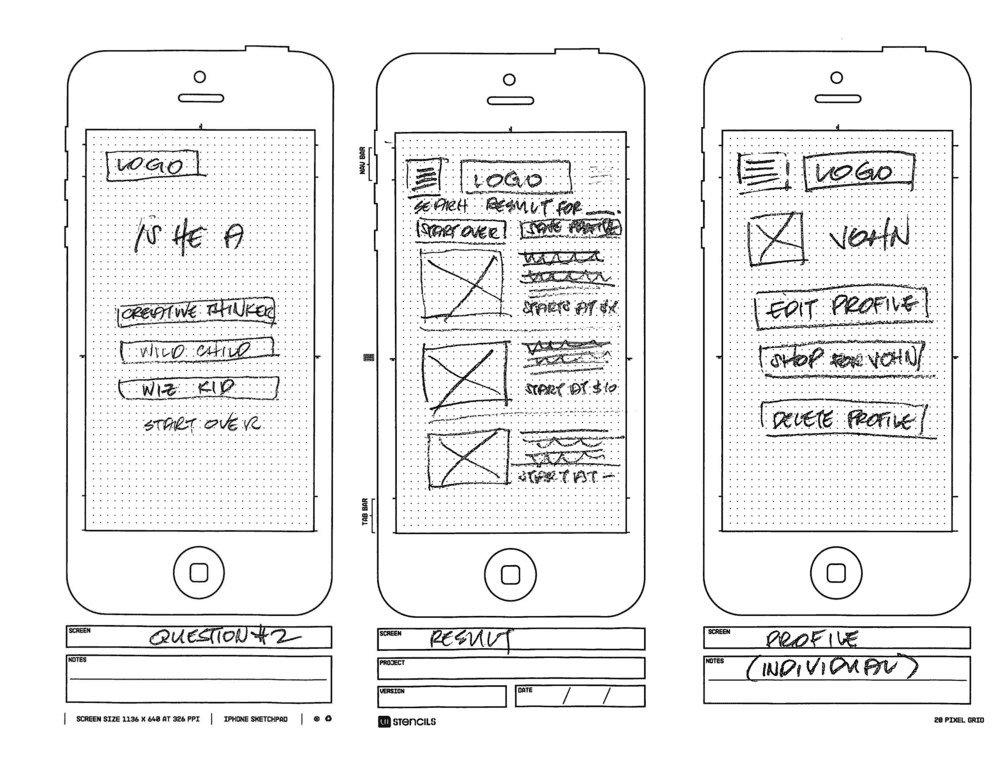
Paper Wireframing

User interface and interactions

High-fidelity Wireframing

BrewView interface and Mobile application

System Connectivity

Connections between the interface, mobile, Bangle Watch

Usability Testing

Brewing coffee command sent via app and bangle watch

Background

The Smart Coffee Machine's design and architecture were tailored for a corporate setting, allowing employees to seamlessly enjoy coffee while maintaining productivity. By integrating a user-friendly touchscreen interface and a mobile app, the setup enhances the workplace experience, promoting comfort and efficiency.

Goal Statements
  • Create a cohesive ecosystem where users can control their coffee machine effortlessly through multiple interfaces.

  • Ensure seamless communication between the coffee machine, Bangle Watch, and mobile app via Bluetooth connectivity.

  • Design a flexible and intuitive user interface that enhances the coffee brewing experience, regardless of the device used.

UX Methodologies
  1. Ideation

  2. Persona Development

  3. How Might We?

  4. Affinity Mapping

  5. Usability Testing

  6. Research Findings

Background

Understanding the pervasive issue of procrastination, this research delves into the psychological and behavioral aspects that hinder productivity. The study aims to inform the design of AIcrastinator by identifying key user needs and pain points.

Research Questions

Q1. What are the primary causes of procrastination among our target users?

Q2. How can humor and personalized reminders influence task completion rates?

Q3. What features are most effective in keeping users engaged and productive?


Research Goal

UnThe primary goal of this research is to uncover insights that will guide the development of an AI-driven solution capable of reducing procrastination through engaging and personalized reminders.


Research Goal

The primary goal of this research is to uncover insights that will guide the development of an AI-driven solution capable of reducing procrastination through engaging and personalized reminders.

Hypothesis Statement

If AI-driven, humor-based reminders are integrated into task management, users will be more likely to complete tasks on time, thereby reducing procrastination.

UX Methodologies
  1. User Interviews

  2. Surveys

  3. How Might We?

  4. Affinity Mapping

  5. Competitive Analysis

  6. Research Findings

Background

Understanding the pervasive issue of procrastination, this research delves into the psychological and behavioral aspects that hinder productivity. The study aims to inform the design of AIcrastinator by identifying key user needs and pain points.

Research Questions

Q1. What are the primary causes of procrastination among our target users?

Q2. How can humor and personalized reminders influence task completion rates?

Q3. What features are most effective in keeping users engaged and productive?


Research Goal

UnThe primary goal of this research is to uncover insights that will guide the development of an AI-driven solution capable of reducing procrastination through engaging and personalized reminders.


Research Goal

The primary goal of this research is to uncover insights that will guide the development of an AI-driven solution capable of reducing procrastination through engaging and personalized reminders.

Hypothesis Statement

If AI-driven, humor-based reminders are integrated into task management, users will be more likely to complete tasks on time, thereby reducing procrastination.

UX Methodologies
  1. User Interviews

  2. Surveys

  3. How Might We?

  4. Affinity Mapping

  5. Competitive Analysis

  6. Research Findings

Component Setup & Interface Interactions

System Design & Architecture

#1 The Ideation Phase

The ideation phase began with identifying user needs, pain points, and end goals through intensive discussions with ubiquitous professor and student assistants. These collaborative sessions focused on understanding the end requirements and determining how to effectively address the challenges faced by users.

Collaborative discussion involved:

  • Focused on defining end goals for the coffee brewing experience.

  • Explored various interaction models, including manual controls and app integration.

  • Established a strong basis for the design and development phases, ensuring alignment with user expectations.

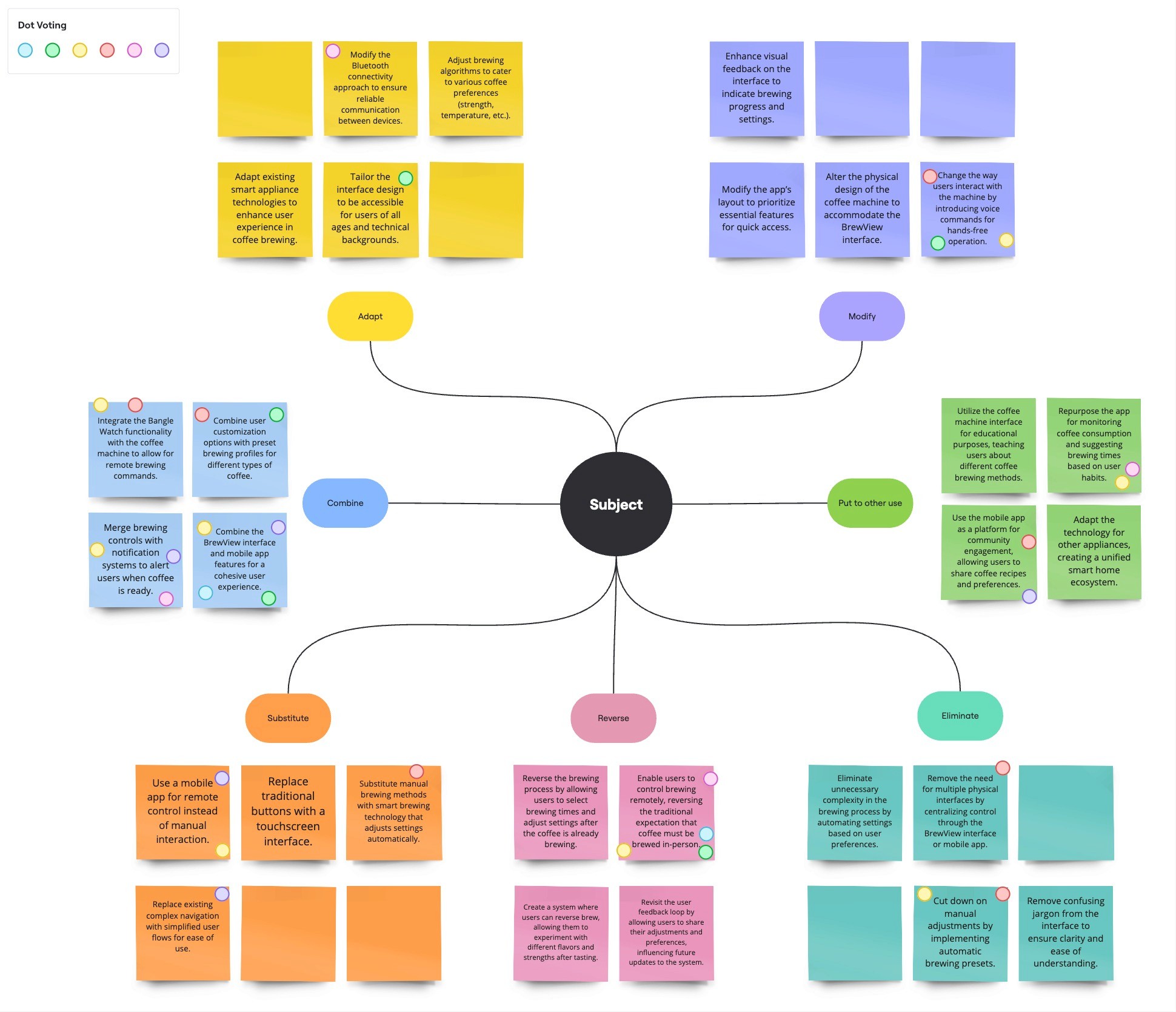
The S.C.A.M.P.E.R. Miro template was collaboratively utilized by the Ubicomp professor, student assistants, project supervisor, and me (the UX designer) during the ideation phase, followed by a dot voting session to prioritize ideas.
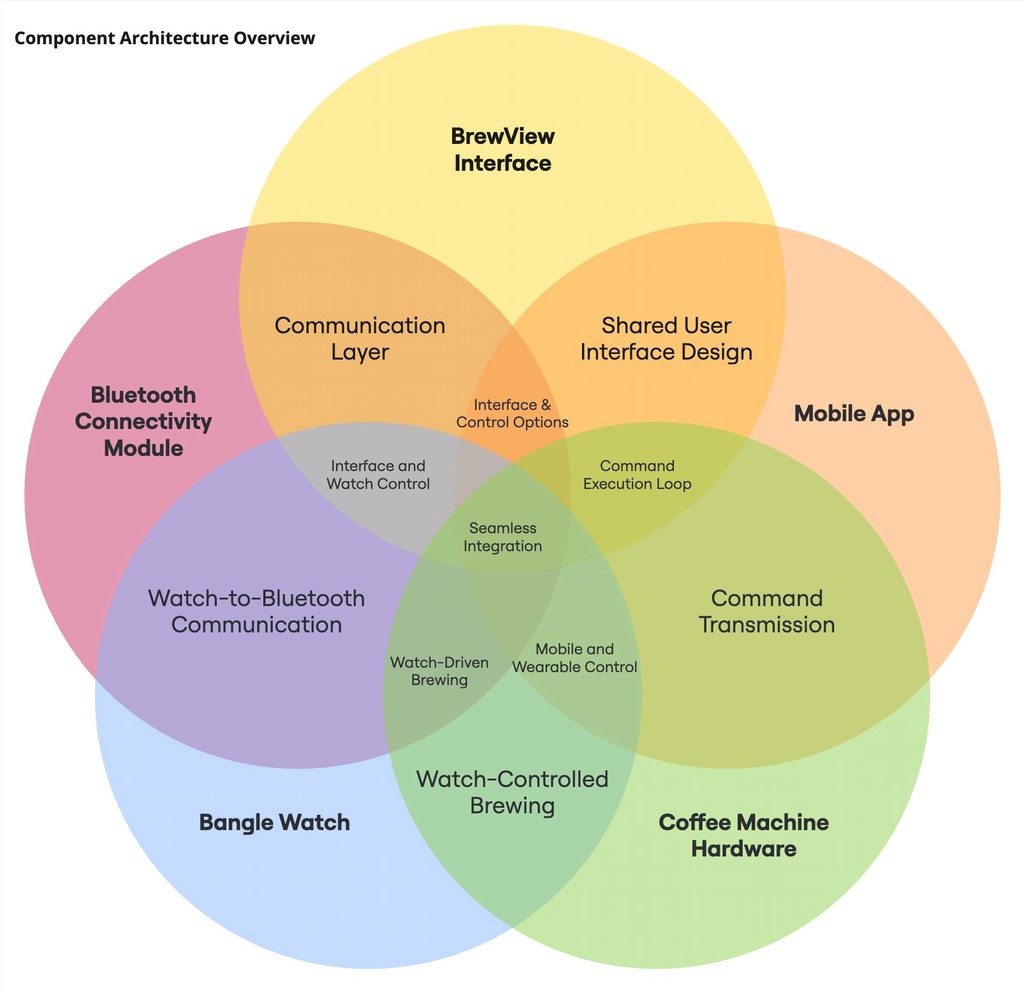
The Interface Architecture (hardware components) outlines the backend infrastructure that facilitates seamless communication between the BrewView interface, mobile app, and the coffee machine hardware. This architecture ensures that user commands are transmitted accurately and efficiently, enabling real-time interaction with the smart coffee machine.

Hardware Component

#2 Interface Architecture

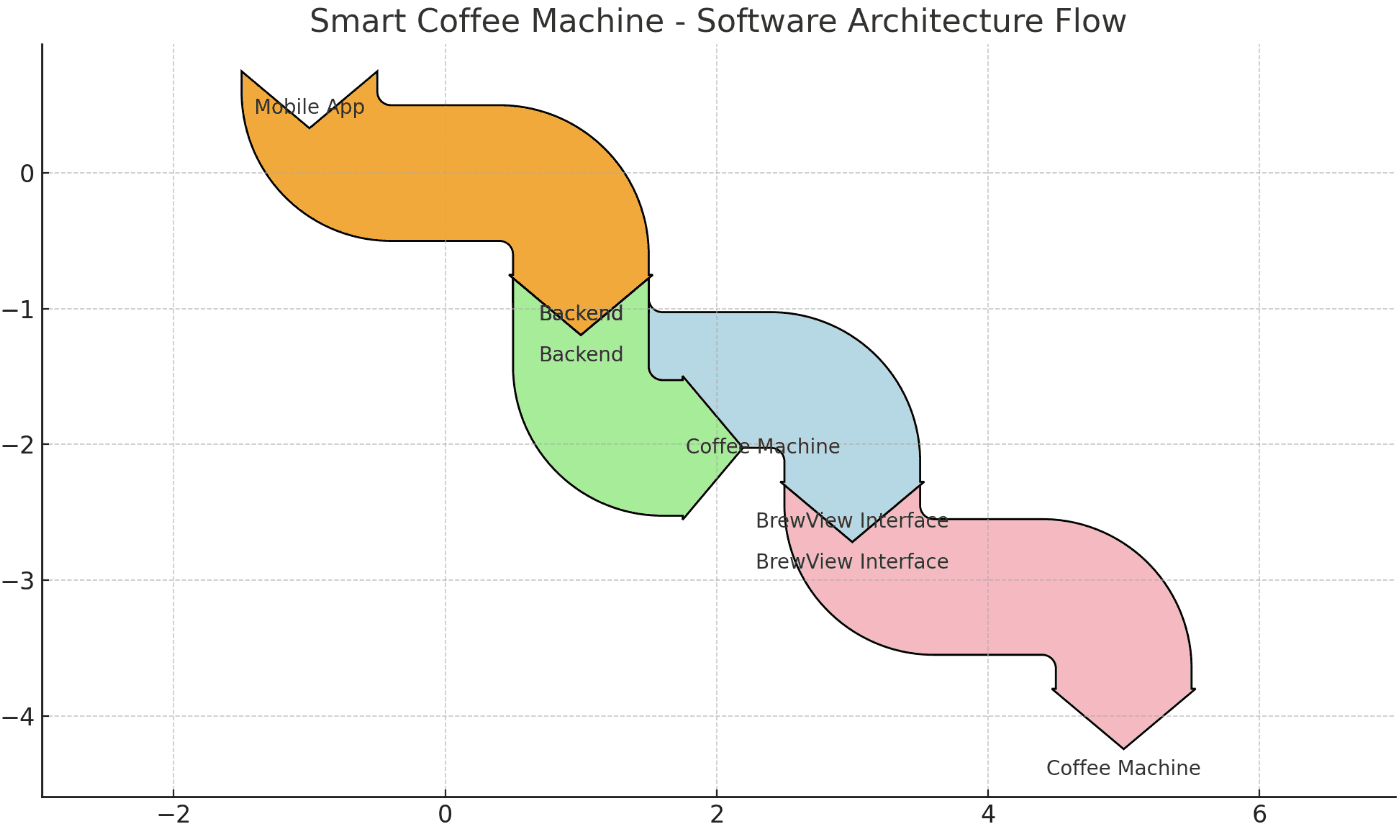
The Software Architecture of the Smart Coffee Machine project demonstrates the seamless interaction between hardware and software components to provide an efficient, ubiquitous computing experience. The system architecture integrates the Mobile App, Backend, BrewView Interface, and the Coffee Machine into a unified flow.

Flowchart Explanation
  • Mobile App to Backend: The flow starts with the user’s mobile app, sending brewing commands to the backend system.

  • Backend to BrewView Interface & Coffee Machine: The backend forwards commands to both the BrewView interface for display and control, and to the coffee machine to start brewing.

  • BrewView Interface to Coffee Machine: The BrewView interface also communicates directly with the coffee machine, giving users manual control over the brewing process if needed.
#3 User-Centered Software Framework

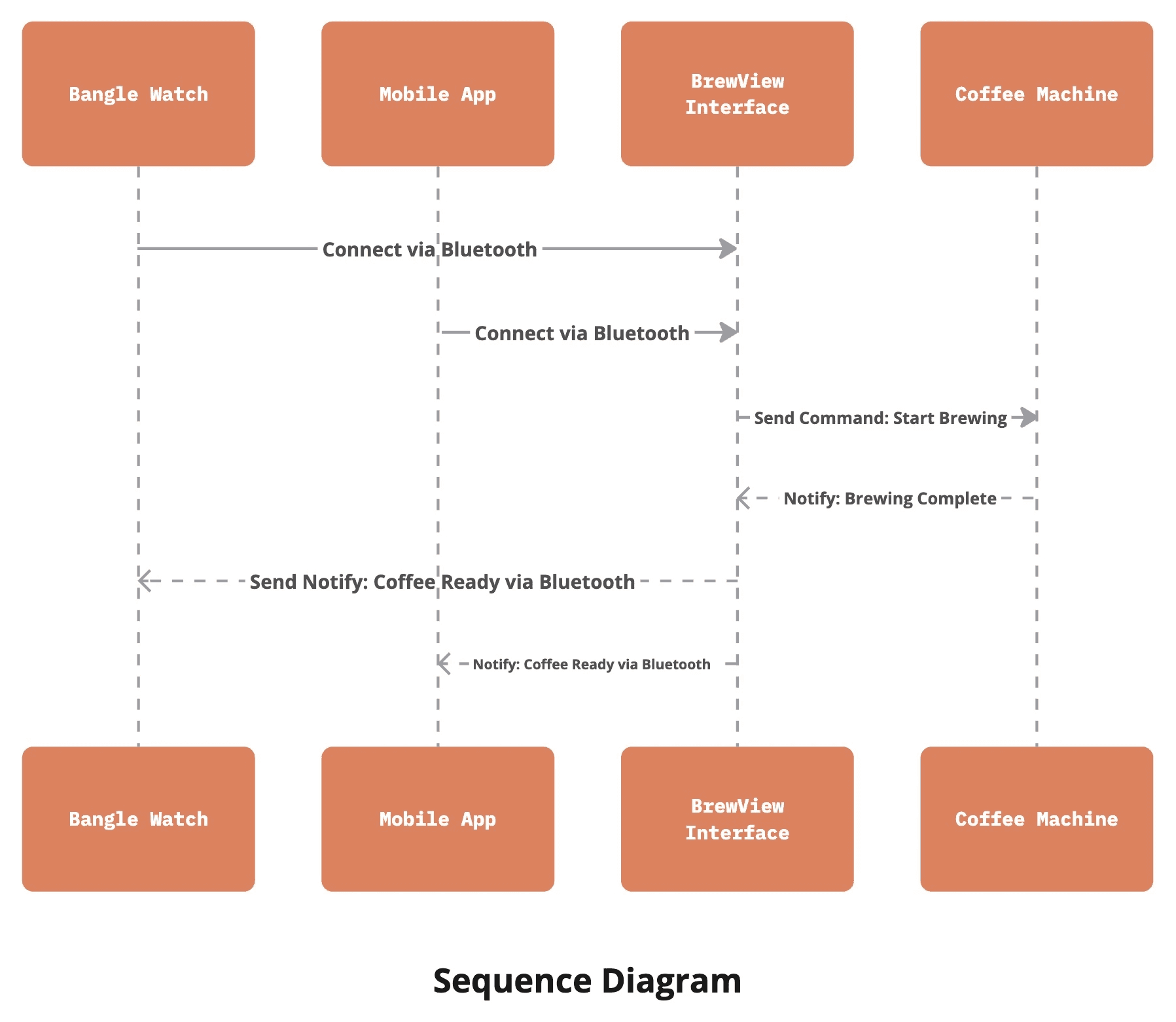
#4 Bluetooth Connectivity Workflow

The sequence diagram for the Bluetooth Connectivity Workflow visually demonstrates how the Bangle Watch, Mobile App, BrewView Interface, and Coffee Machine interact over Bluetooth, showing key steps like establishing connections, sending brewing commands, and receiving notifications.
#5 Smart Brewing Experience

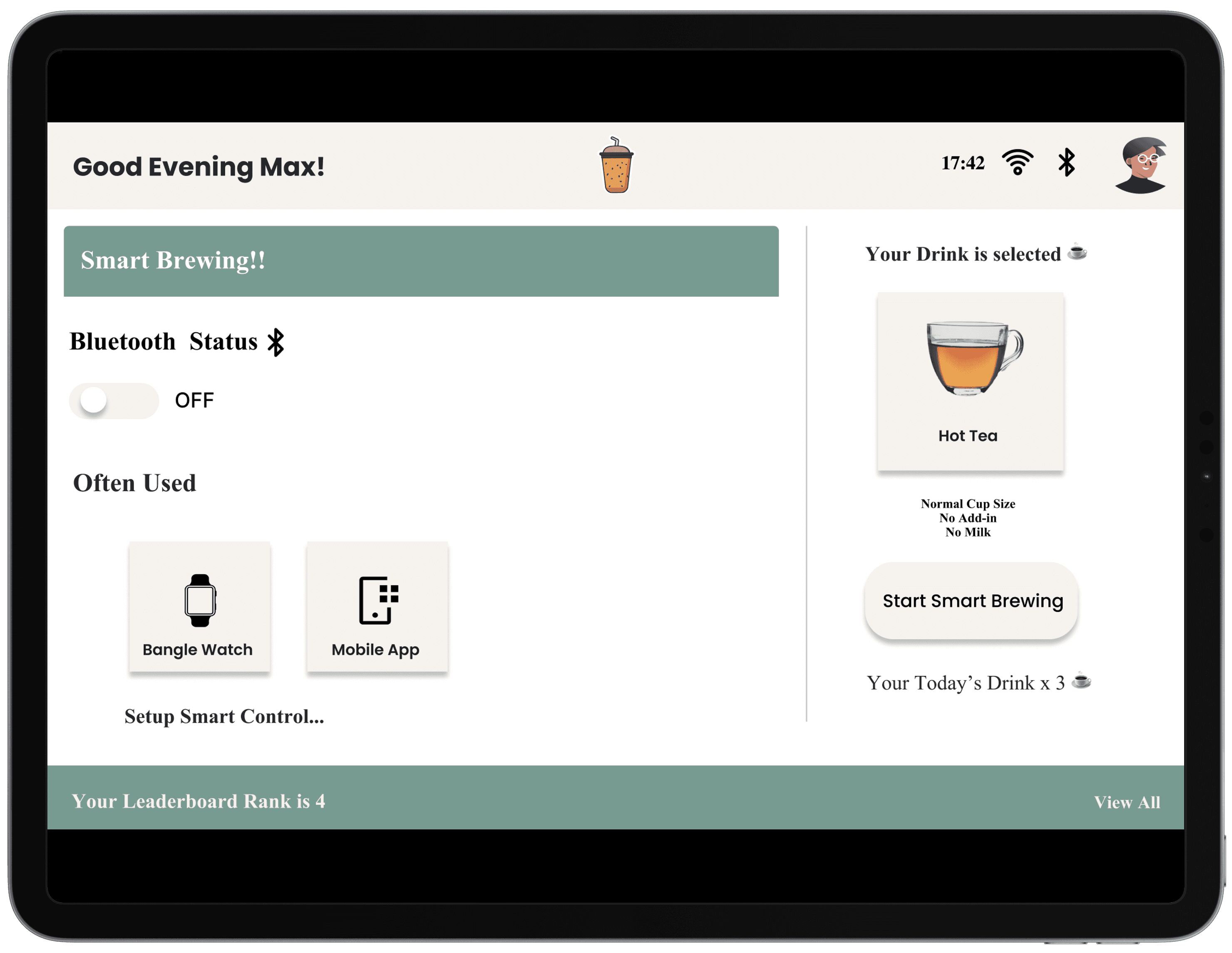
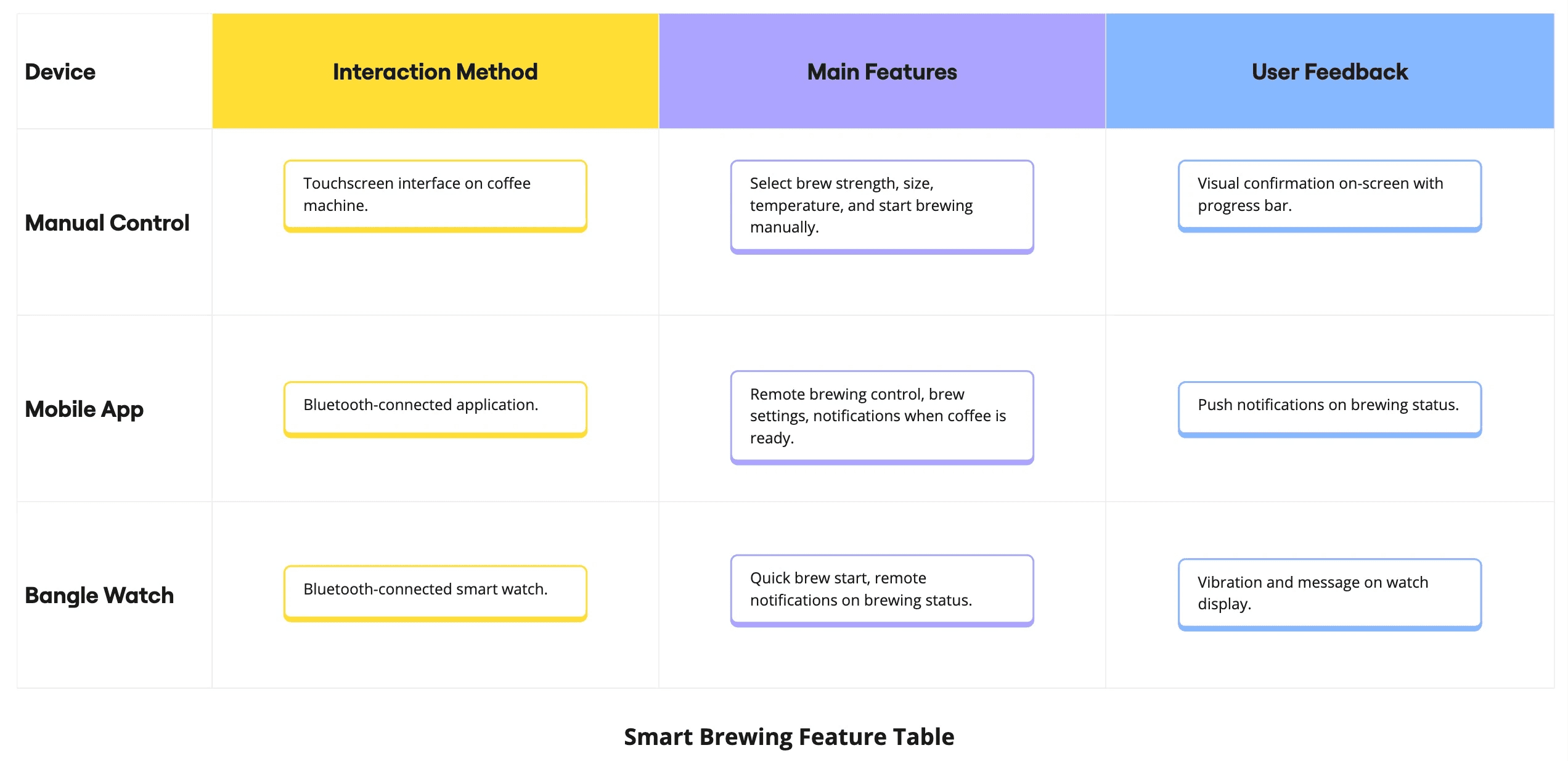
The Smart Brewing Feature enables seamless interaction between the coffee machine, mobile app, and Bangle Watch. This feature allows users to control the brewing process from multiple devices, providing flexibility and convenience in how they prepare their coffee.

The table below outlines how the Smart Brewing Feature operates across different devices, highlighting the key interactions and features available on each platform.
The UX design process for the Smart Coffee Machine project, focusing on how the user interfaces (UI) were crafted, refined, and tested for both the BrewView touchscreen interface and the mobile app. The journey from concept to final product includes wireframes, mockups, interaction flows, and attention to accessibility to ensure a seamless and inclusive user experience.

UX Process
  1. User Interface (UI) Development (Low Fidelity)

  2. Interaction Design

  3. Prototyping (High Fidelity)

  4. Usability Testing

  5. Accessibility Considerations

Background

Understanding the pervasive issue of procrastination, this research delves into the psychological and behavioral aspects that hinder productivity. The study aims to inform the design of AIcrastinator by identifying key user needs and pain points.

Research Questions

Q1. What are the primary causes of procrastination among our target users?

Q2. How can humor and personalized reminders influence task completion rates?

Q3. What features are most effective in keeping users engaged and productive?


Research Goal

UnThe primary goal of this research is to uncover insights that will guide the development of an AI-driven solution capable of reducing procrastination through engaging and personalized reminders.


Research Goal

The primary goal of this research is to uncover insights that will guide the development of an AI-driven solution capable of reducing procrastination through engaging and personalized reminders.

Hypothesis Statement

If AI-driven, humor-based reminders are integrated into task management, users will be more likely to complete tasks on time, thereby reducing procrastination.

UX Methodologies
  1. User Interviews

  2. Surveys

  3. How Might We?

  4. Affinity Mapping

  5. Competitive Analysis

  6. Research Findings

Background

Understanding the pervasive issue of procrastination, this research delves into the psychological and behavioral aspects that hinder productivity. The study aims to inform the design of AIcrastinator by identifying key user needs and pain points.

Research Questions

Q1. What are the primary causes of procrastination among our target users?

Q2. How can humor and personalized reminders influence task completion rates?

Q3. What features are most effective in keeping users engaged and productive?


Research Goal

UnThe primary goal of this research is to uncover insights that will guide the development of an AI-driven solution capable of reducing procrastination through engaging and personalized reminders.


Research Goal

The primary goal of this research is to uncover insights that will guide the development of an AI-driven solution capable of reducing procrastination through engaging and personalized reminders.

Hypothesis Statement

If AI-driven, humor-based reminders are integrated into task management, users will be more likely to complete tasks on time, thereby reducing procrastination.

UX Methodologies
  1. User Interviews

  2. Surveys

  3. How Might We?

  4. Affinity Mapping

  5. Competitive Analysis

  6. Research Findings

UI | Interaction Design | Prototyping | Accessibility

User Experience Design

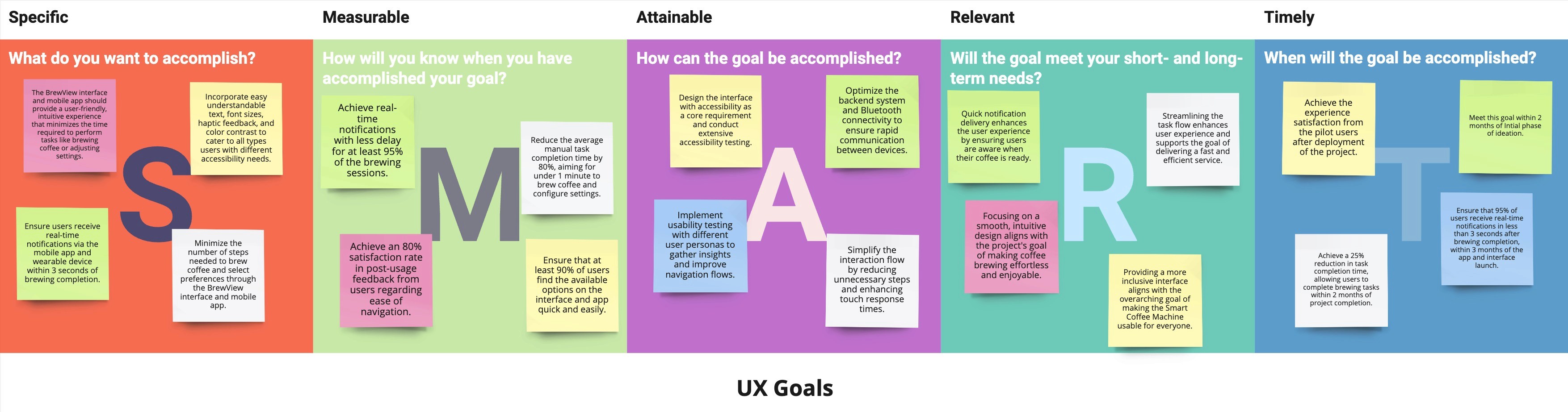
UX Design Goals

The design goals for the Smart Coffee Machine project focus on creating an intuitive, efficient, and accessible user experience across the BrewView interface and mobile app. These goals aim to enhance user satisfaction, reduce task completion time, improve accessibility features, and ensure timely notifications.
User Interface (UI) Development

For both the BrewView interface and the mobile app, the focus was on creating a visually appealing, user-friendly interface that offers ease of use and functionality.

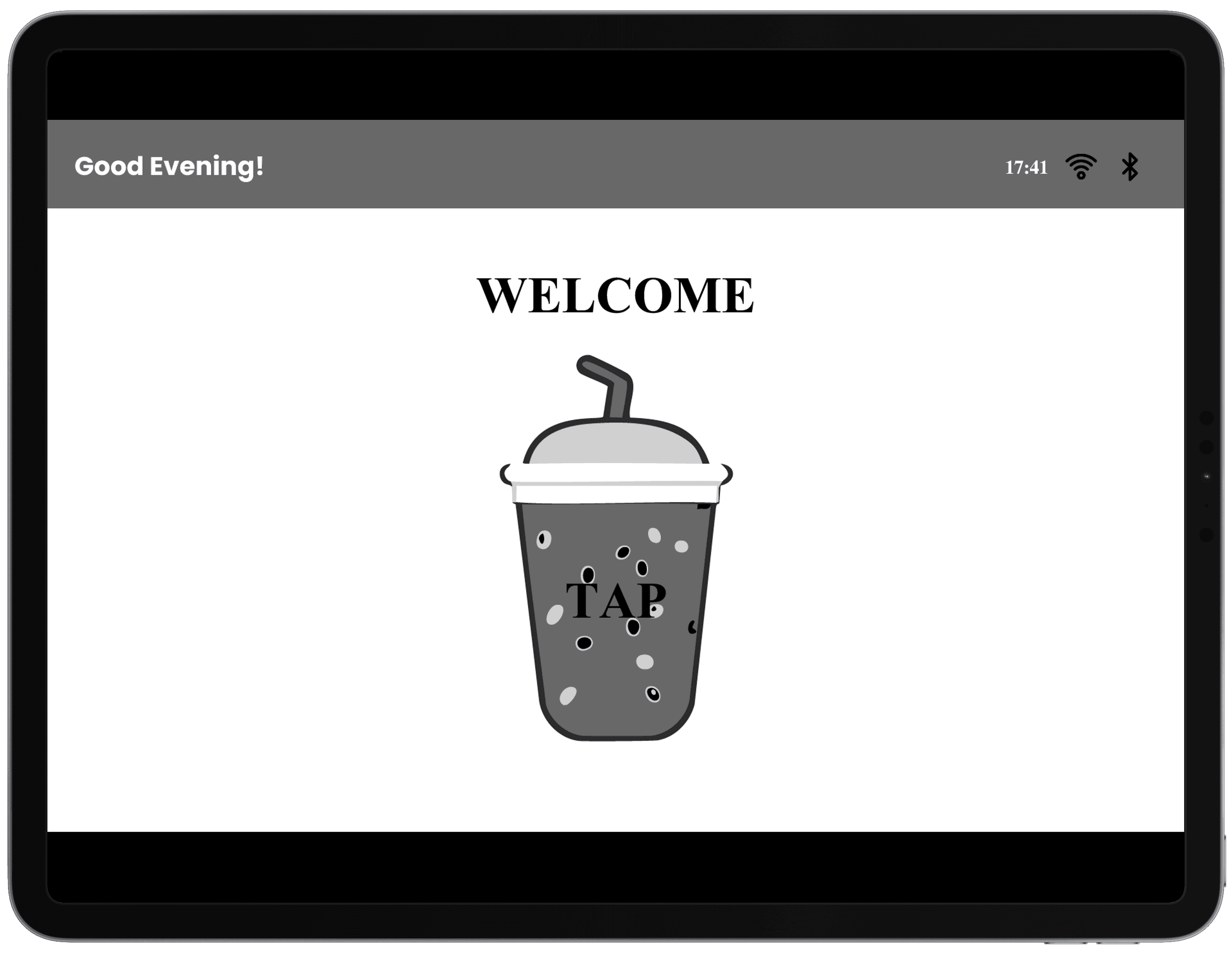
BrewView Interface Wireframe:

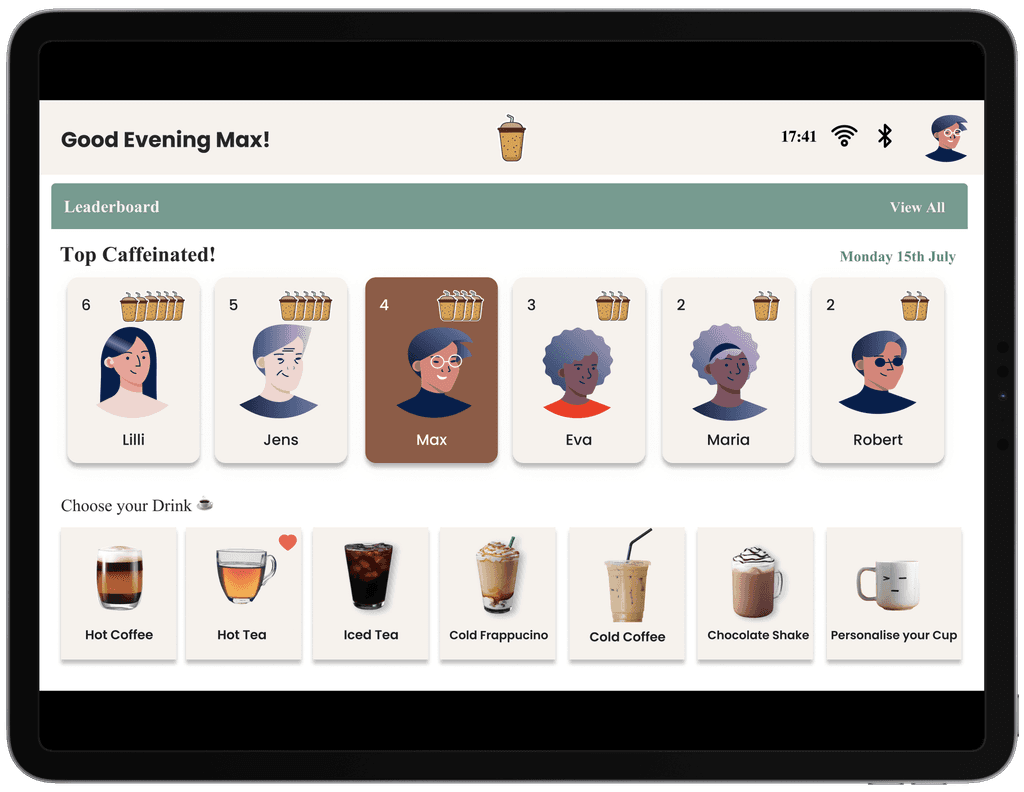
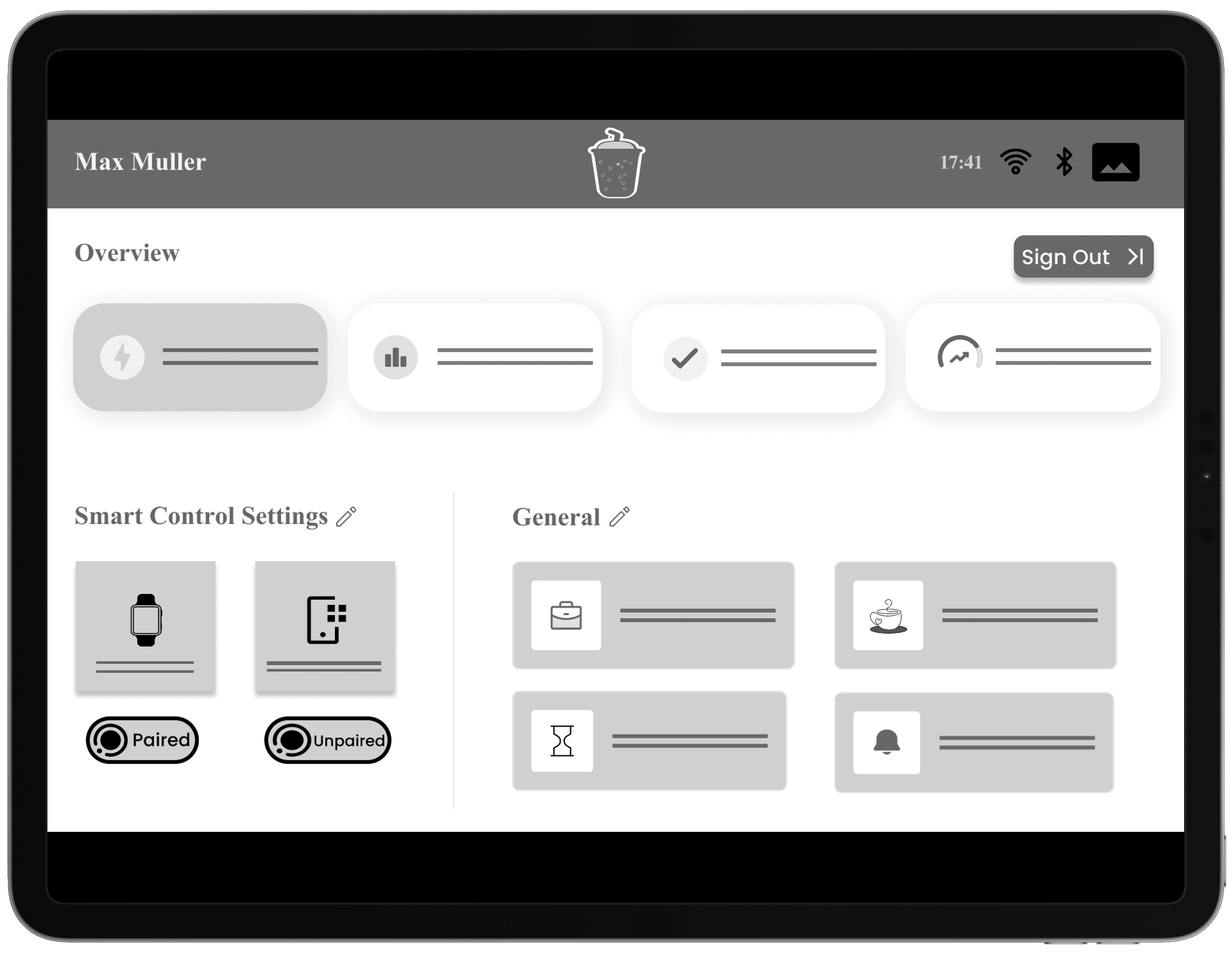
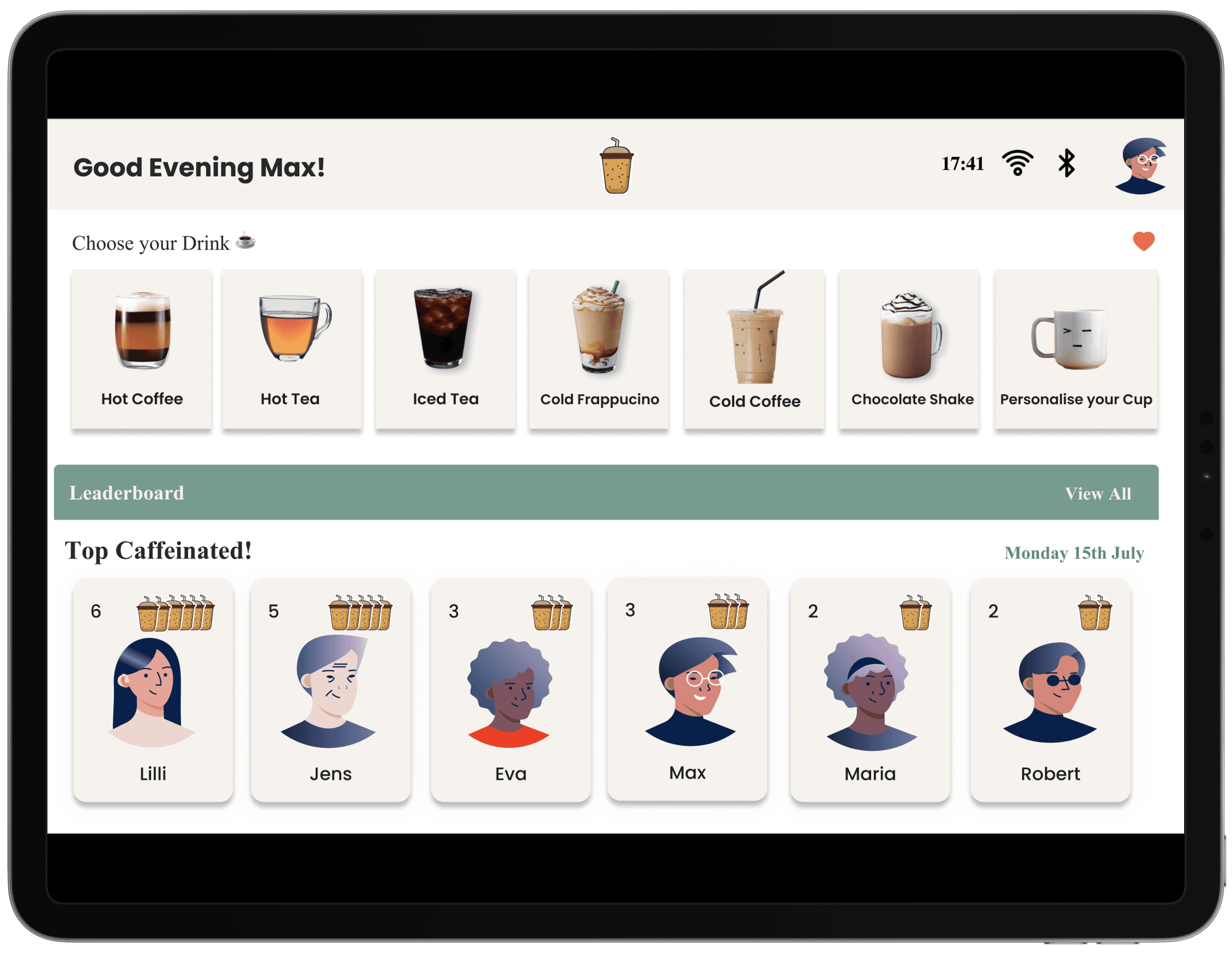
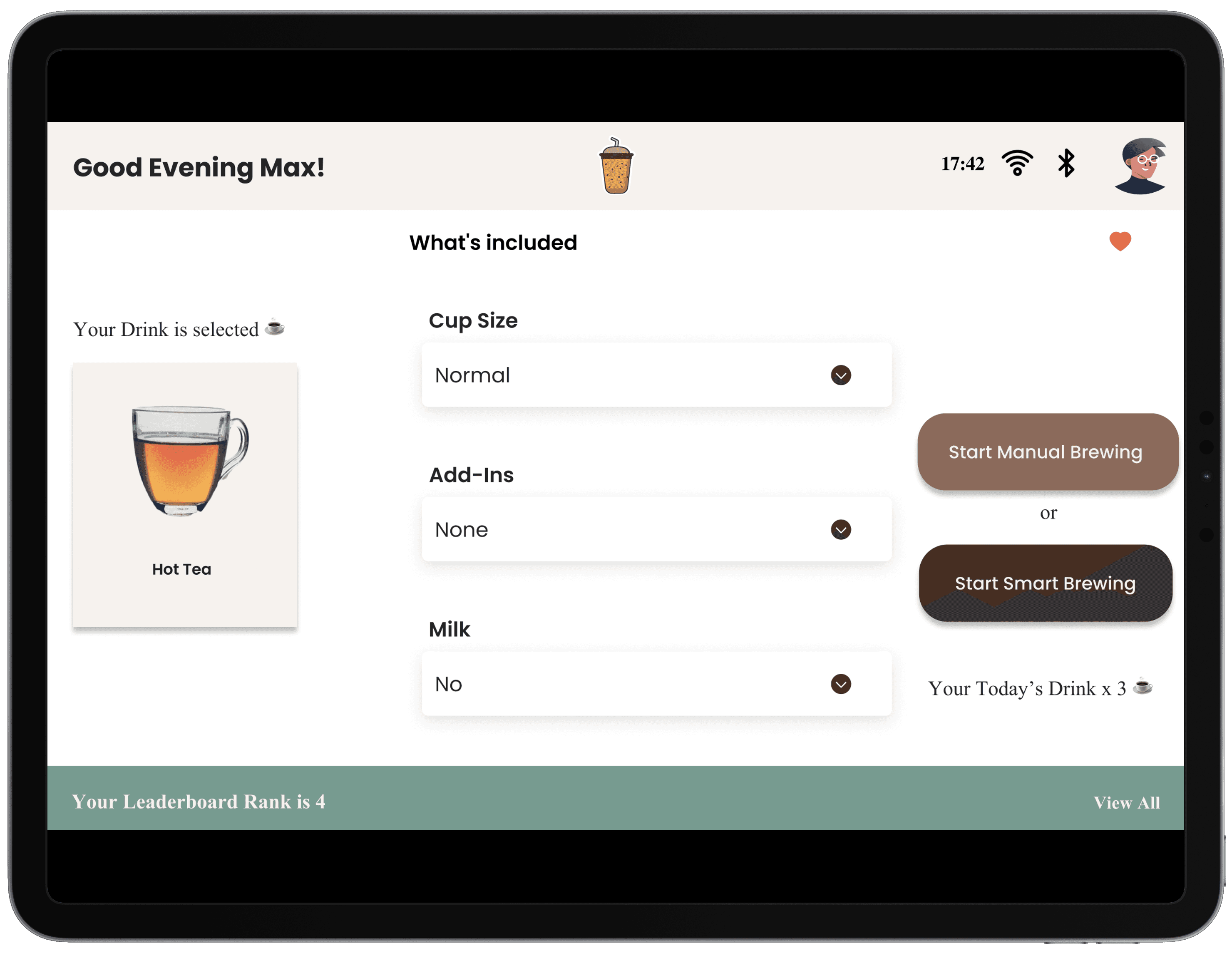
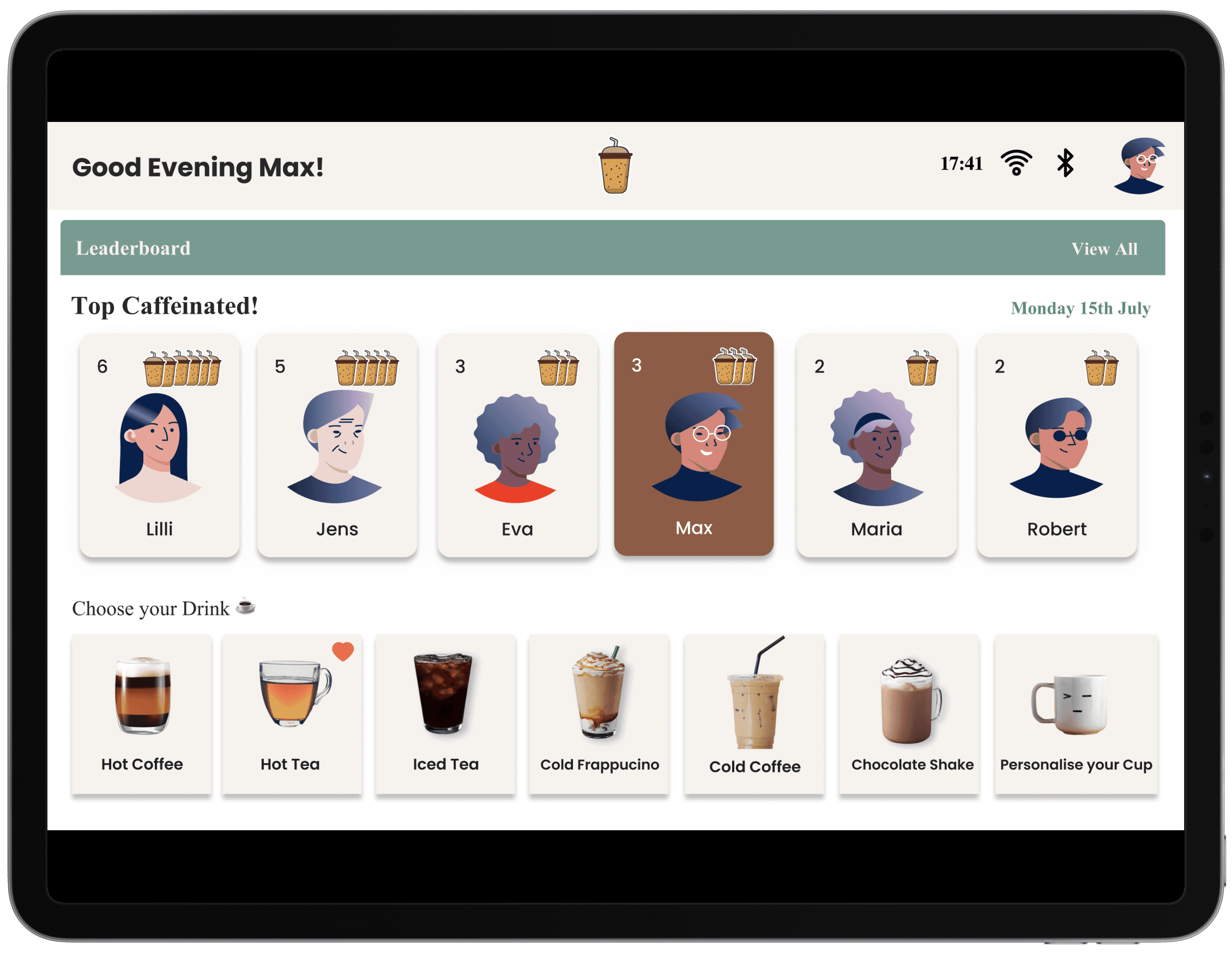
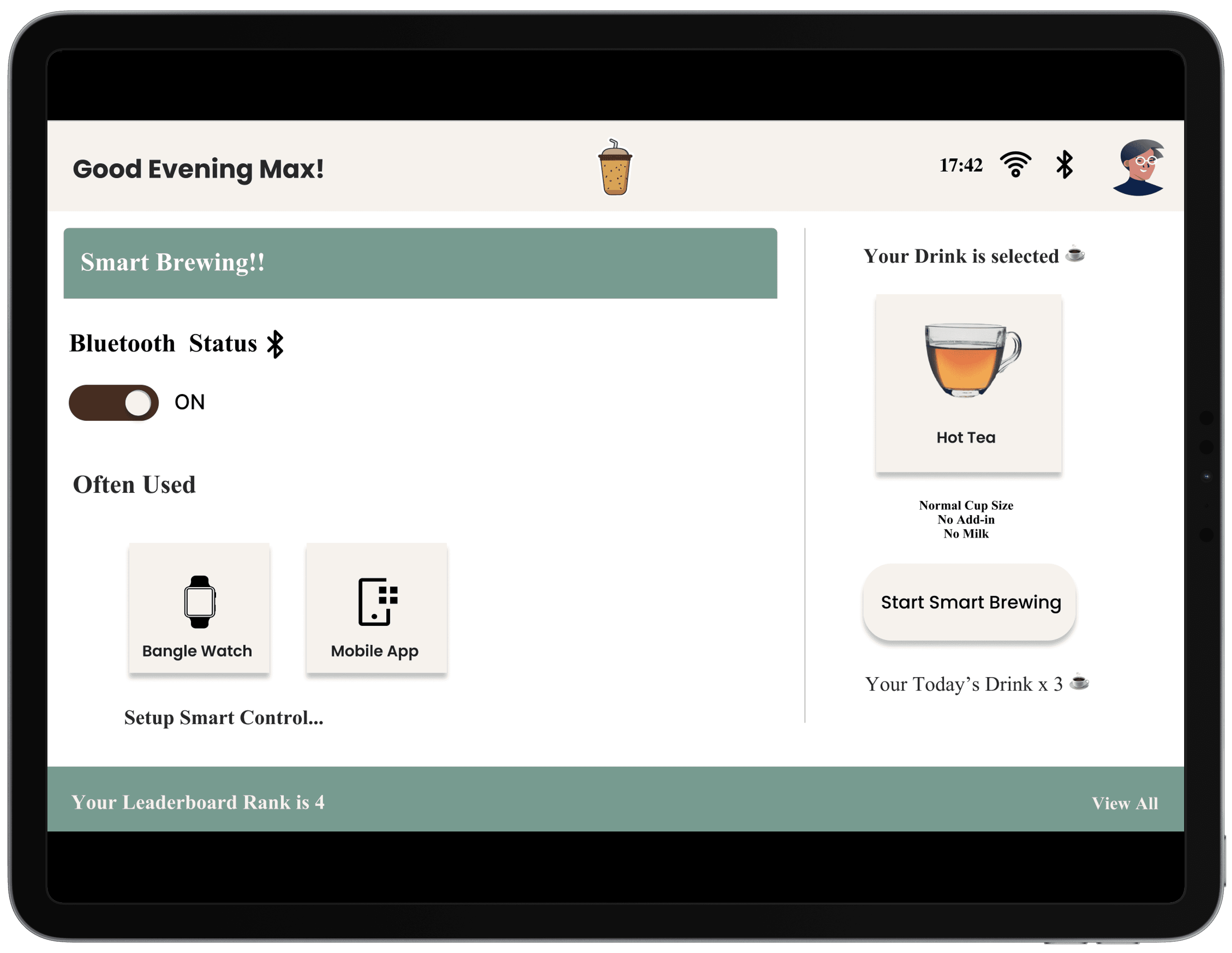
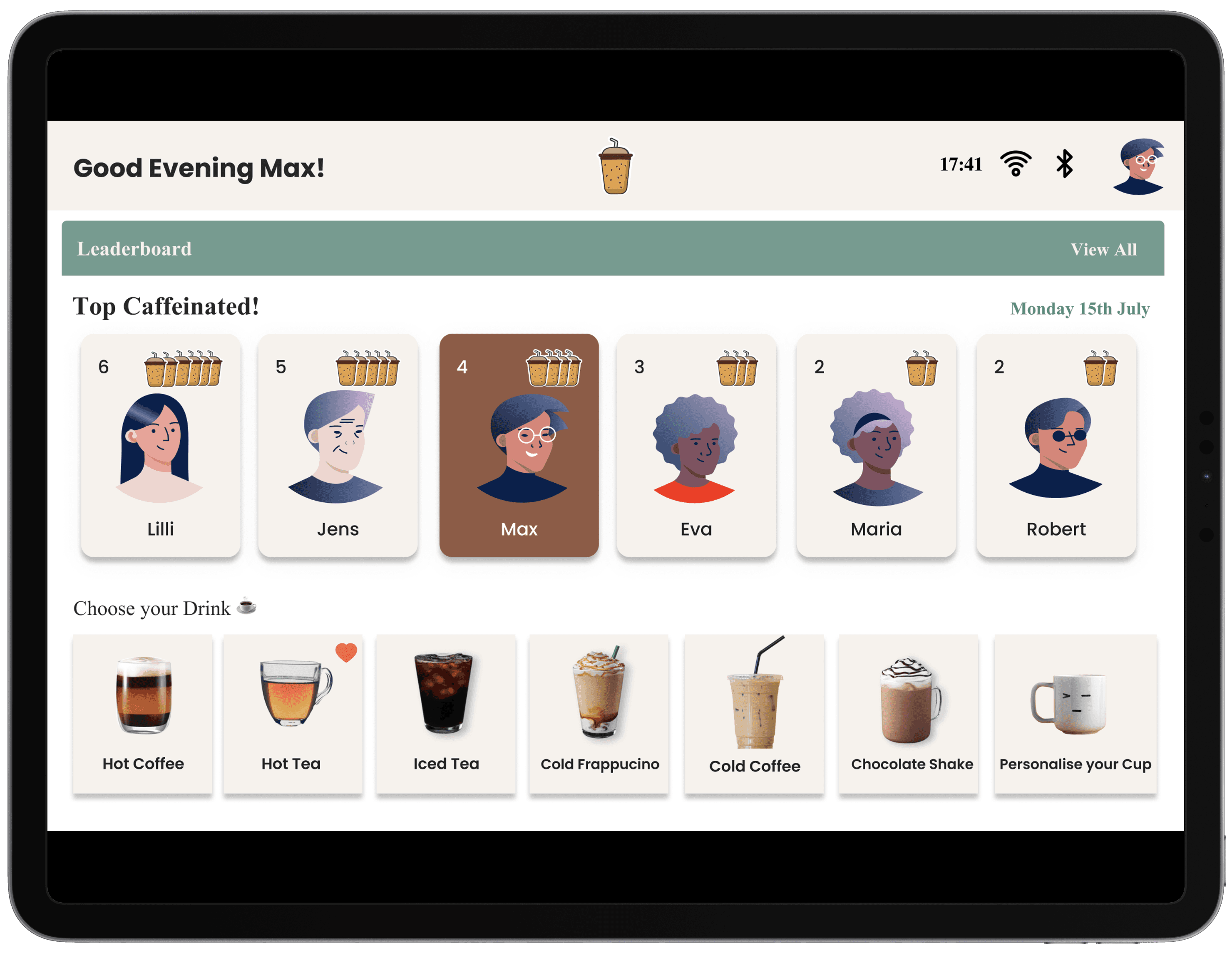
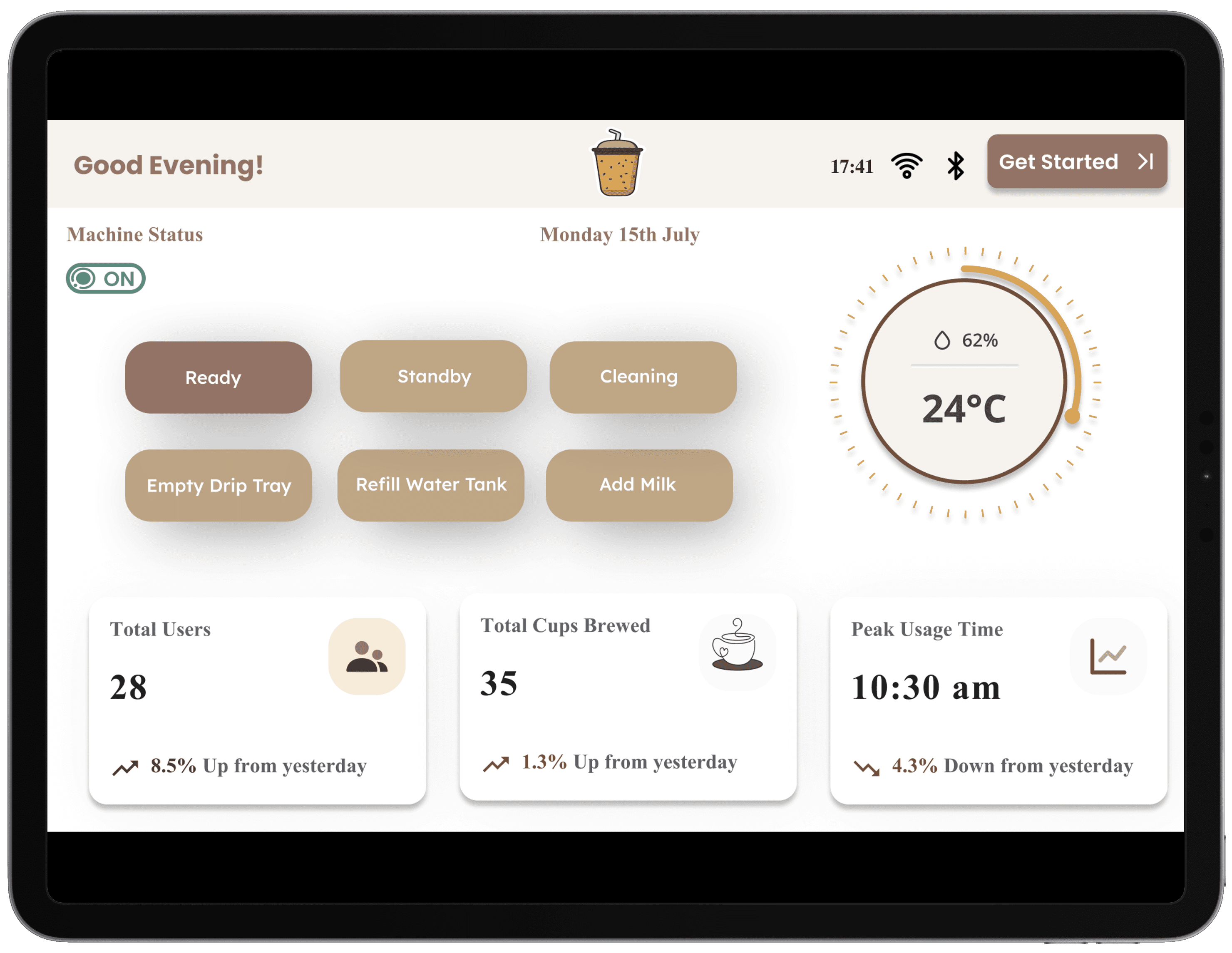
  • The UI for BrewView was designed to be intuitive and minimalistic, allowing users to interact easily with the coffee machine. Large buttons, clear icons, and simple navigation ensure that users can quickly access the features.

  • Key elements include brewing options, notification settings, and control options, all clearly displayed on the interface.
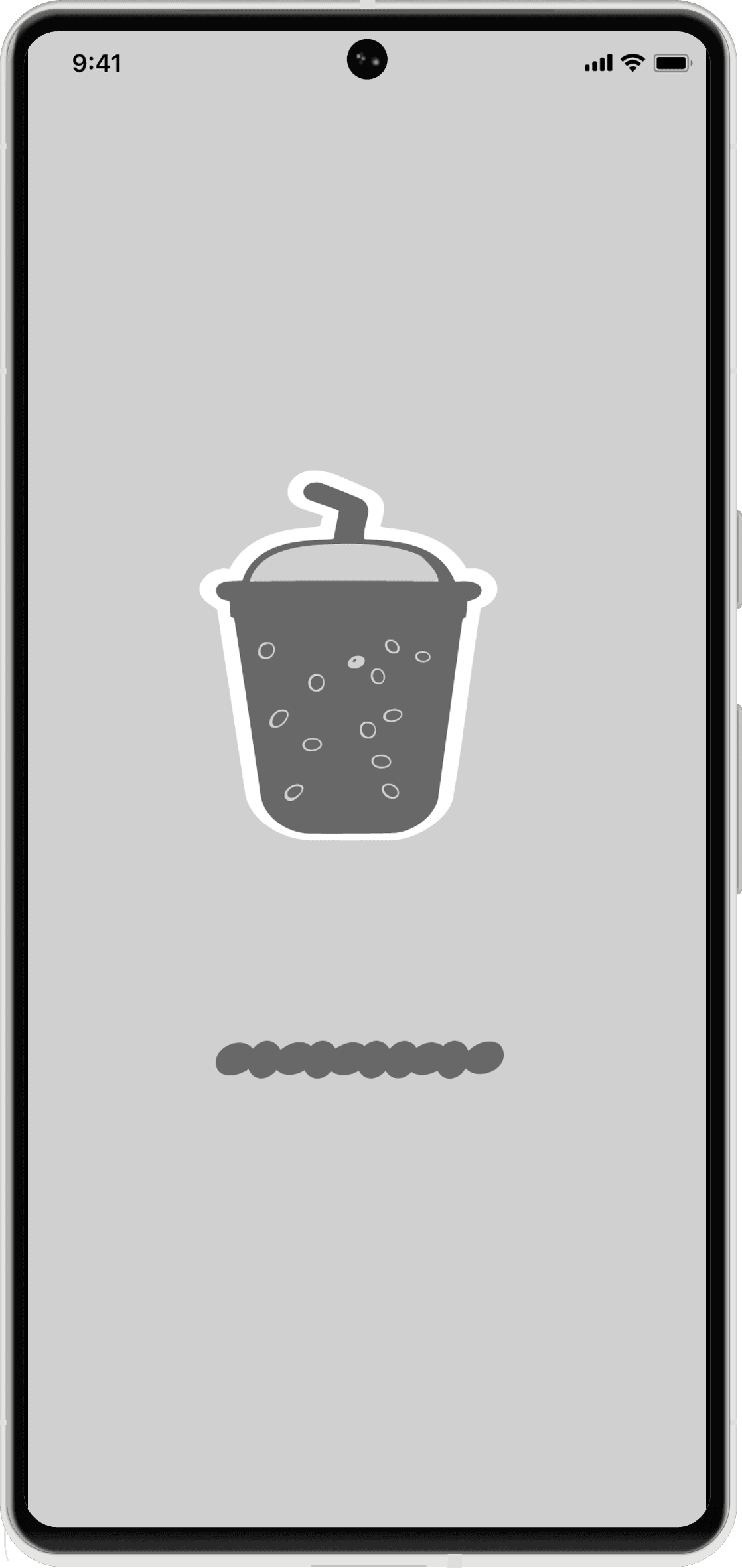
Mobile App Wireframe:

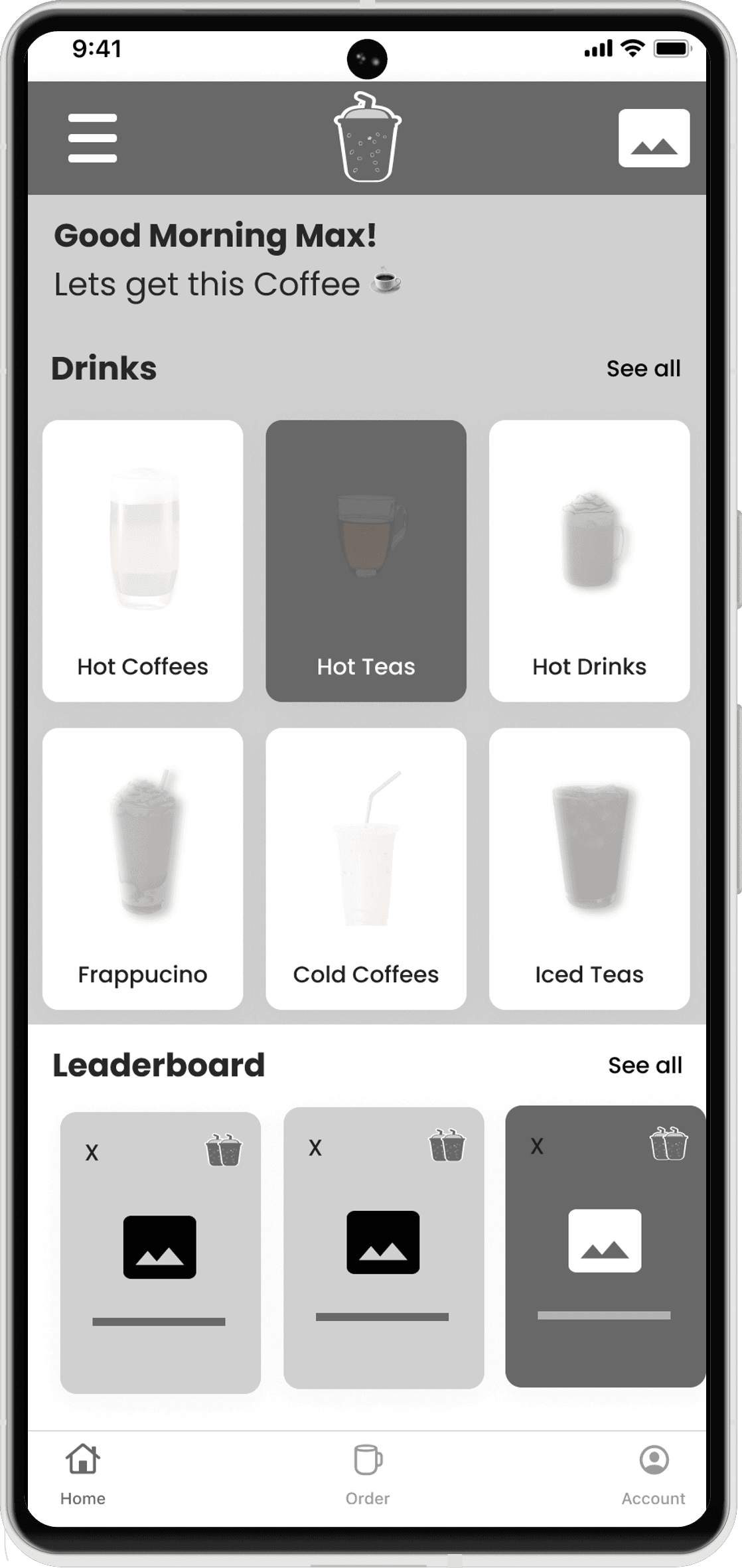
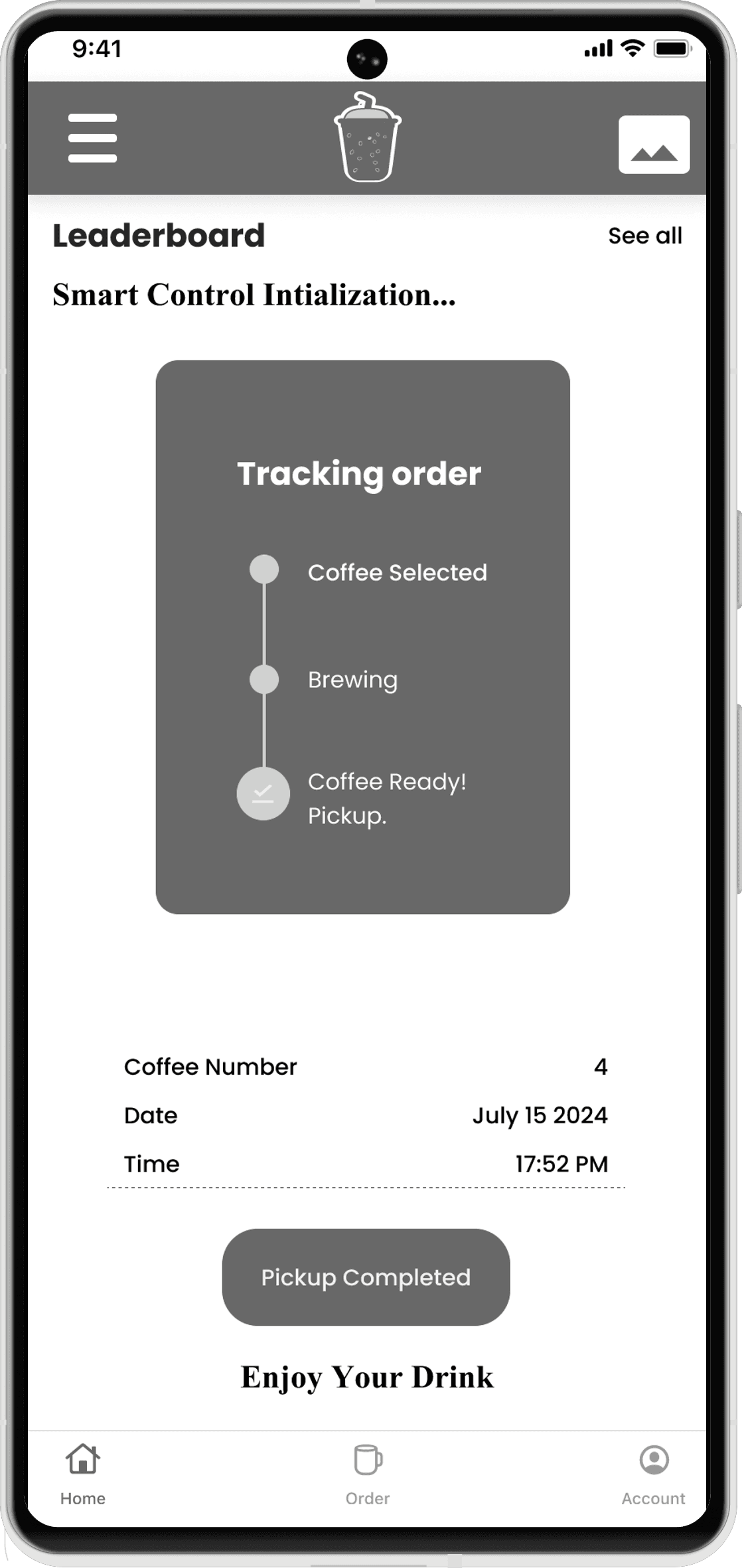
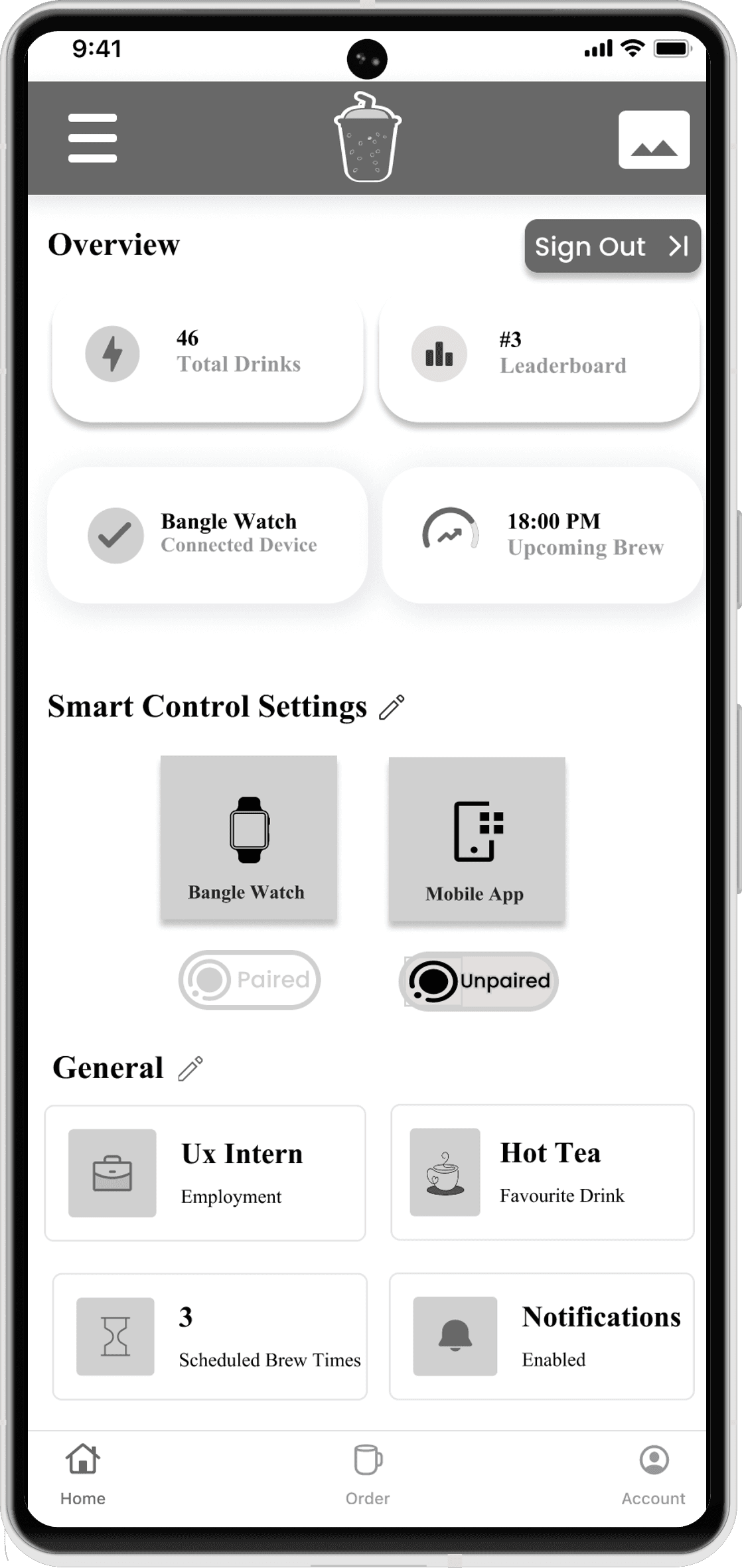
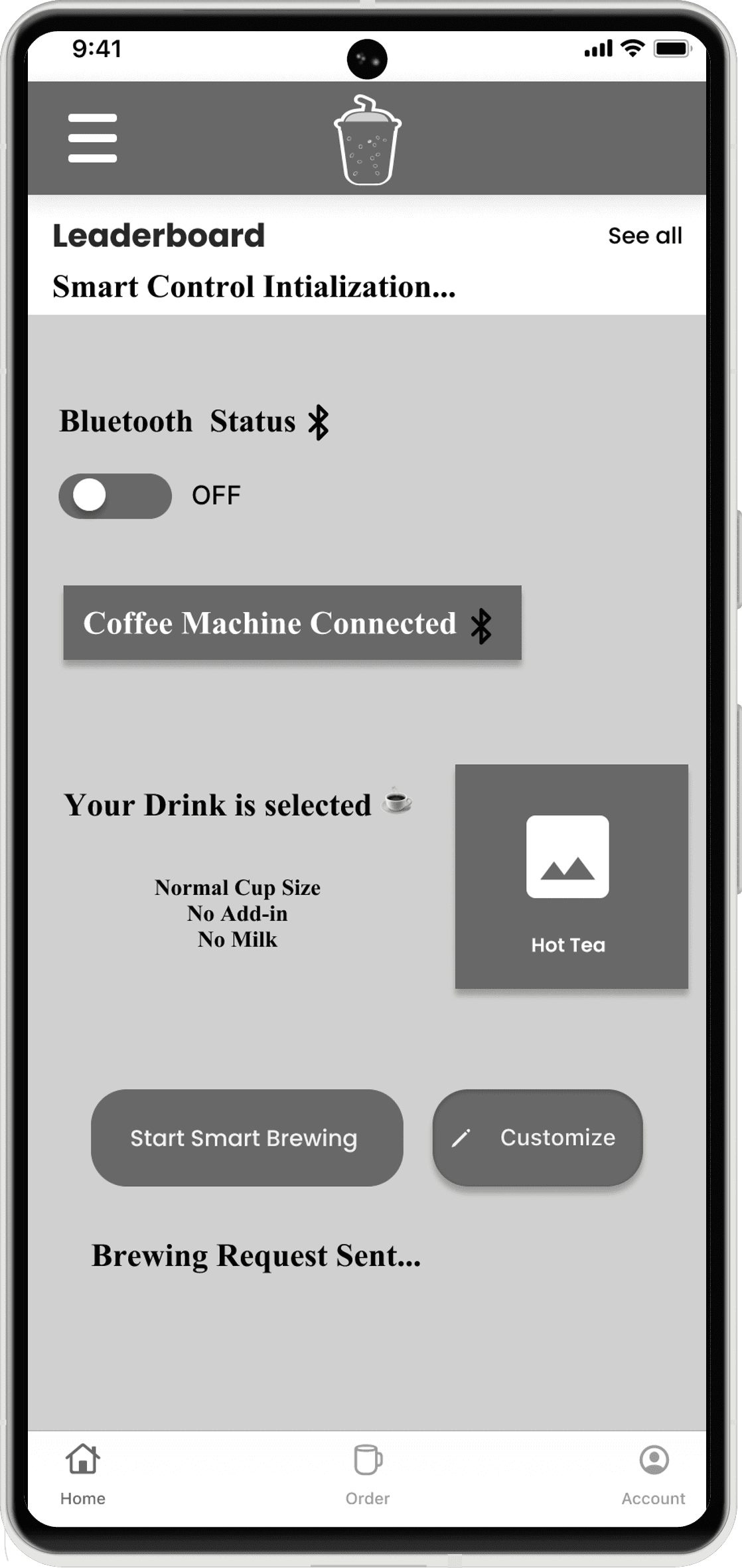
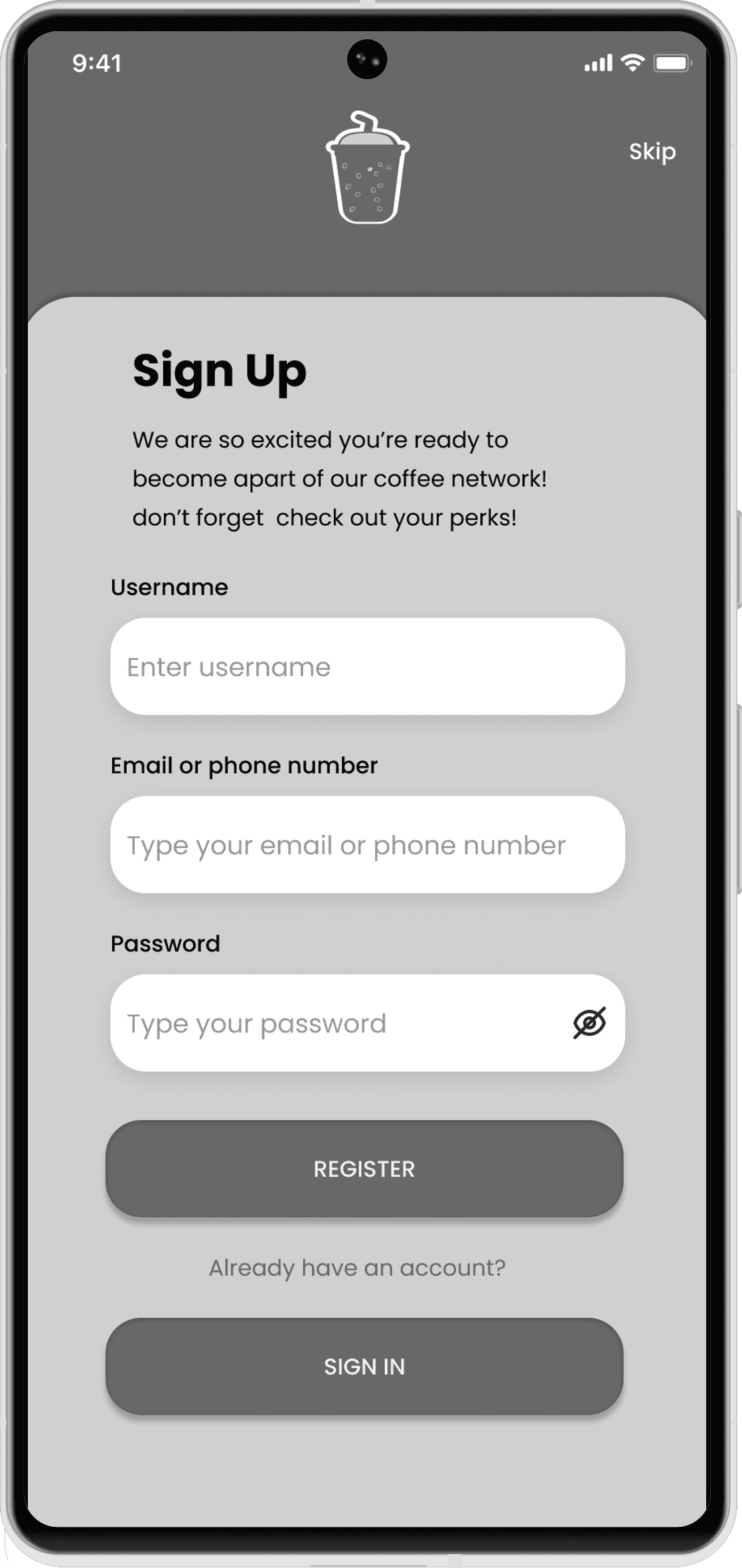
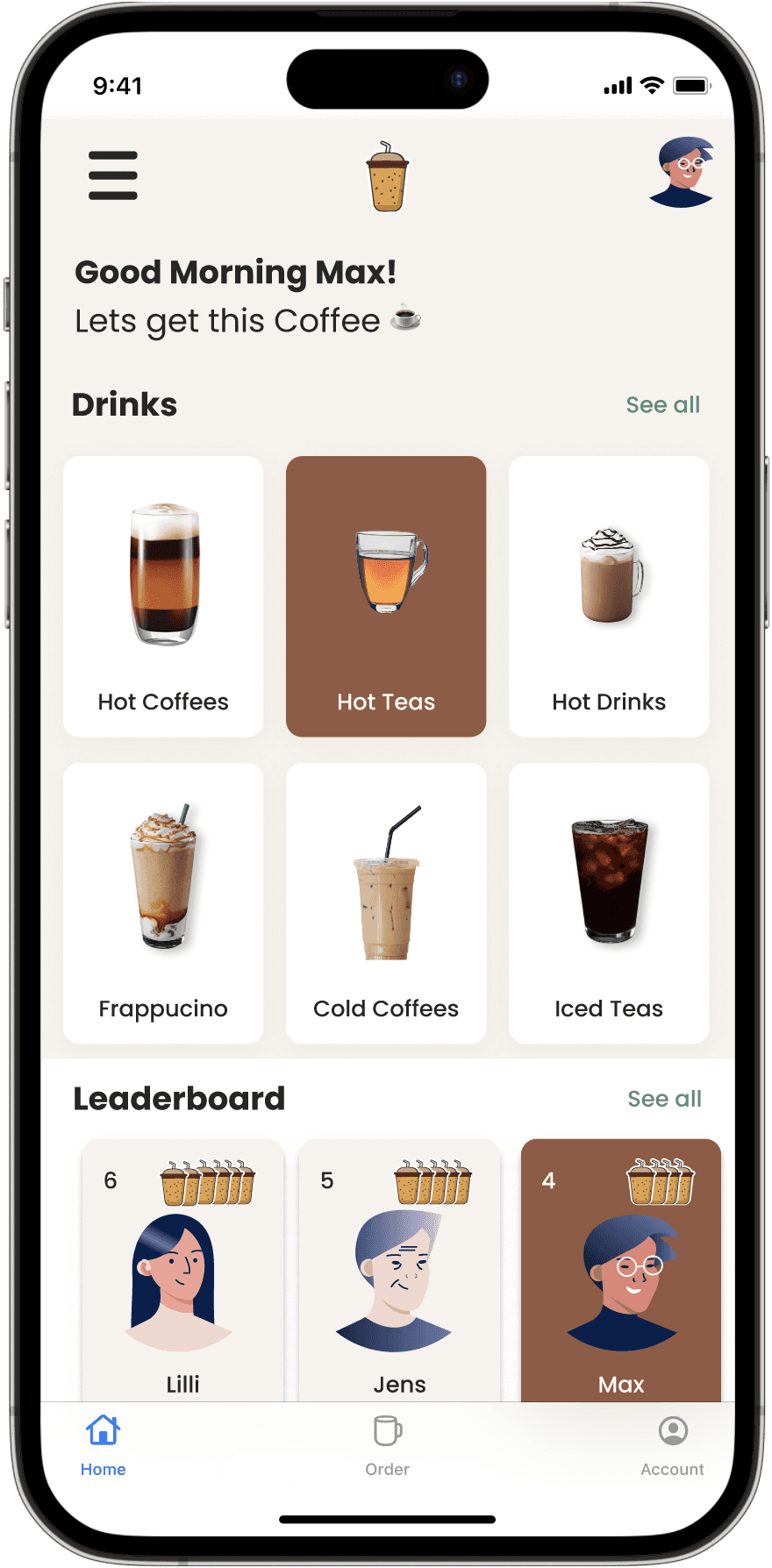
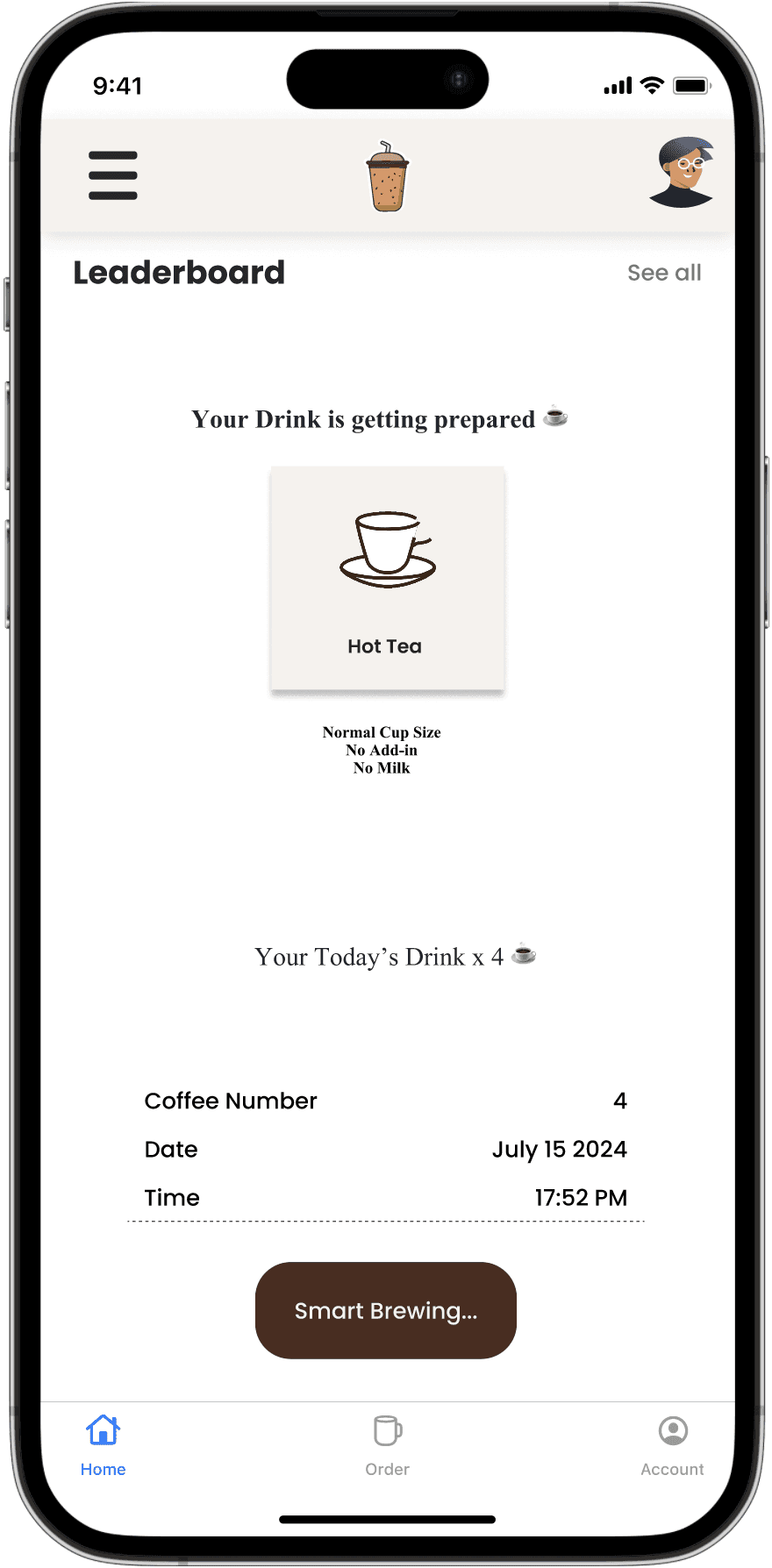
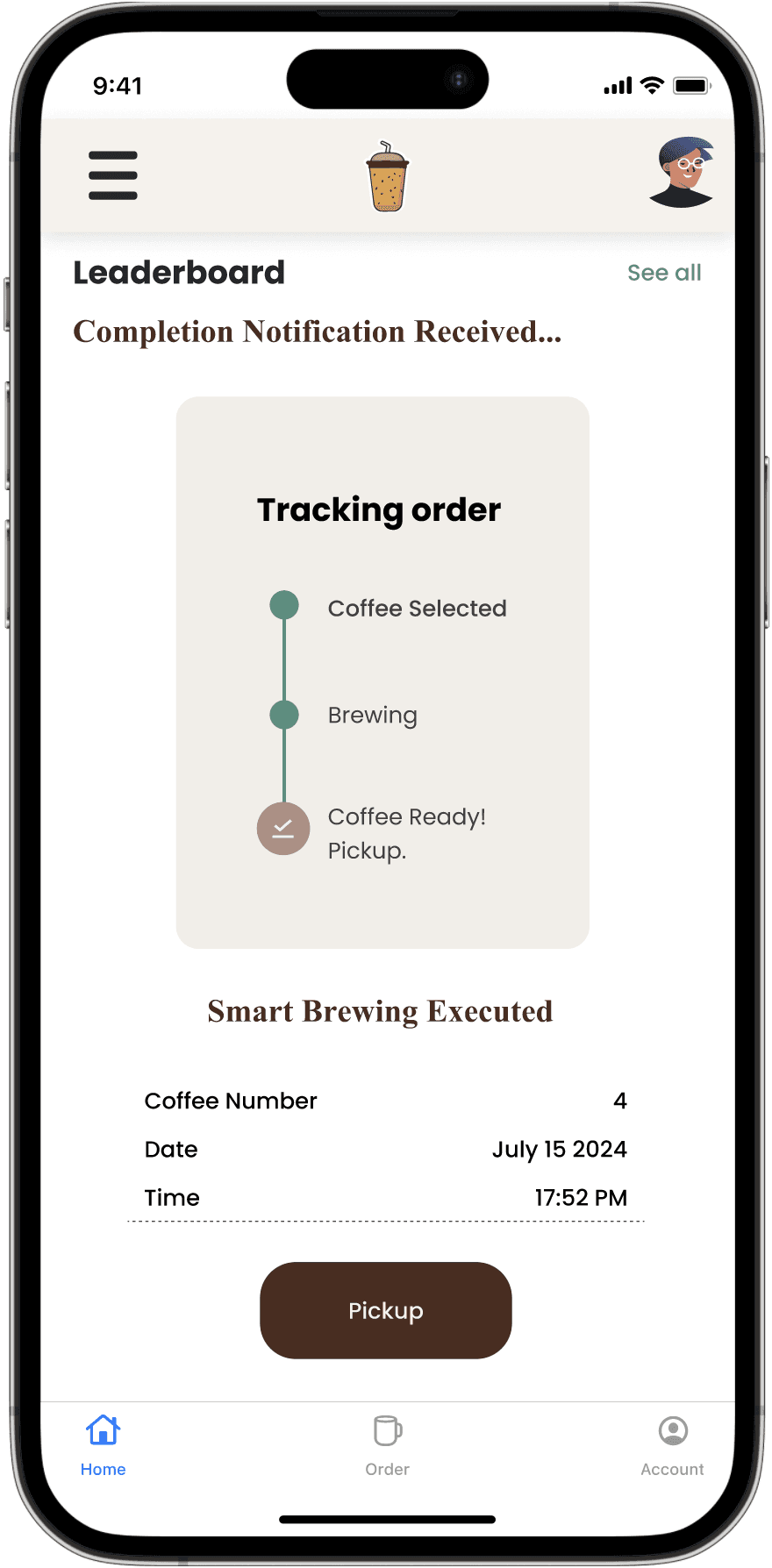
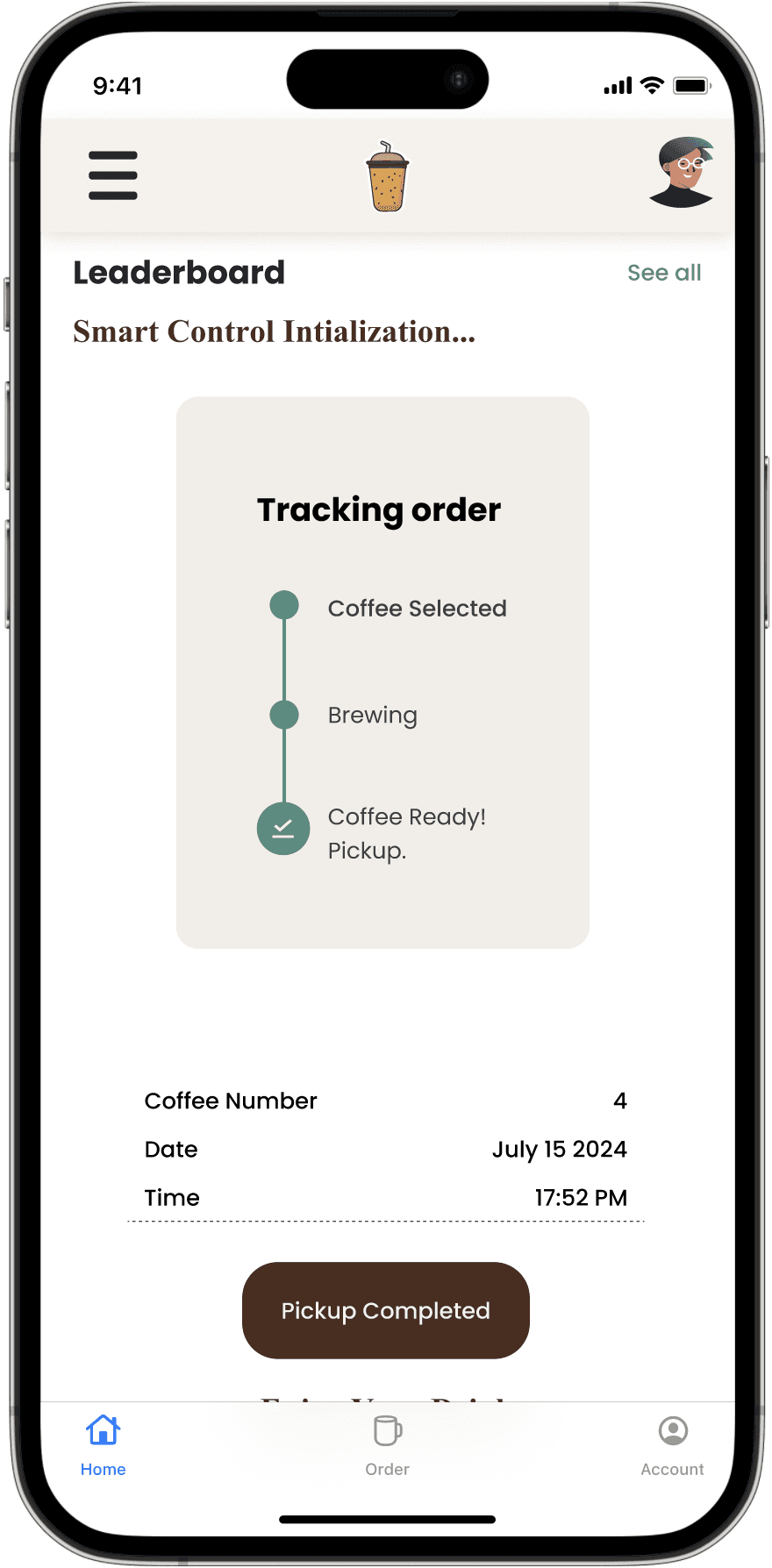
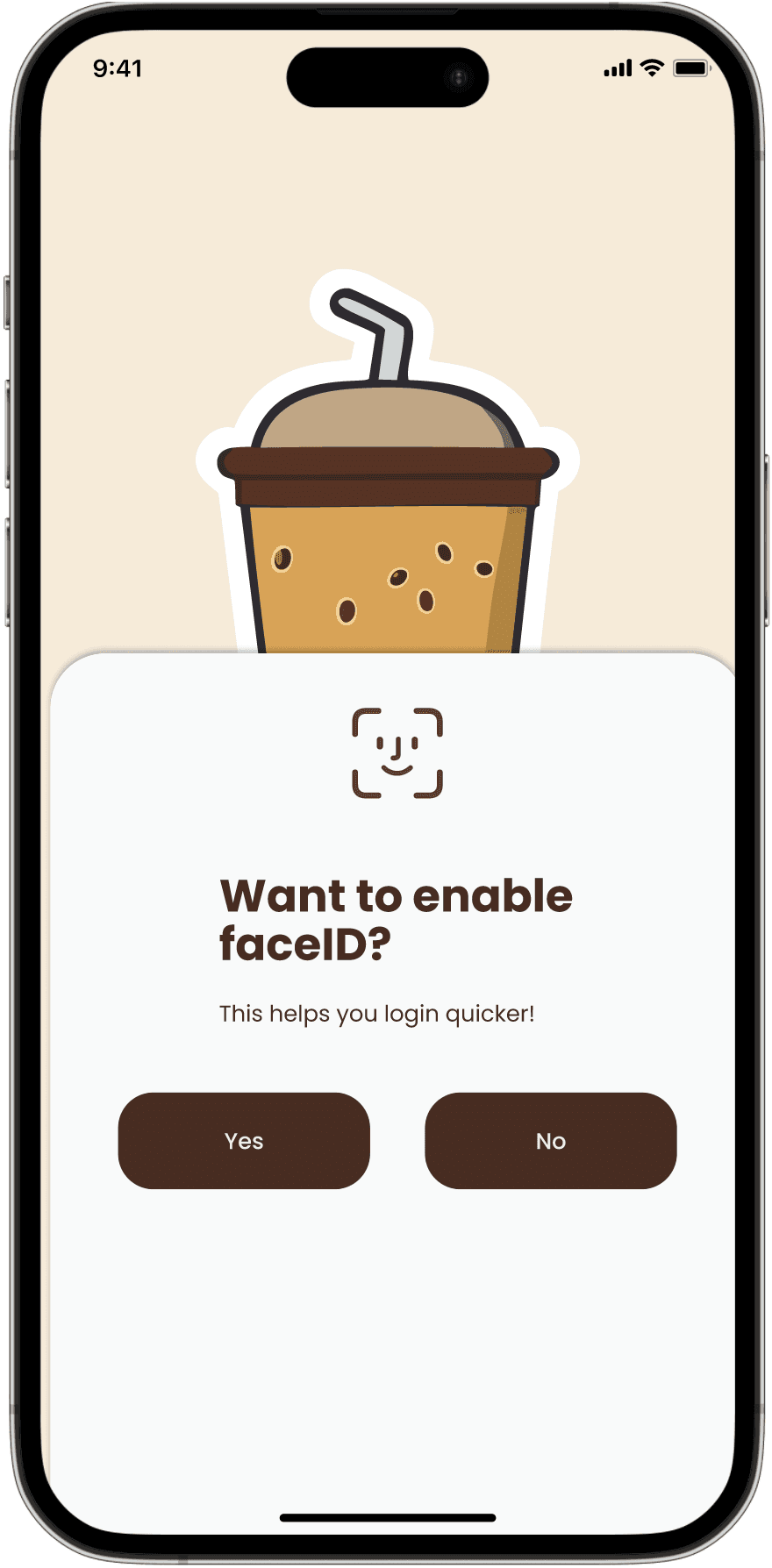
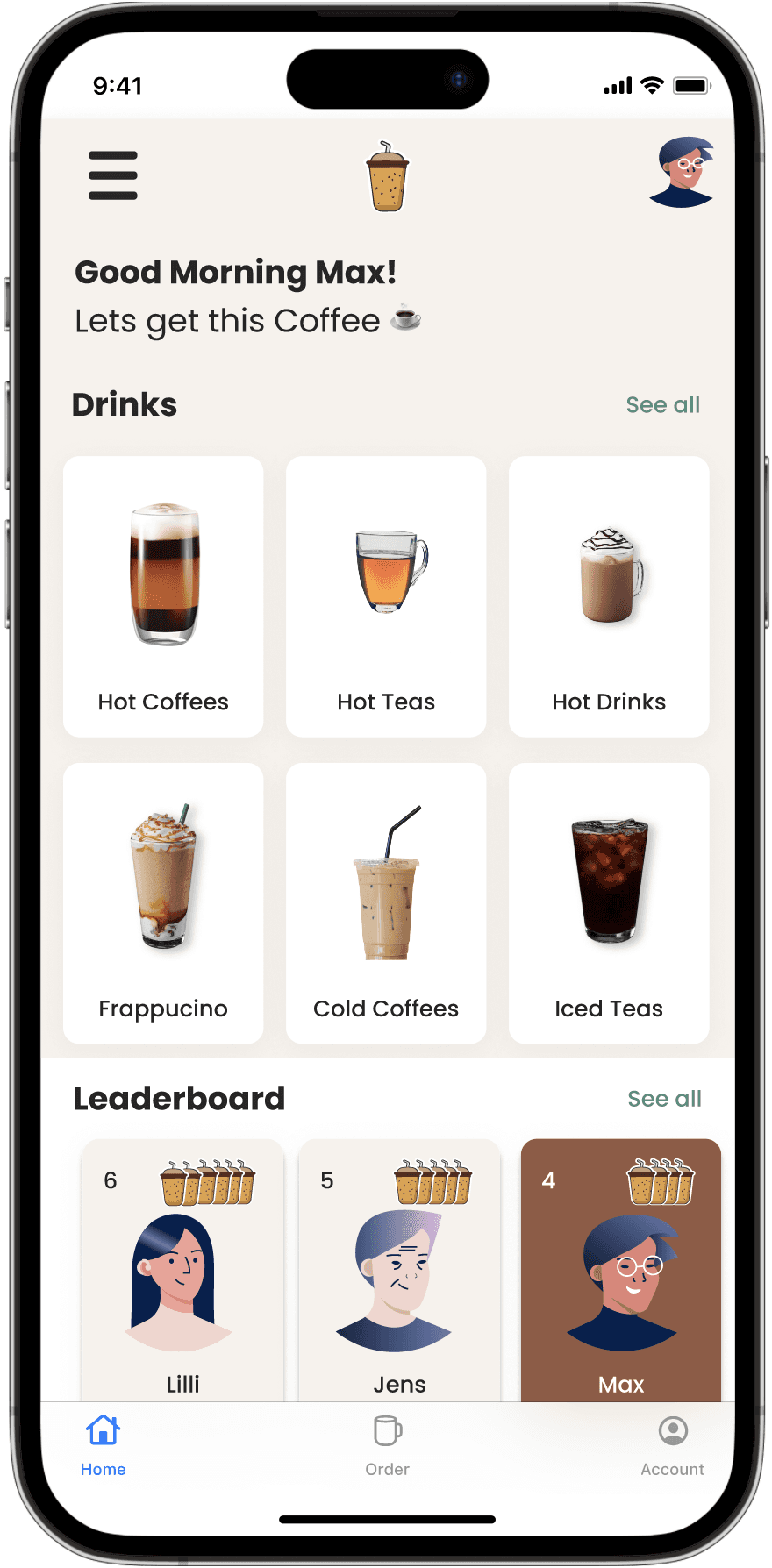
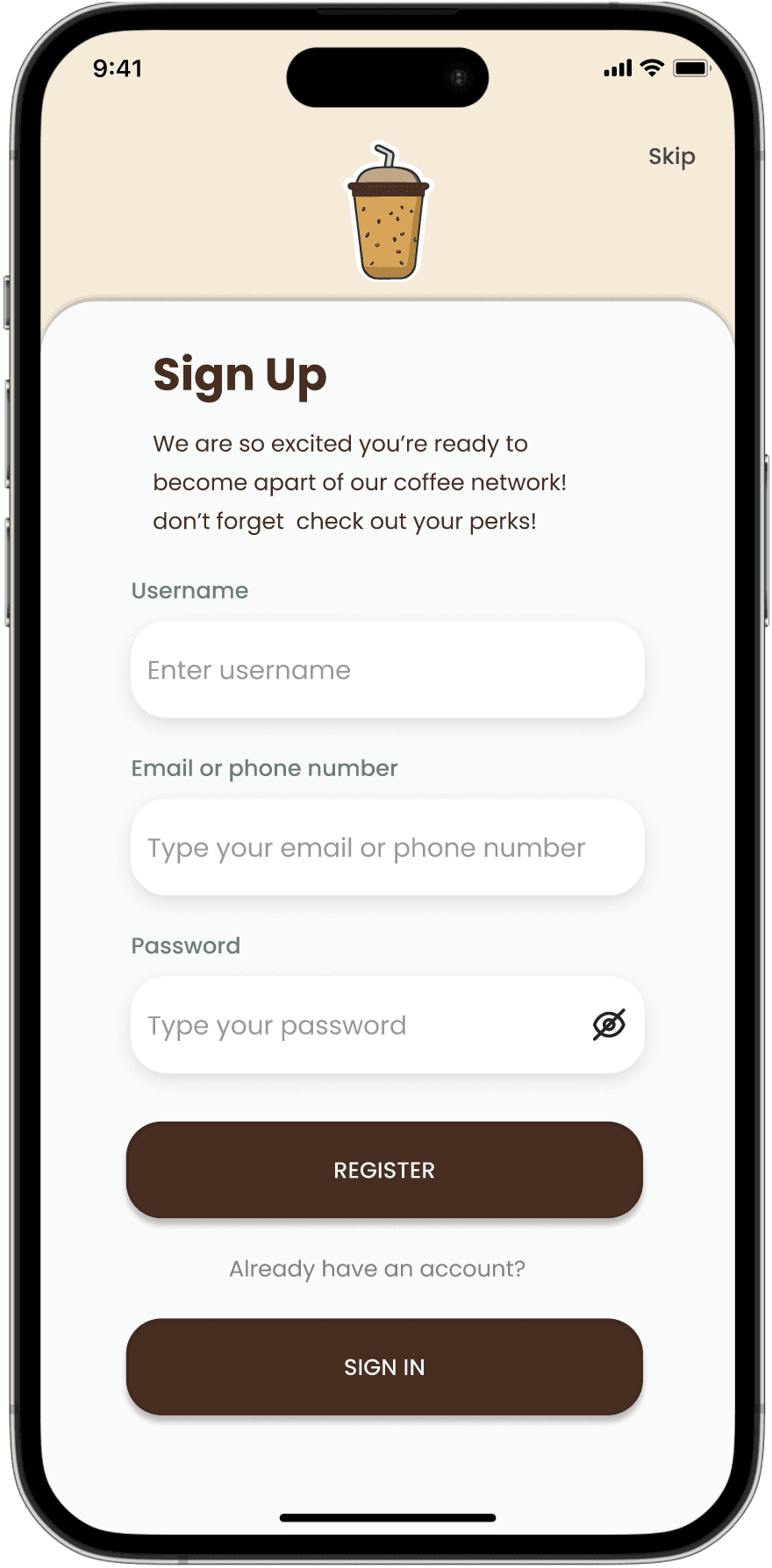
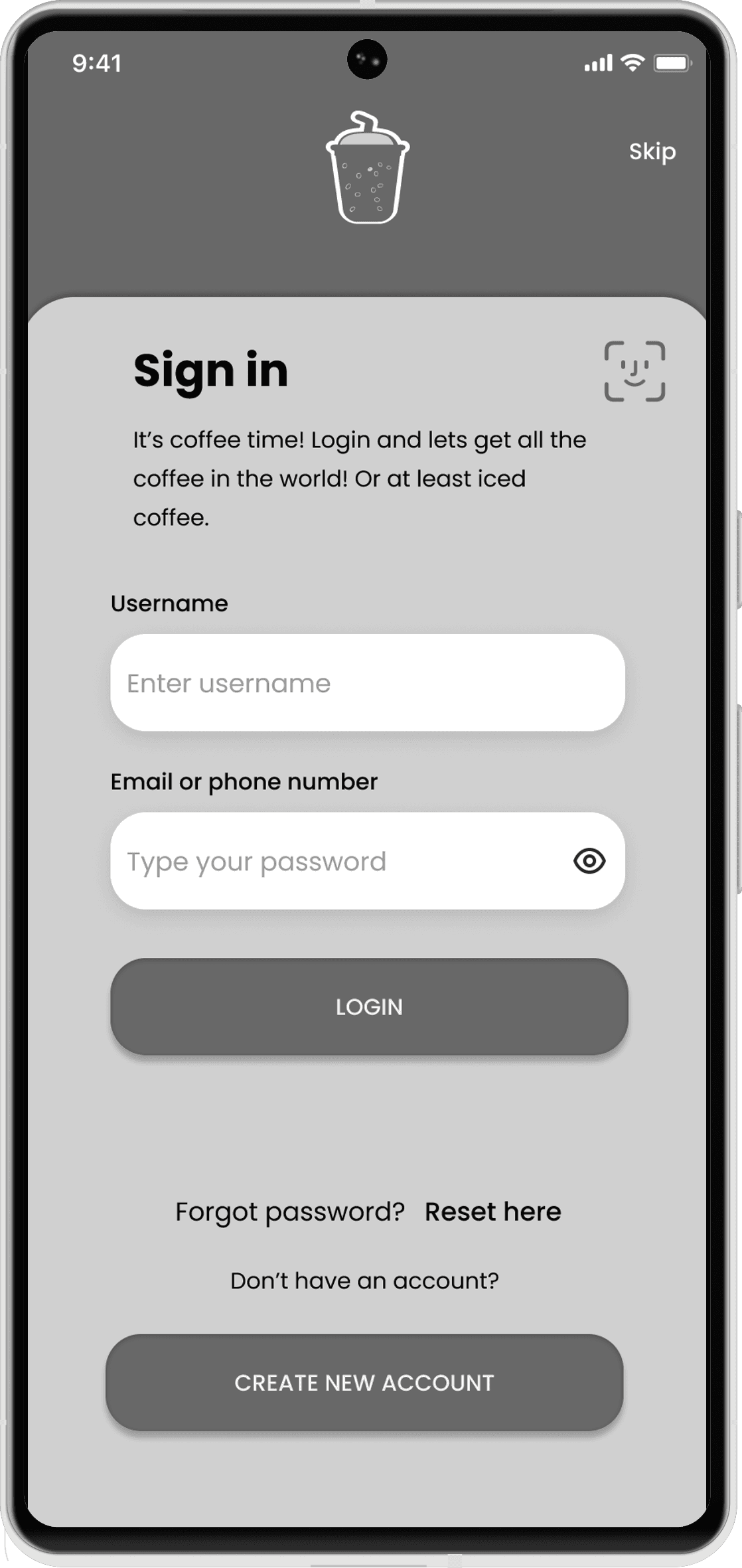
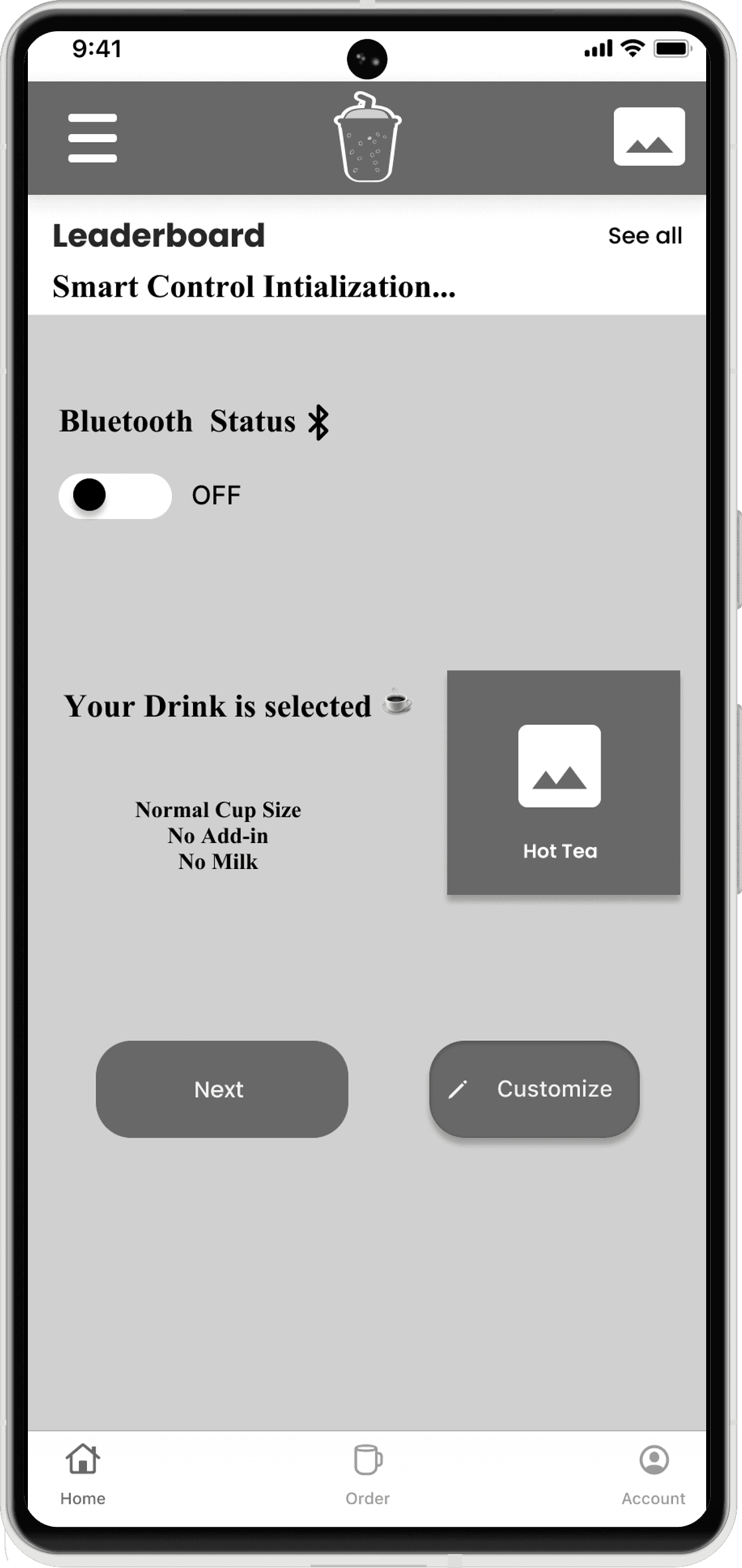
The mobile app UI follows a similar clean and user-centered design. It offers remote access to brewing features, notifications, and real-time updates on the brewing status. The navigation is structured around easy access to all functions from a single dashboard.
Interaction Design
Overview

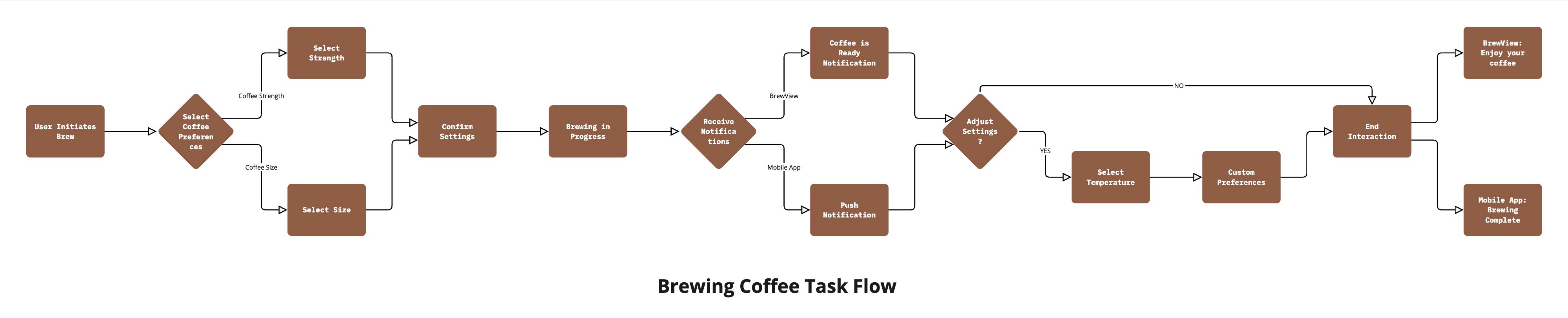
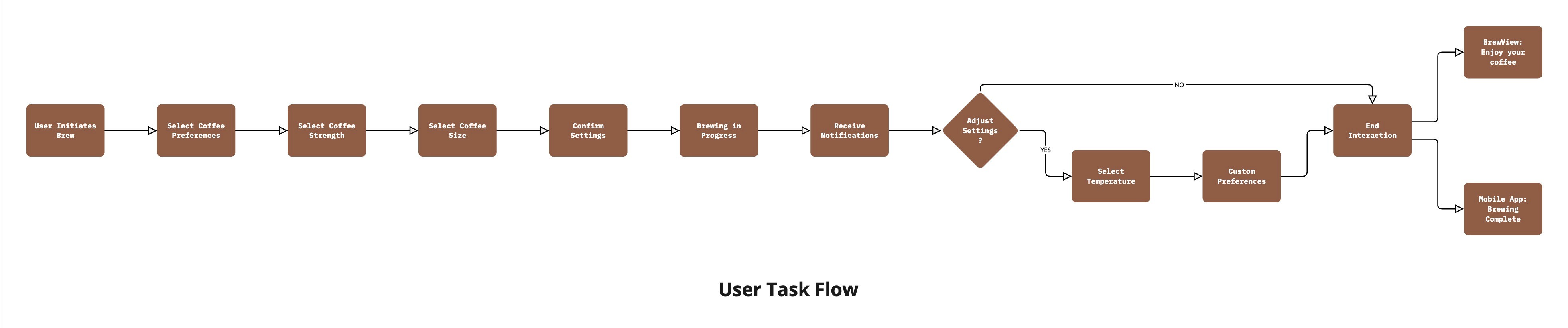
In this project, the interaction design was built to simplify the coffee-making process for users, regardless of their technical expertise. Both the BrewView interface and the mobile app were designed with intuitive touch controls and clear visual cues, allowing users to easily navigate through brewing options and settings. A key focus was on reducing the number of steps needed to complete a task, ensuring a quick and hassle-free experience.

By incorporating clear task flows the interaction design achieves a high level of usability.

Prototyping

UI Library Components

The UI Library for the Smart Coffee Interface and Application is carefully curated collection of reusable components that ensure design consistency across the entire interface. The library includes essential design elements such as buttons, icons, input fields, modals, and navigation bars, all optimized for industrial use with clarity and functionality at the forefront.

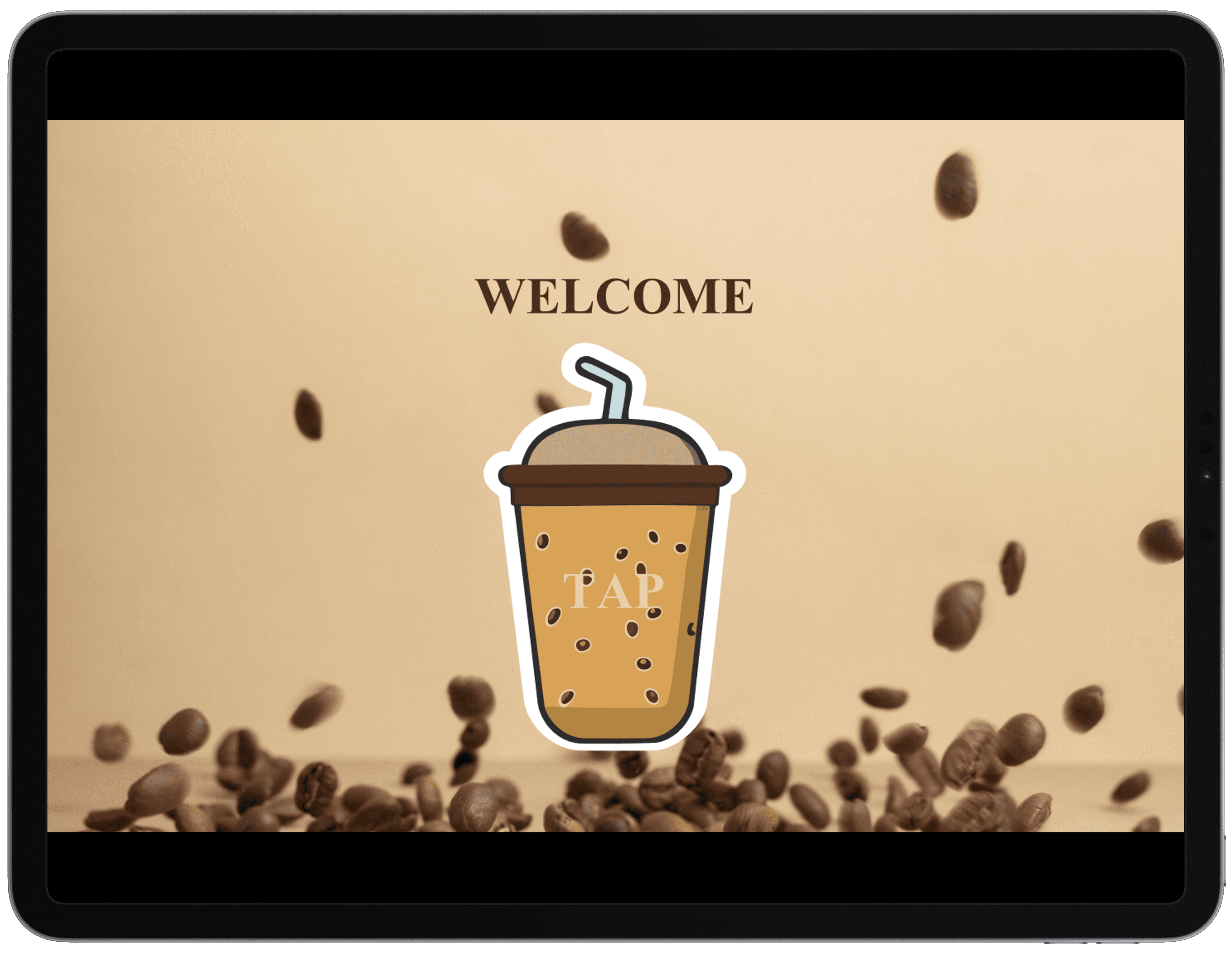
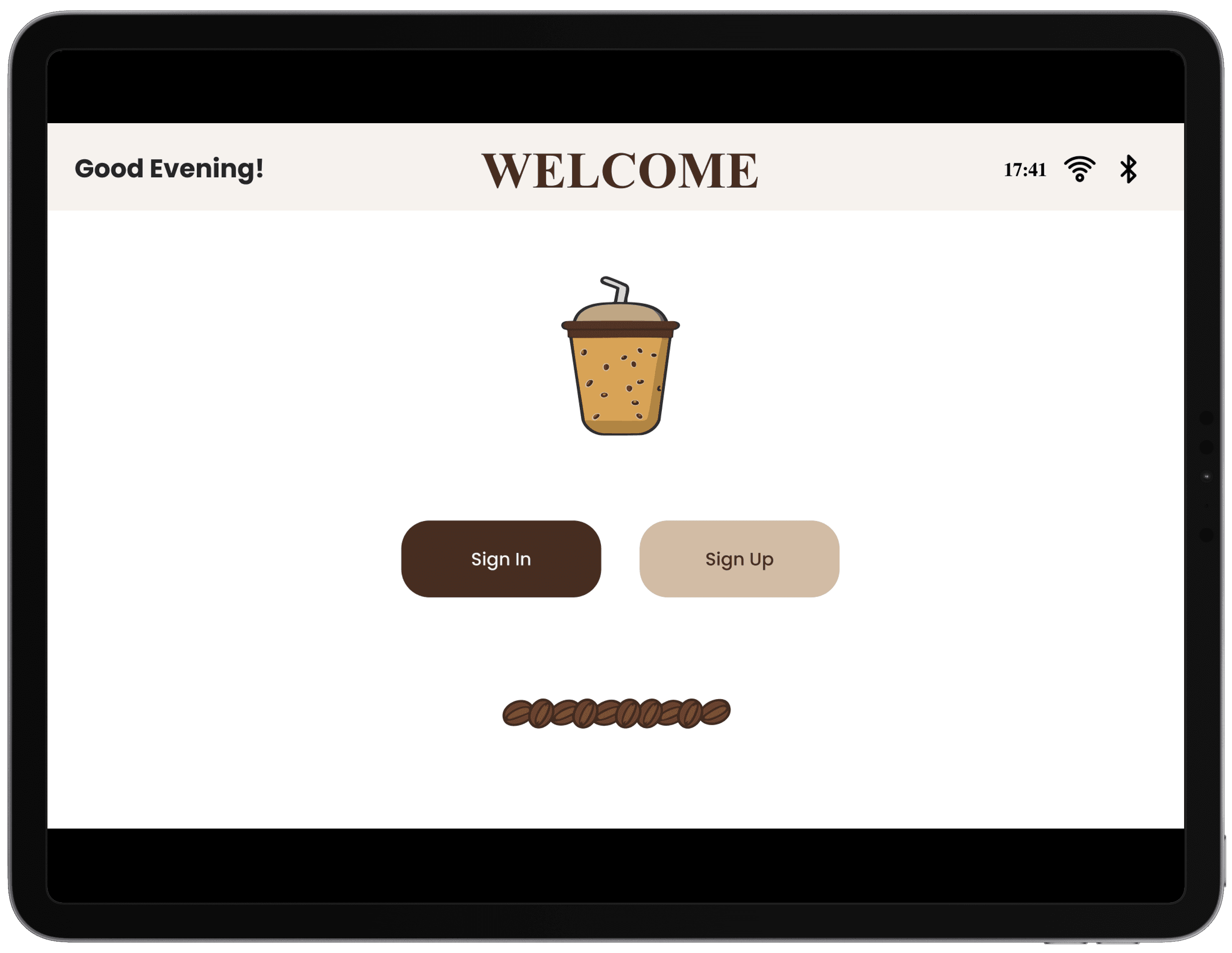
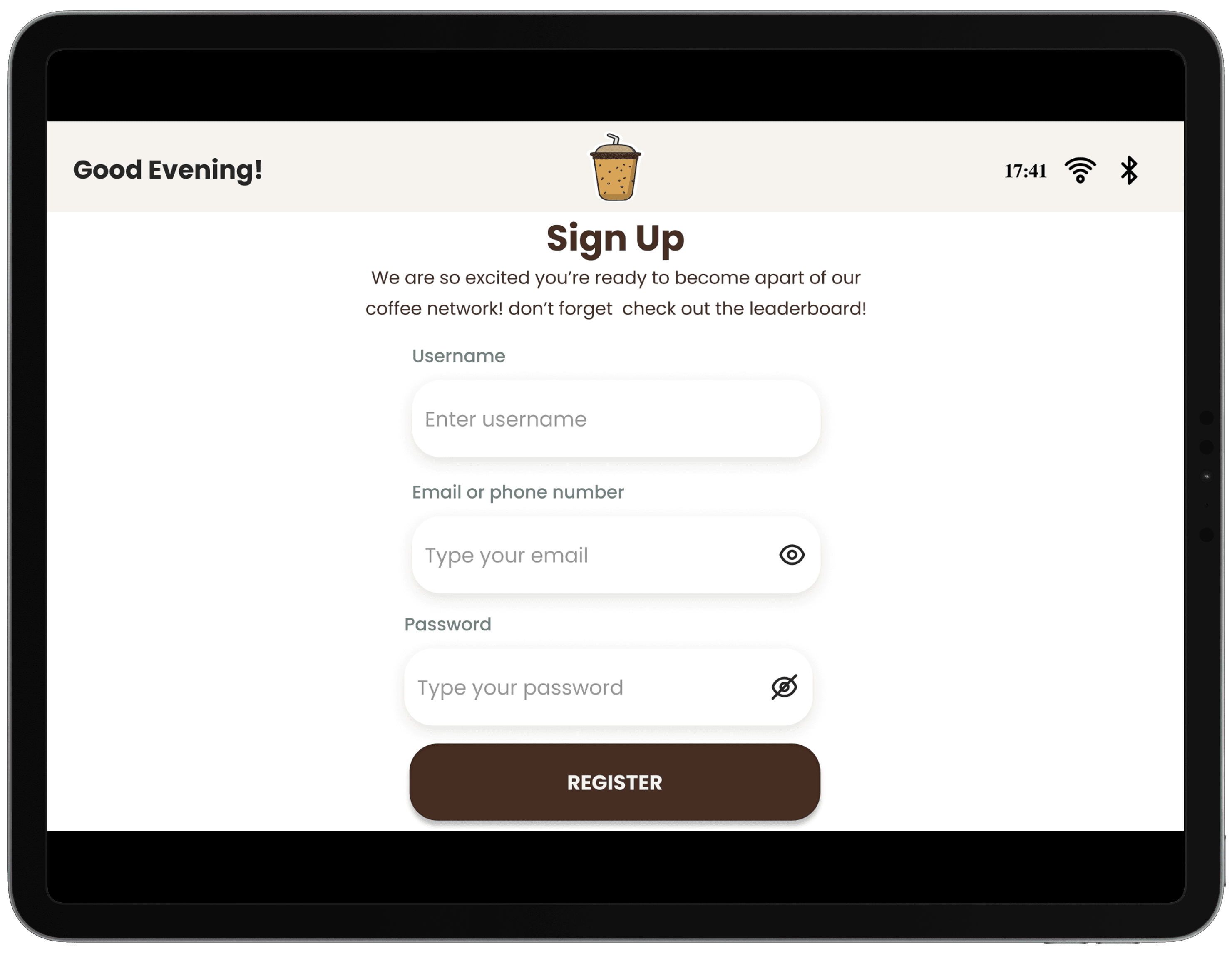
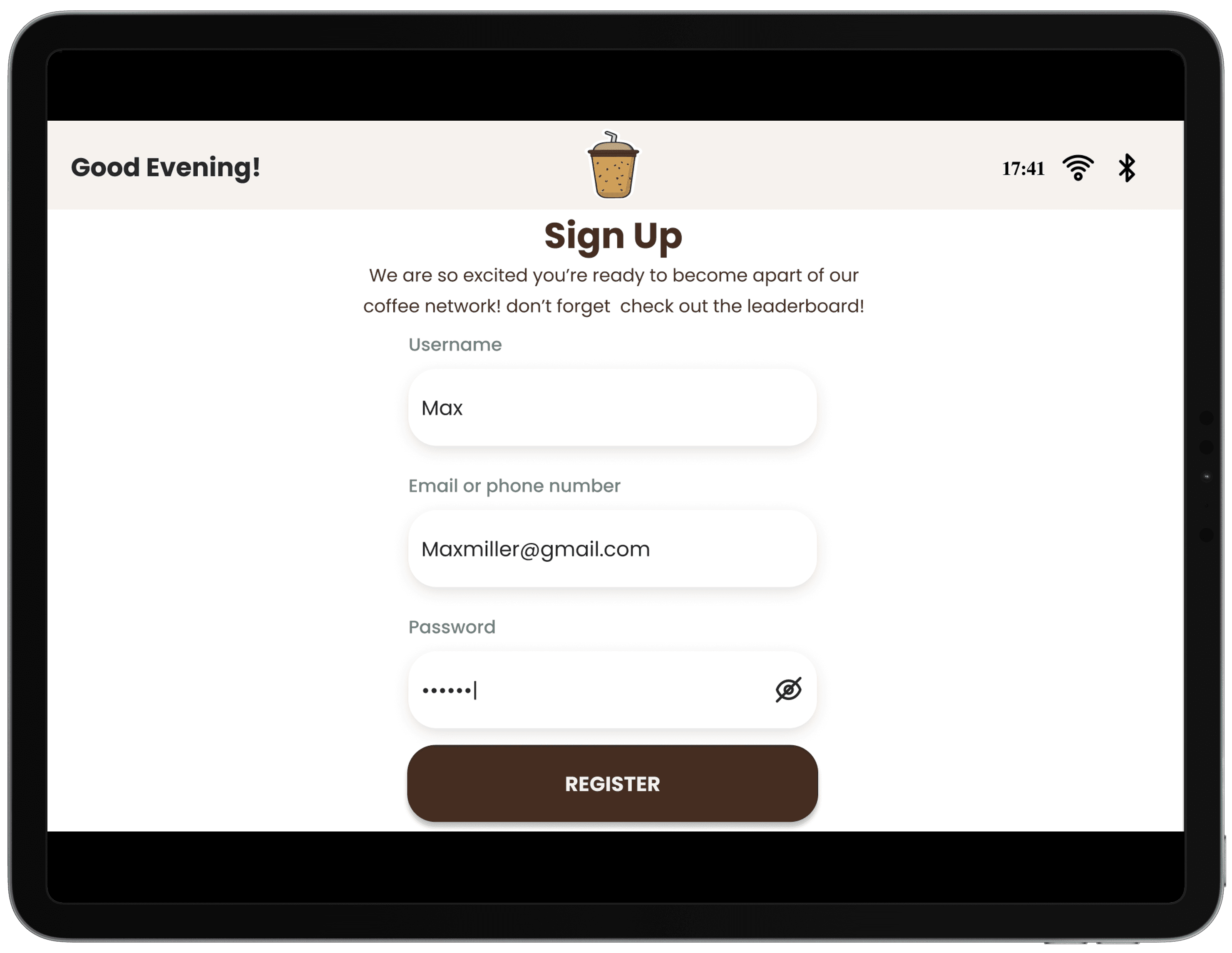
High-Fidelity Screens

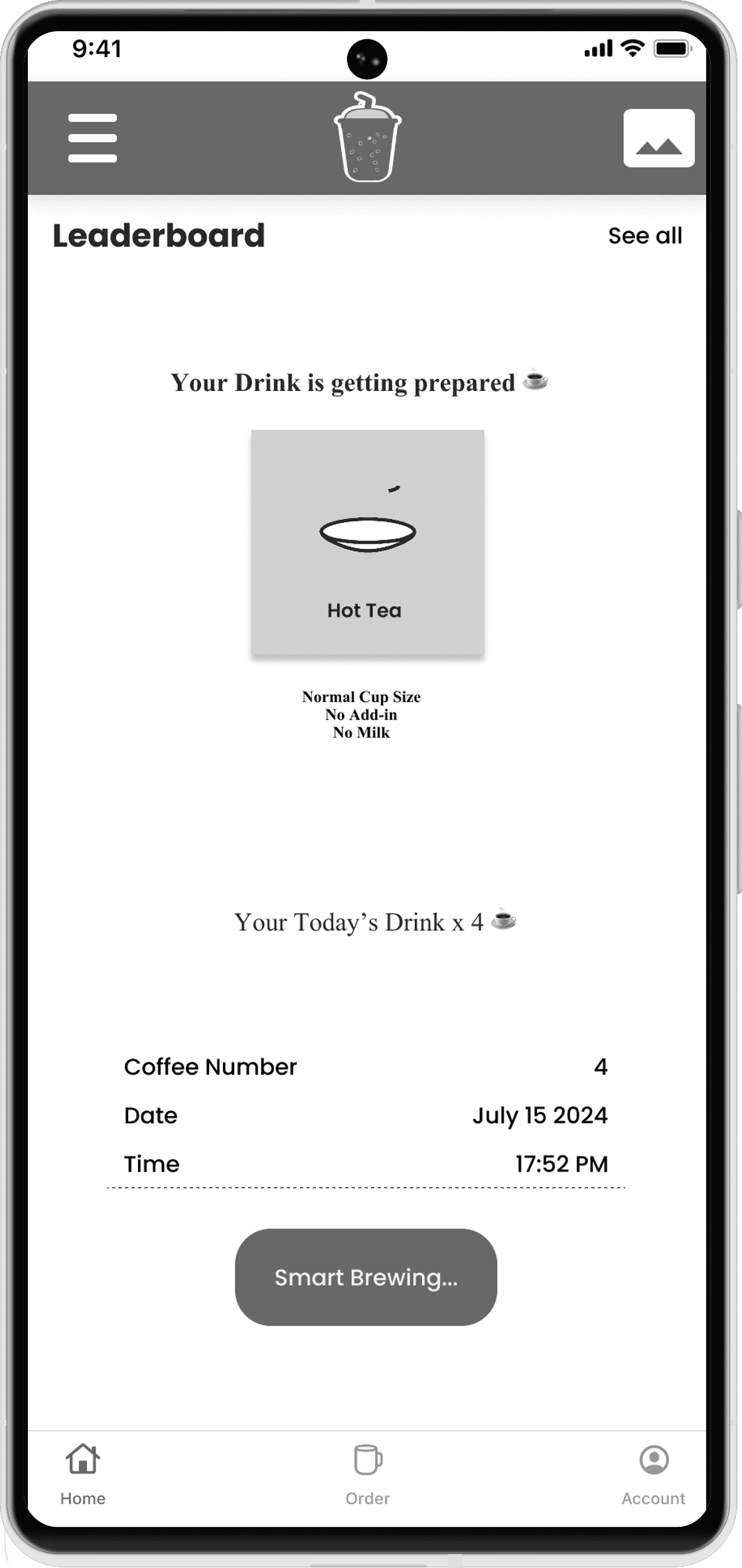
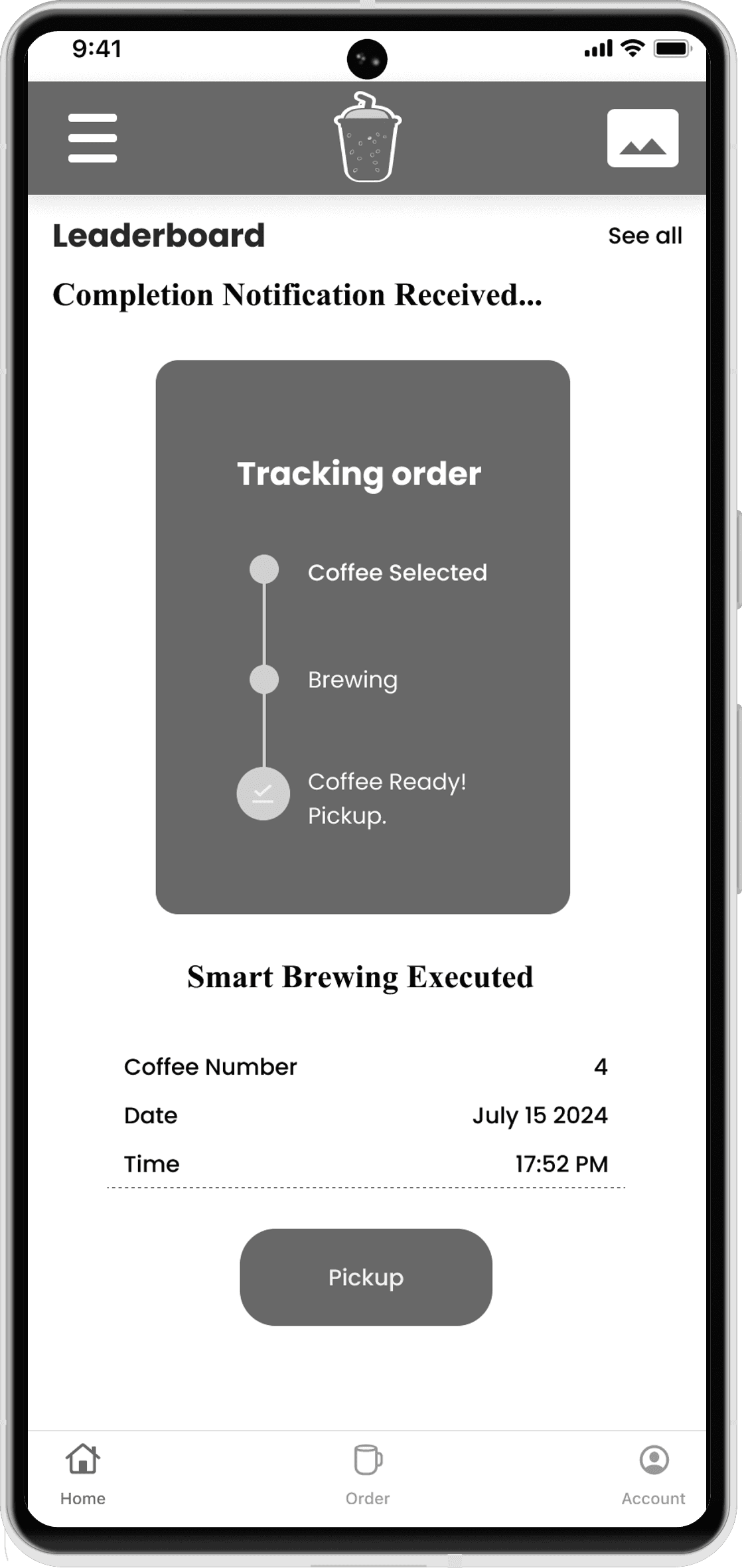
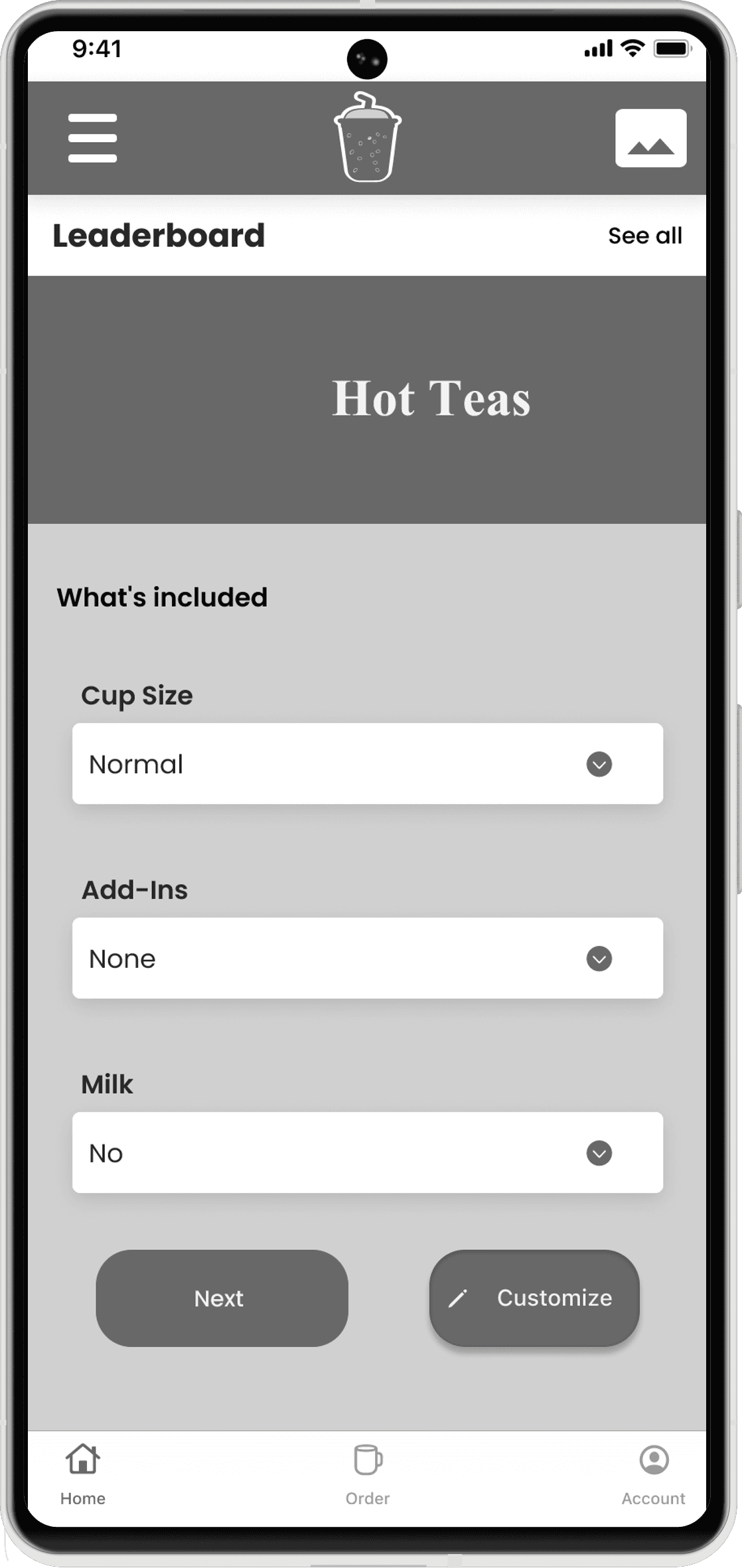
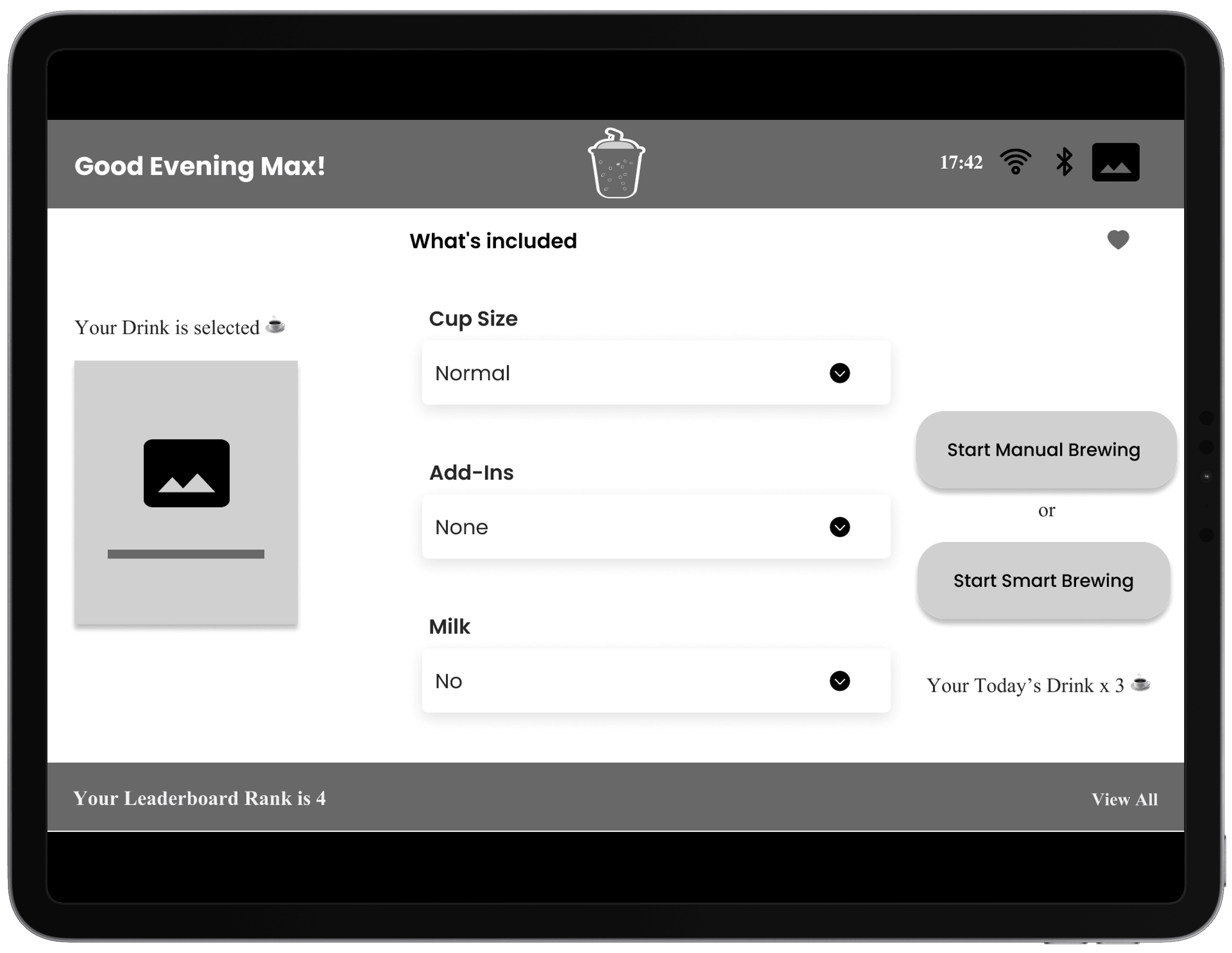
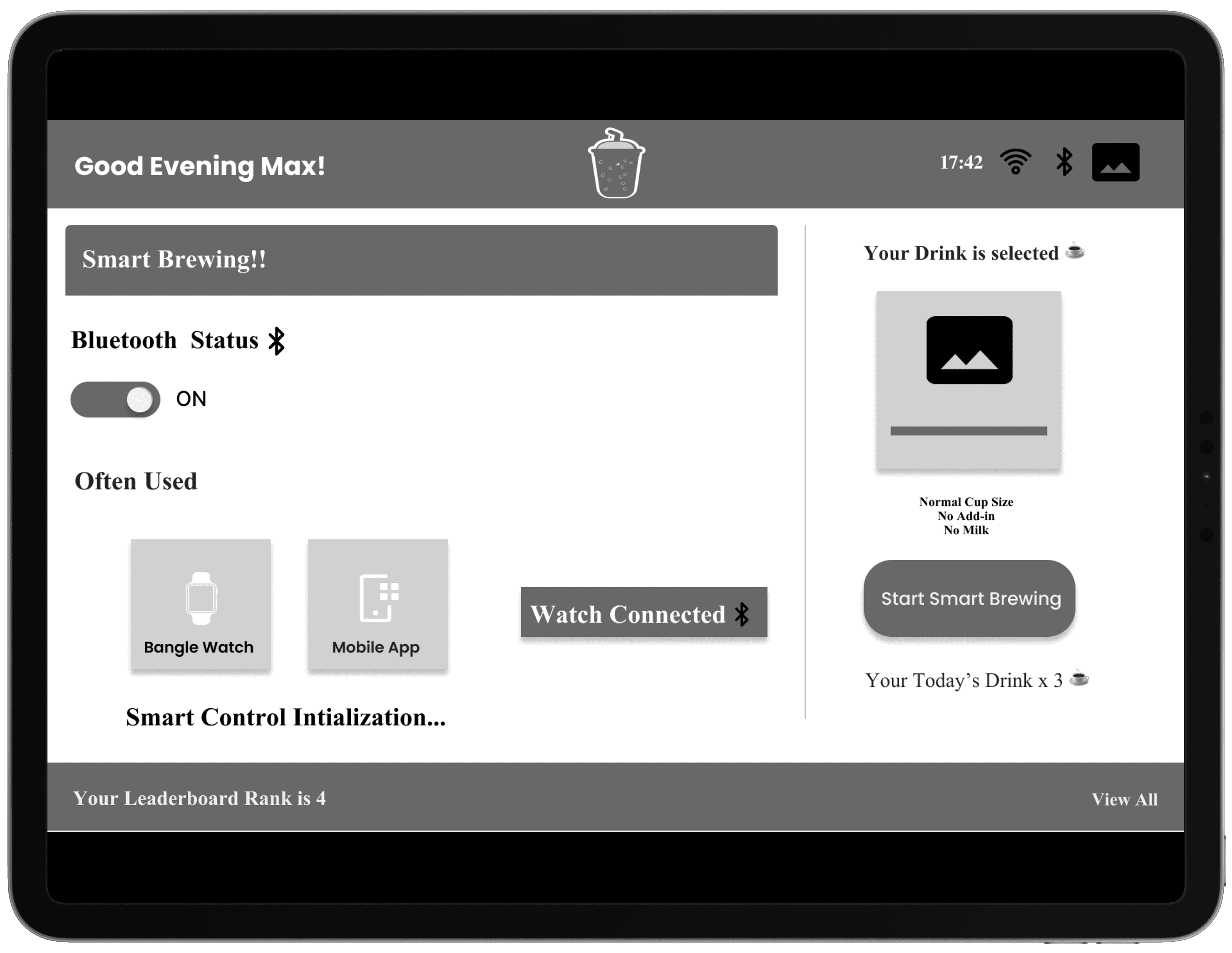
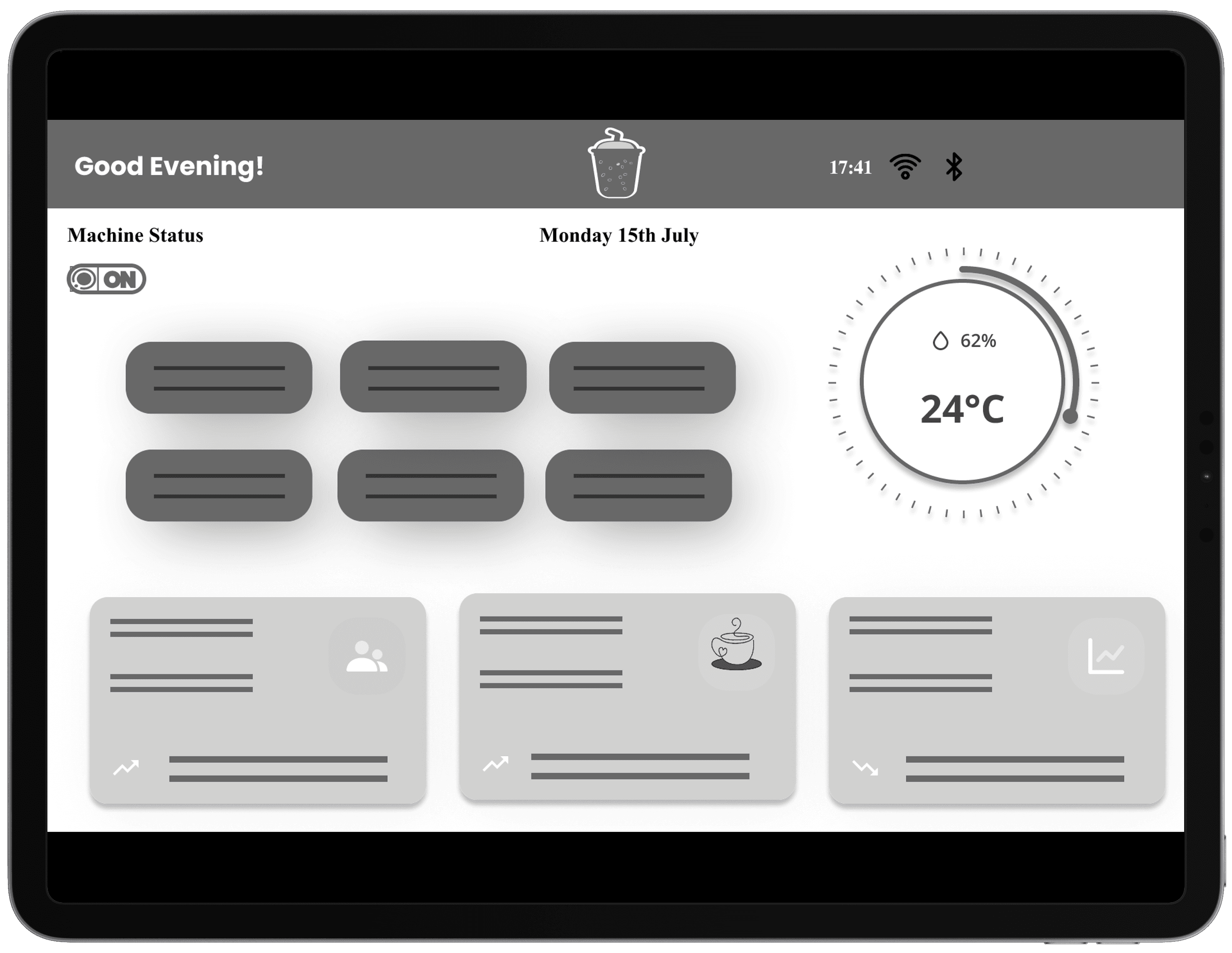
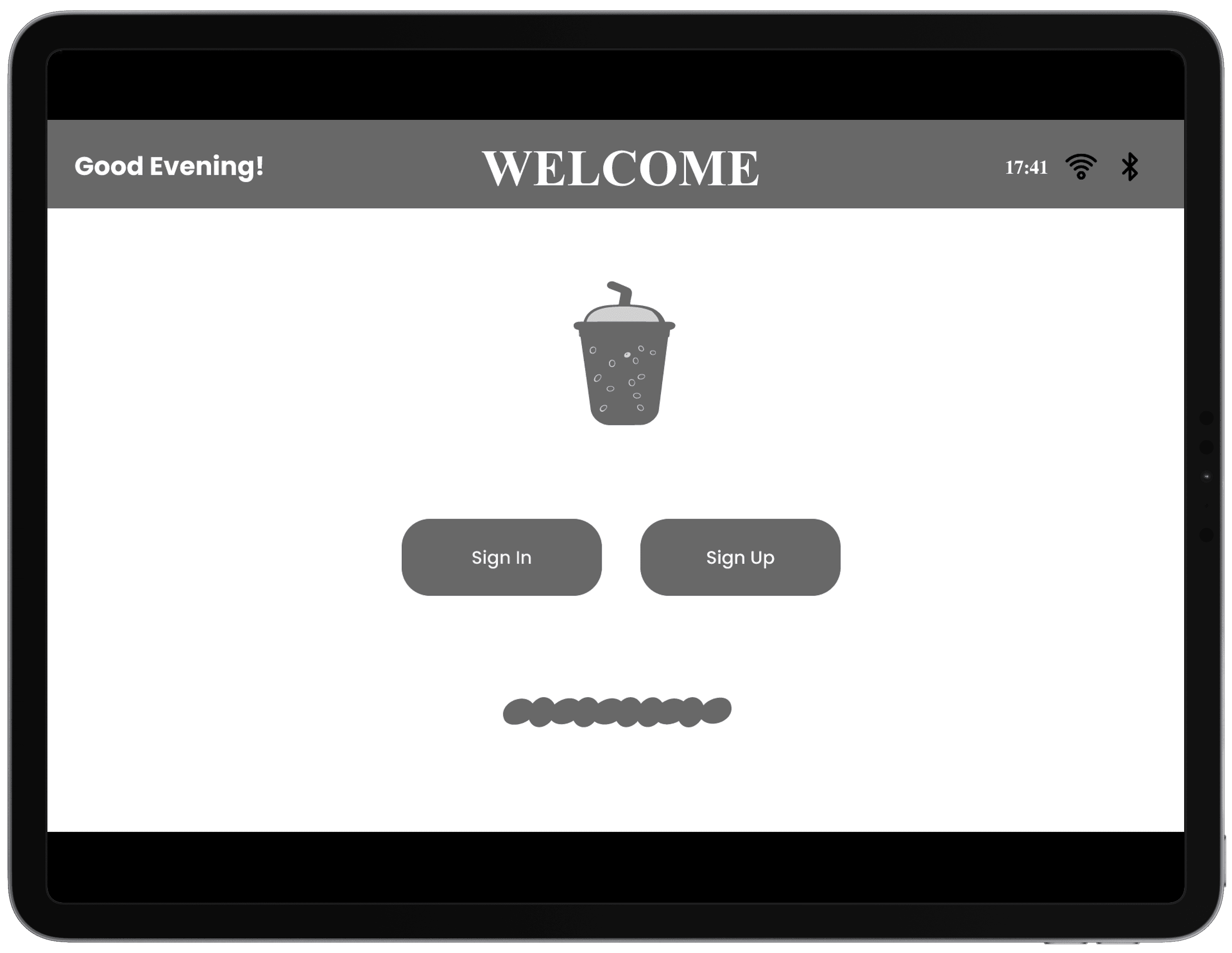
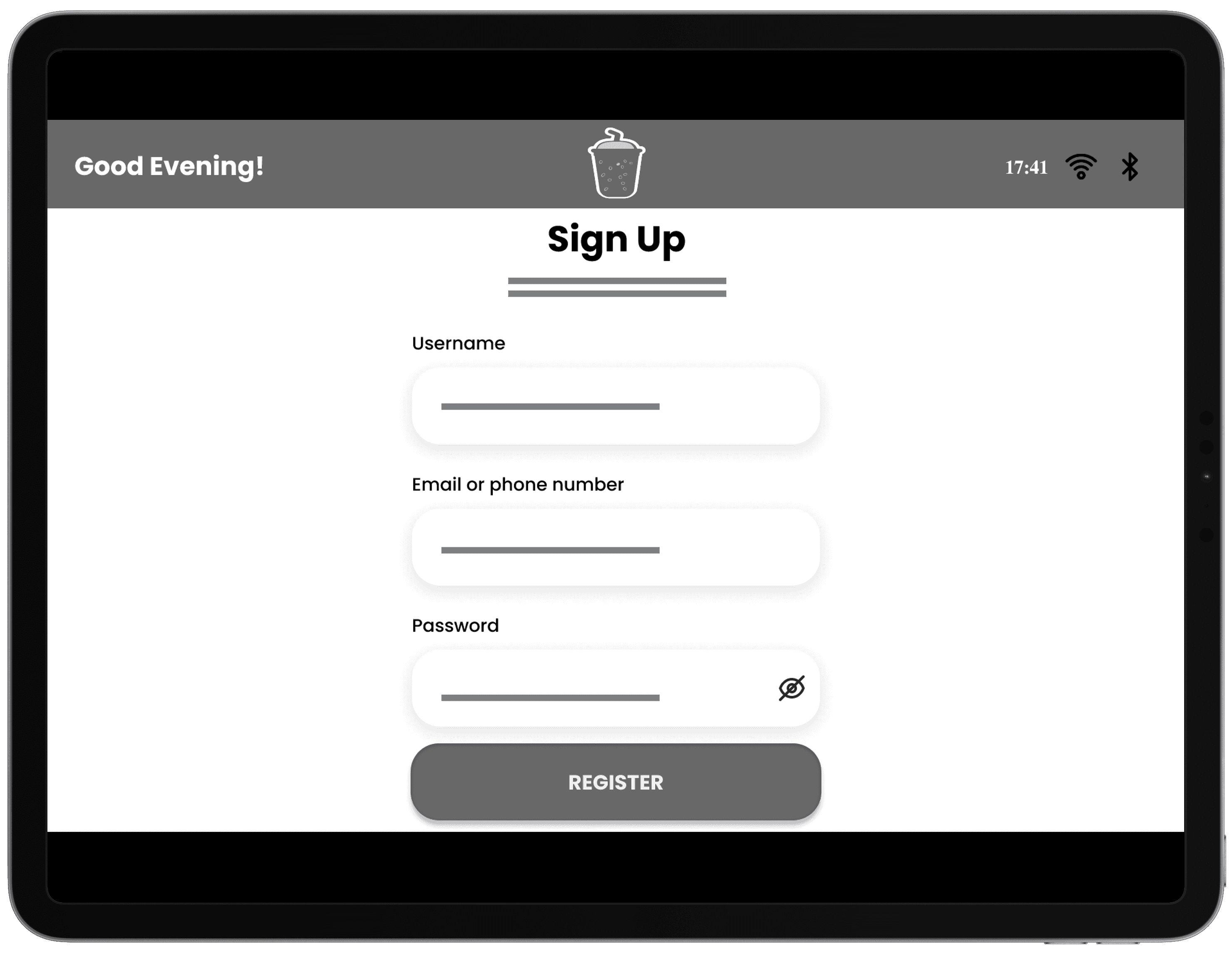
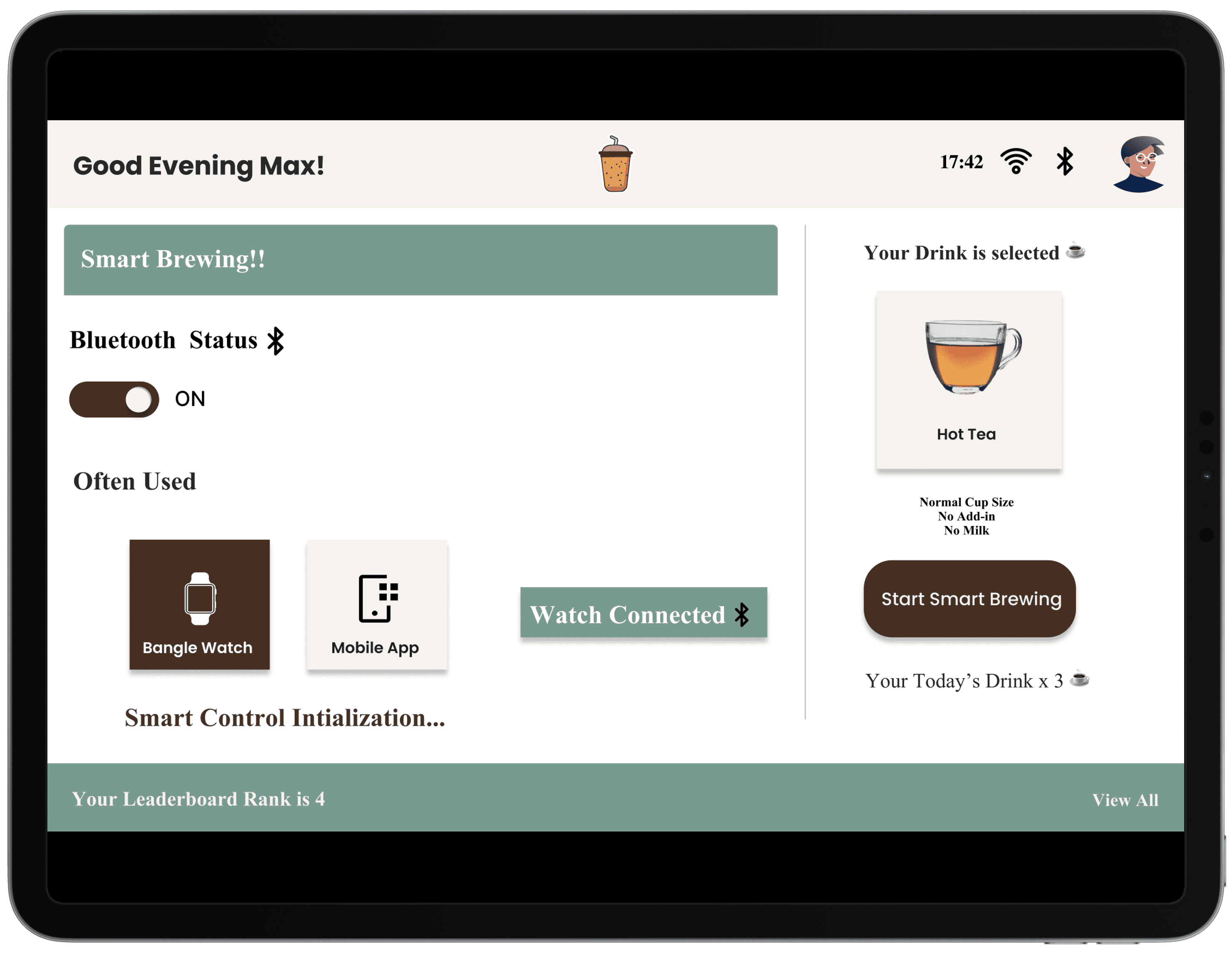
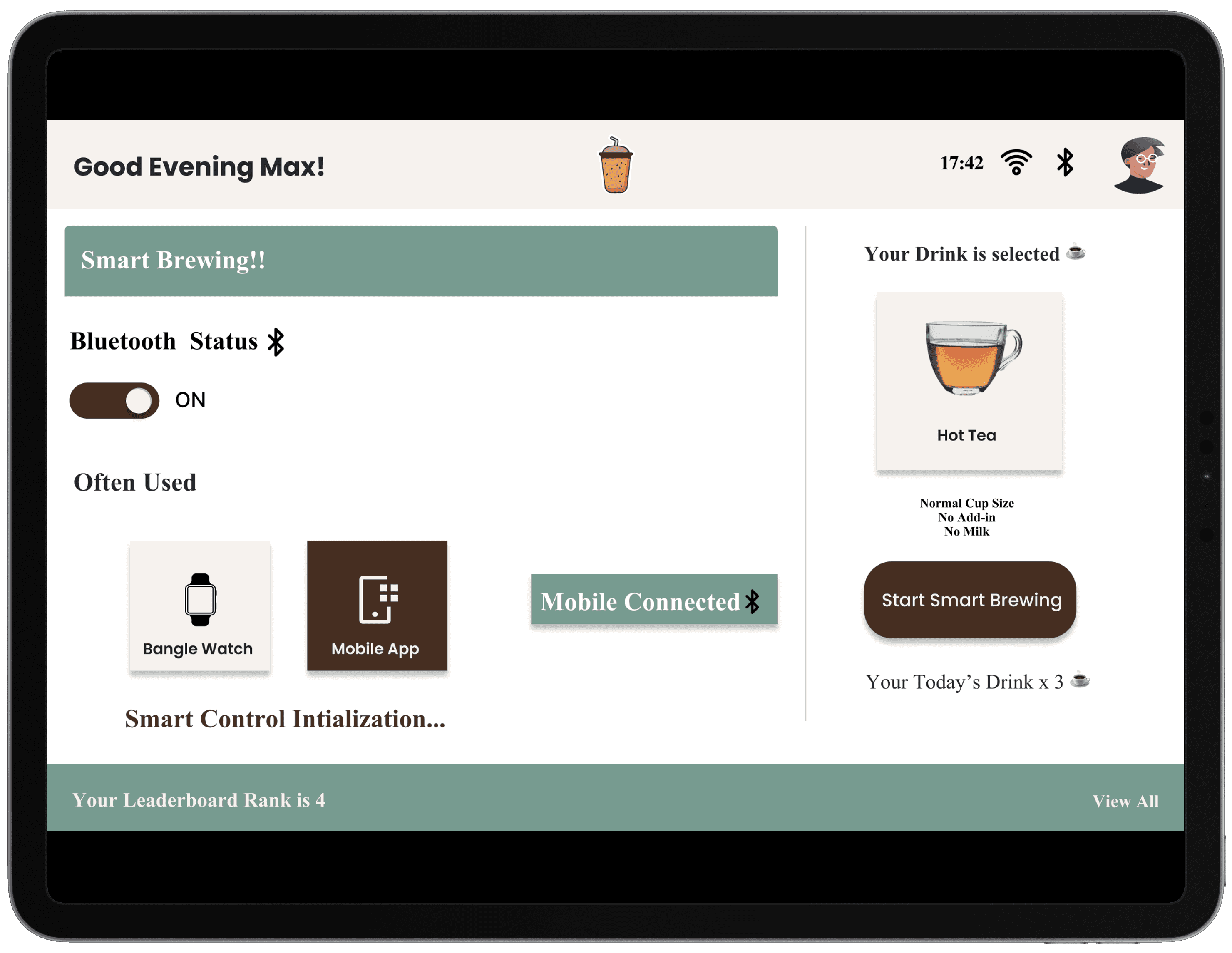
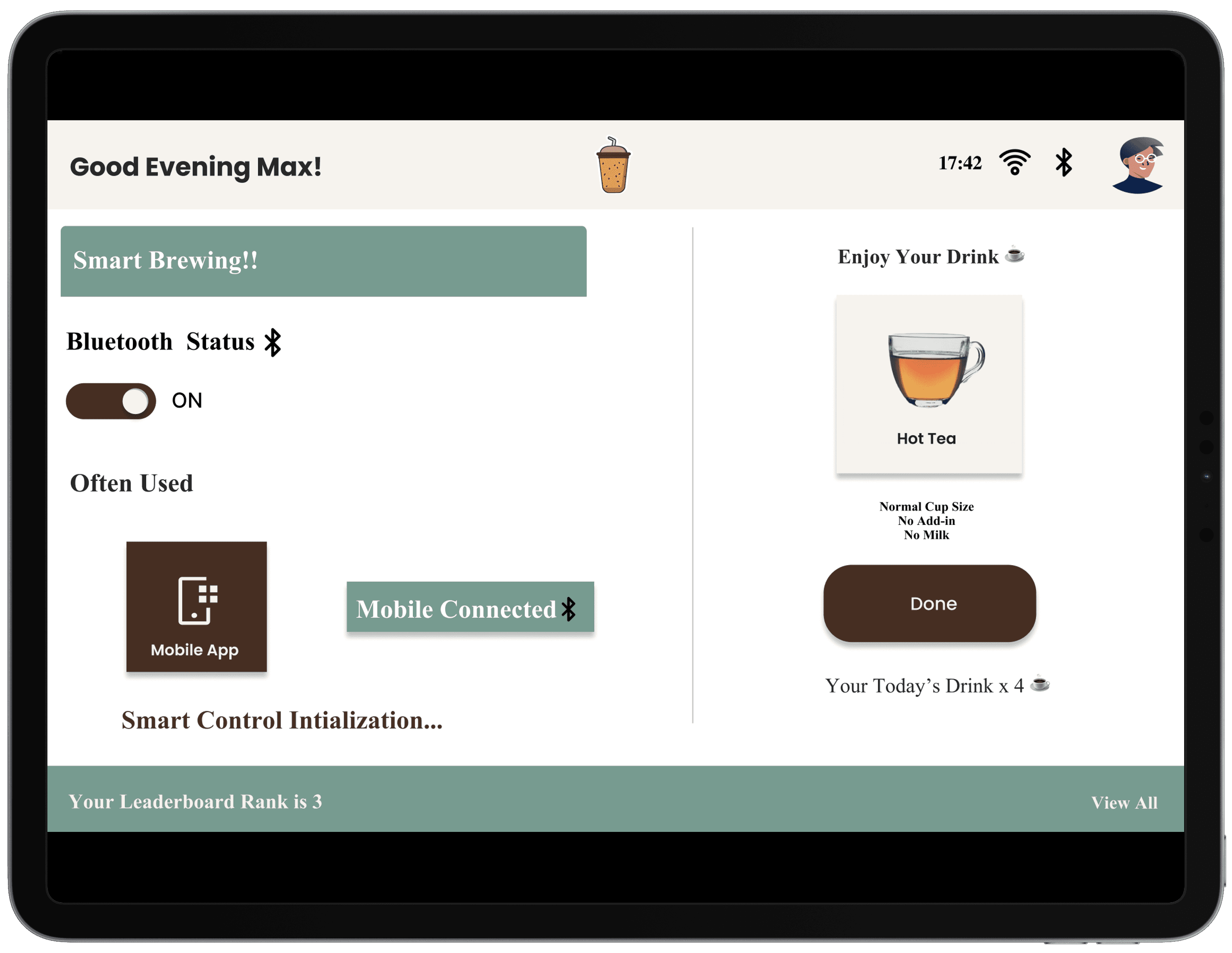
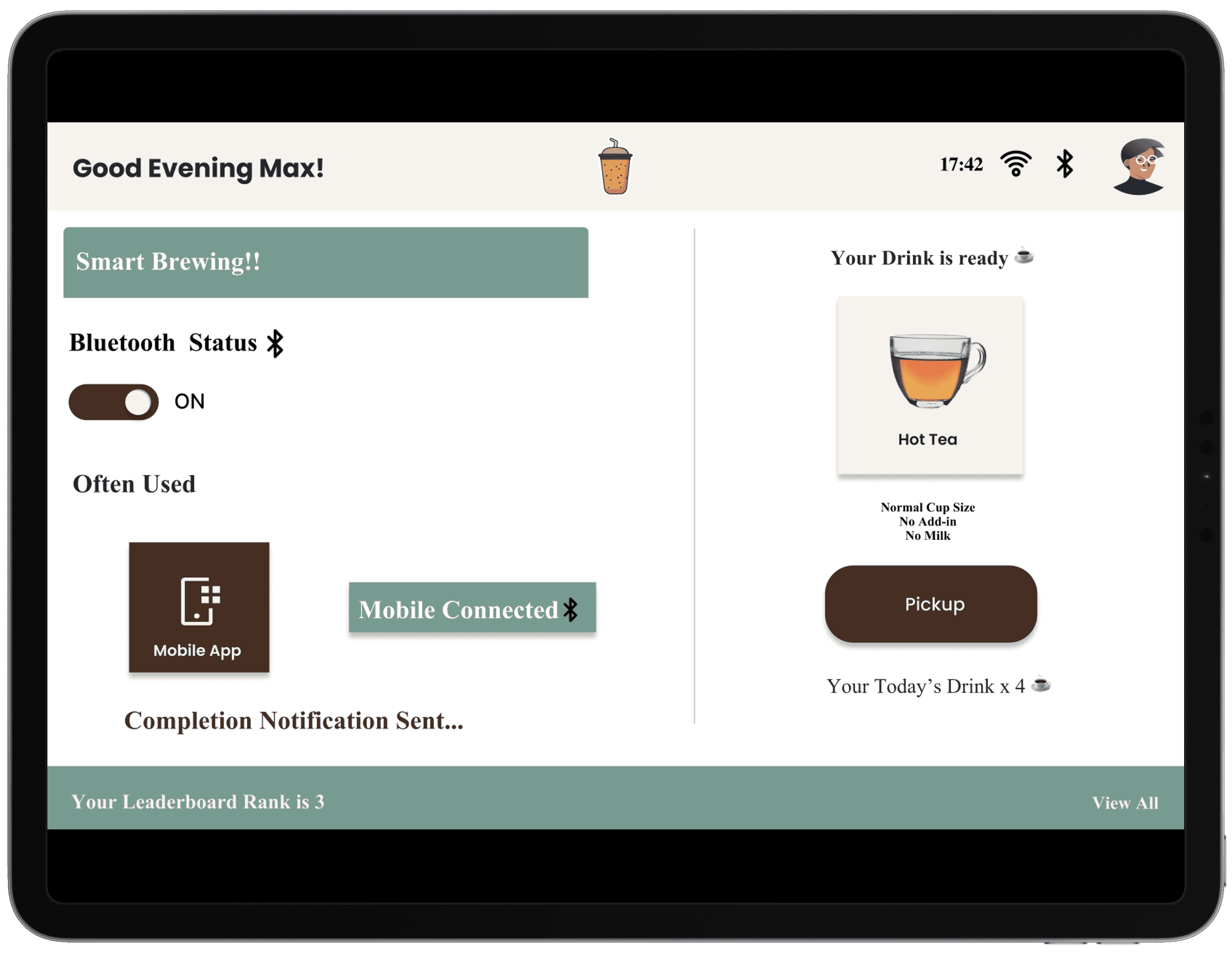
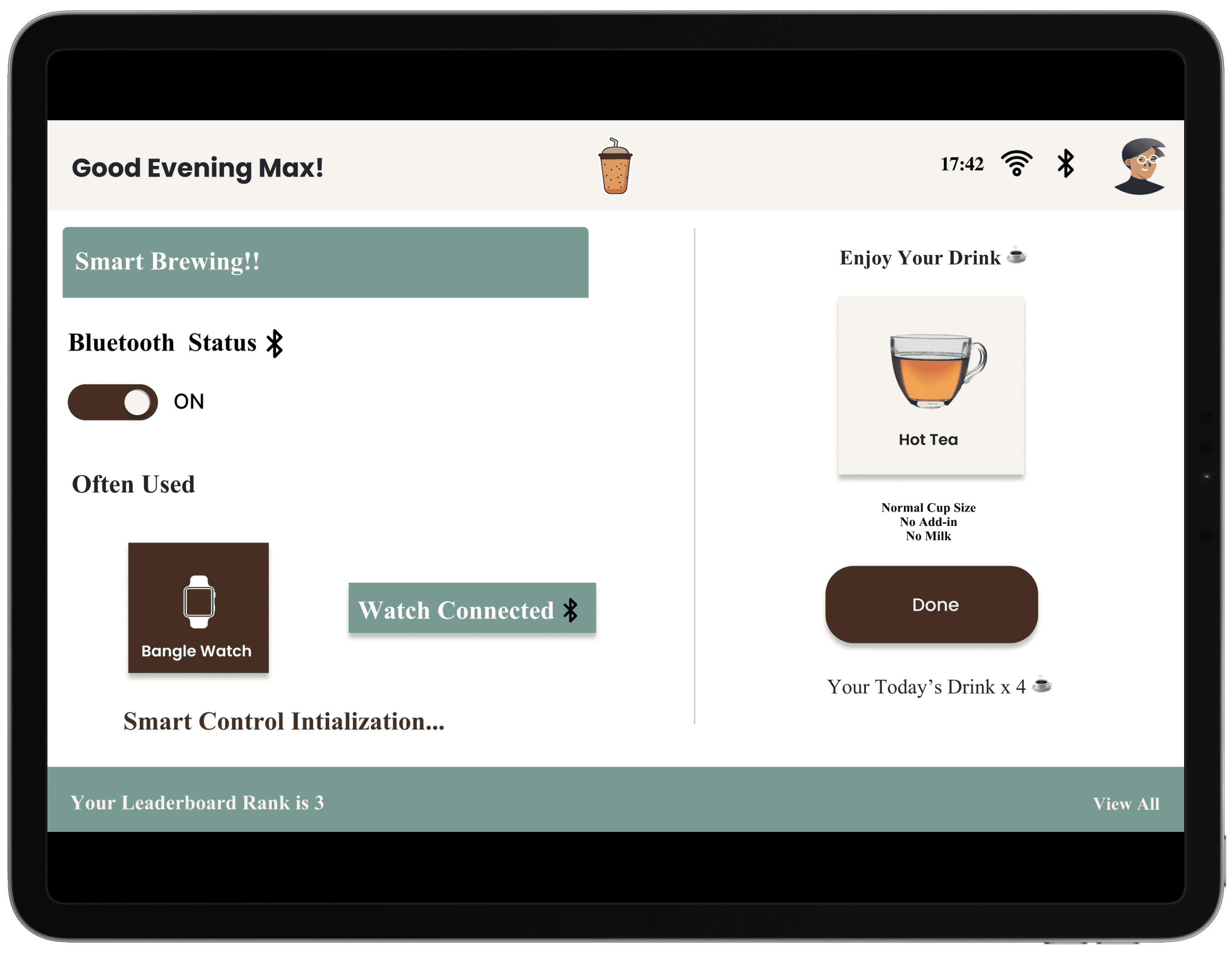
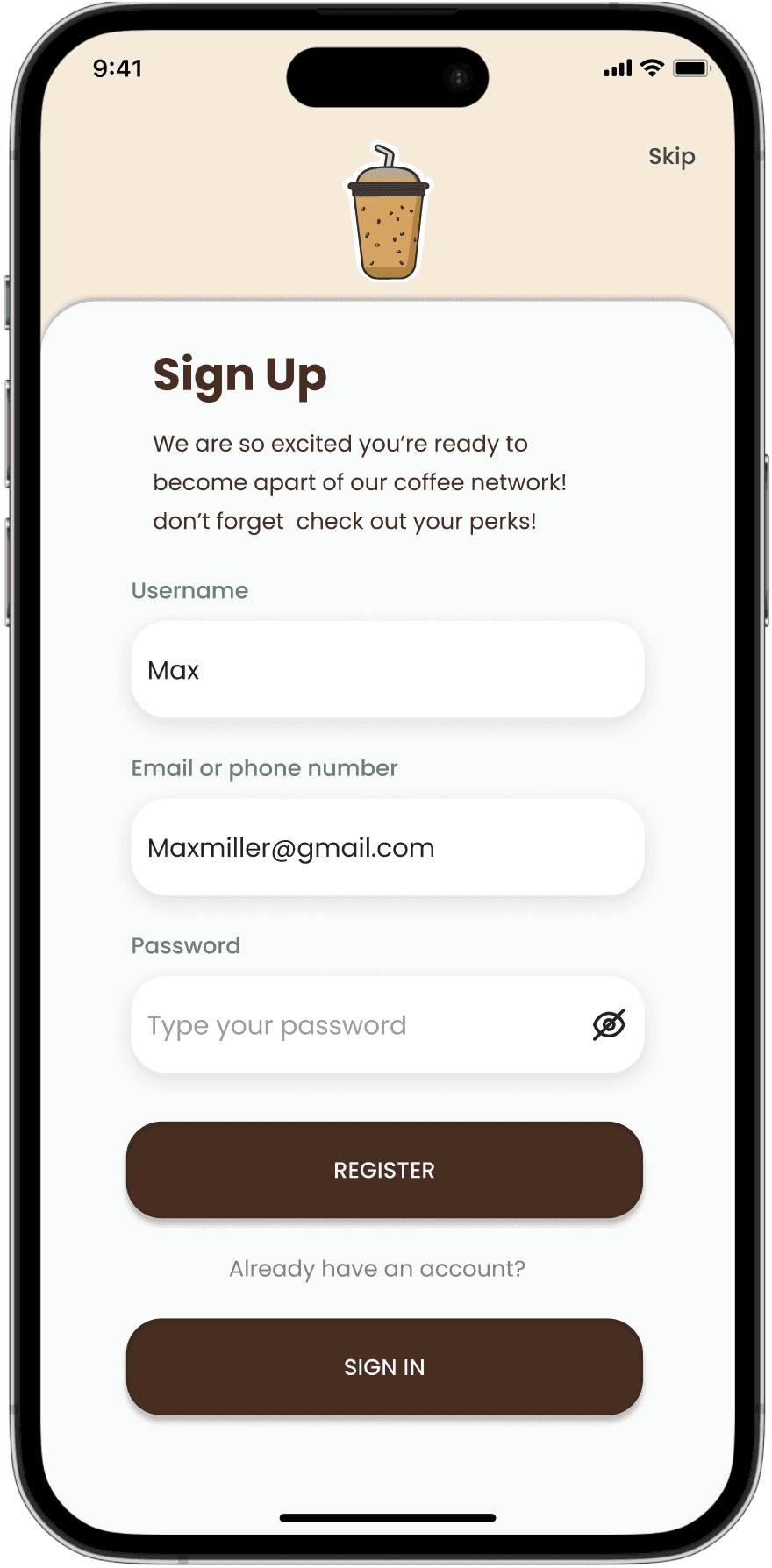
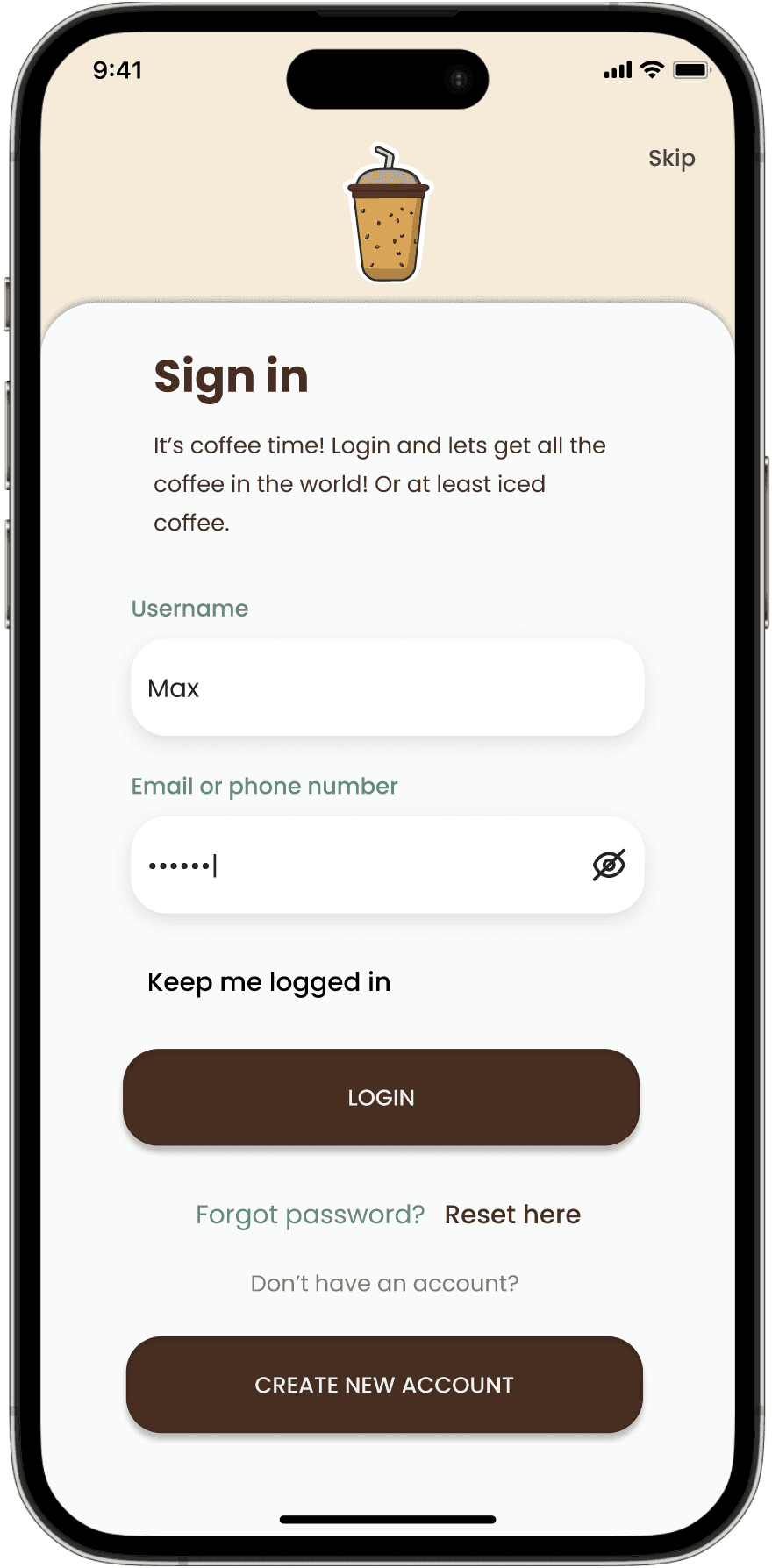
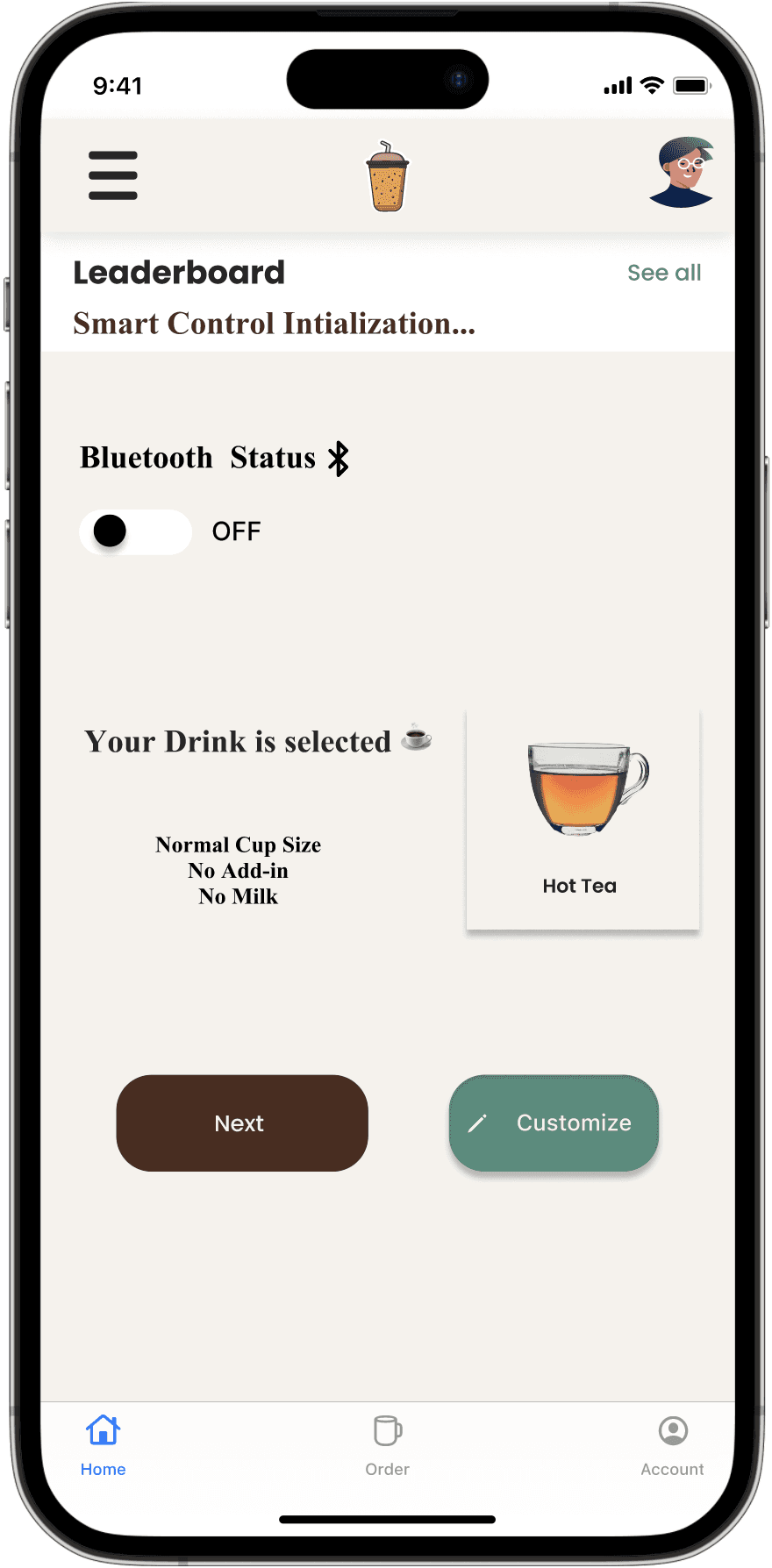
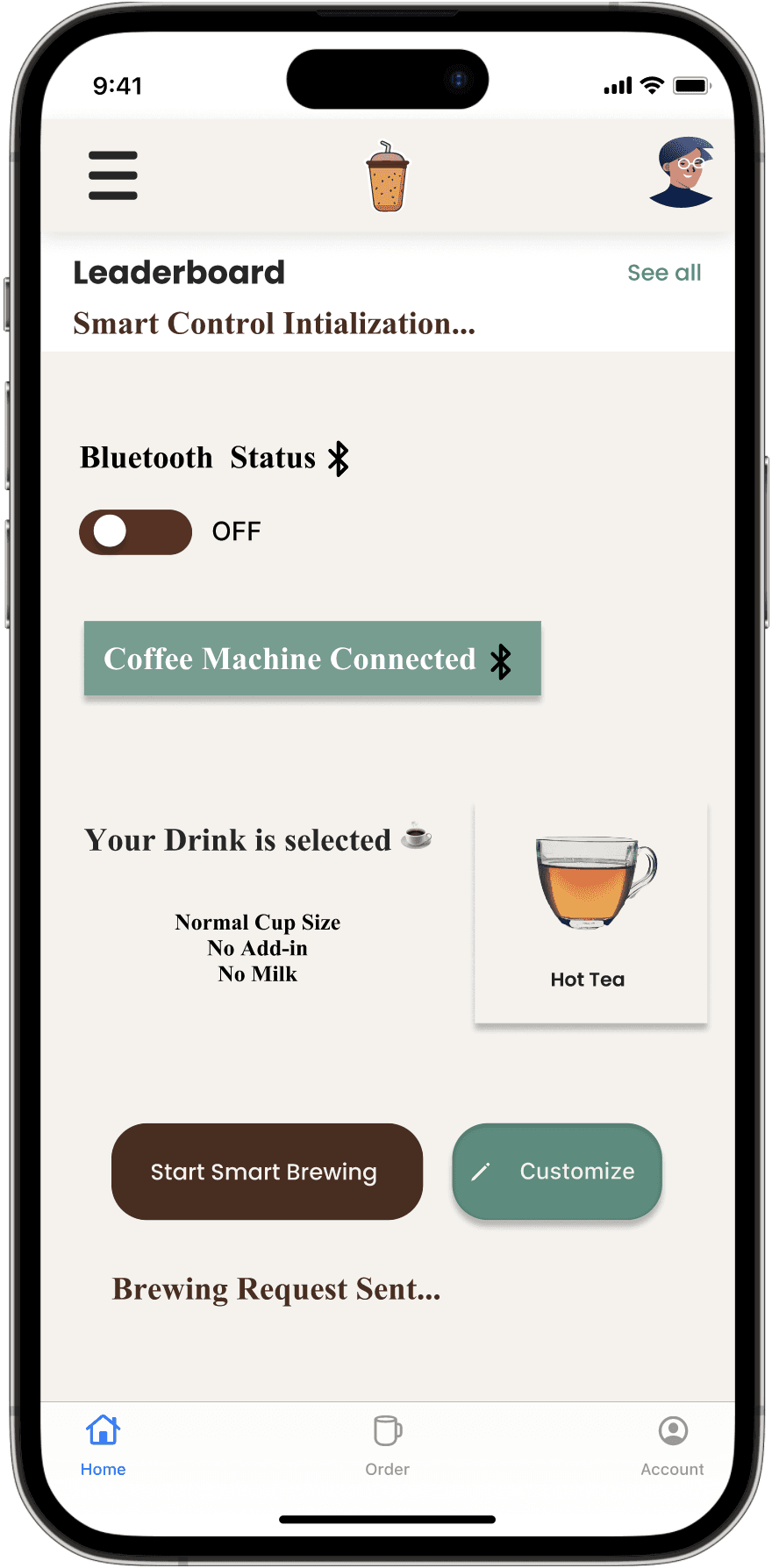
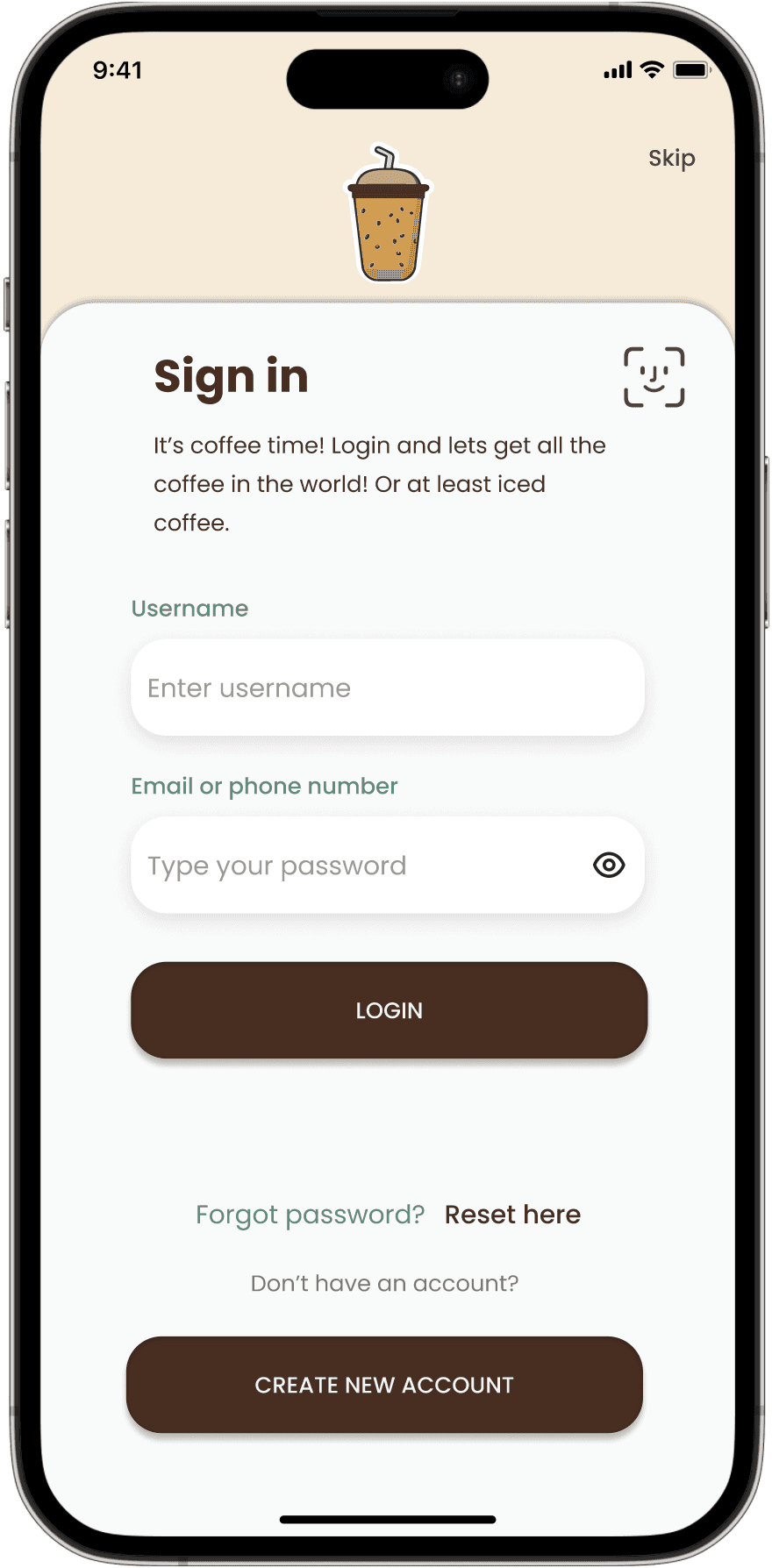
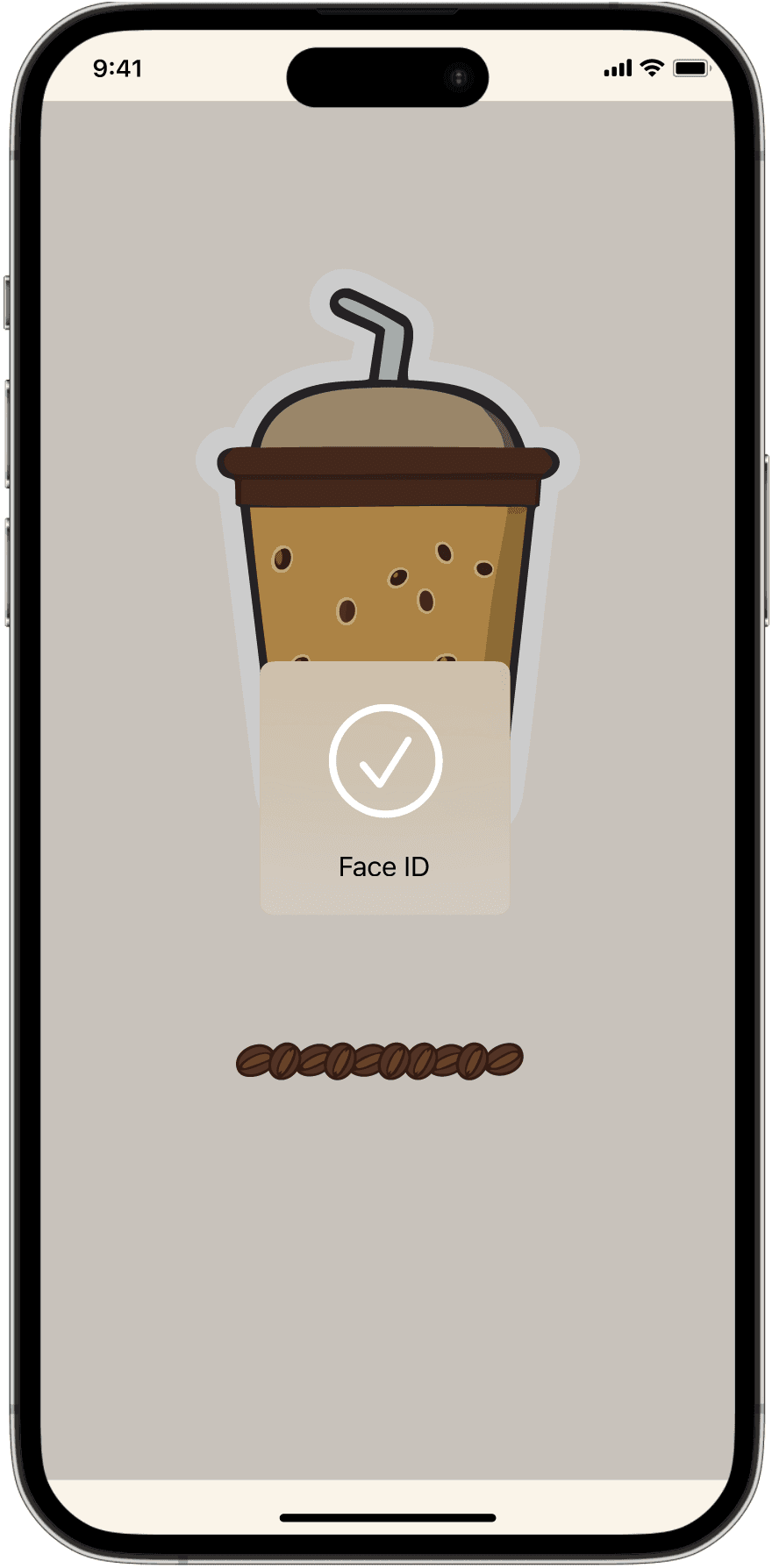
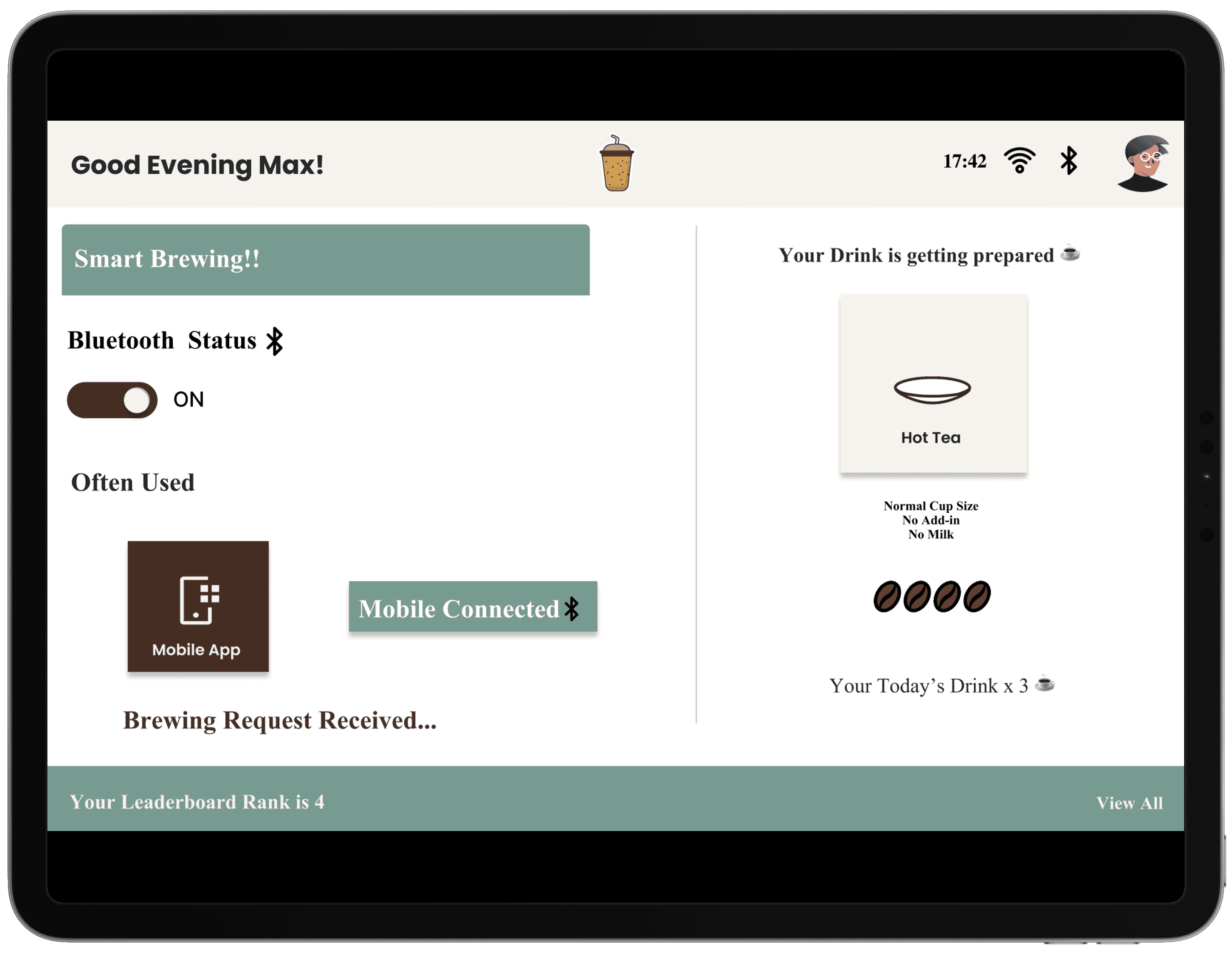
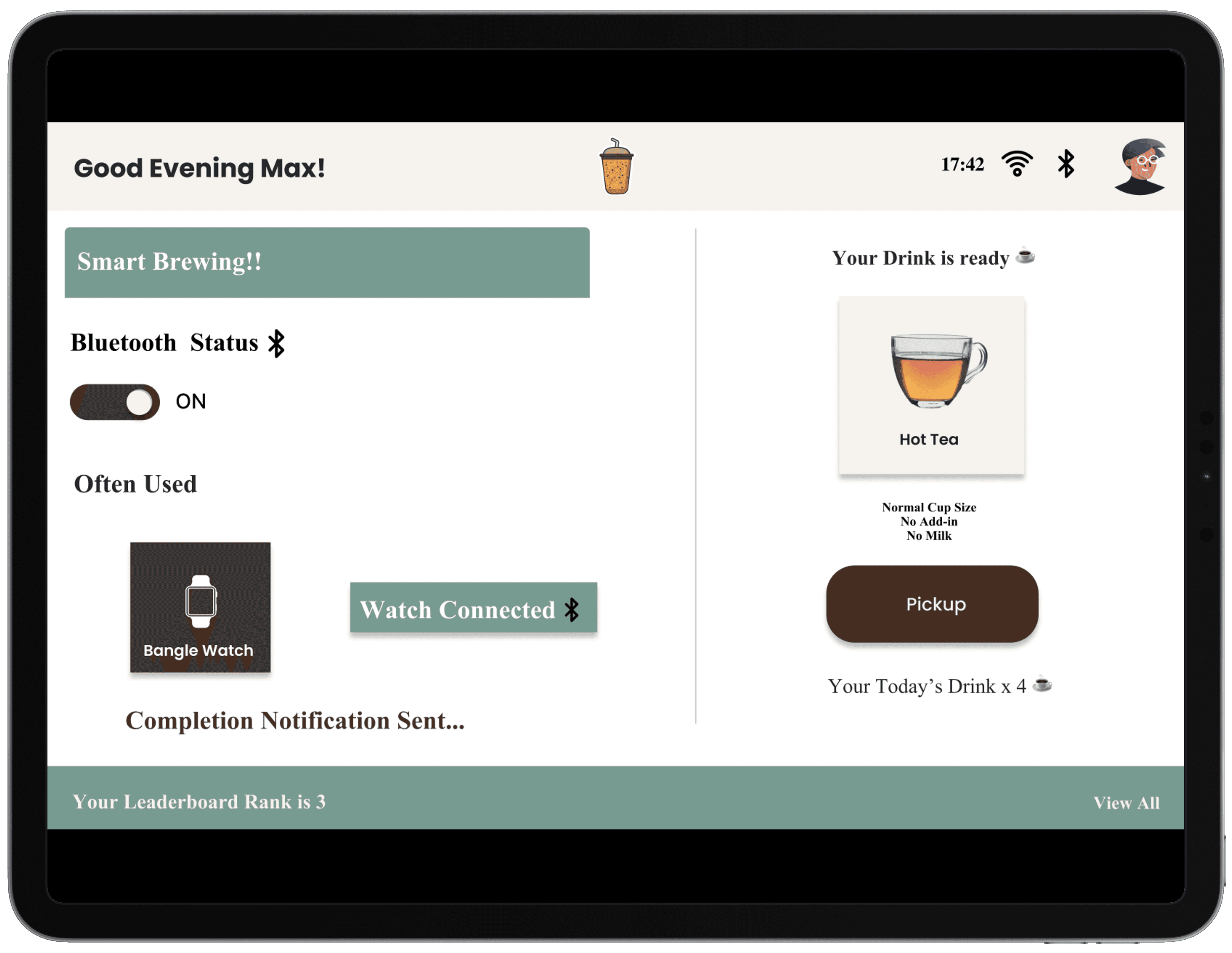
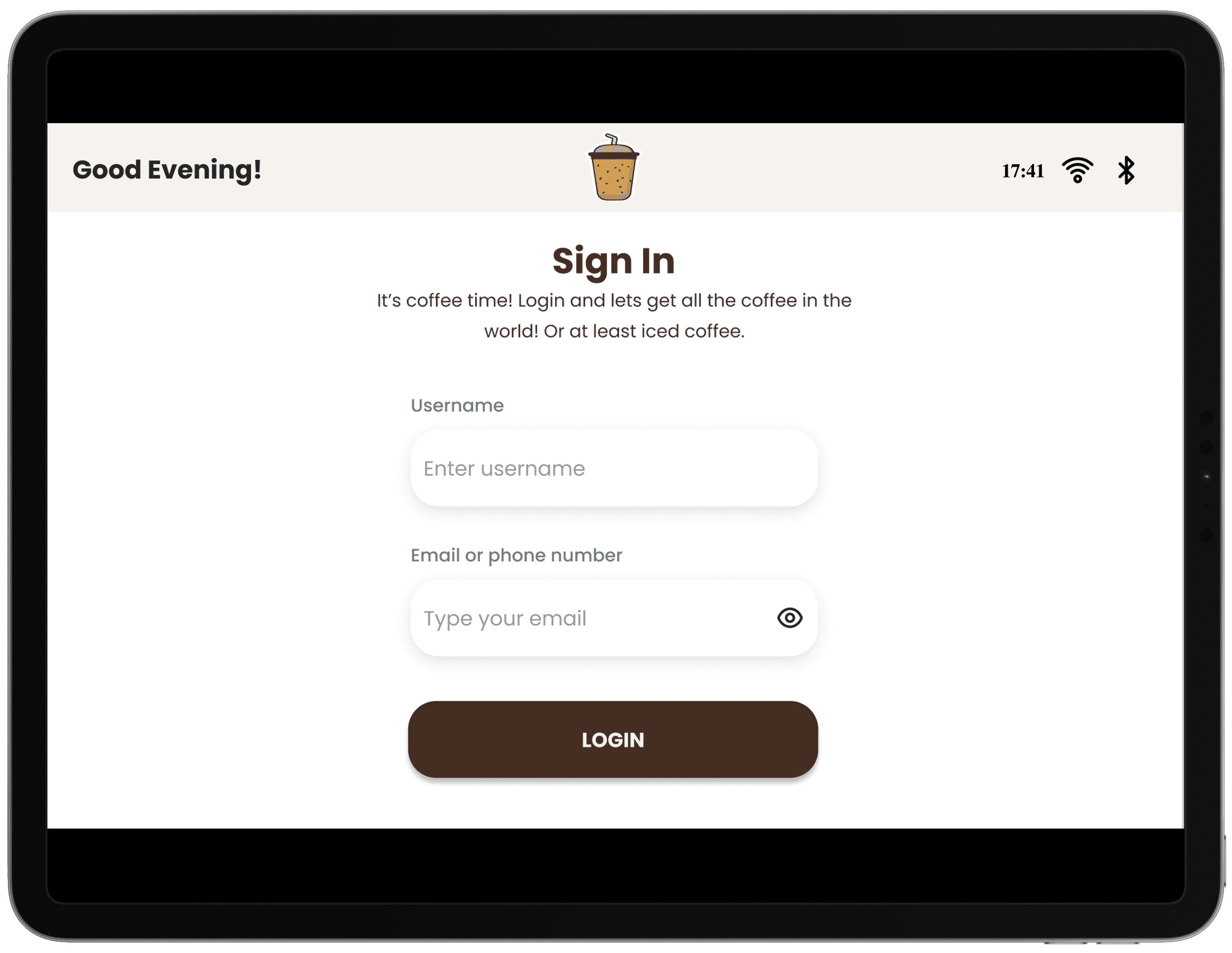
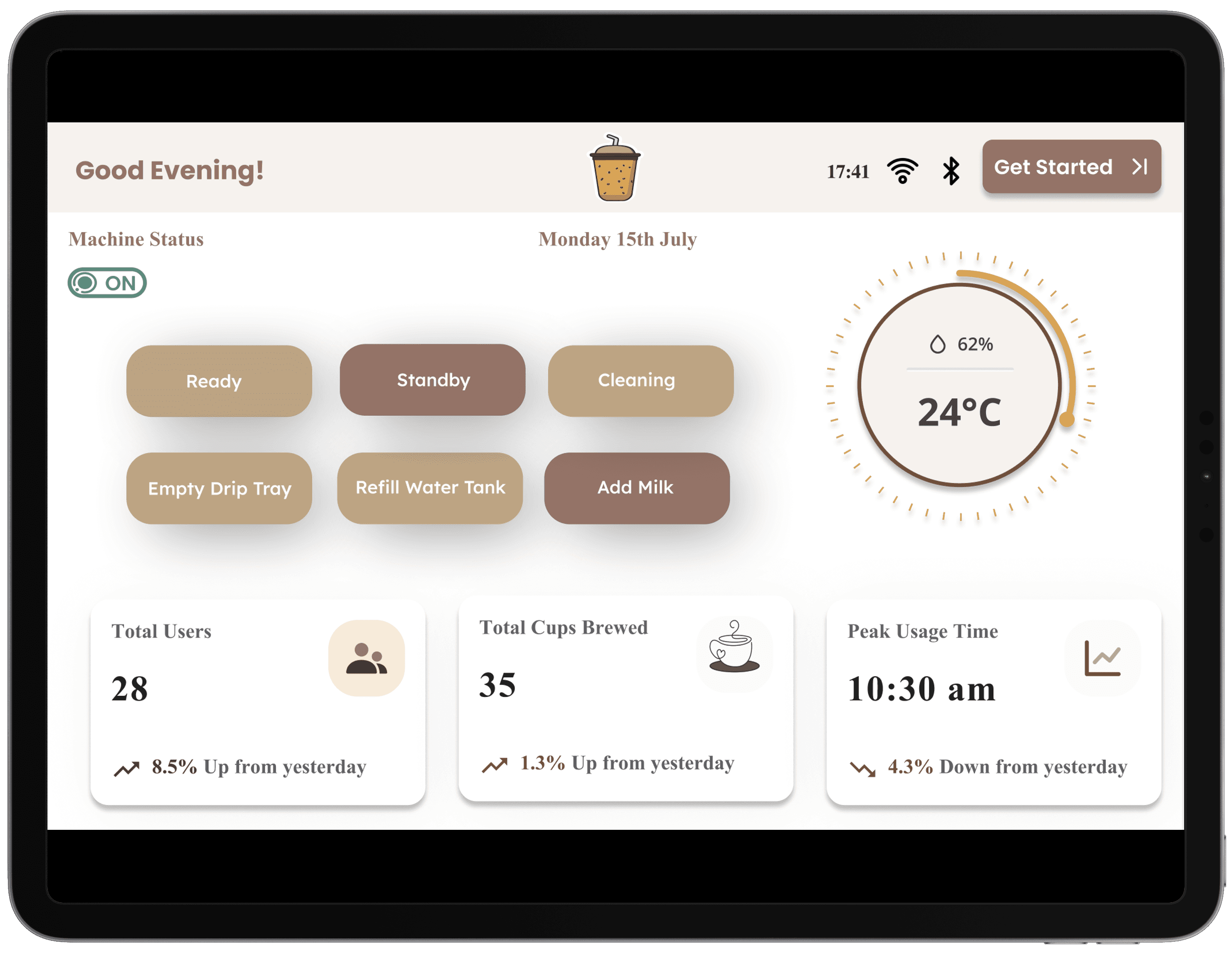
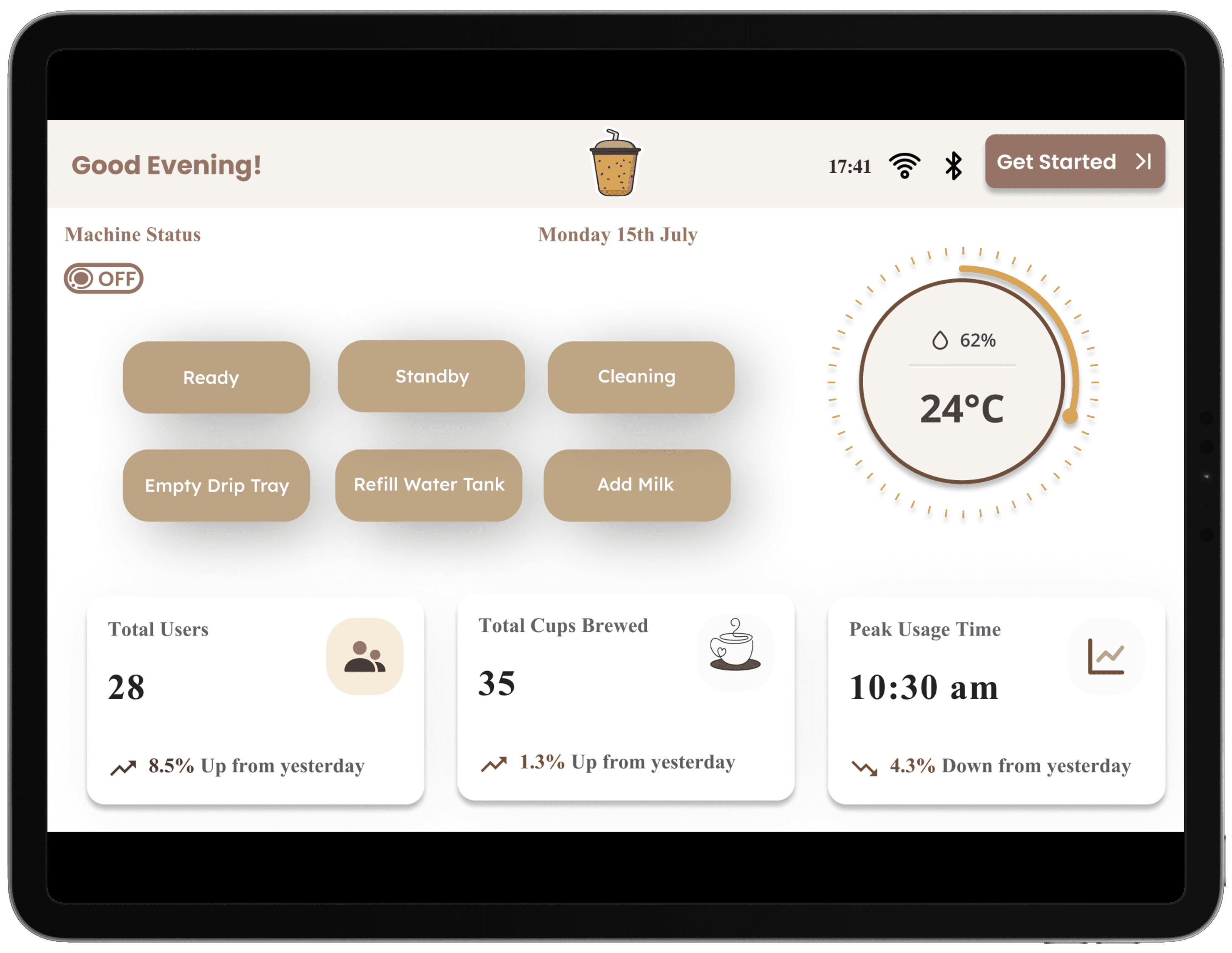
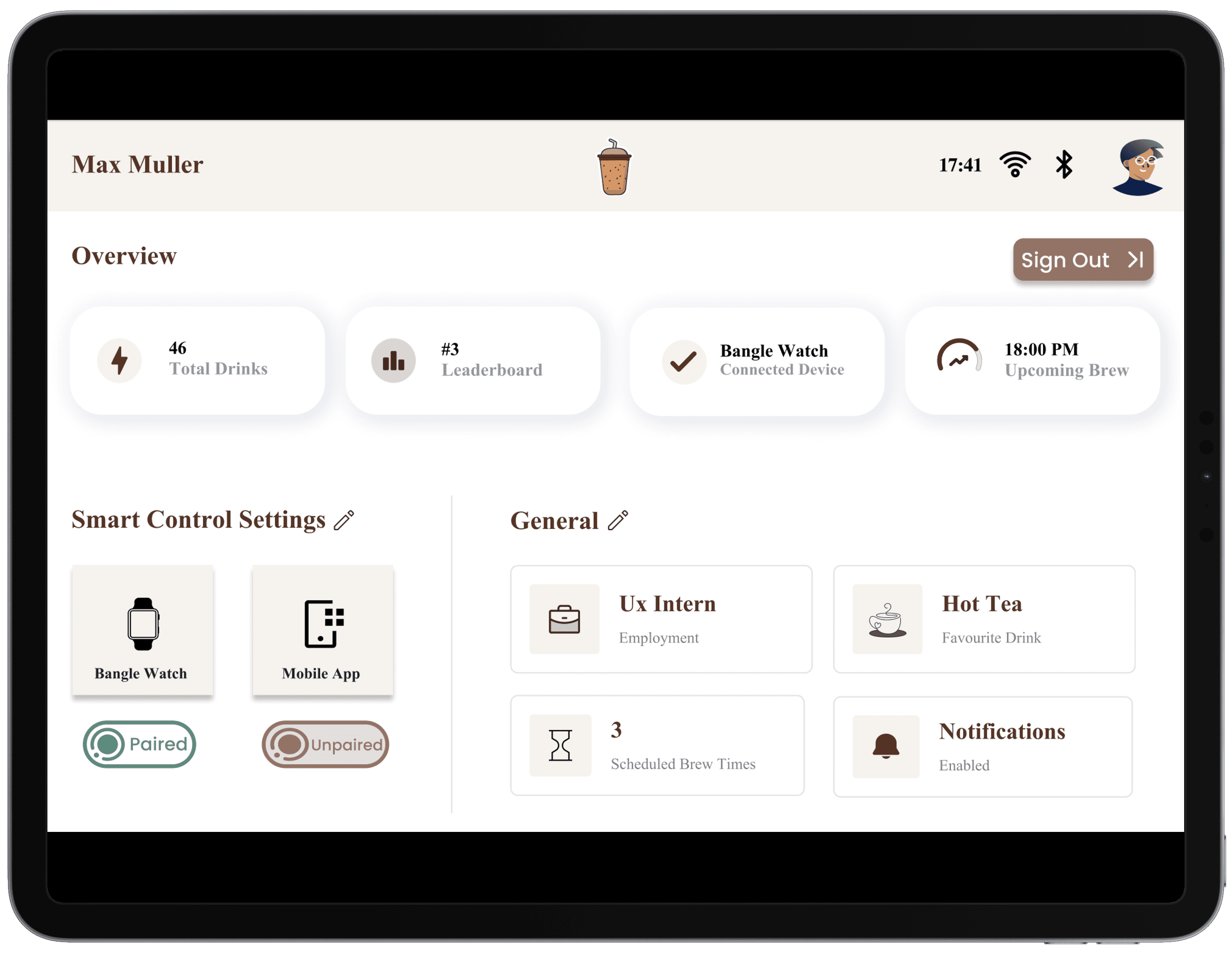
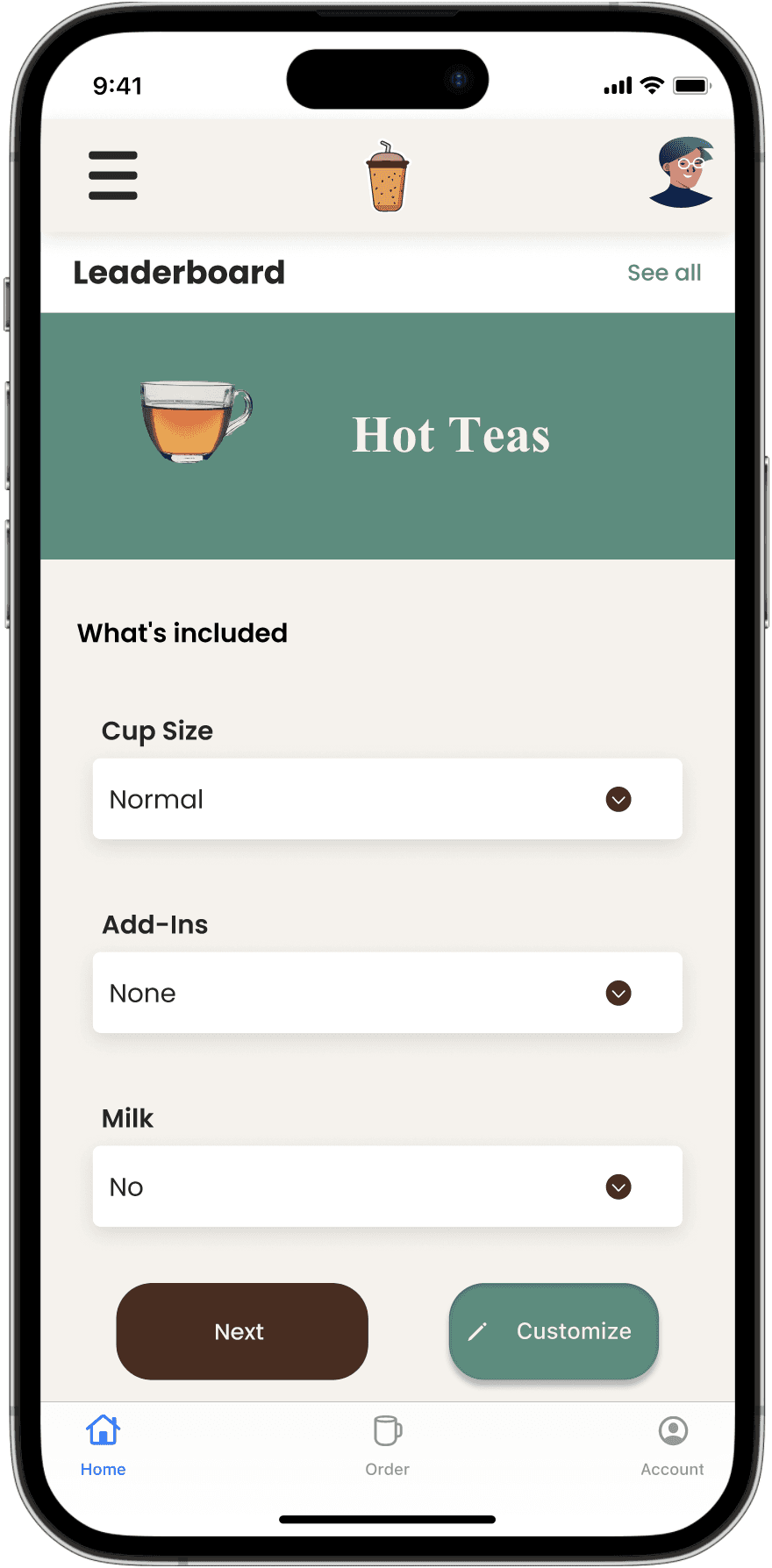
The high-fidelity mockup screens showcase the finalized design for both the BrewView interface and the mobile app. These screens created with precision in Figma provide a realistic representation of the user interface, incorporating all visual elements, colors, fonts, and interactions. These prototypes were refined through multiple iterations to ensure an intuitive, visually appealing, and functional design.

Key Points of Figma Screens:

  • Visual Hierarchy: The screens use clear visual hierarchy ensuring a smooth flow for users as they interact with the interface.

  • Consistency: Both the BrewView interface and the mobile app maintain a consistent design language with uniform color palettes, typography, and icons, enhancing the overall user experience.

  • Interactive Elements: Designed with interactive feedback in mind, each button and control provides clear responses to keep users informed of their actions.

  • Mobile Responsiveness: The mobile app screens are optimized for various screen sizes, ensuring that all features are accessible and usable on both small and large mobile devices.


BrewView Interface (Mockup Screens)

Mobile Application (Mockup Screens)
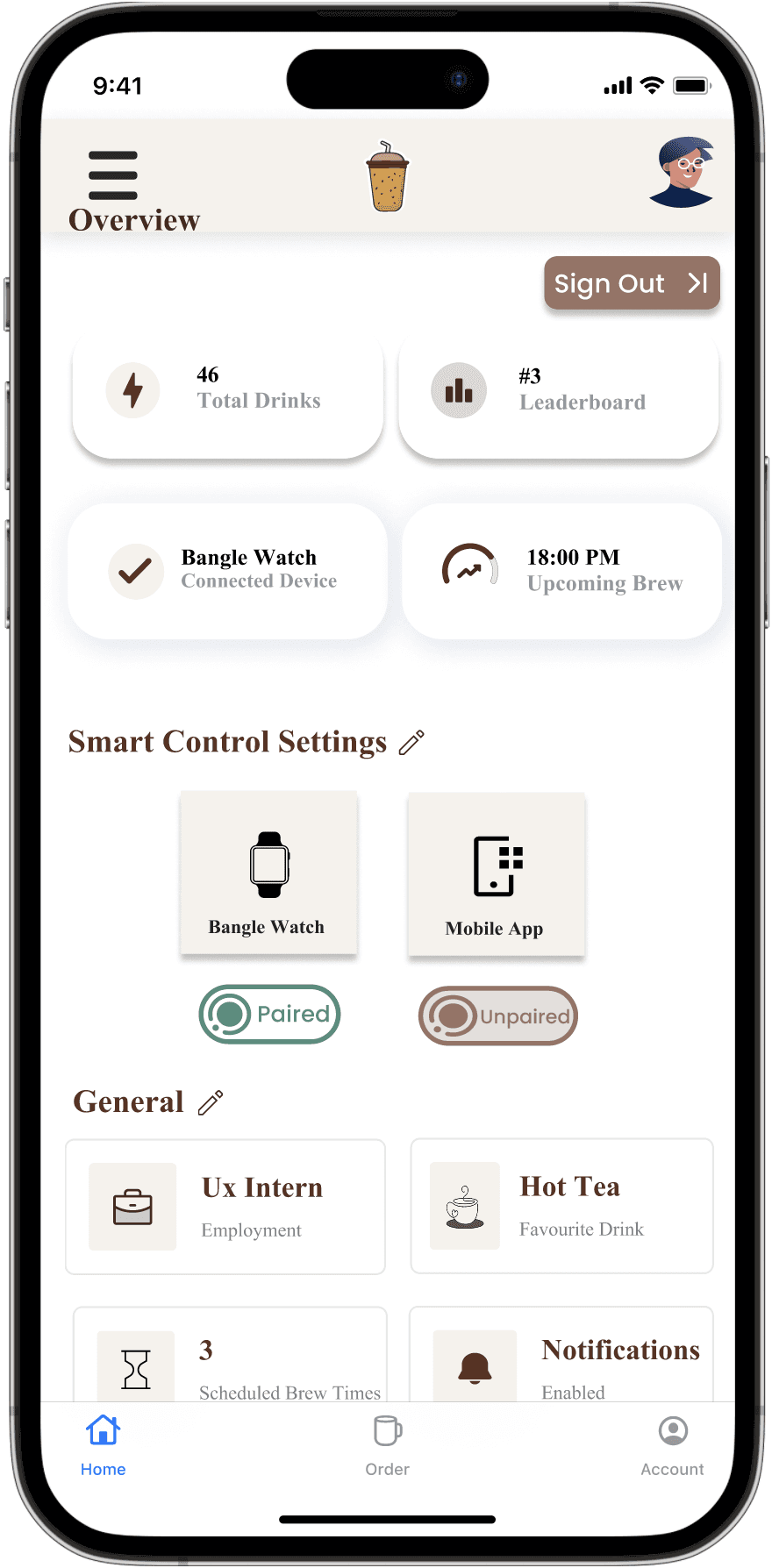
Mobile Application (Mockup Screens)
Prototype Feedback

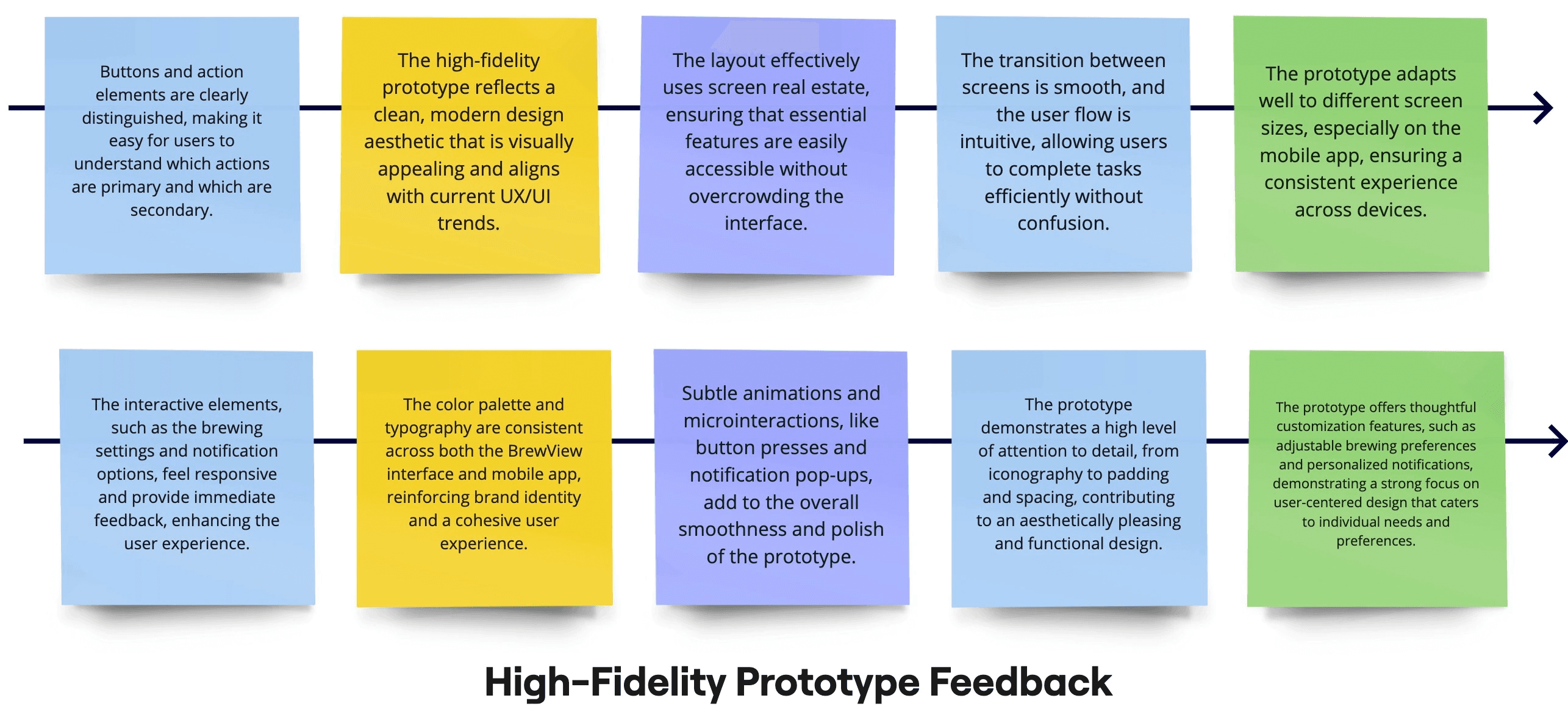
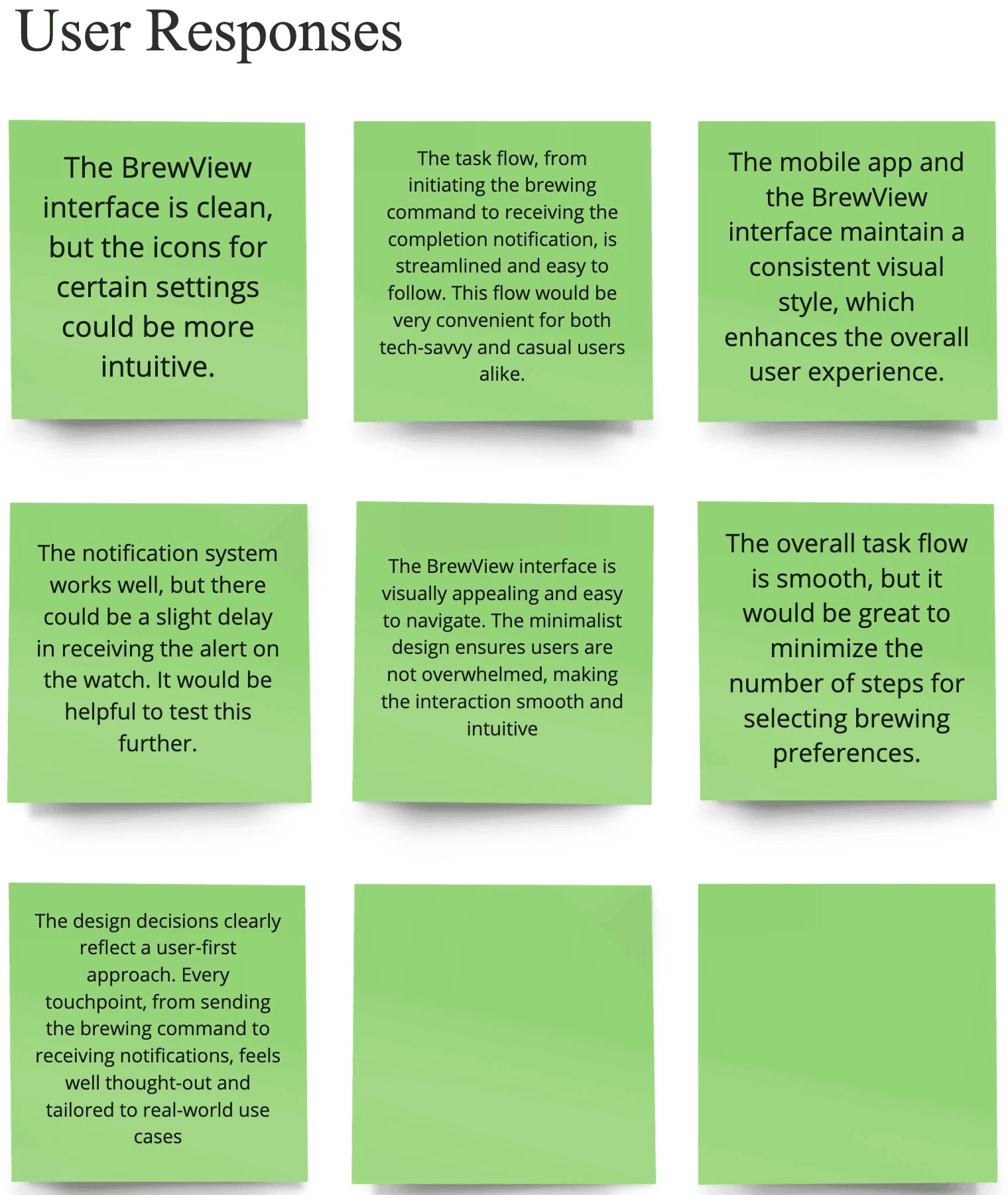
This feedback highlights how well the prototype adapts to diverse user preferences, enhancing overall user satisfaction and engagement. The feedback received from professors, student assistants, and fellow UX students on the high-fidelity prototype of the Smart Coffee Machine project has been overwhelmingly positive. Their insights highlighted the effectiveness of the design in enhancing user experience and the seamless interaction across devices.

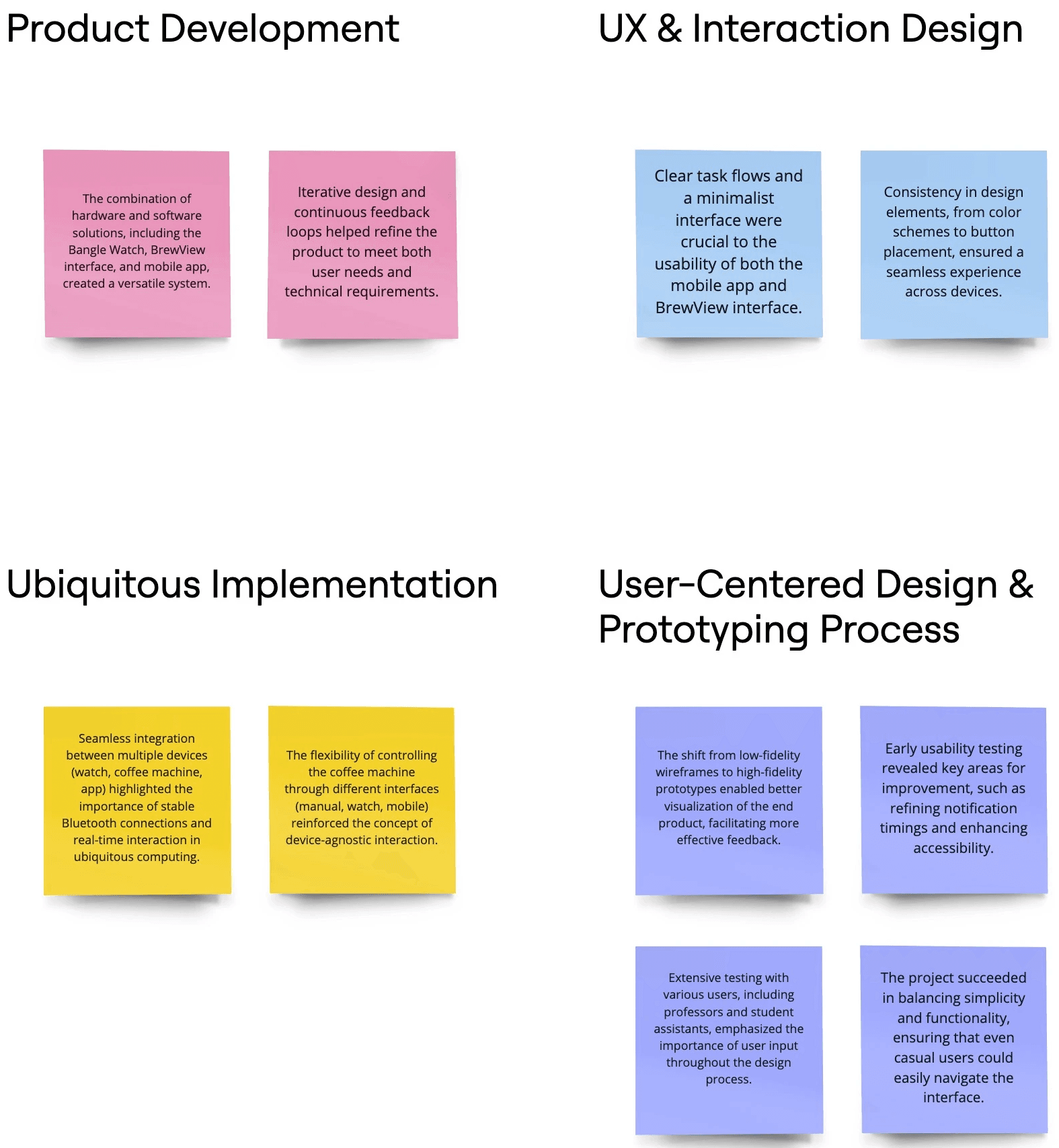
Overall, the feedback reflects a strong endorsement of the design choices made throughout the project, reinforcing the effectiveness of the user-centered approach and the collaborative efforts in refining the prototype.


Prototype Feedback

Usability Test Plan

The Usability Testing phase of the Smart Coffee Machine project aimed to assess the effectiveness, ease of use, and overall experience of both the BrewView interface and the mobile app. The final Figma prototype videos of both the BrewView interface and mobile app, showcasing the interactive elements, task flows, and design responsiveness.

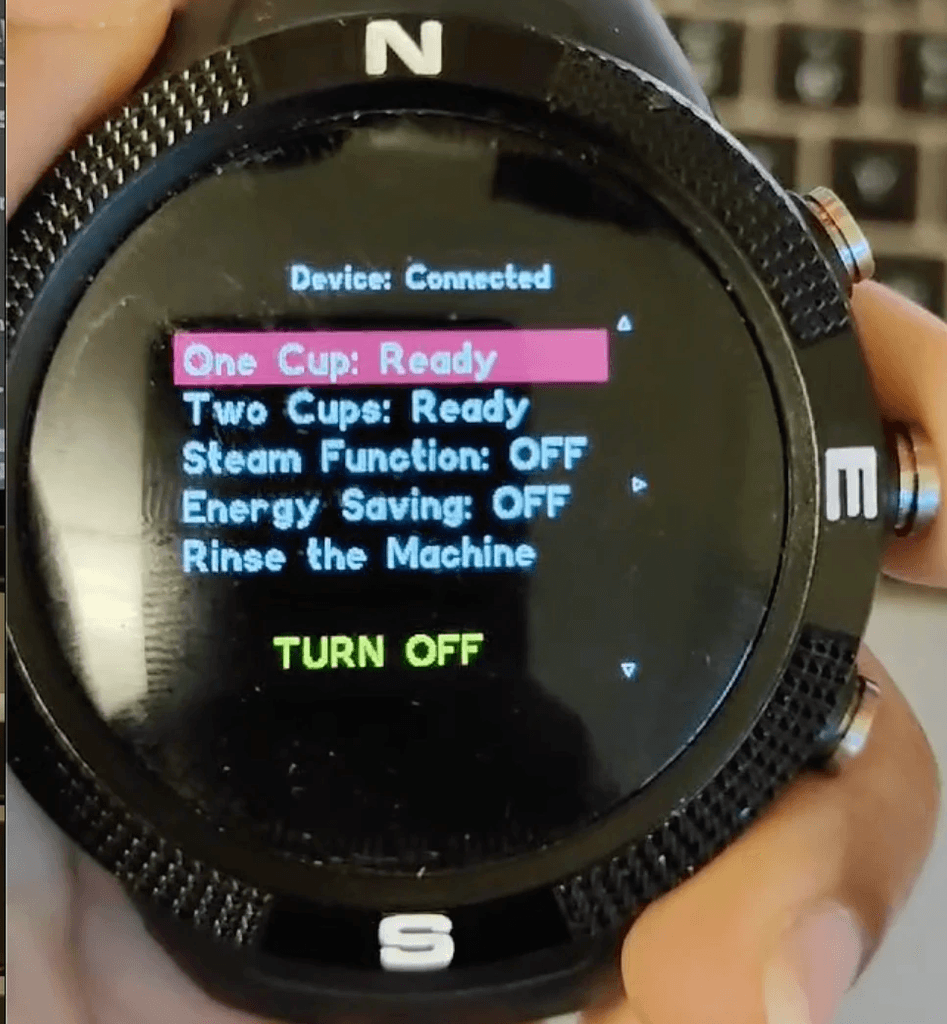
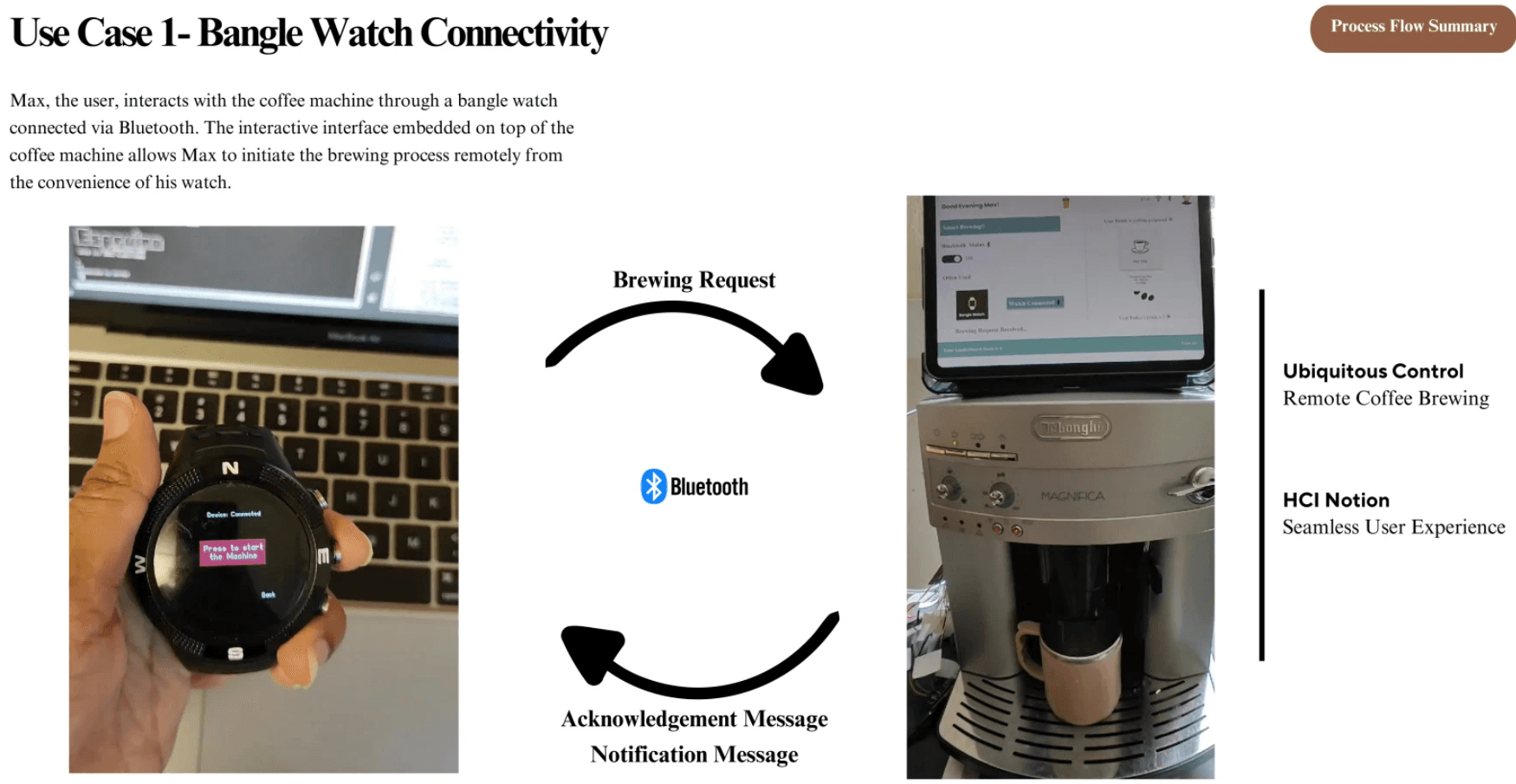
b. BrewView Interface Prototype Video (via Bangle Watch)

Scenario: Coffee brewing command given via Bangle Watch to the BrewView interface.

Objective:
To test the seamless interaction between the Bangle Watch and the BrewView interface, ensuring the command is properly transmitted, acknowledged, and executed by the coffee machine via Bluetooth.The final Figma prototype videos of both the BrewView interface and mobile app, showcasing the interactive elements, task flows, and design responsiveness.

a. BrewView Interface Prototype Video (Profile)

d. Mobile App Prototype Video

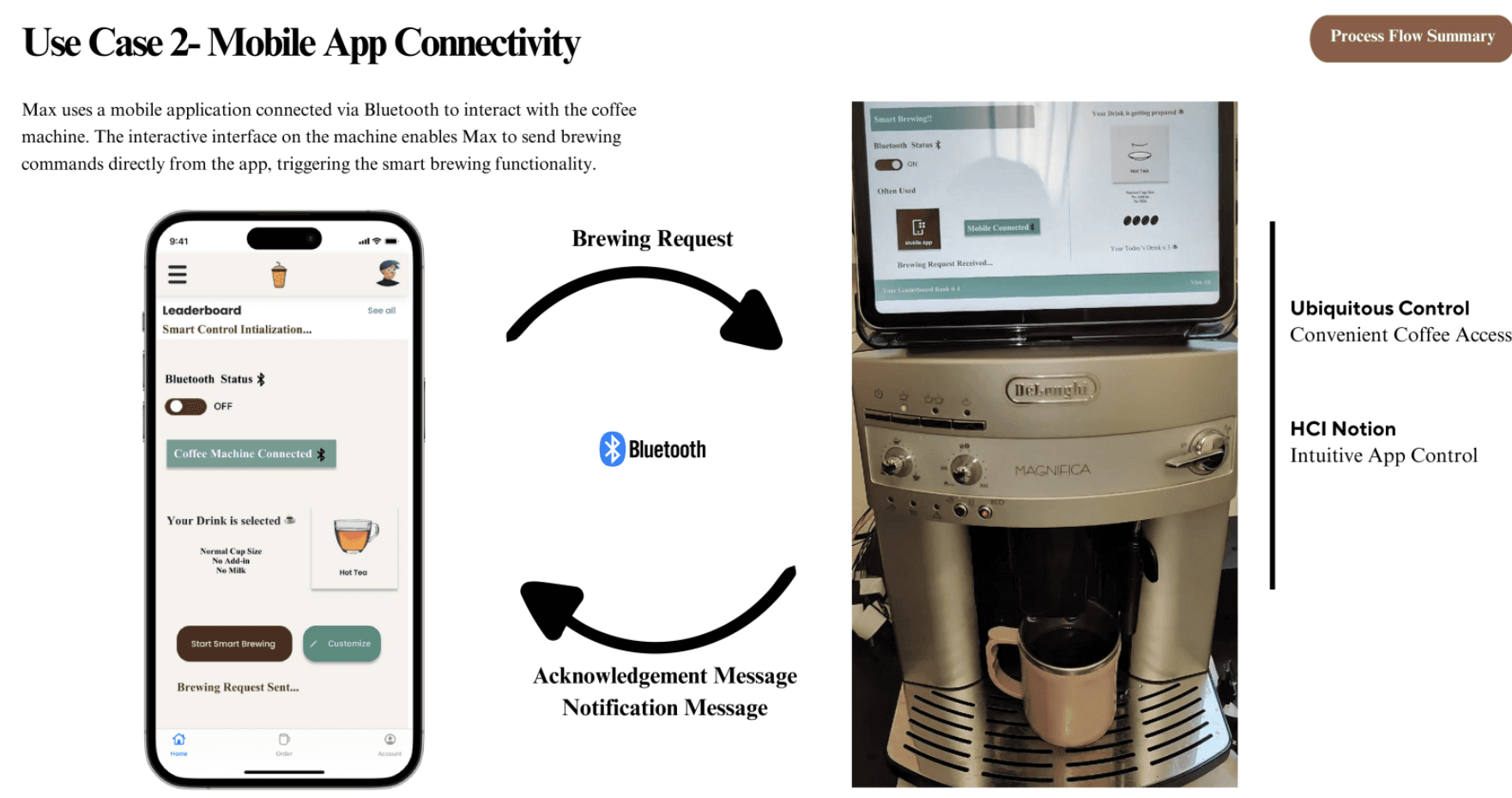
Scenario: Coffee brewing command given via mobile app to the BrewView interface.

Objective:
To verify the smooth interaction between the mobile app and the BrewView interface, ensuring that the coffee brewing command is properly processed and notifications are received upon completion.


Expected Outcome:

  • The BrewView interface acknowledges the brewing command from the mobile app instantly.

  • The coffee brewing process initiates as expected.

  • A notification is sent to the mobile app once the coffee is ready.

c. BrewView Interface Prototype Video (via Mobile App)

Scenario: Coffee brewing command given via mobile app to the BrewView interface.

Objective:
To verify the smooth interaction between the mobile app and the BrewView interface, ensuring that the coffee brewing command is properly processed and notifications are received upon completion.

c. BrewView Interface Prototype Video (via Mobile App)

Scenario: Coffee brewing command given via mobile app to the BrewView interface.

Objective:
To verify the smooth interaction between the mobile app and the BrewView interface, ensuring that the coffee brewing command is properly processed and notifications are received upon completion.

Usability Test

Final Prototype Feedback
Result