AICRASTINATOR
The AIcrastinator app leverages sustainable interaction design to combat procrastination by integrating AI-driven humor into task management. The application promotes long-term behavioural change by encouraging users to complete tasks on time, fostering a balanced and productive lifestyle.
Project Type
UX/UI
Timeline
2 Months
Concept
Interaction Design

My Role
UX Research
UX Designer
UI Designer
Usability Tester
ToolKit
Pen & Paper
Figma
FigJam
Miro
Target Audience
Students
Corporate Employees
Remote Workers
Productivity Enthusiasts
Project Overview
Approach Followed

Foundational Research
Research Papers, articles, exisiting projects.

Ideation
Brainstorming, Supervisor discussions.
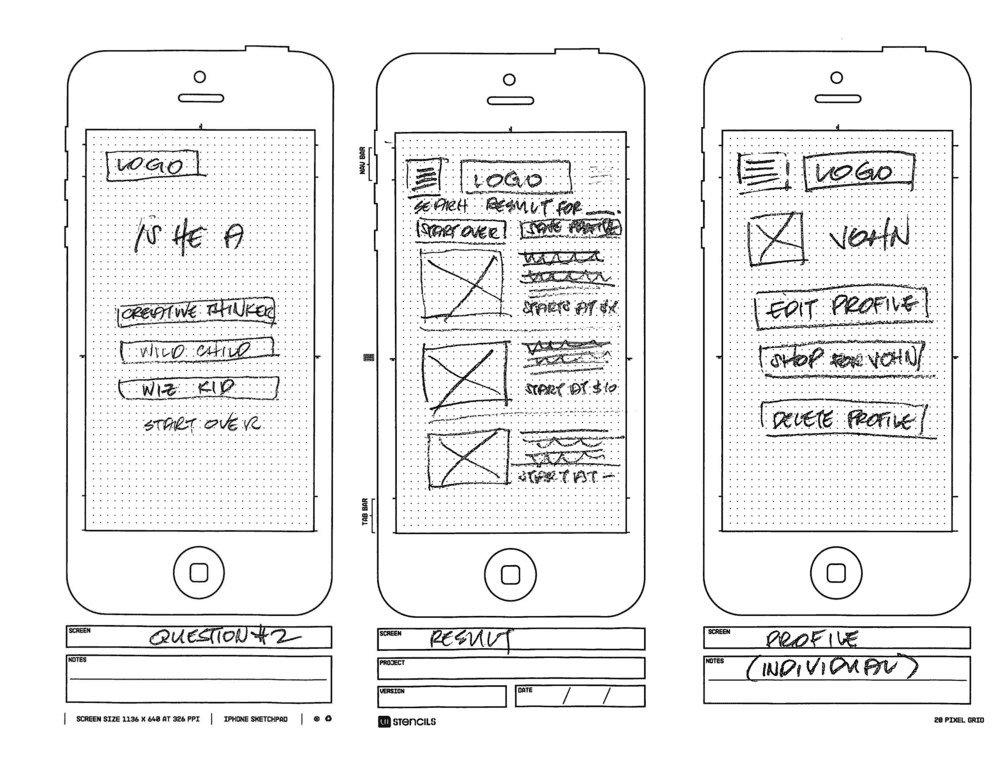
Paper Wireframing
Pen and paper, crazy 8

High-fidelity Wireframing
Concepts into detailed, interactive prototypes that closely resemble the final product

Digital Prototyping
Realistic, interactive prototypes that brought digital concepts to life via Figma.

Usability Testing
Testing ensured app is intuitive, user-friendly, and meets the needs of your audience.
UX Research Study
discovery & exploration
User Personas
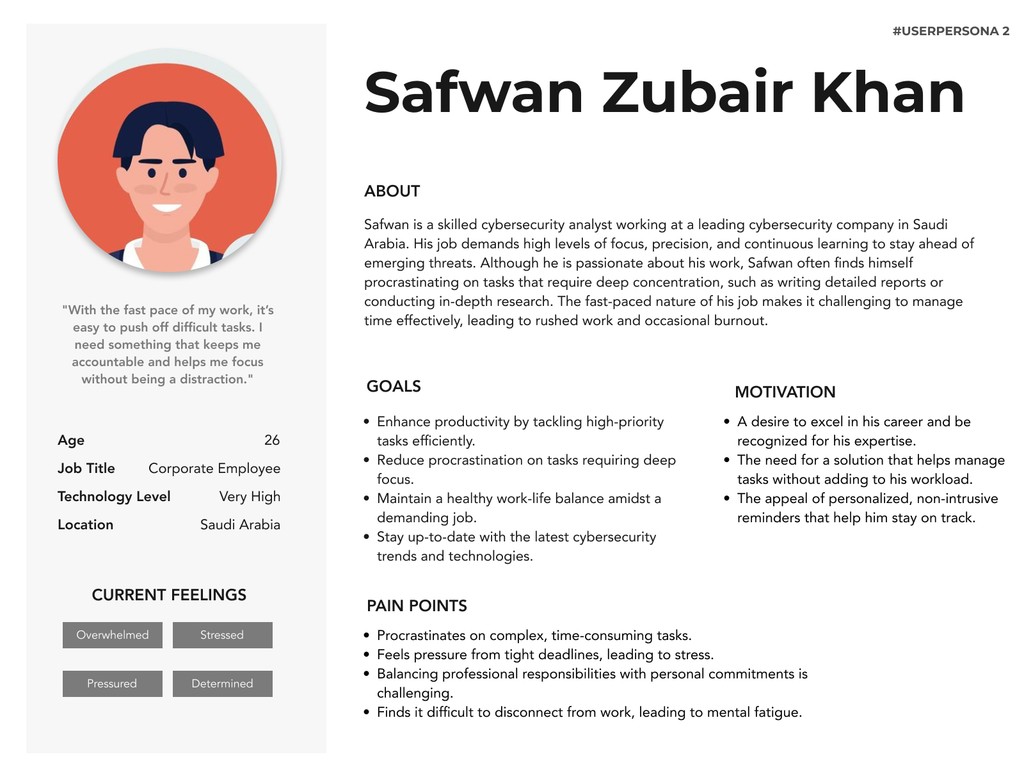


User interviews were conducted to explore procrastination challenges among individuals from professional backgrounds.
One women and two men participated in remote interviews via Google Meet.
The qualitative and quantitative insights and the observations gathered were used to create two detailed personas.
Interview Outcome
#1 User Interview
Identified Key User Needs: Users require a task management solution that is both engaging and tailored to their specific motivations—whether it's reducing stress, enhancing productivity, or balancing work and personal life.
Defined Core Pain Points: Users struggle with distractions, overwhelming tasks, and ineffective prioritization, leading to procrastination and last-minute stress.
Develop Solution Concepts: Focus on creating a personalized task management tool that integrates humour, customizable reminders, and task breakdown features to address user-specific challenges and enhance overall productivity.
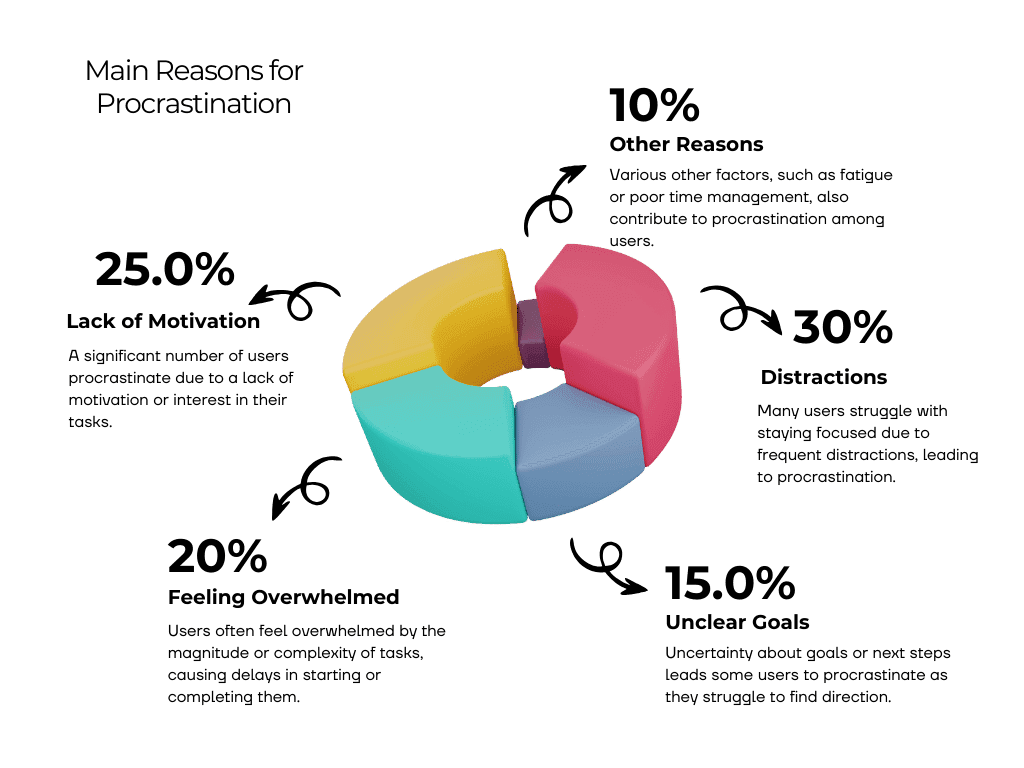
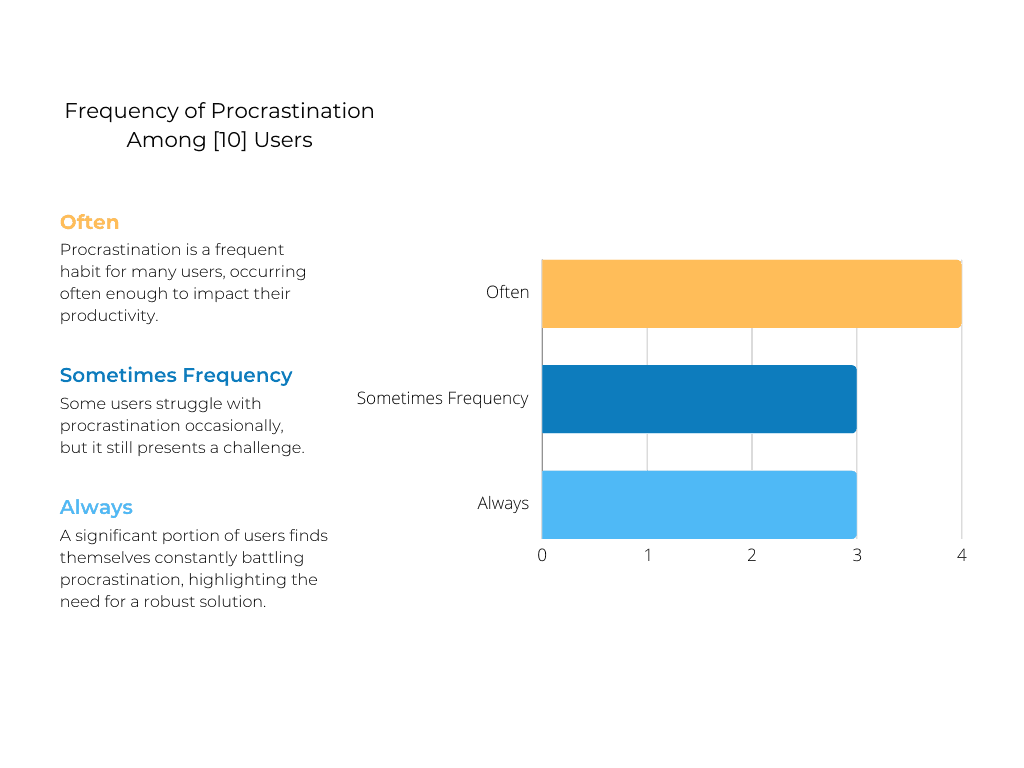

In the initial stages of the AIcrastinator app development, comprehensive user surveys were conducted to gain a deeper understanding of the procrastination challenges faced by individuals. The aim of the survey was to uncover common pain points, behavioral patterns, and motivational factors that contribute to procrastination. By gathering this valuable data, we sought to ensure that the AIcrastinator app would be able to address these real-world issues in a effective way.
Survey Response #1
Survey Response #2
Survey Outcome
Identified Key Procrastination Triggers: Distractions and lack of motivation were confirmed as the primary drivers of procrastination among users, validating the need for focus-enhancing and motivational features.
Recognized Task Management Difficulties: Many users feel overwhelmed or unclear about their goals, indicating that simplifying task management and offering clear guidance are crucial for reducing procrastination.
Design Targeted Features: Develop solutions that address the top procrastination triggers by incorporating tools that minimize distractions, enhance motivation, and simplify task management, such as personalized reminders and clear, step-by-step task breakdowns.
#2 User Survey
Identified Key User Needs: Users require a task management solution that is both engaging and tailored to their specific motivations—whether it's reducing stress, enhancing productivity, or balancing work and personal life.
Defined Core Pain Points: Users struggle with distractions, overwhelming tasks, and ineffective prioritization, leading to procrastination and last-minute stress.
Develop Solution Concepts: Focus on creating a personalized task management tool that integrates humour, customizable reminders, and task breakdown features to address user-specific challenges and enhance overall productivity.
#3 How Might We (HMW) ?
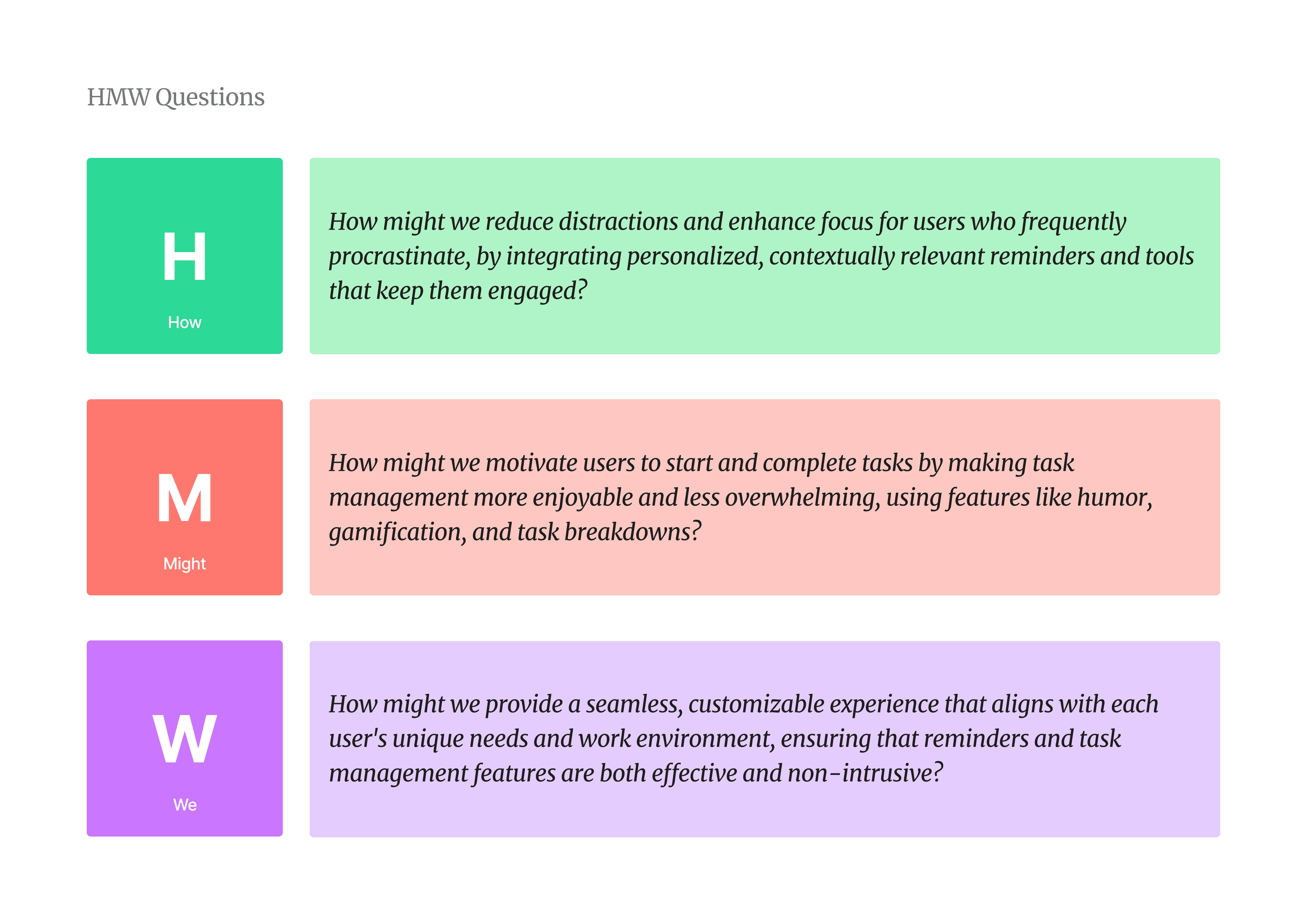
The "How Might We" (HMW) question serves as the foundation for guiding the design and development of AIcrastinator, addressing user pain points through innovative AI-driven solutions. This concise HMW question succinctly encapsulated the core objectives of my project and provided a clear direction for designing solutions that addressed the user pain points.
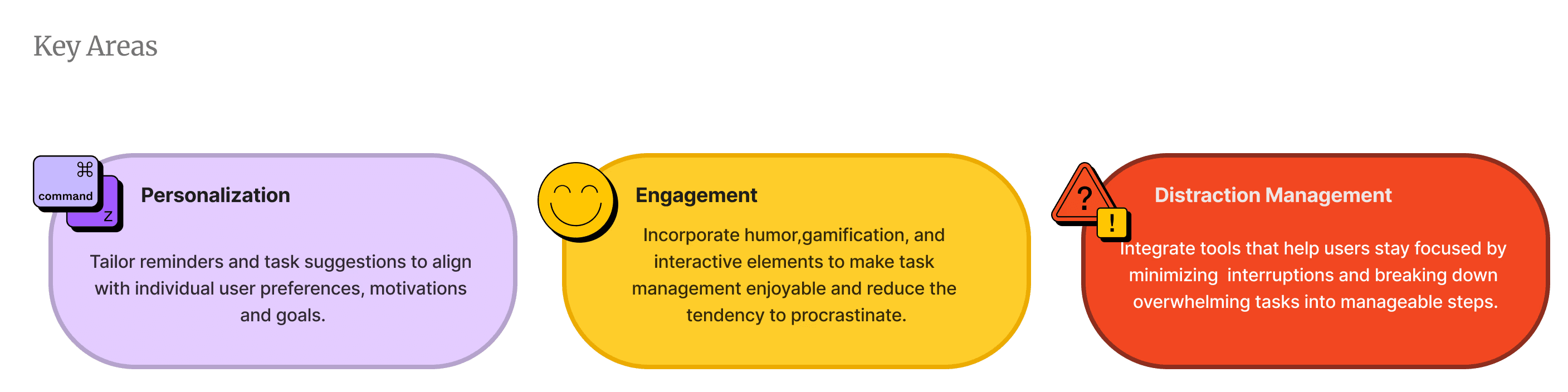
The How Might We (HMW) question drives the development of AIcrastinator by focusing on three key areas.
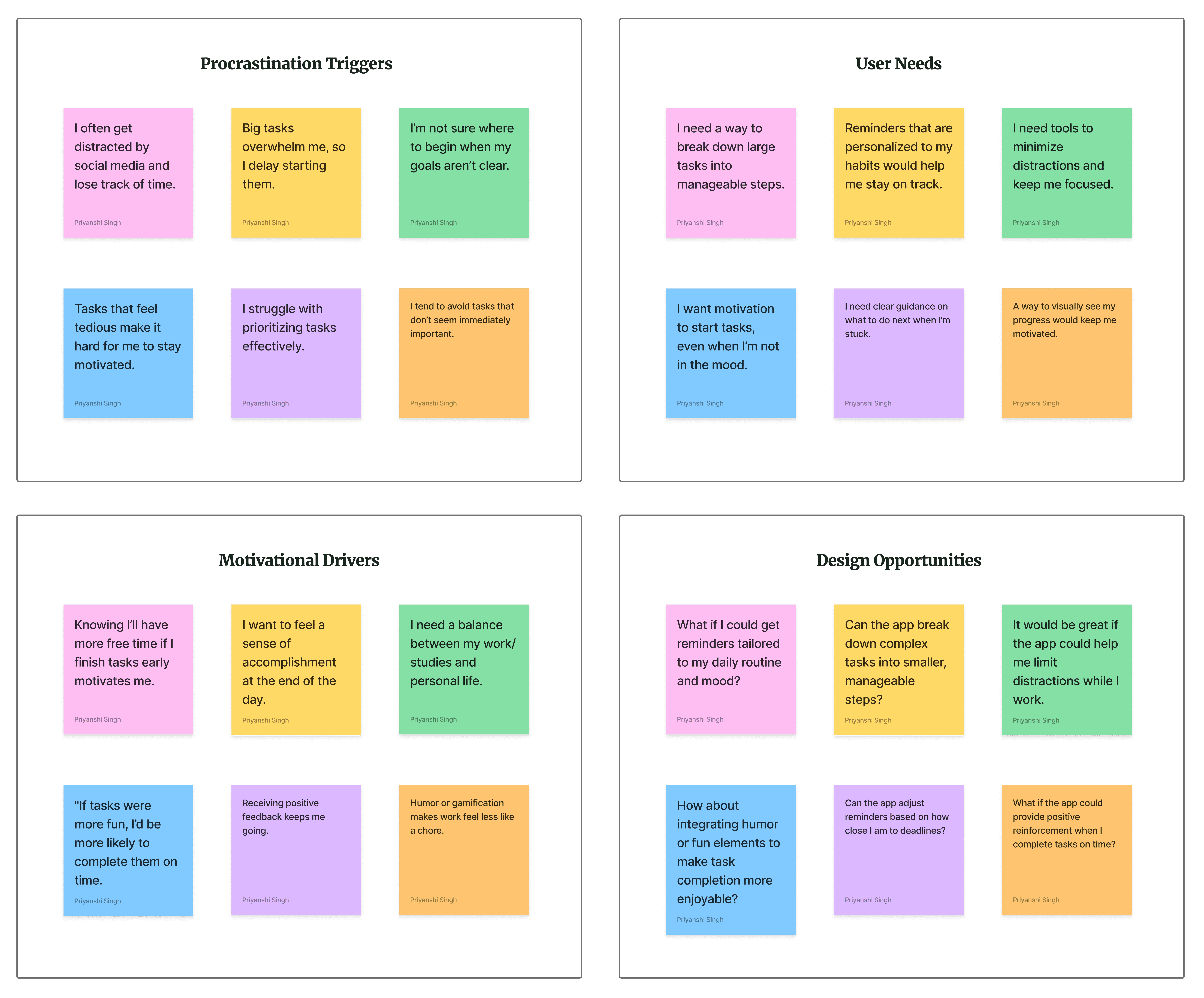
#4 Affinity Mapping
In this project, affinity mapping was used to organize and group research insights, feedback, and key themes from user interviews and testing. The goal was to uncover patterns, identify common pain points, and determine user needs for effective task management using AI.
I was able to describe the affinity map into four different categories.
#5 Competitive Analysis
Outcome
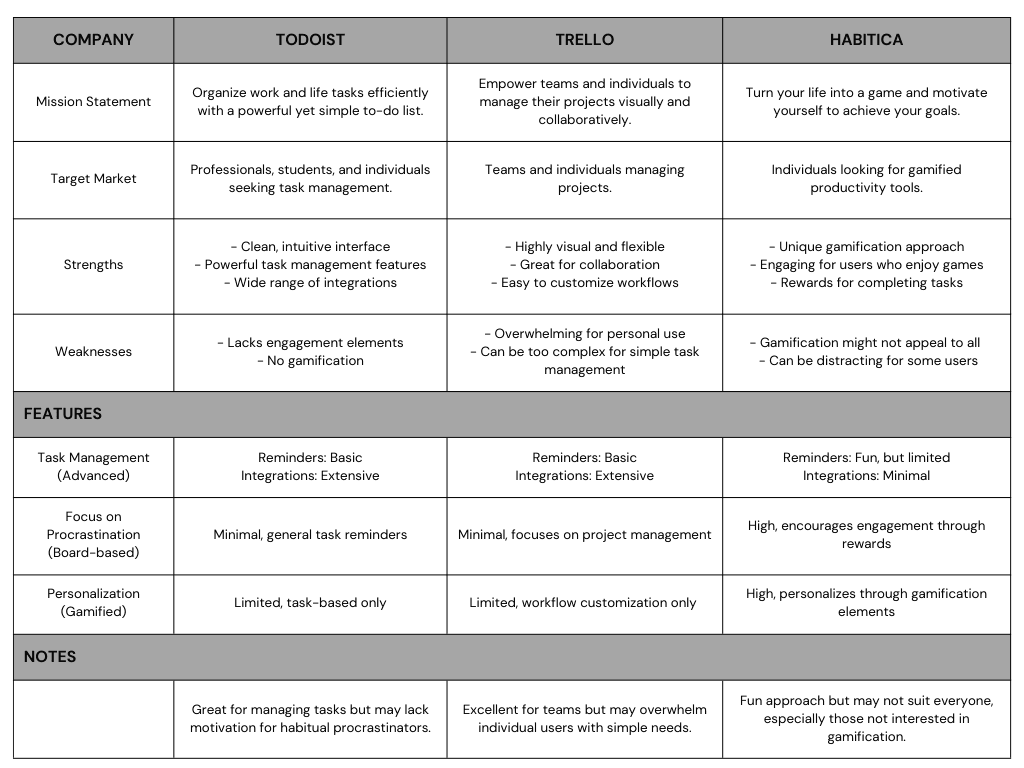
Existing Strengths: Competitors excel in areas like task organization (Todoist), project collaboration (Trello), and gamification (Habitica).
Identified Gaps: None of the competitors focus specifically on tackling procrastination with personalized, engaging solutions.
Opportunity for Differentiation: AIcrastinator can stand out by offering a unique combination of humor, personalization, and AI-driven reminders to address procrastination.
Market Gap: A clear opportunity exists to fill the unmet need for a tool that directly combats procrastination, rather than just managing tasks.
#6 Research Findings
Outcome
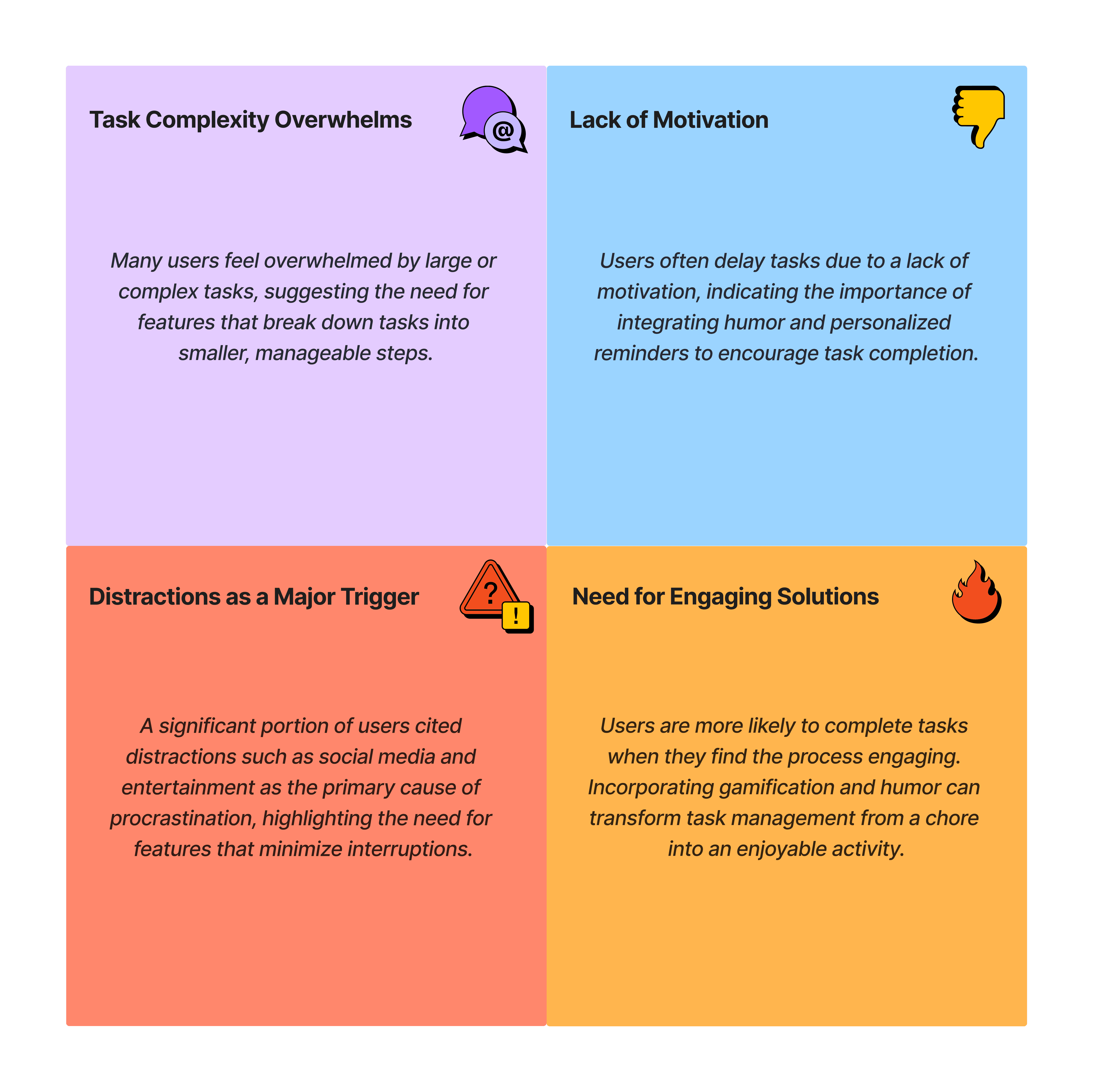
Firstly, many users feel overwhelmed by task complexity, especially with larger or more complicated tasks, indicating a need for features that break them into manageable steps.
Secondly, a lack of motivation often leads users to delay tasks, suggesting the importance of personalized and engaging reminders, such as humor, to help them stay on track.
Additionally, distractions, particularly from social media and entertainment, were identified as a major trigger for procrastination. Users expressed a need for tools that reduce these interruptions.
Finally, users are more likely to complete tasks when the process is engaging and enjoyable. Incorporating gamification and humor can make task management a more interactive and motivating experience.
UX Design Goals
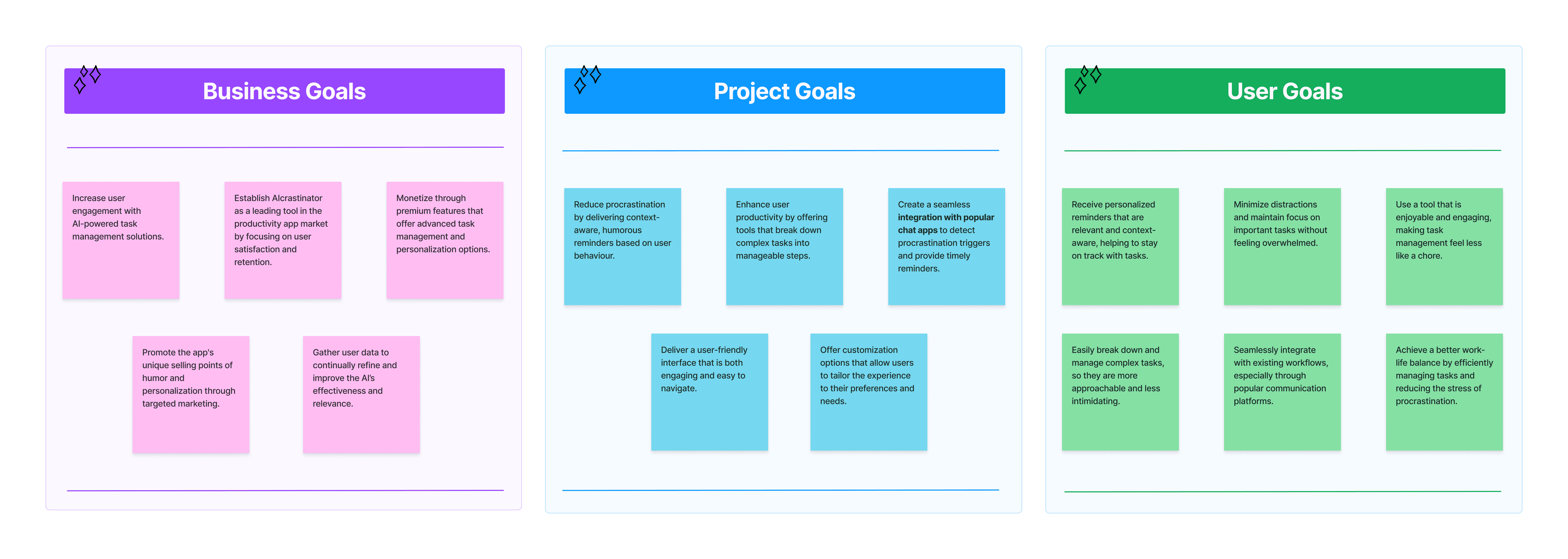
The main goals of the UX AIcrastinator app are: to reduce procrastination through engaging and personalized reminders, to boost user productivity by breaking down complex tasks, and to provide a seamless and enjoyable user experience.
UX Design and Implementations
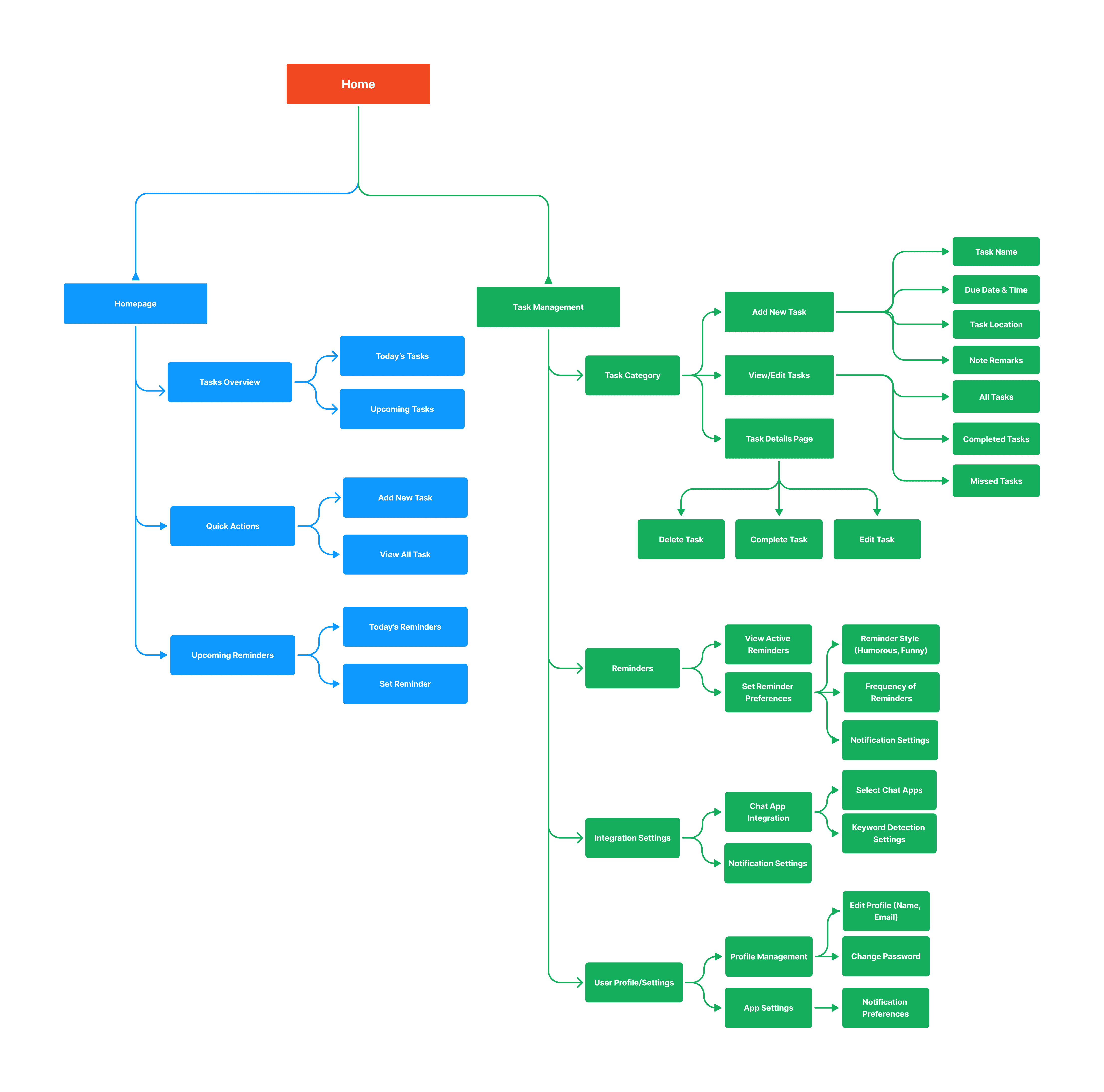
Information Architecture
A clear and logical information architecture was developed to ensure easy navigation and quick access to key features, enabling users to efficiently manage tasks and receive timely reminders.
User Flows
Detailed user flows were created to map out the complete journey of a user from onboarding to task completion, ensuring a seamless experience that aligns with the app’s core functionality.
User Flow 1: Managing Tasks in AIcrastinator
Objective: Guide the user through various steps within the AIcrastinator app, from logging in to managing tasks and setting reminders.
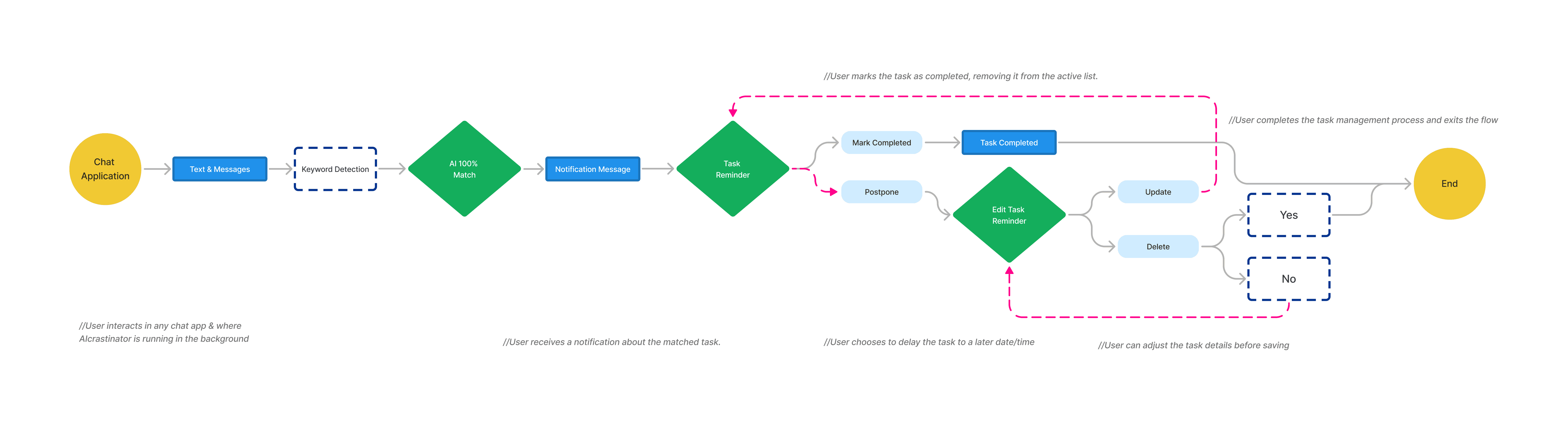
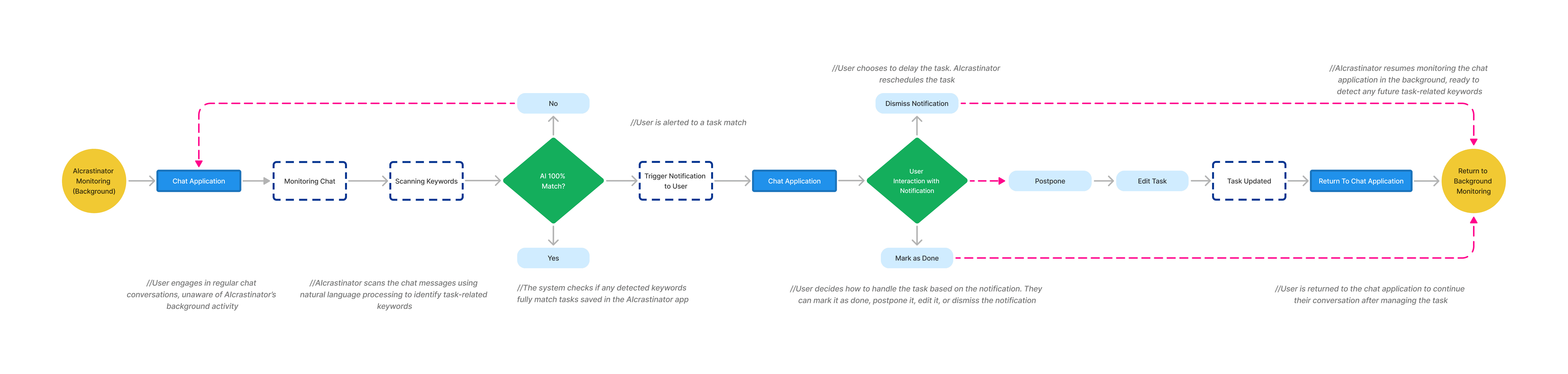
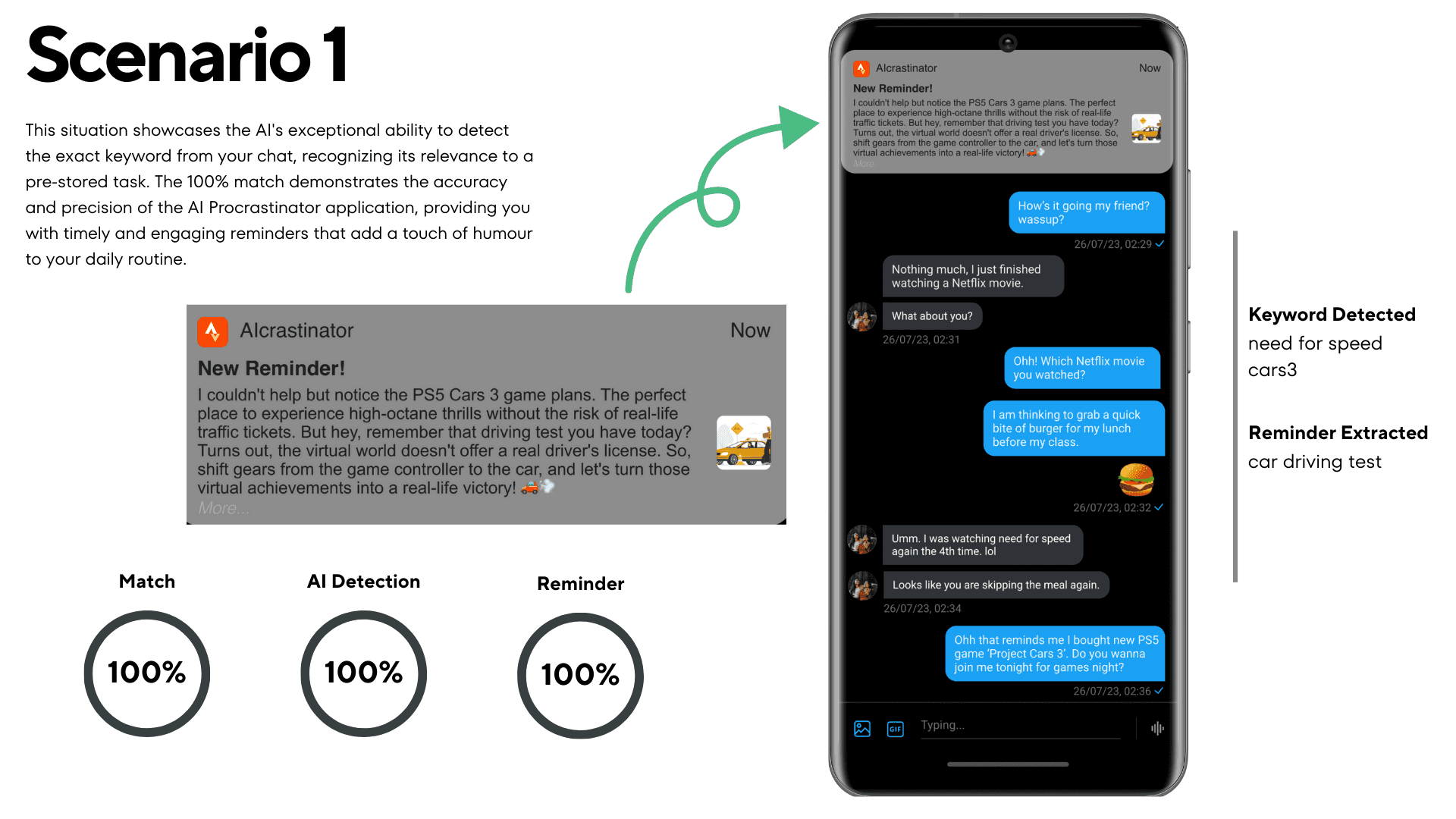
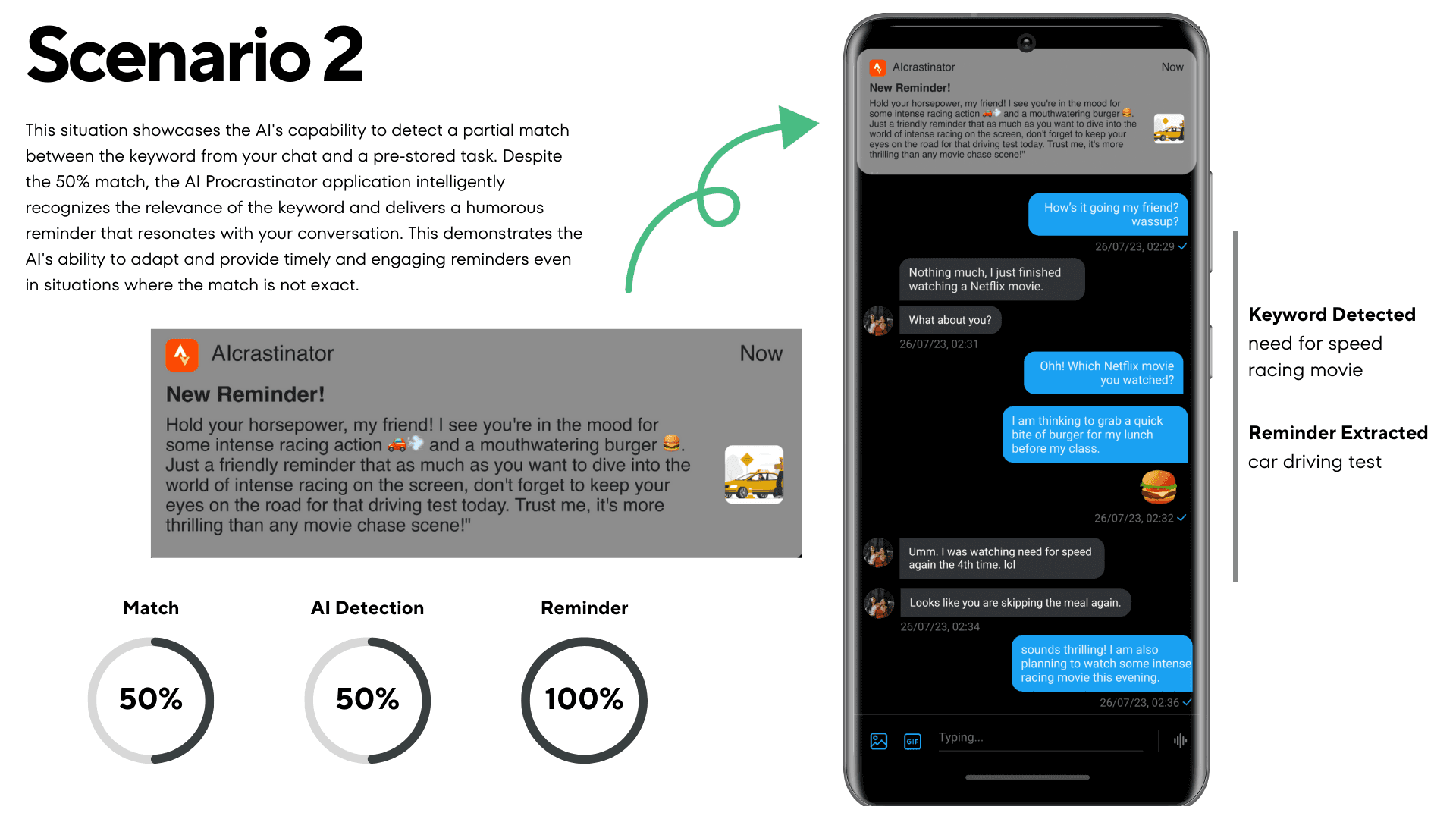
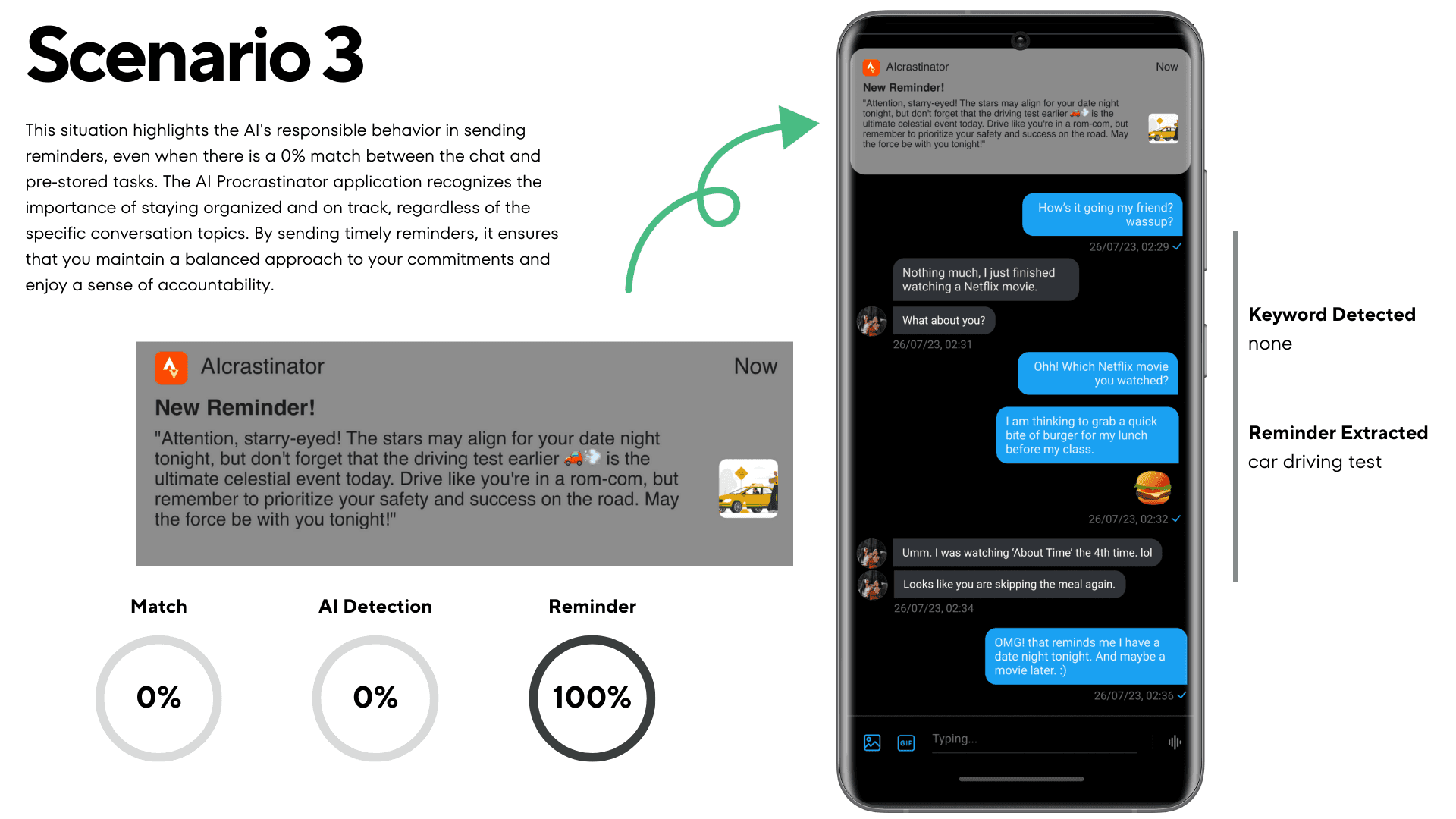
User Flow 2: Chat Keyword Detection & Task Reminder Notification
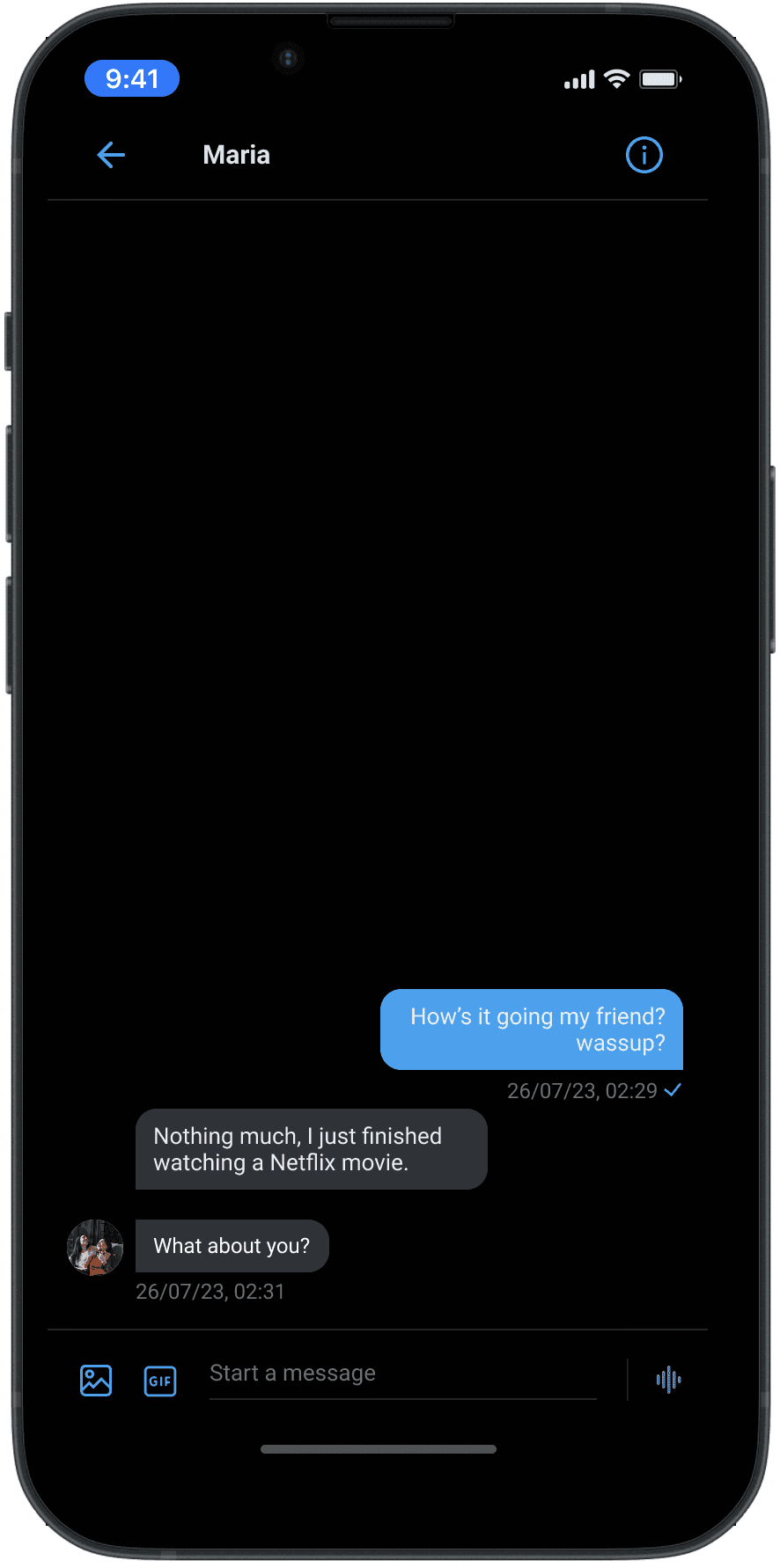
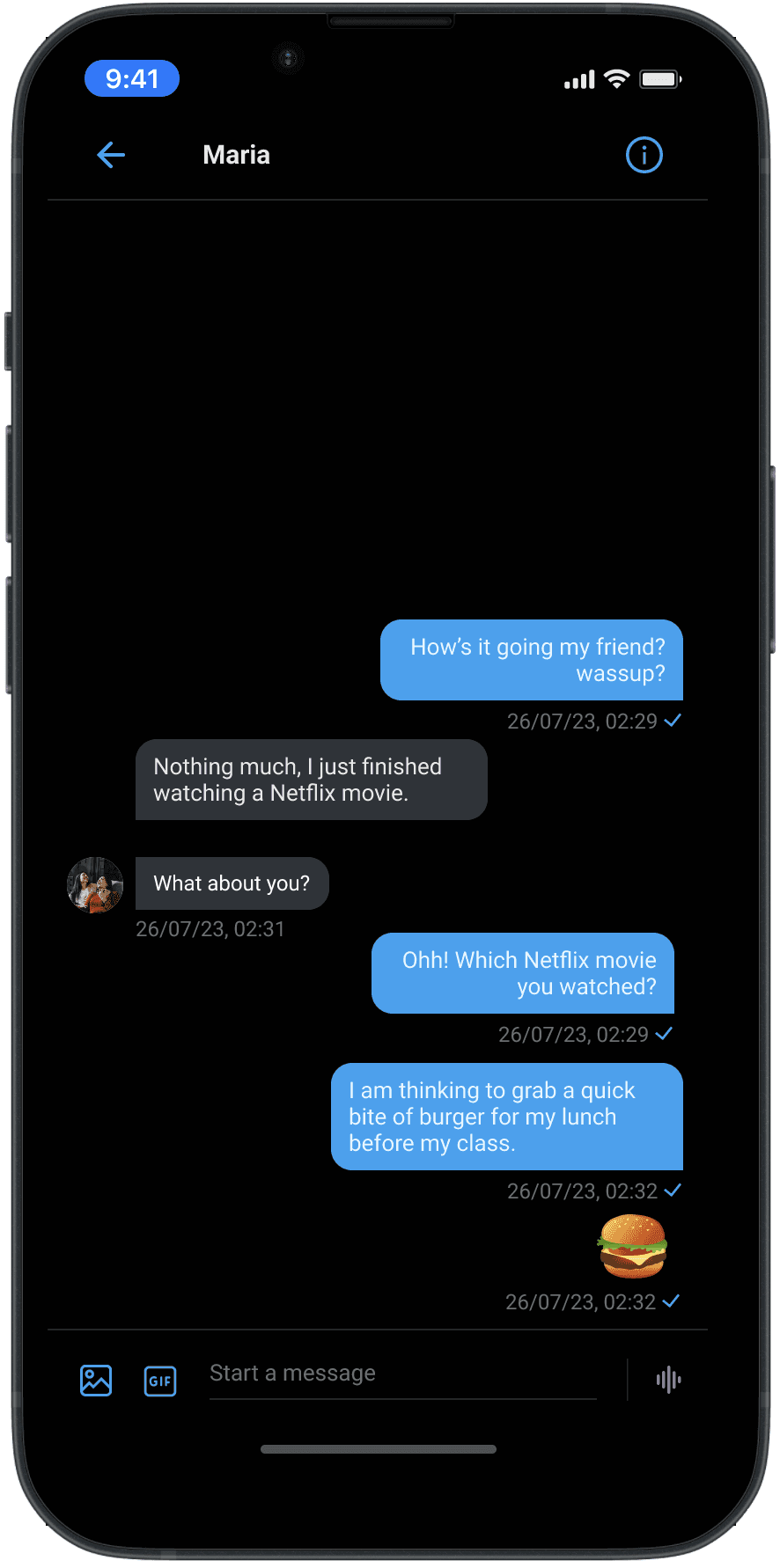
Objective: To monitor chats for task-related keywords, trigger a reminder notification, and allow the user to manage the task directly from the notification.
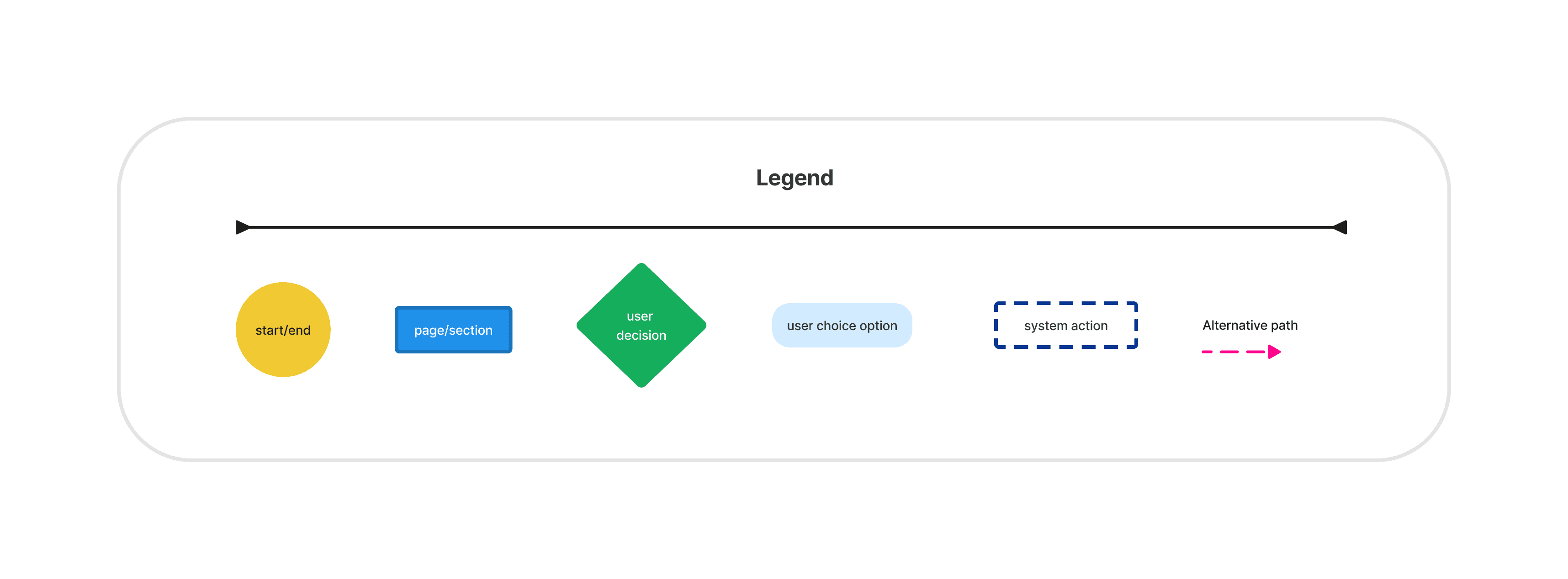

Task Flows
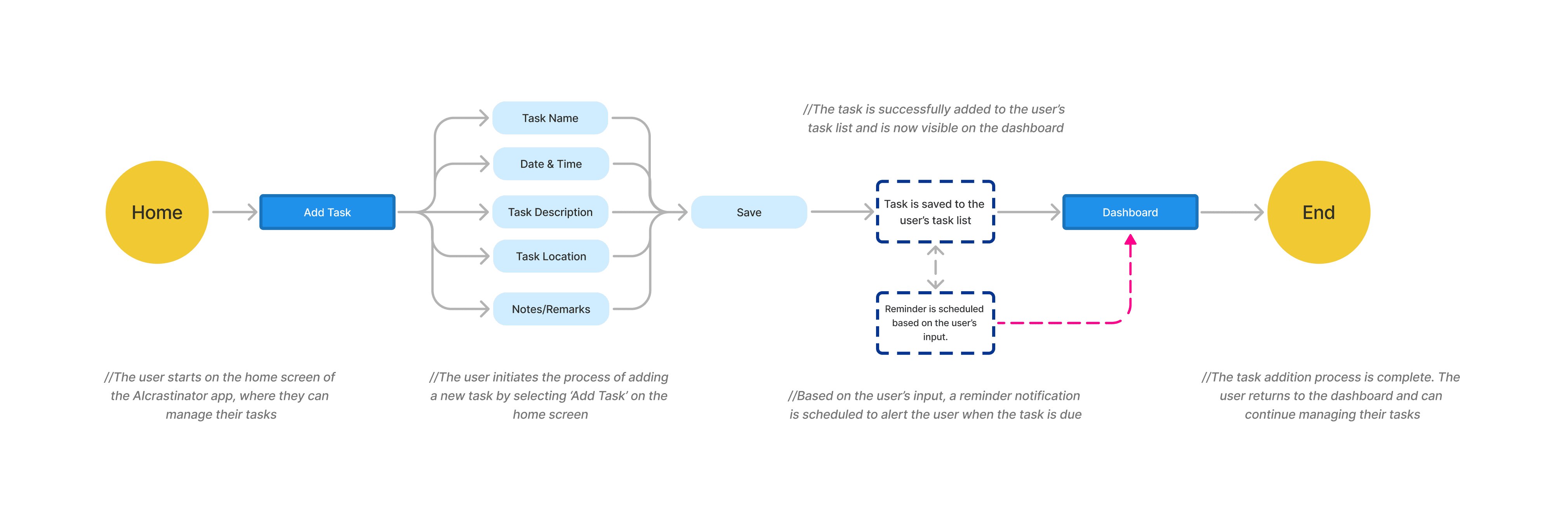
Task flows were designed to break down specific interactions within the app, such as setting up a task, receiving a reminder, and marking a task as complete, to ensure smooth and intuitive processes.
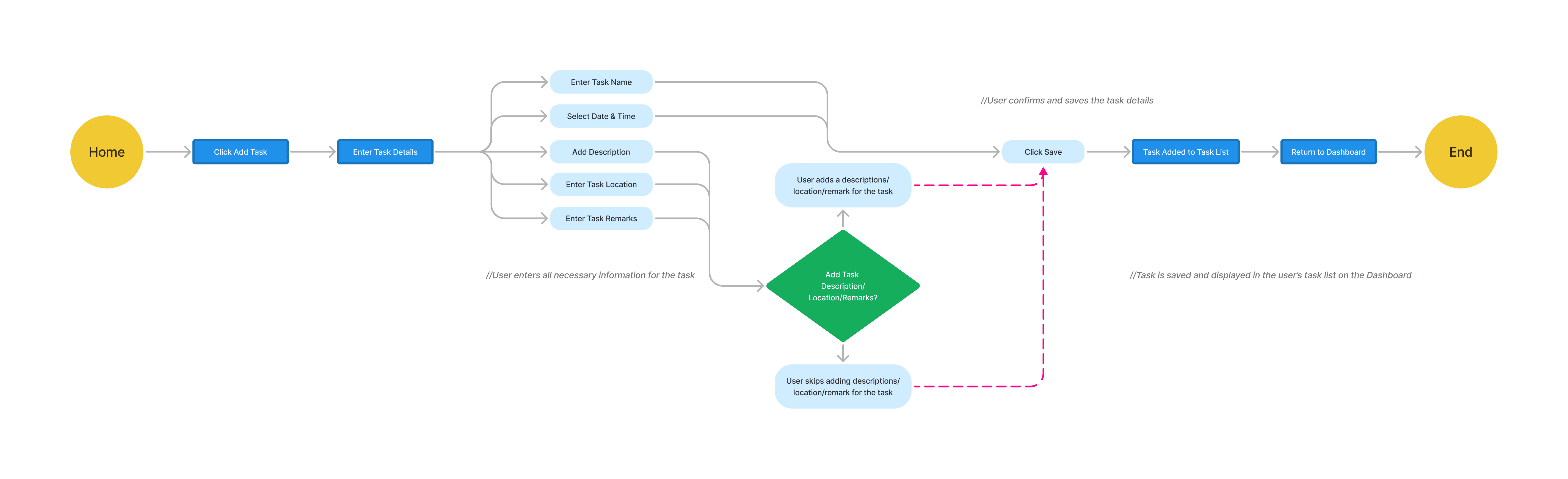
Task Flow 1: Adding a New Task
Objective: Guide the user through the process of adding a new task in the AIcrastinator app.
Task Flow 2: Completing a Task via Reminder Notification
Objective: Allow the user to complete a task directly from a reminder notification.
Task Flow 3: AIcrastinator Background Monitoring and Keyword Detection
Objective: Monitor user chats in the background, detect task-related keywords, and determine whether there’s a match with the tasks saved in the AIcrastinator app.
Low-Fidelity Screens
Low-Fidelity Prototype
Feedback
Wireframes
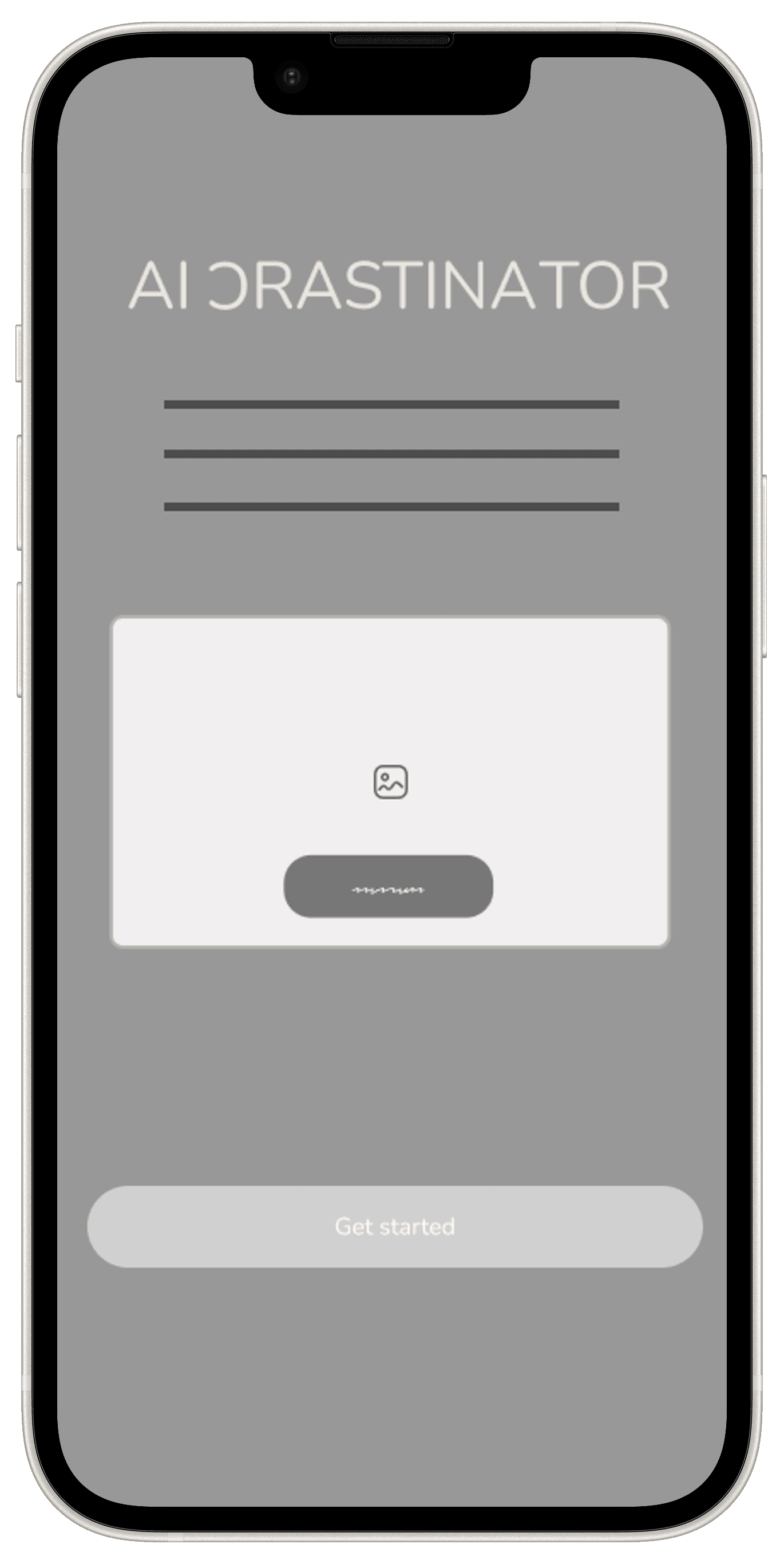
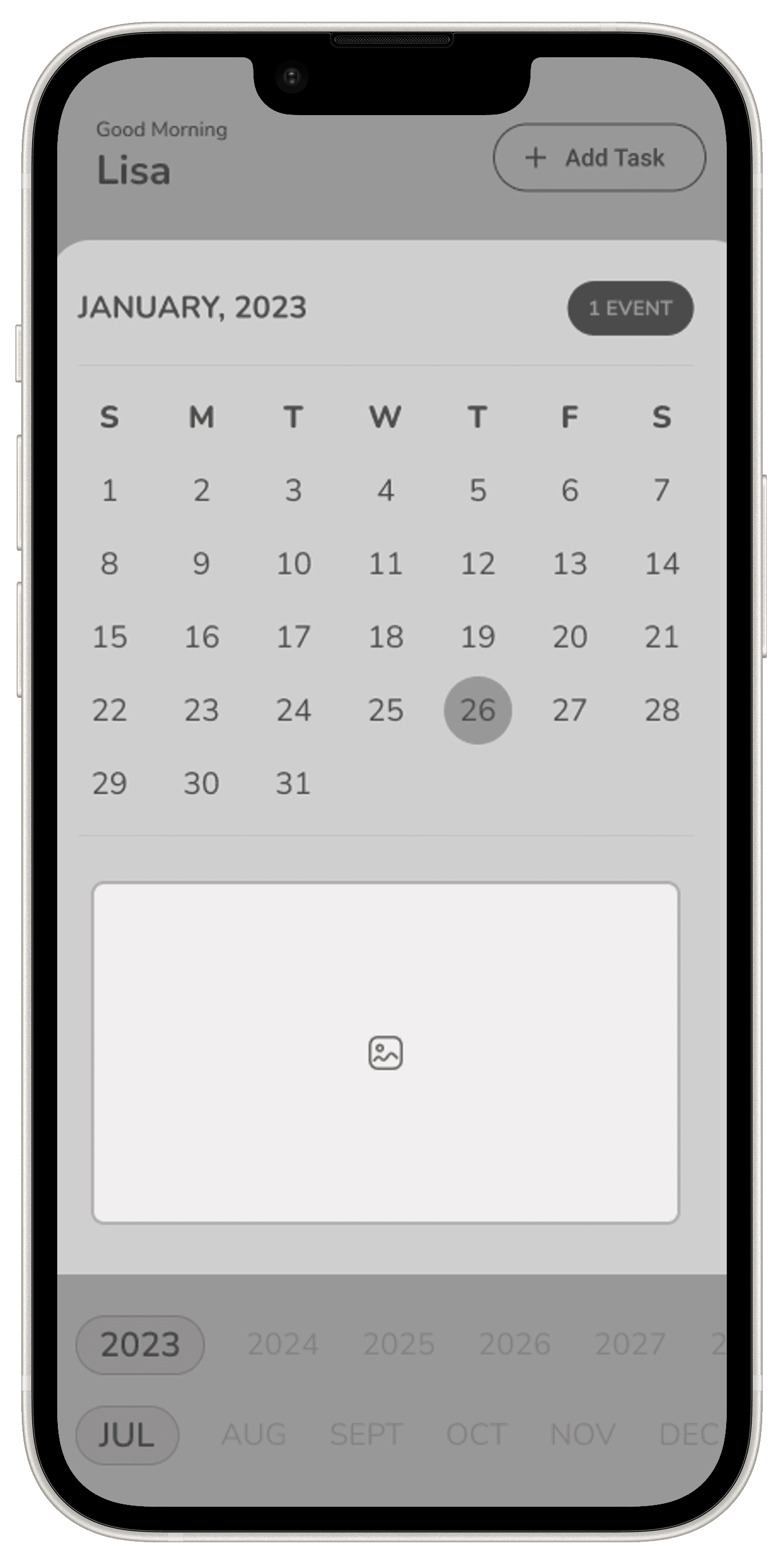
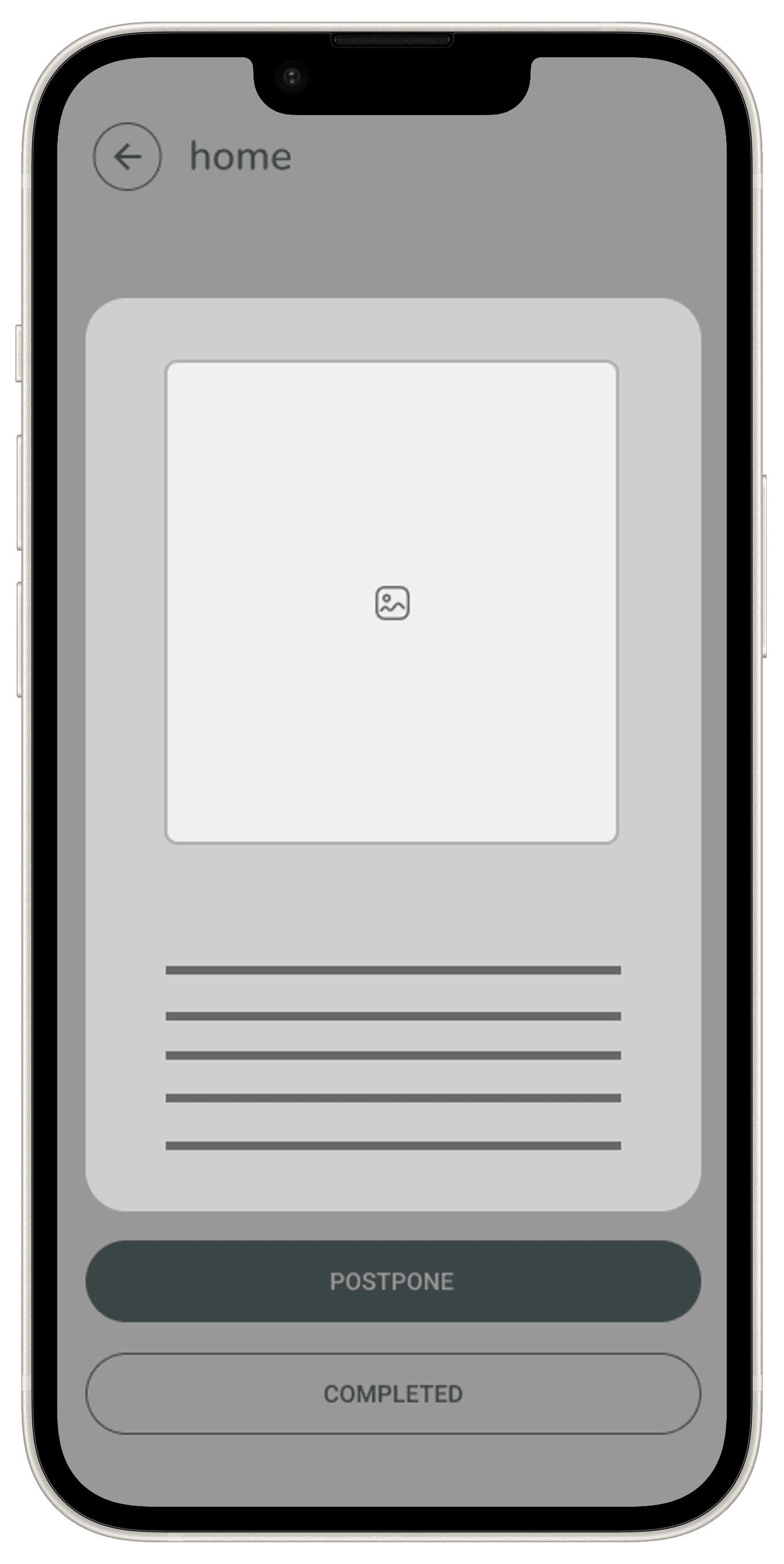
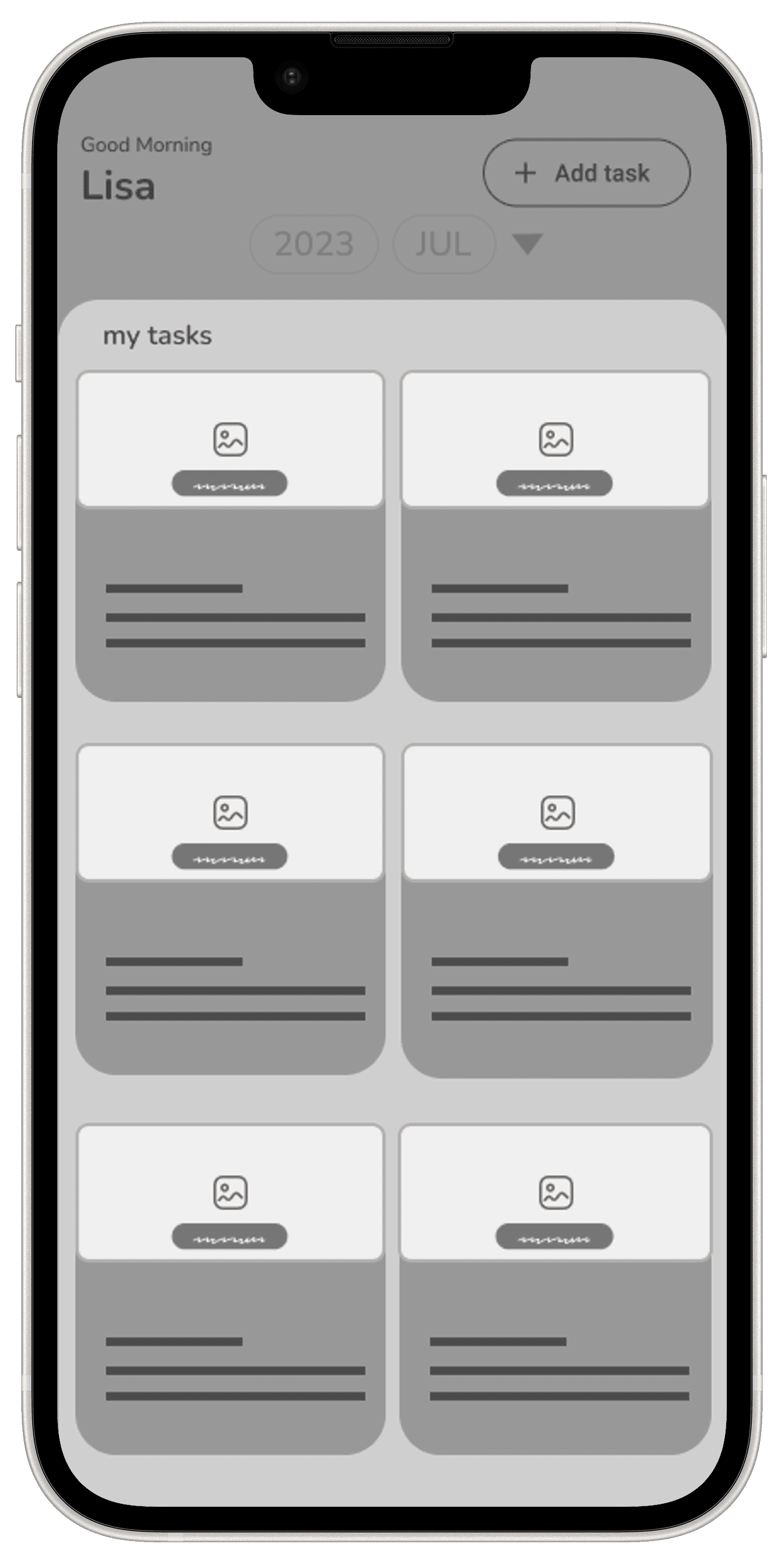
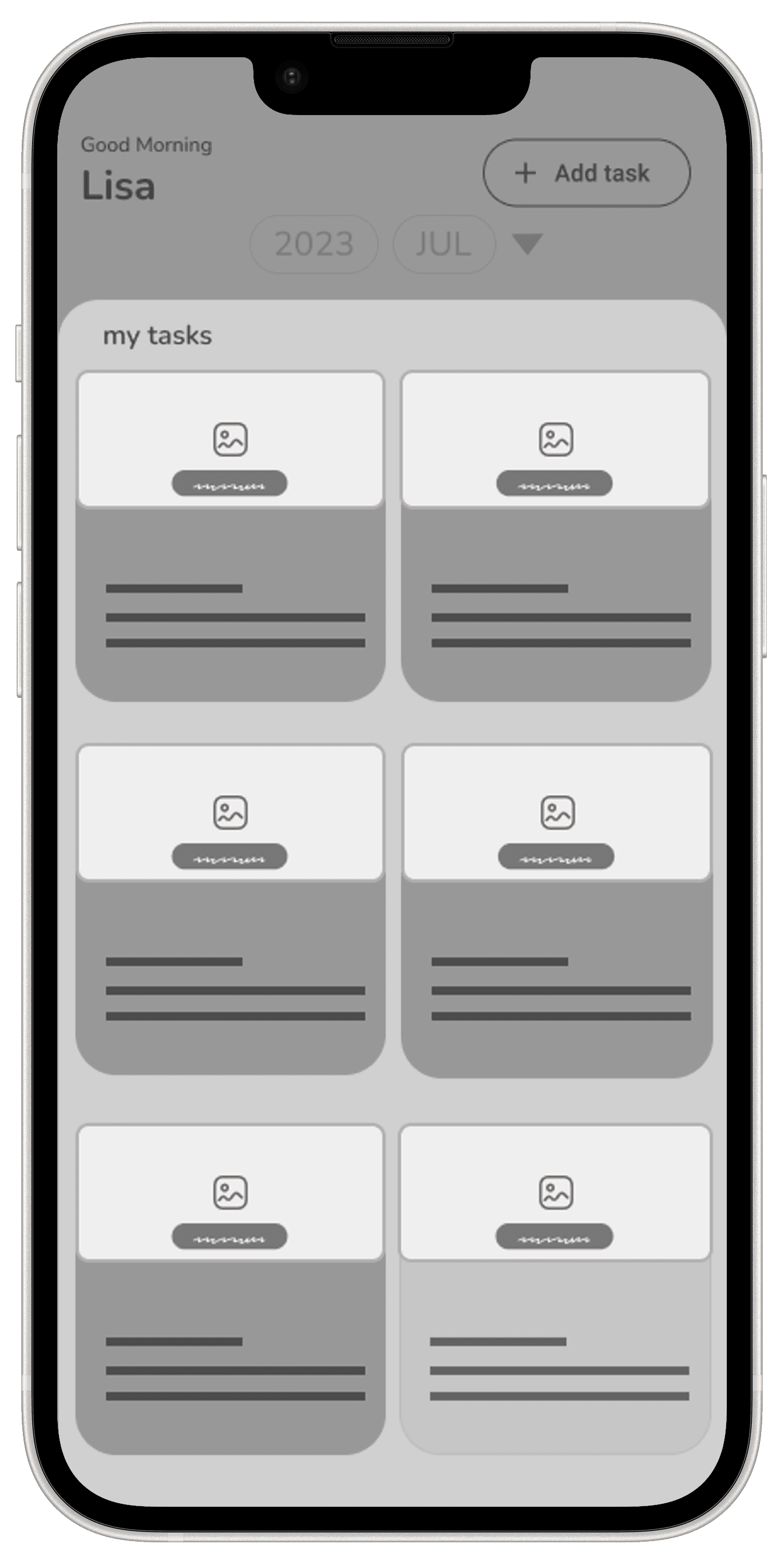
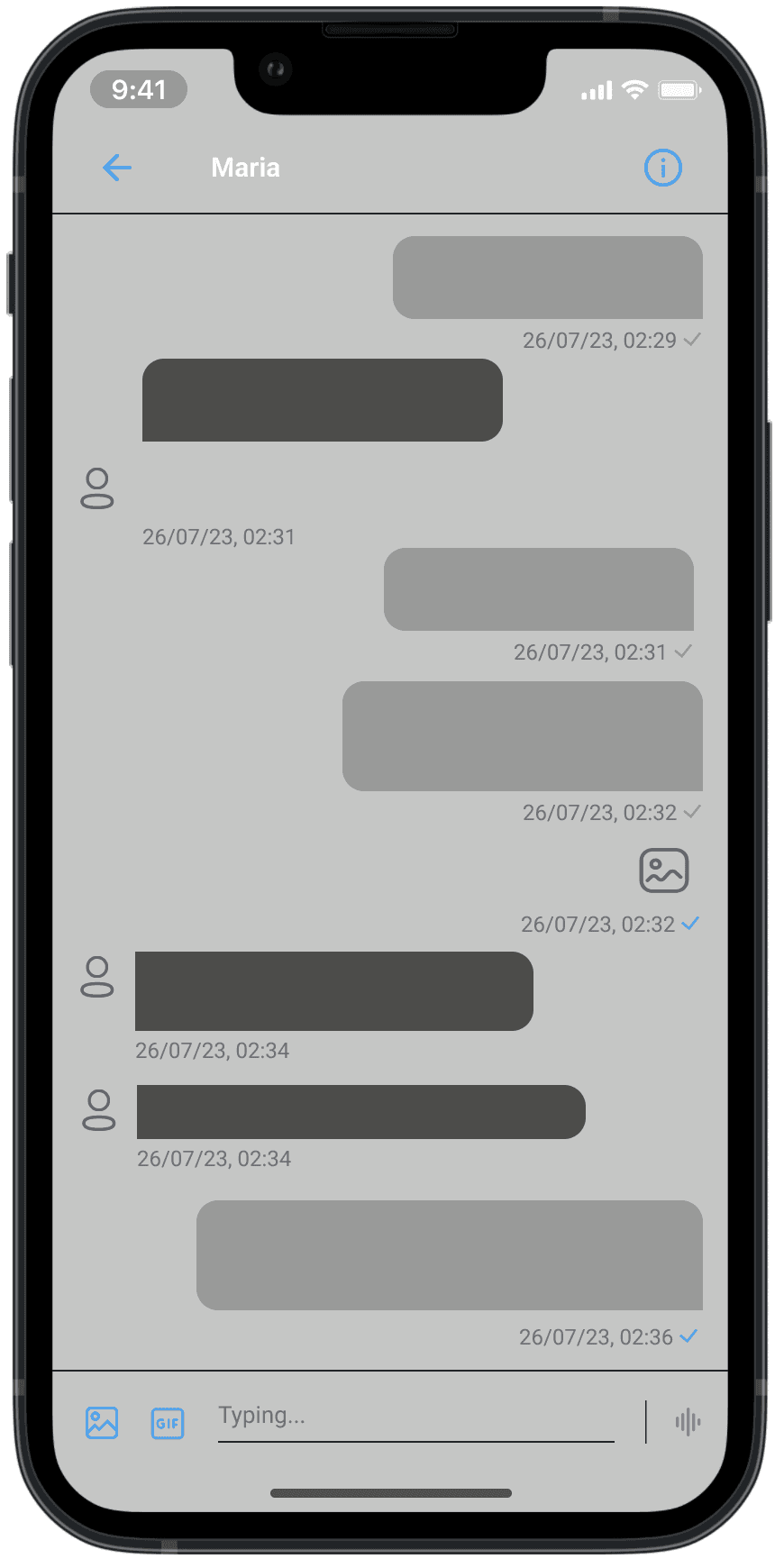
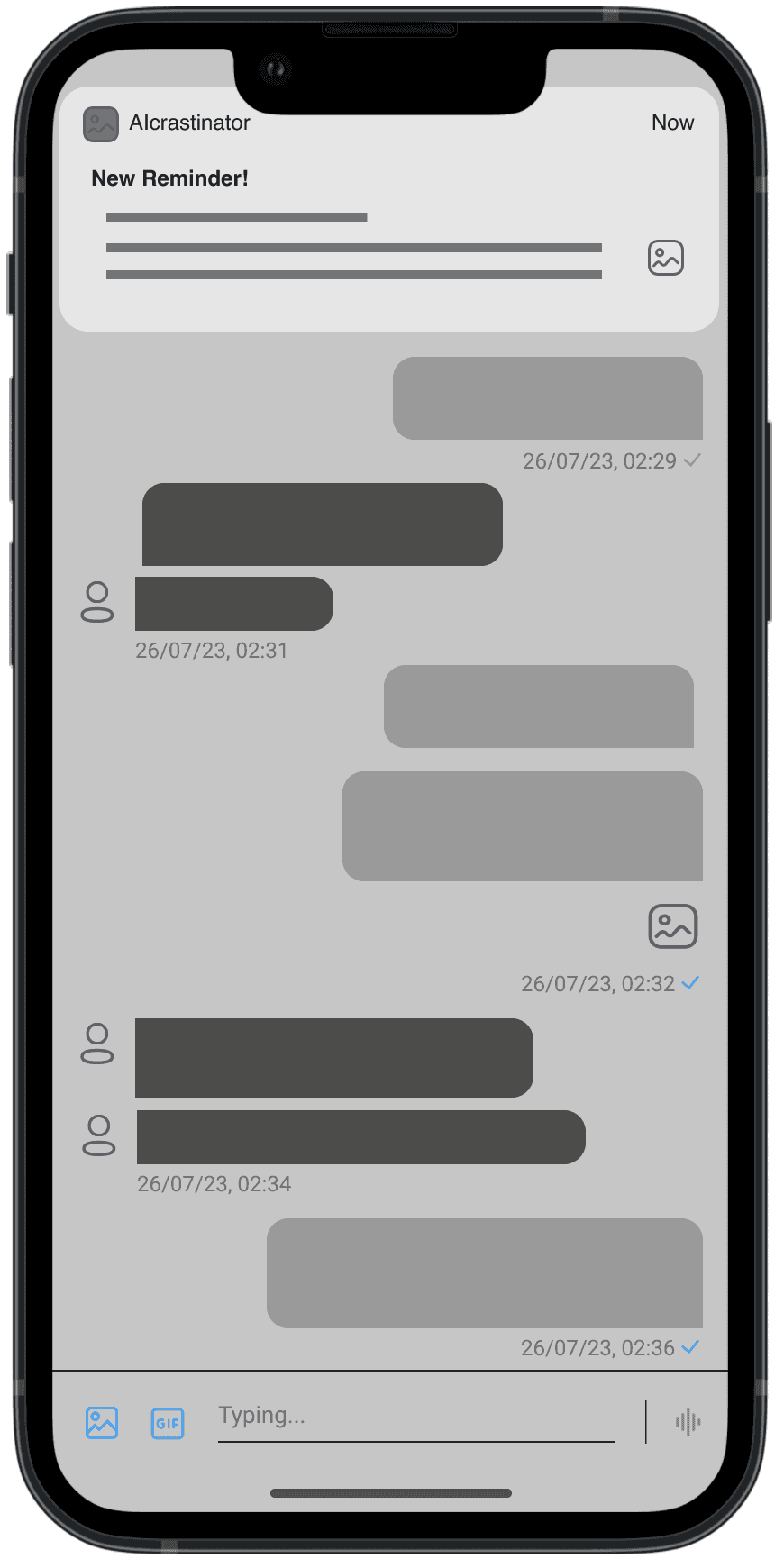
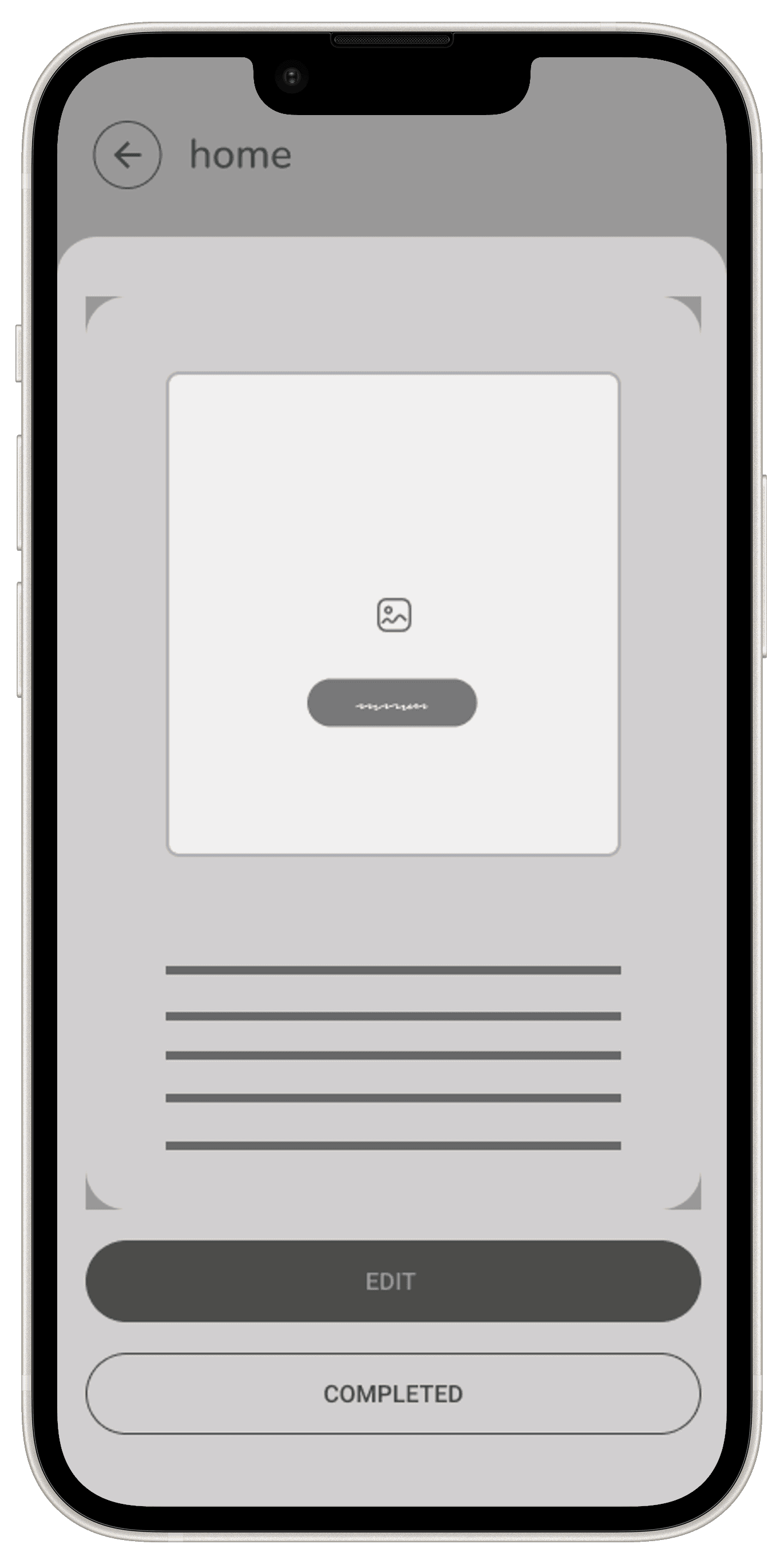
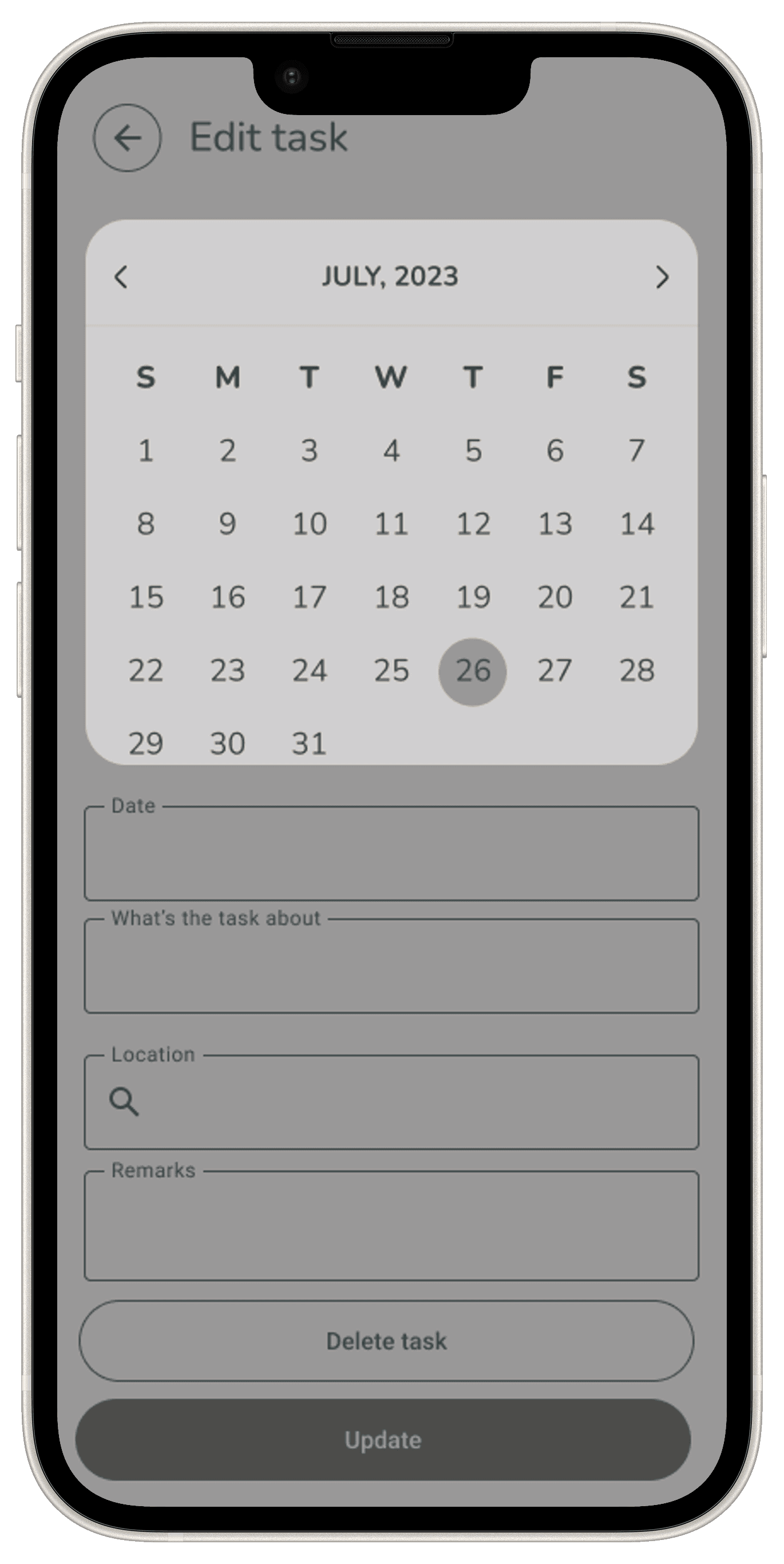
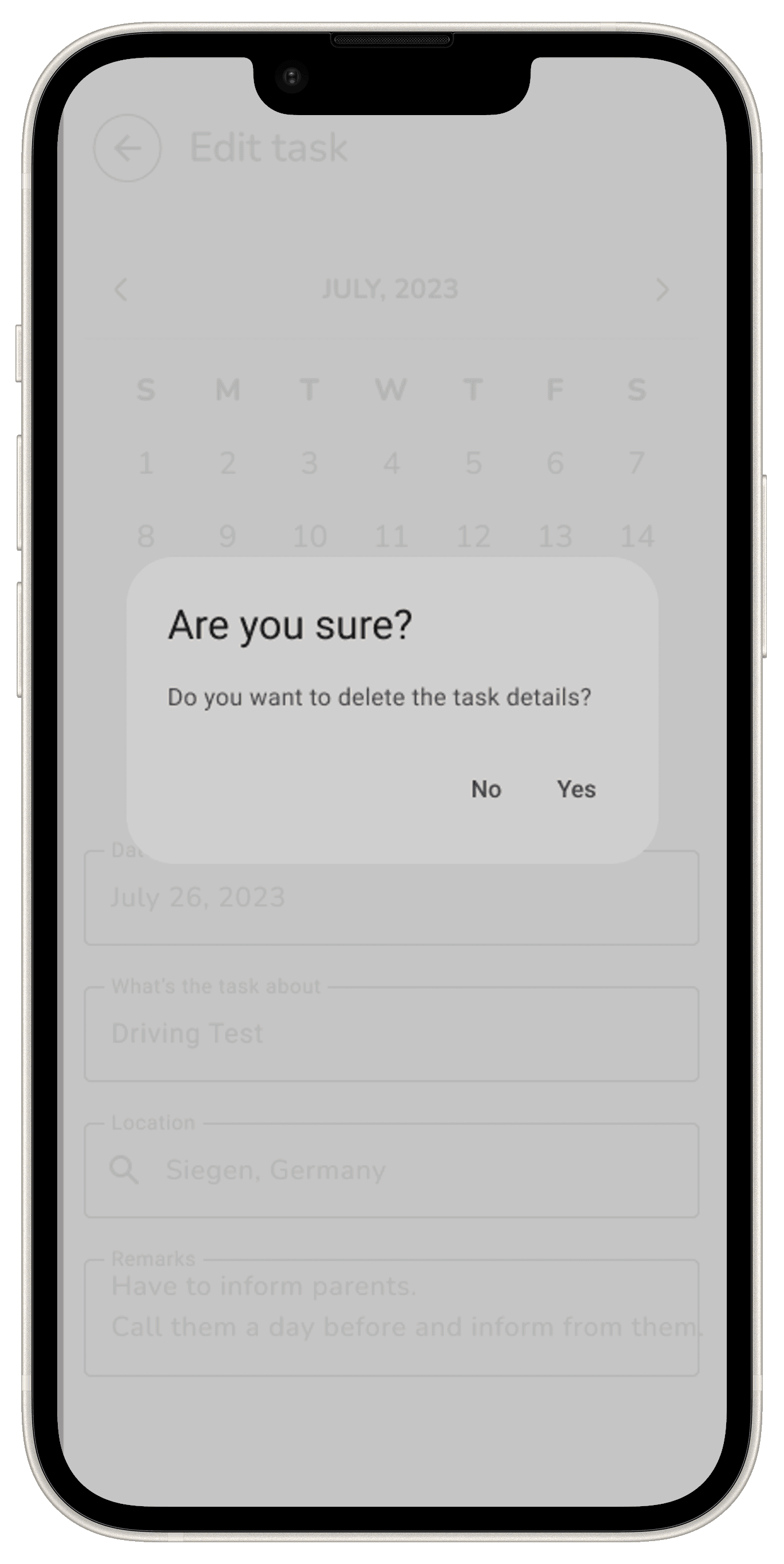
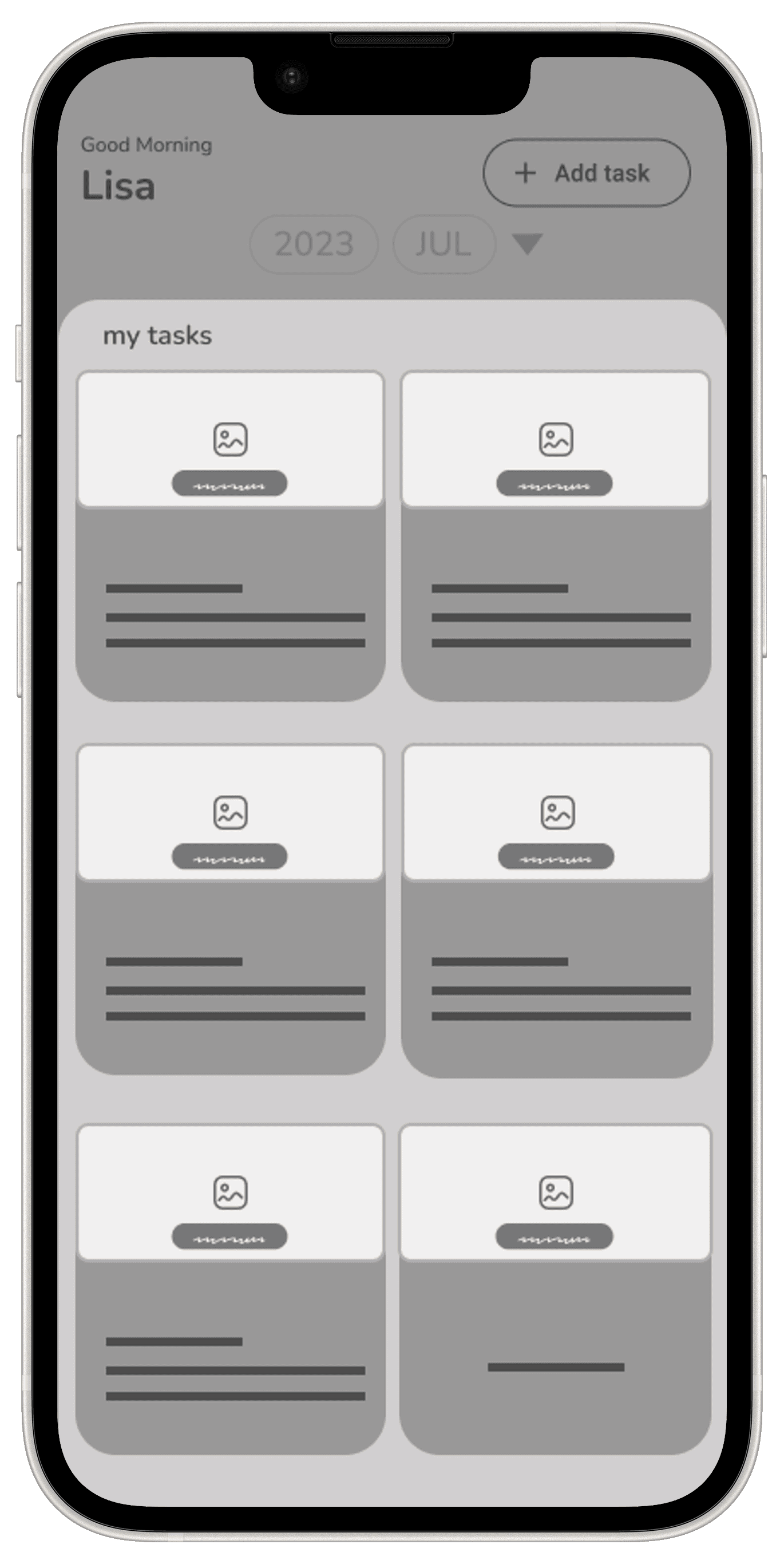
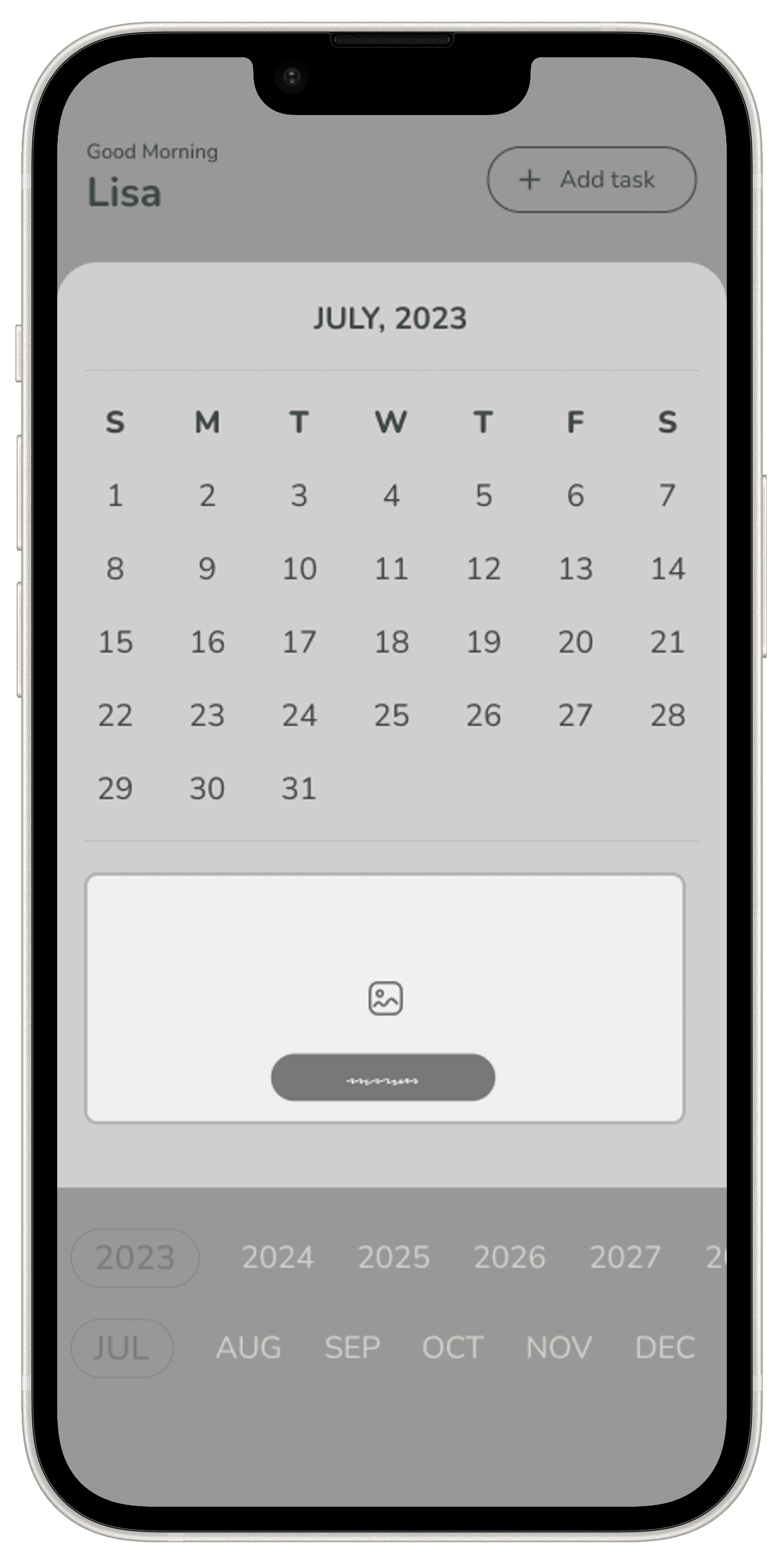
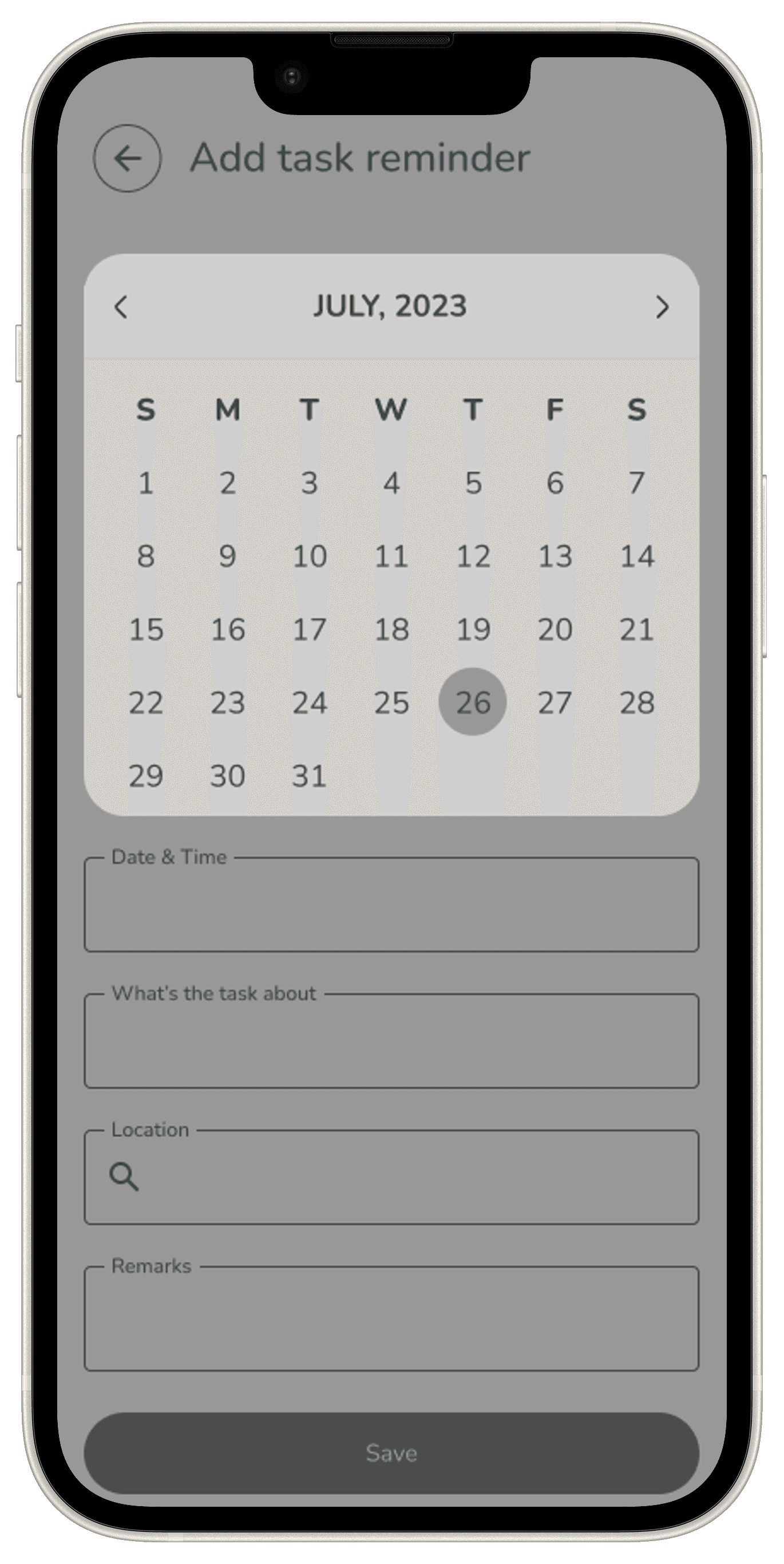
The Wireframes section for the AICRASTINATOR Application provides a structured low-fidelity visual representation of the application’s interface and user interactions. With the help of sitemap along with user and task flows, I’ve started building my low-fidelity wireframes.
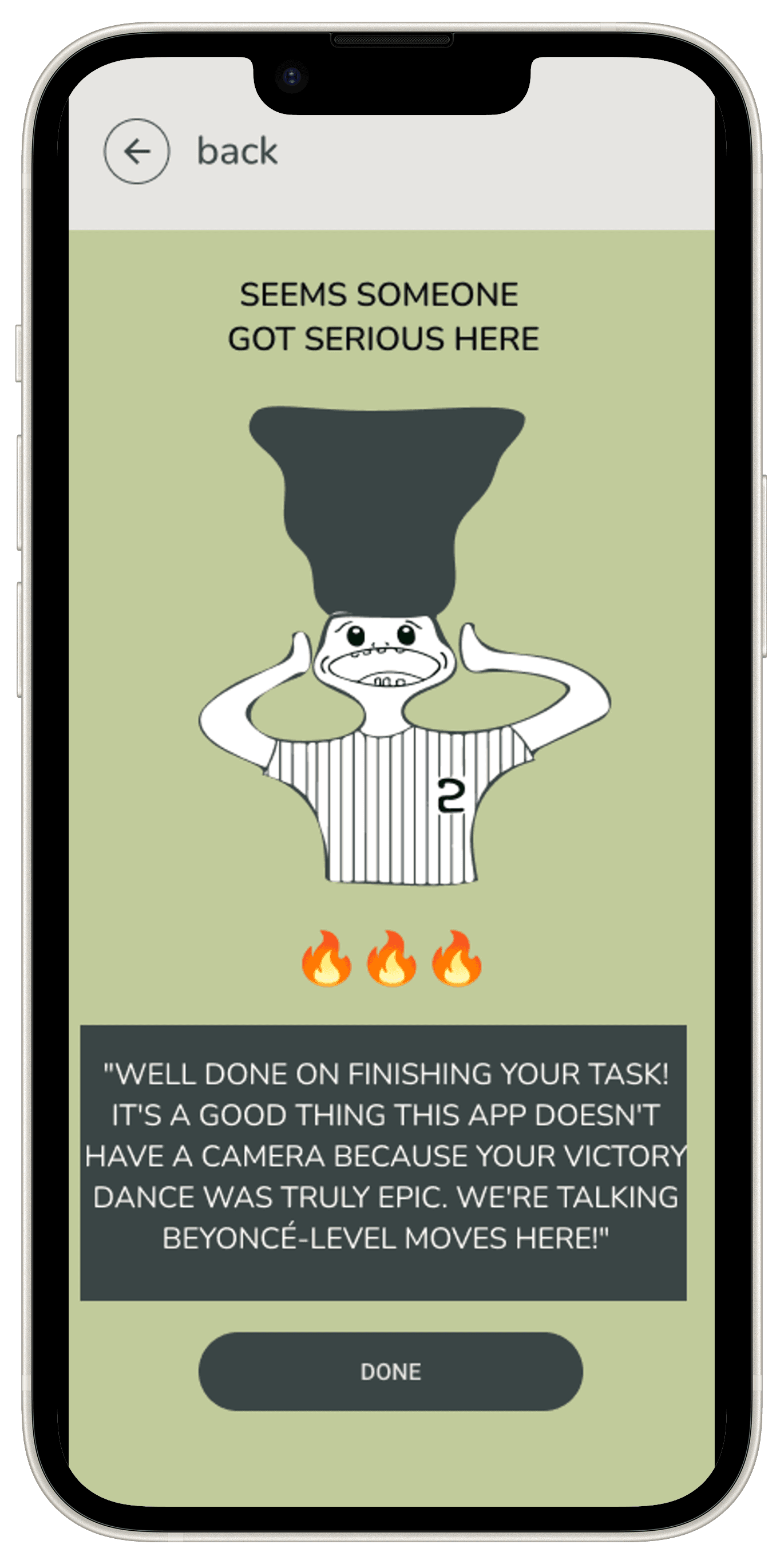
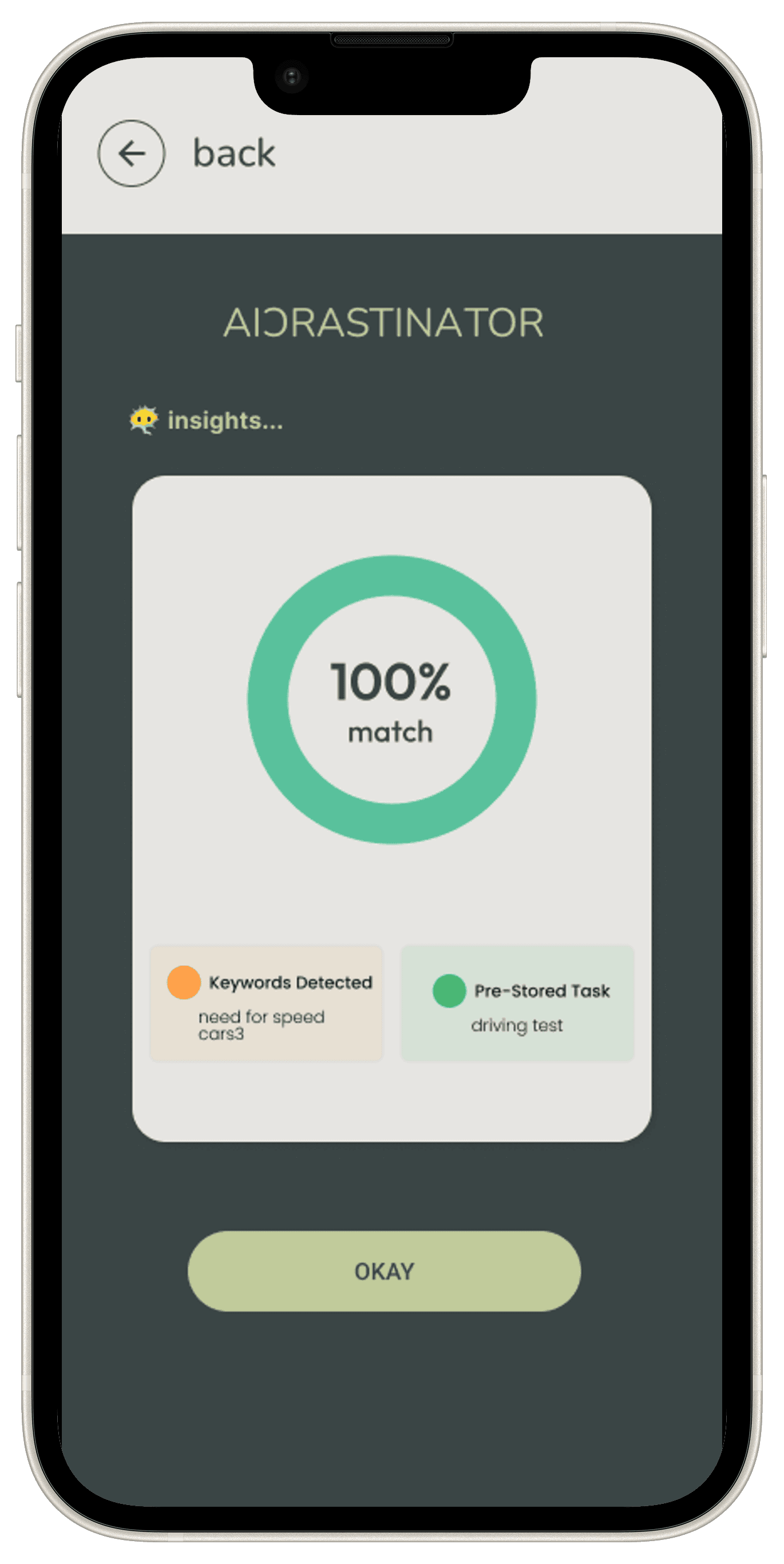
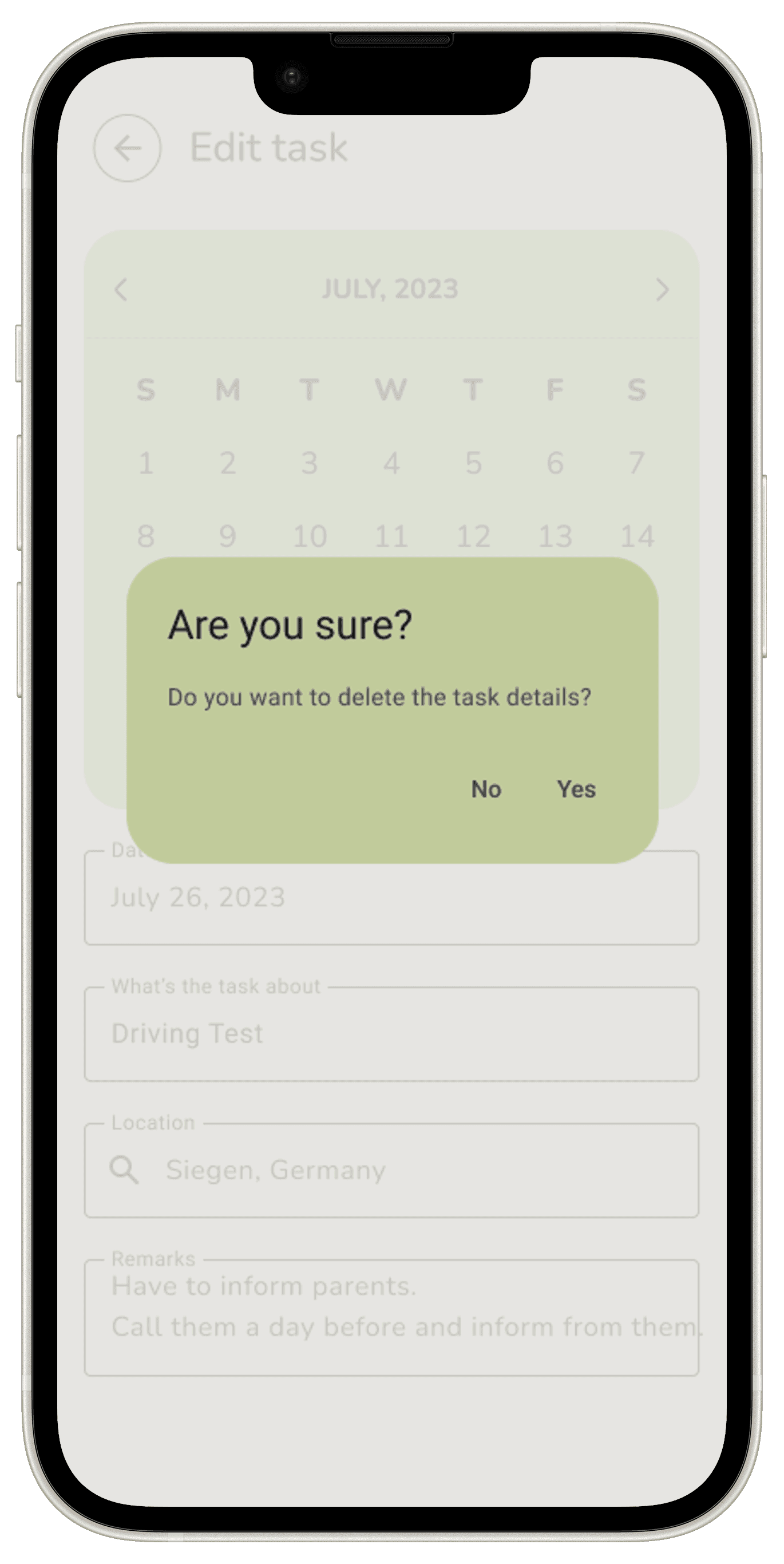
New key screens I’ve design are the following: Task Completion Screen / New Task Main Screen / AI Match Screen / Delete Task Screen / Reminder Pop-Up Overlay.



UI Design
UI Library Components
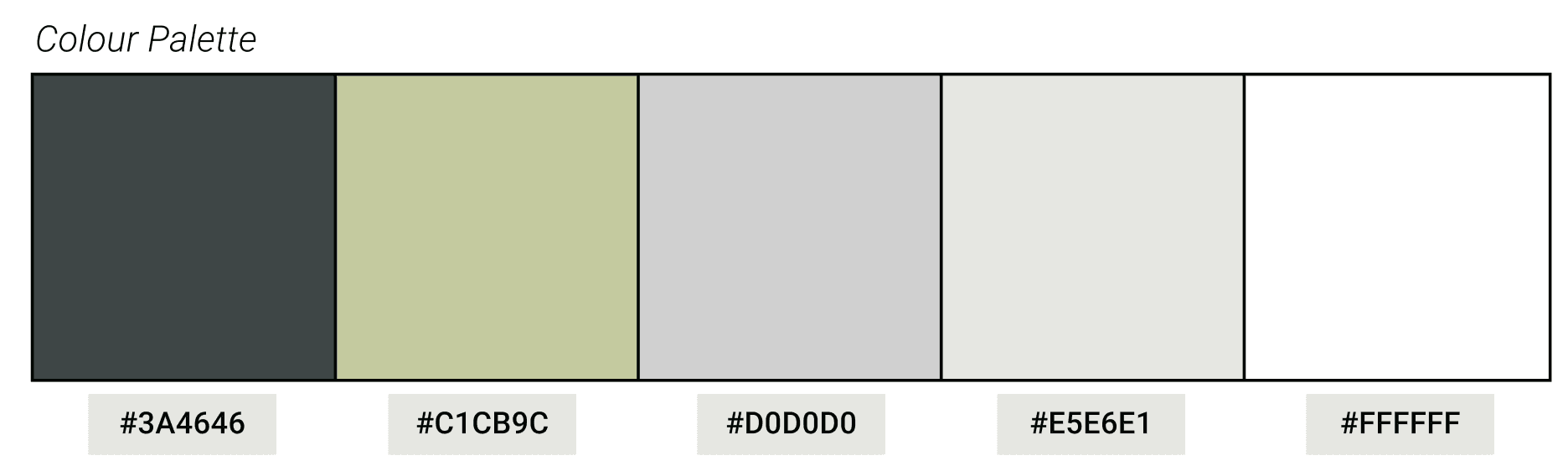
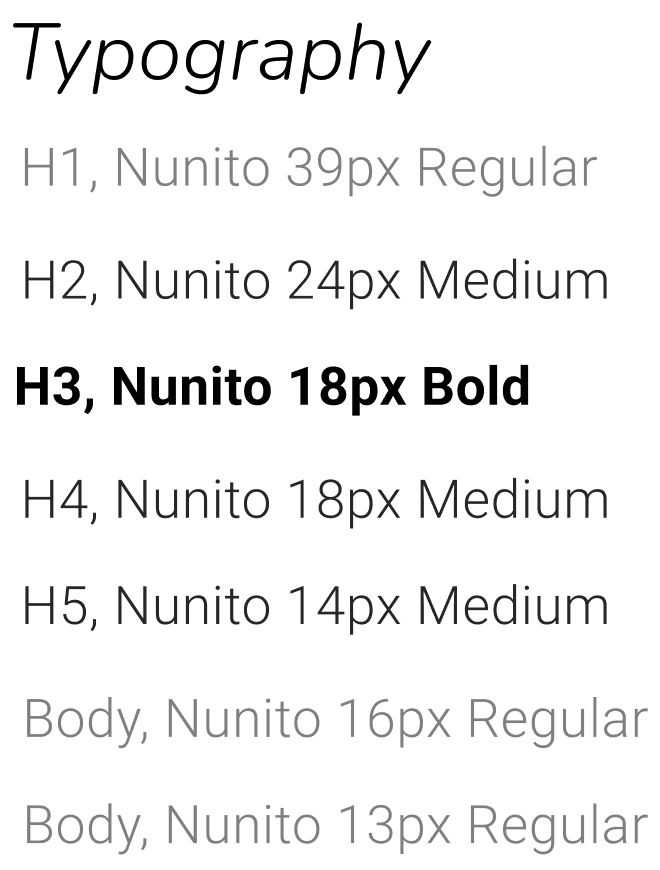
The UI Library for AICrastinator is a collection of reusable, standardized design elements that ensure consistency and efficiency throughout the app. It includes a set of buttons, icons, input fields, modals, and navigation bars designed with a minimalist aesthetic to promote user focus and ease of use. Typography, colour palette are the main elements I’ve outlined at this stage.
High-Fidelity Screens
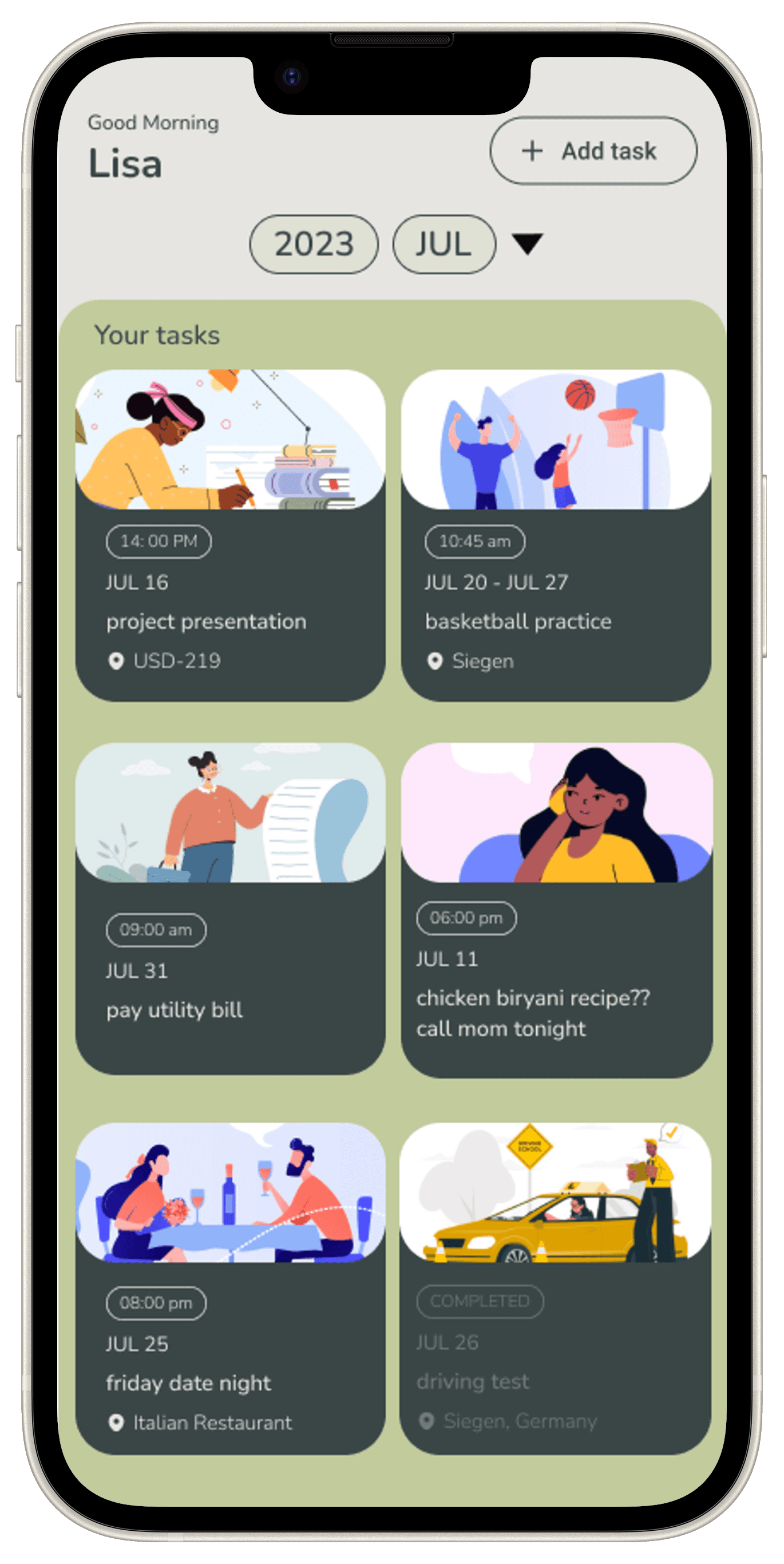
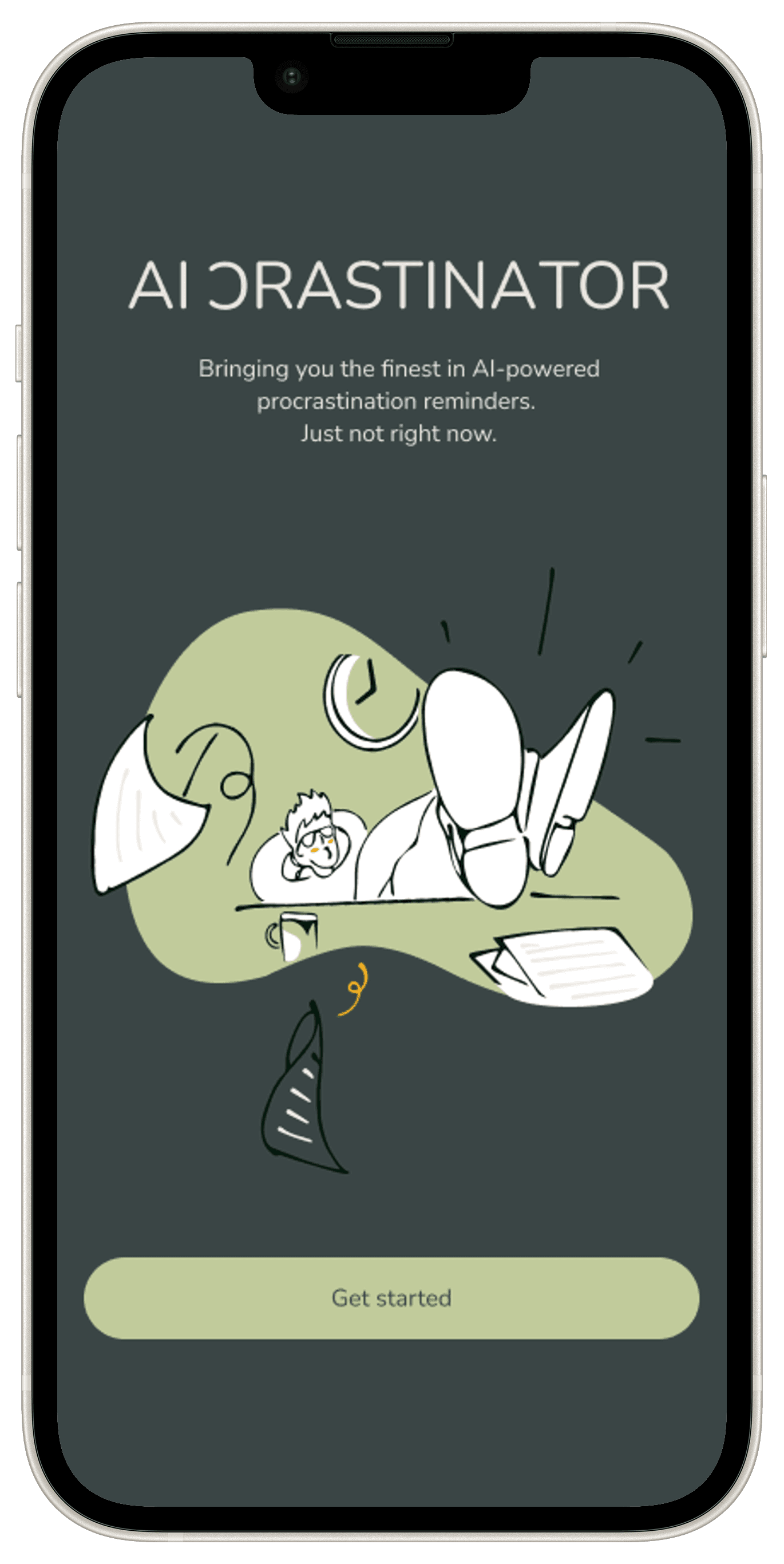
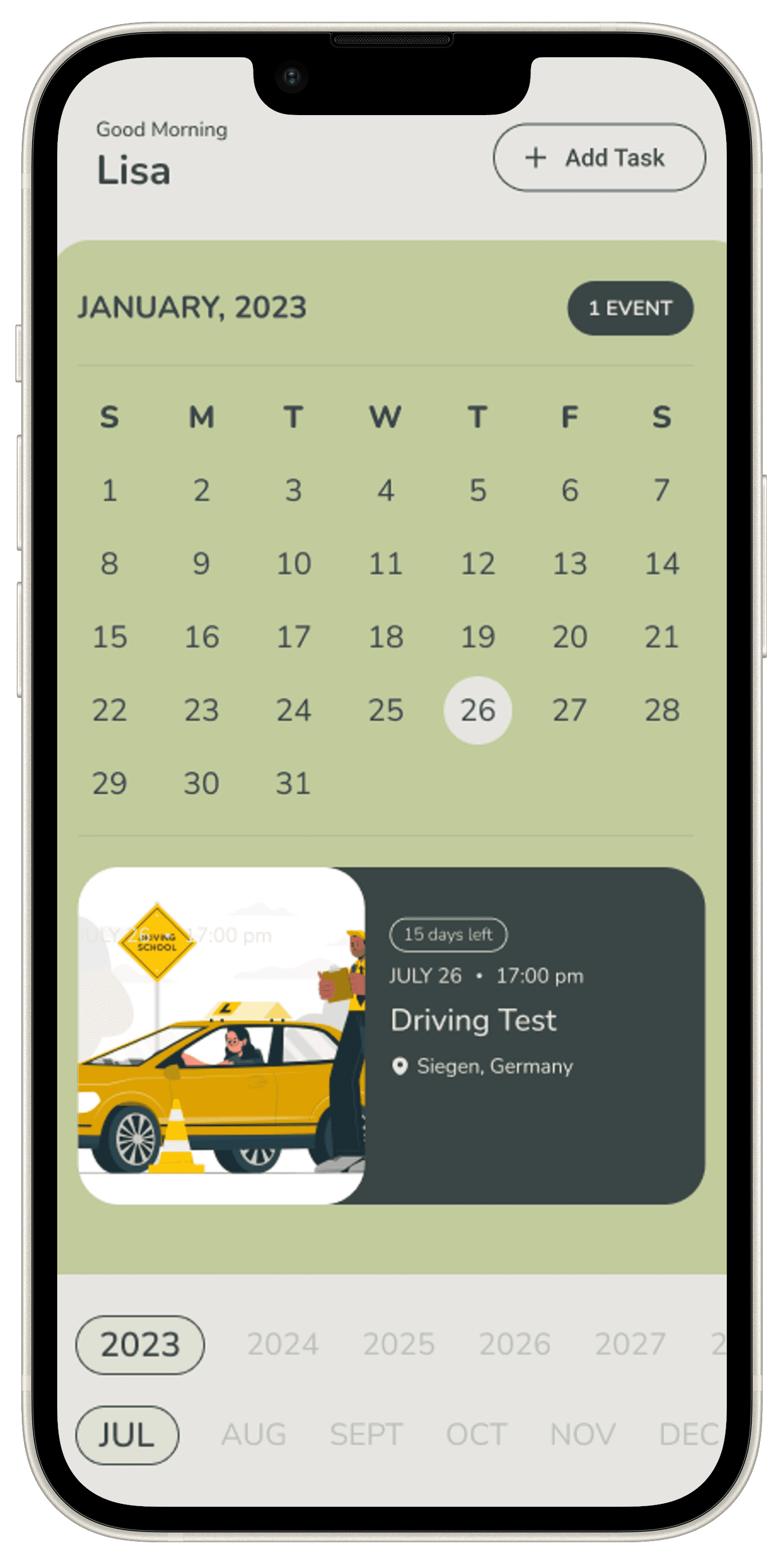
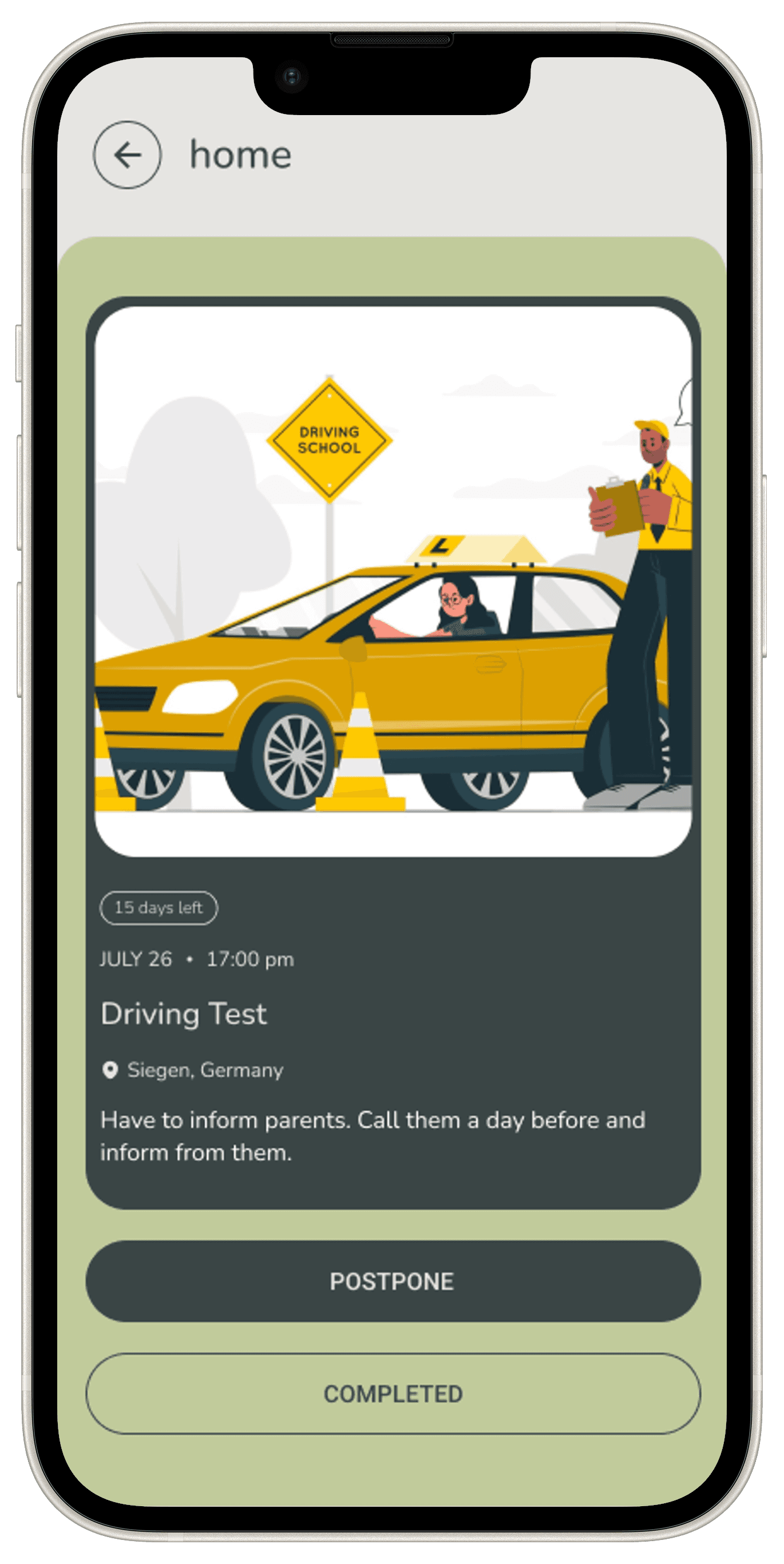
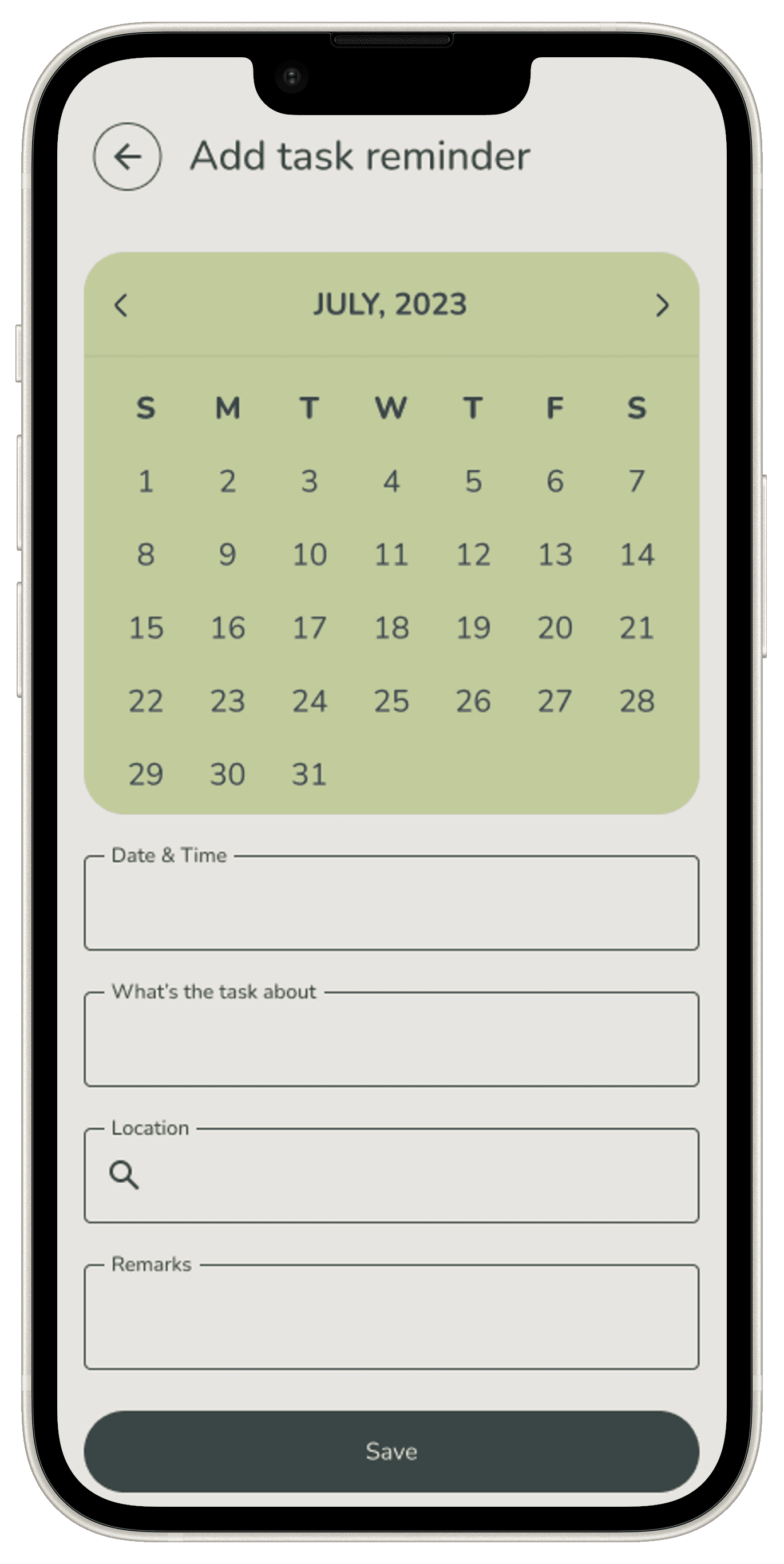
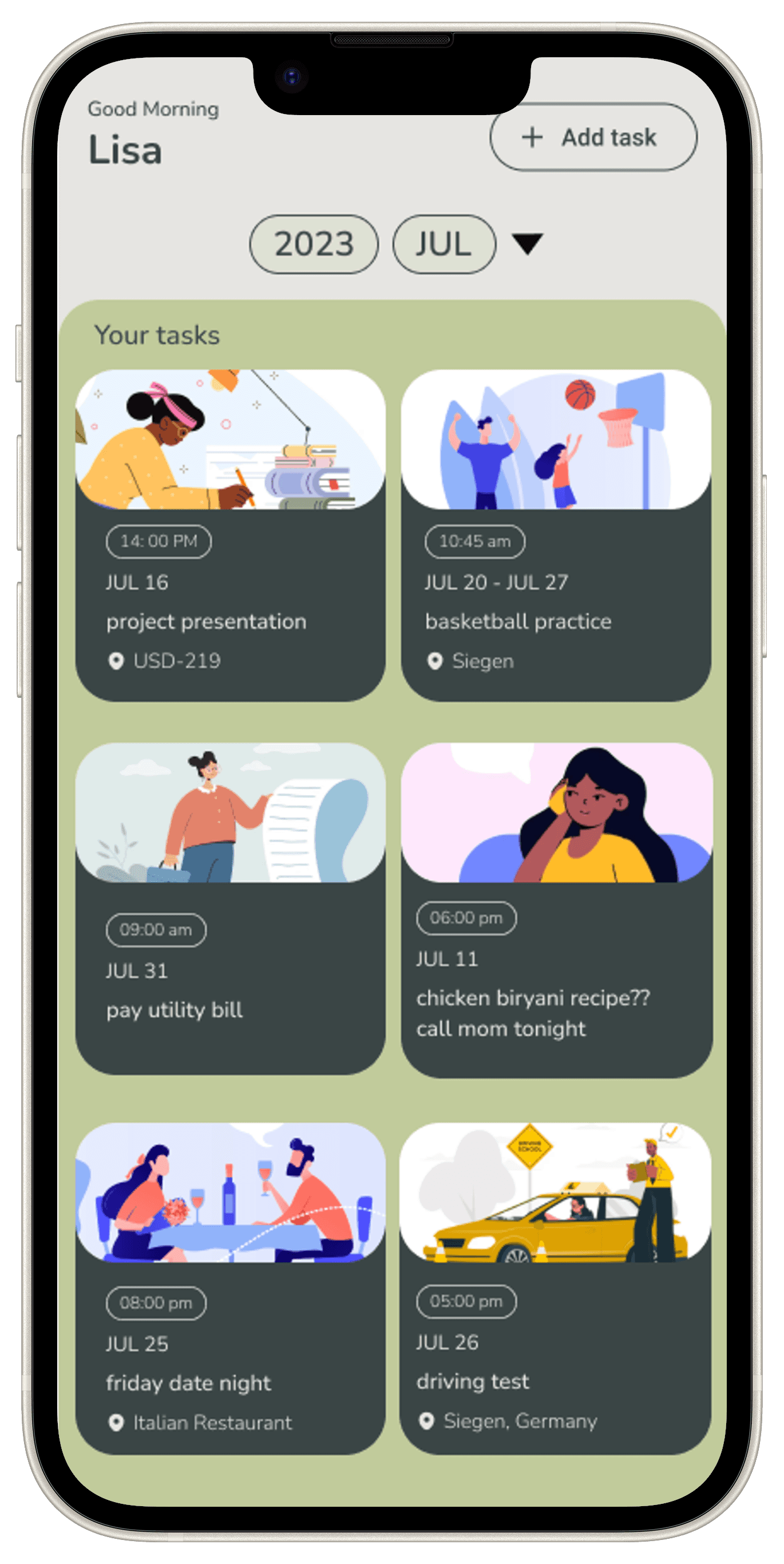
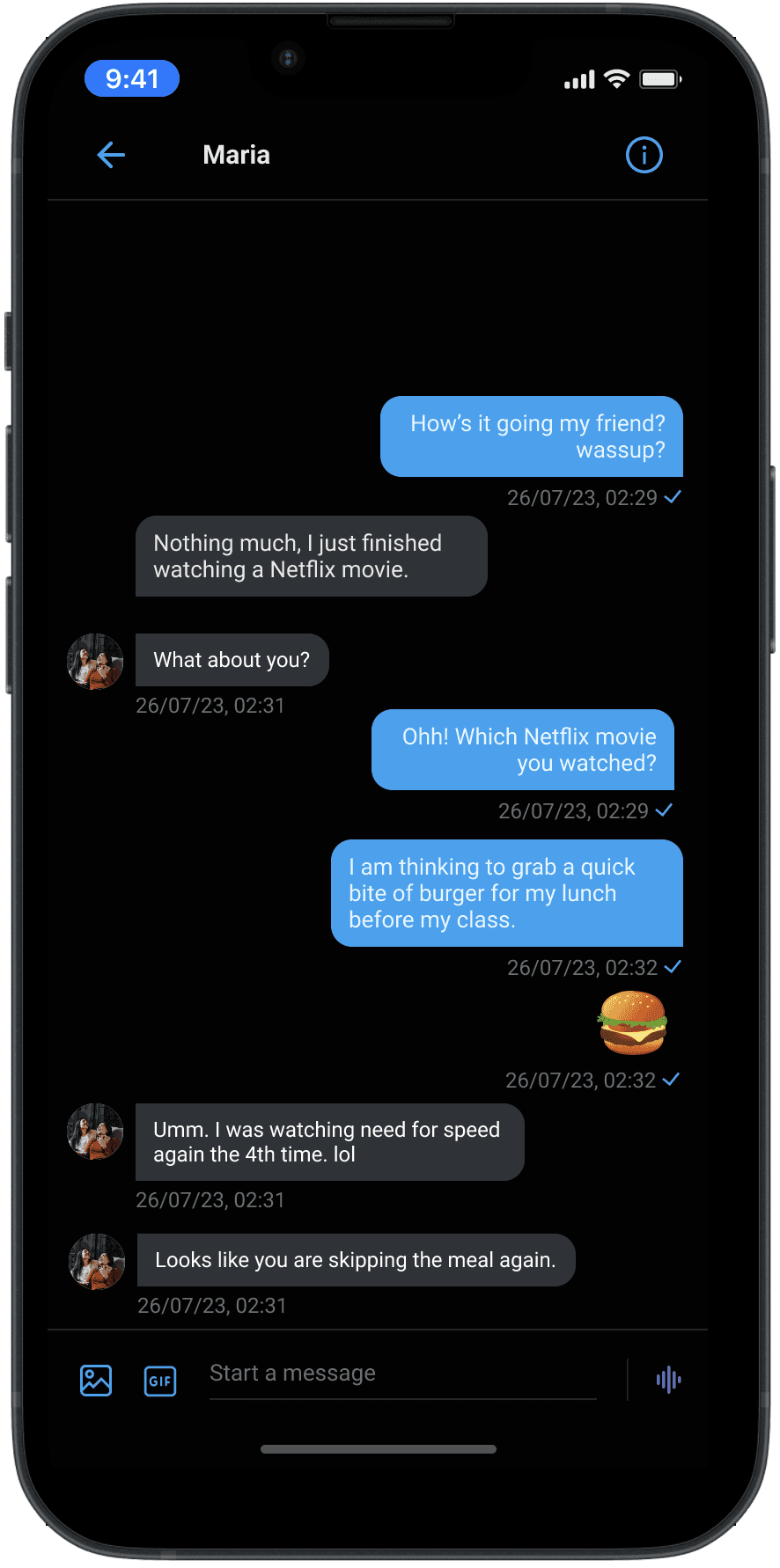
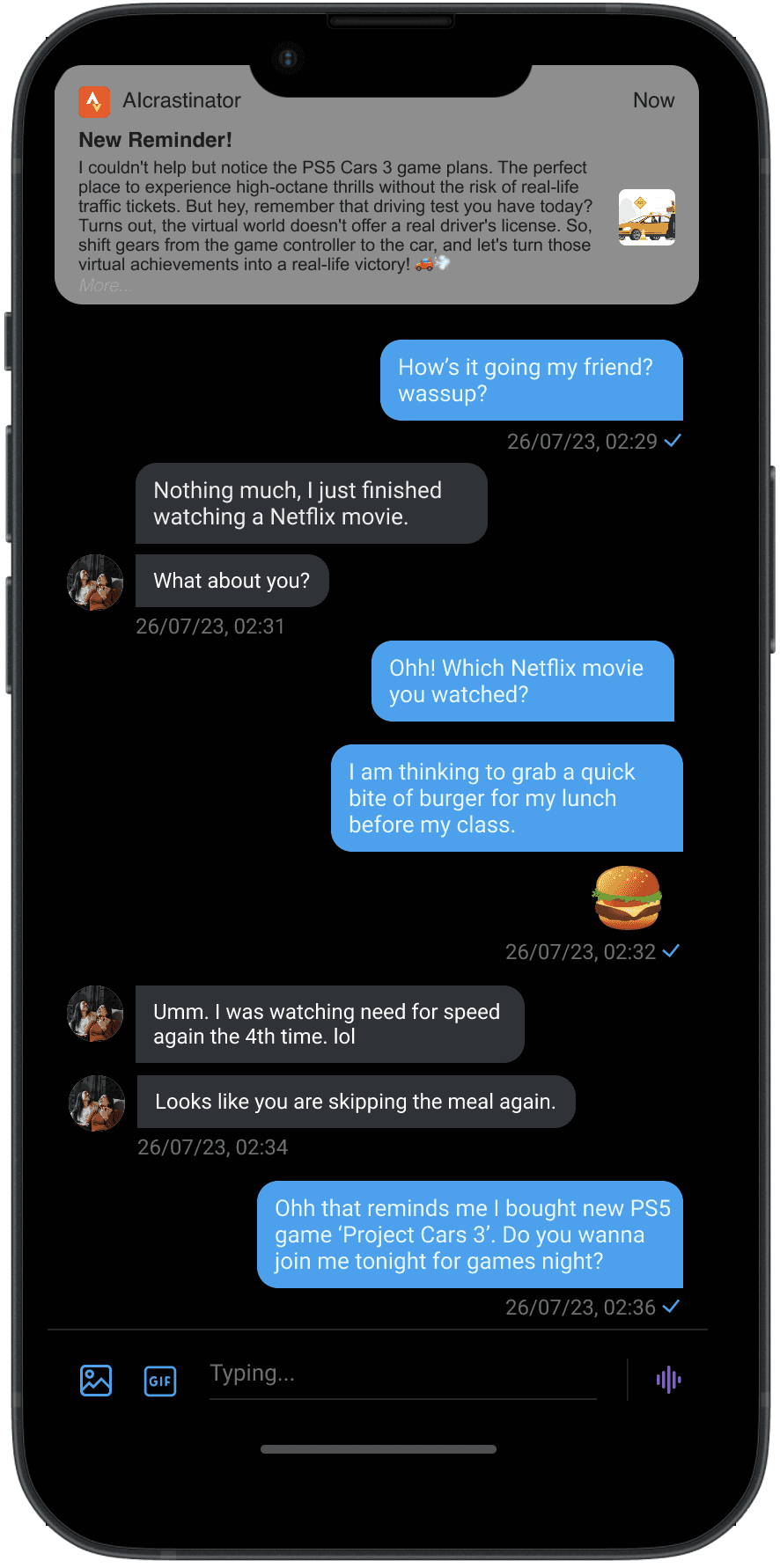
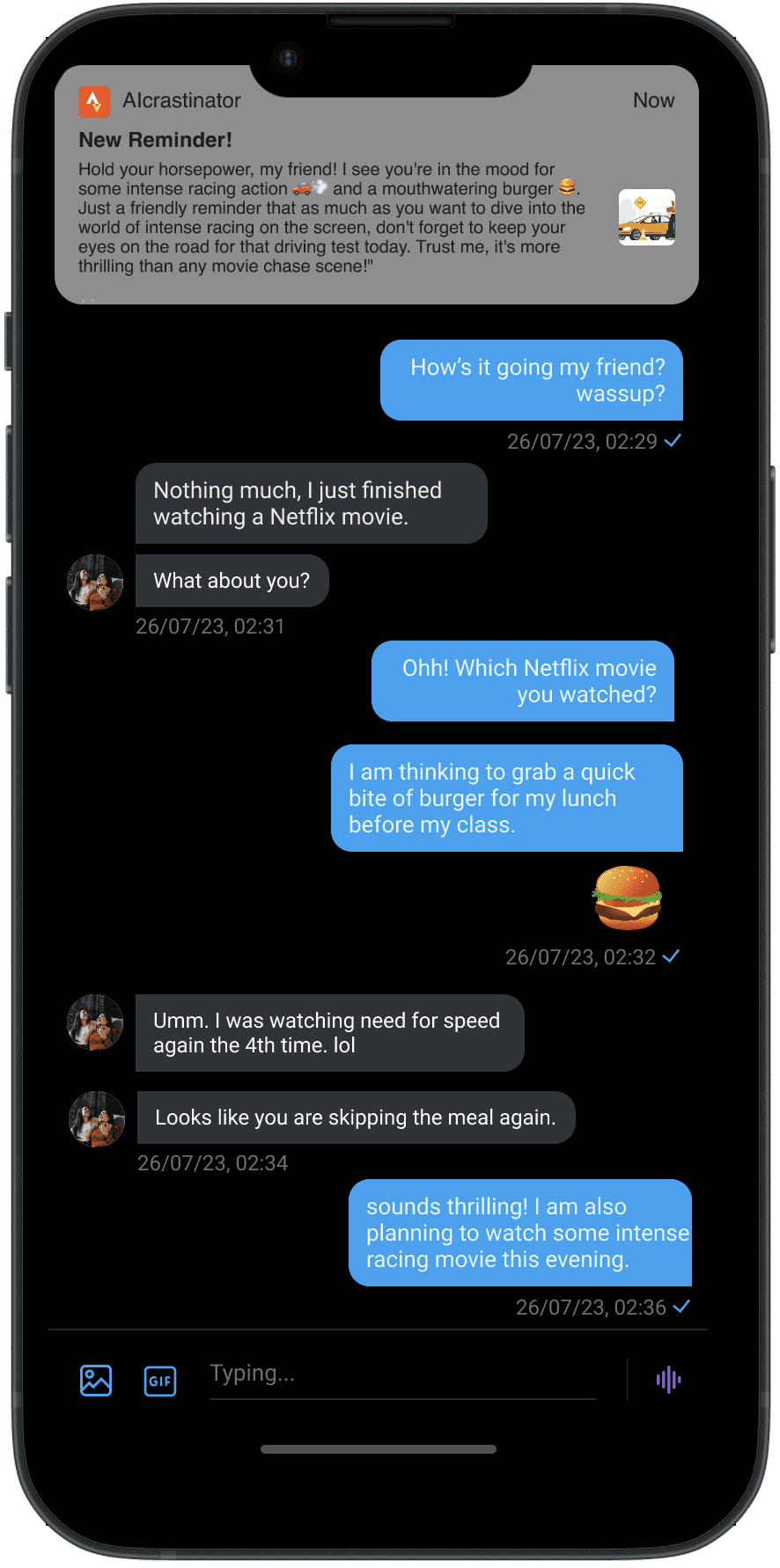
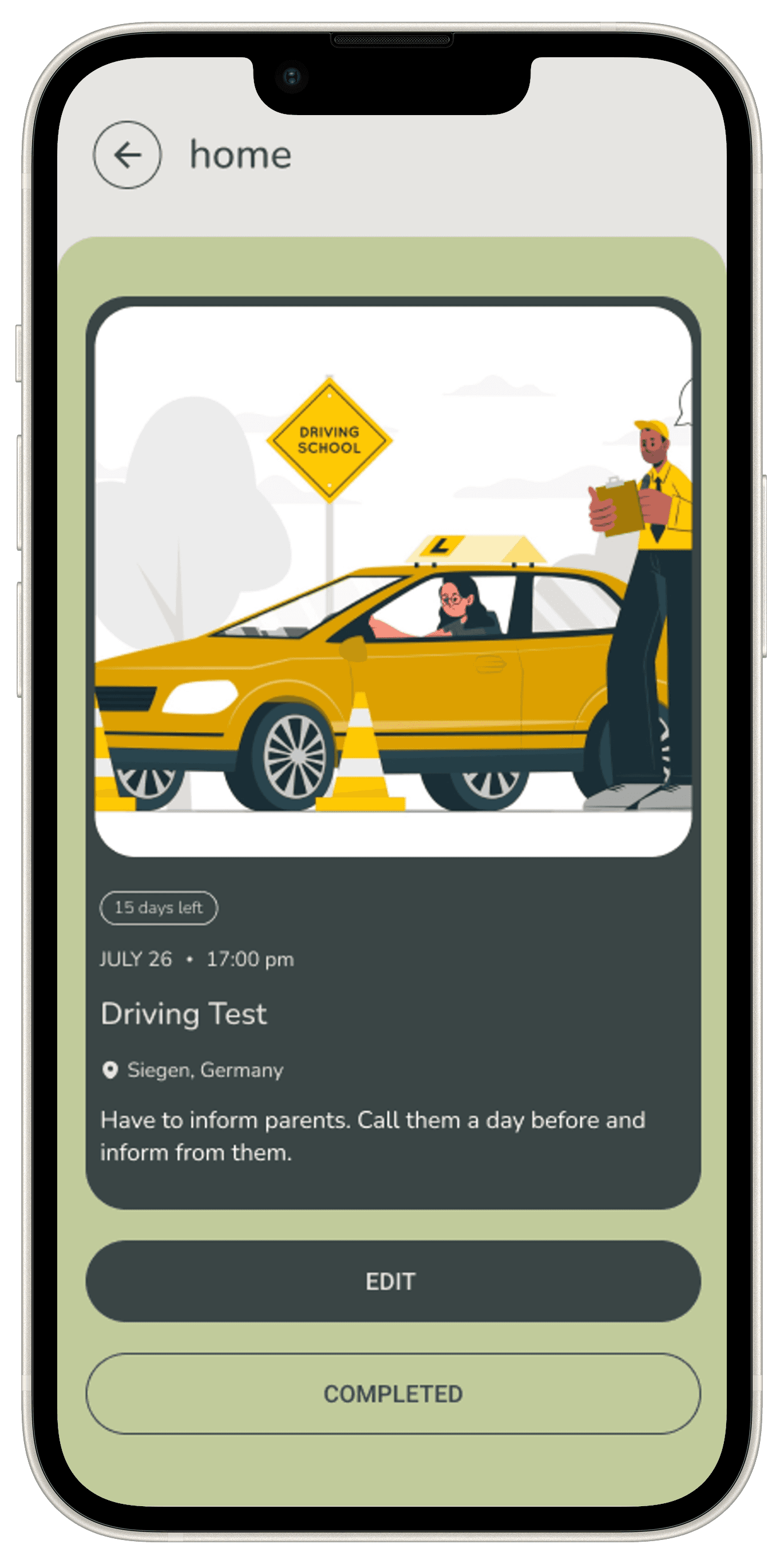
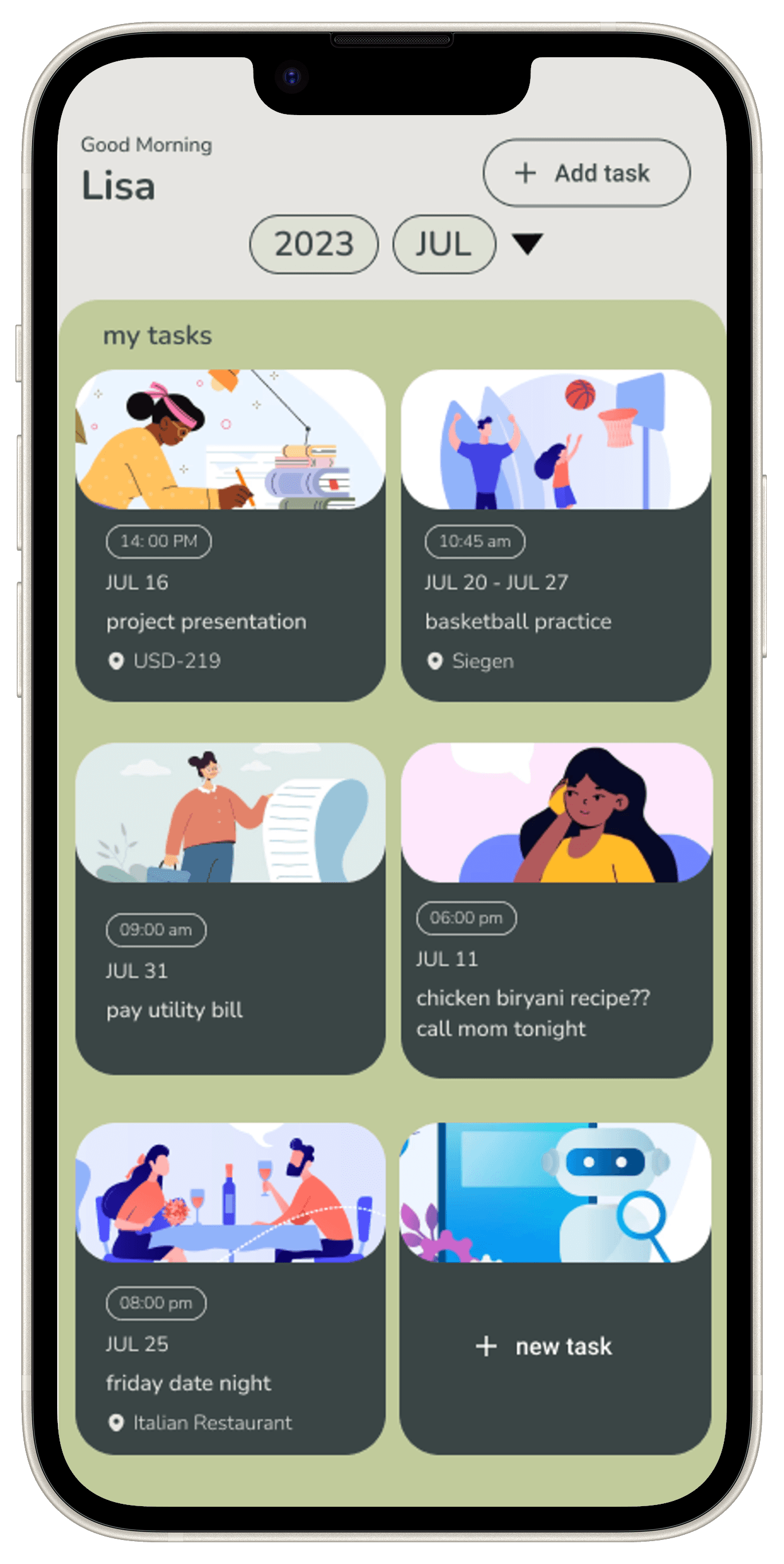
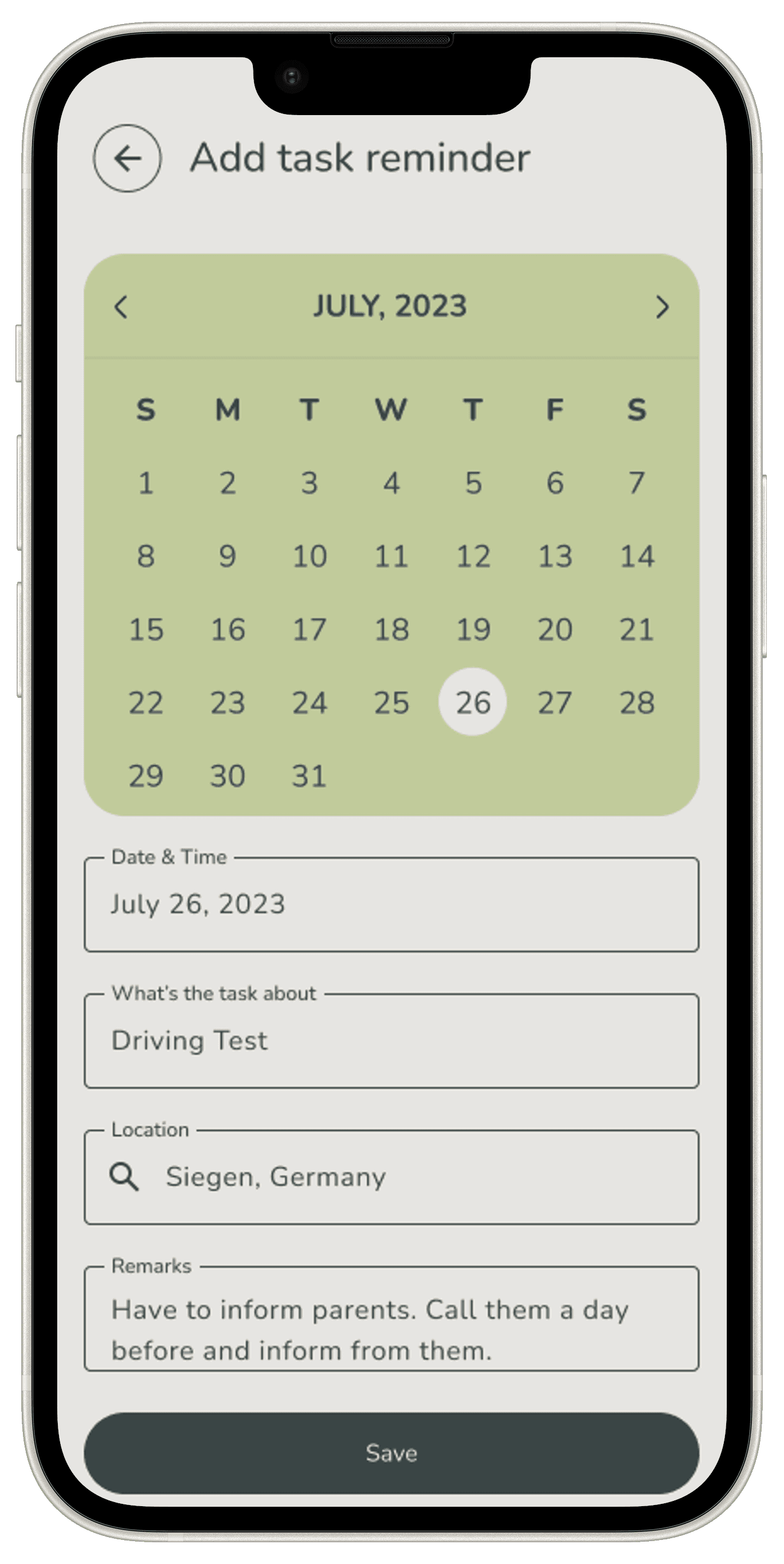
The high-fidelity screens of the AICRASTINATOR app offers a polished, interactive representation of the final user interface design.
The high-fidelity mockup prototype screens offer a comprehensive visualization of the final design and user interface. These screens are meticulously crafted on FIGMA tool to provide a realistic representation of the app’s look and feel, ensuring that every element aligns with the intended user experience and functionality.



Usability Test
Prototype
The Figma prototype for the AICRASTINATOR application showcases the comprehensive design and user experience journey of our advanced task management tool. This prototype illustrates the app's intuitive interface, highlighting key features and interactions that enhance user productivity and efficiency.
In the final Design, I’ve also included some basic
Dynamic Content: Demonstrates how the app adapts to user inputs and updates in real-time, showcasing the flexibility and responsiveness of the design.
Prototyping Links: Interactive hotspots allow users to navigate through different screens and functionalities, providing a realistic preview of the app’s usability.
Usability Test Plan
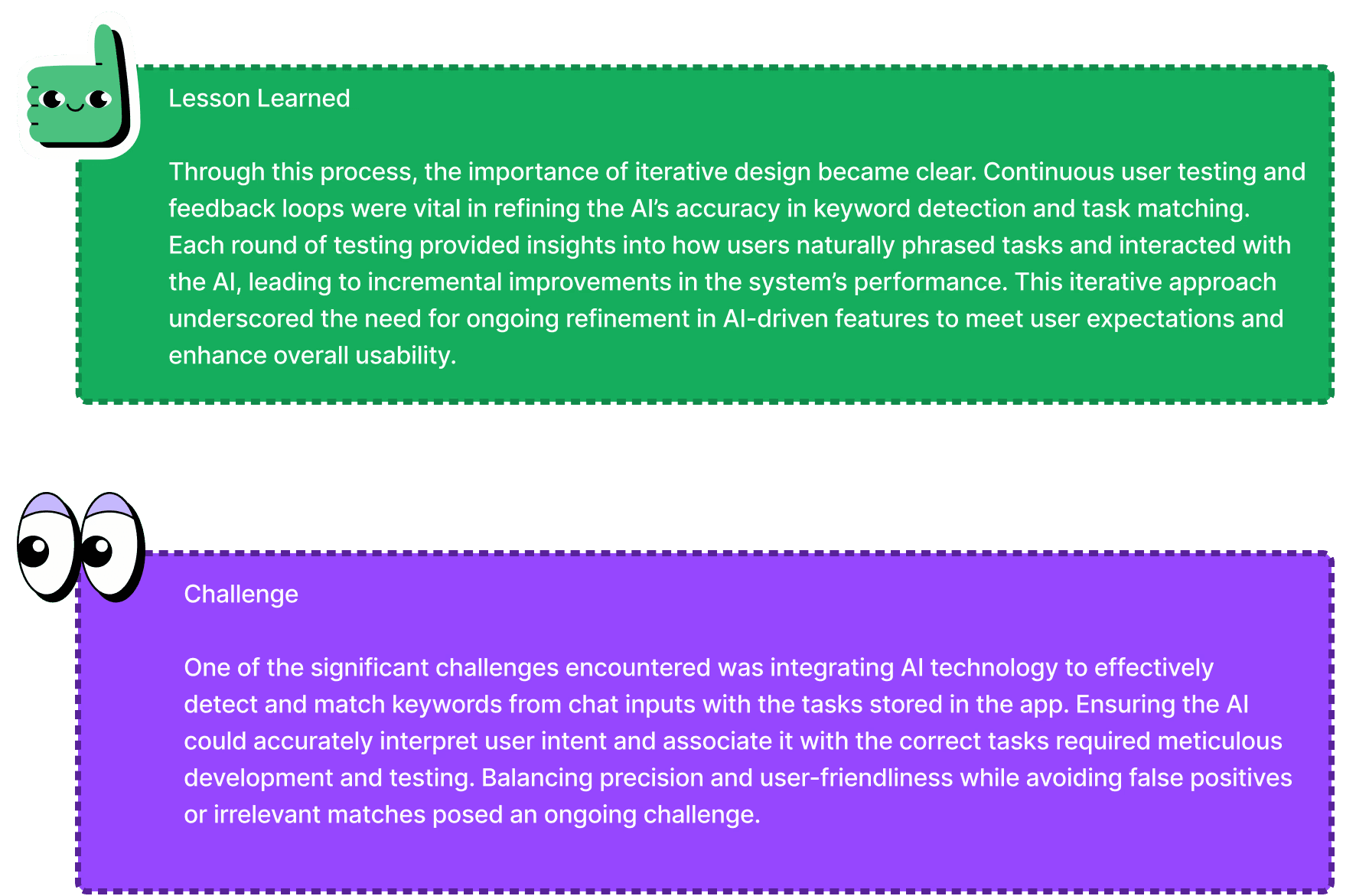
Objective: The primary objective of the usability testing for the AIcrastinator app was to evaluate the app’s user interface, user experience, and overall effectiveness in helping users manage their tasks efficiently. Specifically, the testing aimed to identify any usability issues, gather user feedback on the app’s features, and assess how well the app meets the needs of its target audience.
Methodology: A moderated usability test was conducted with a sample group of participants representing the app’s target users. The test consisted of both in-person sessions and remote testing through video conferencing tools. Each session lasted approximately 15 minutes, during which participants were asked to perform a series of tasks using the AIcrastinator app prototype.
Participant Demographics:
Total Participants: 5
Age Range: 20-26 years old
Occupation: Mix of professionals, students, and freelancers
Frequency of Task Management: Regular users of task management tools, with at least 3-4 tasks managed daily
Test Scenarios
Scenario 1: Setting a New Task
Objective: Evaluate how easily users can create and customize a new task in the AIcrastinator app.
Task: Participants were asked to create a new task with a specific name, set a due date and time, add a description, and include additional notes. They were also prompted to set a reminder for the task.
Scenario 2: Receiving and Interacting with a Reminder Notification
Objective: Test the functionality of reminder notifications and the user’s ability to take action directly from the notification.
Task: Participants were prompted to simulate receiving a reminder notification for an upcoming task. They were then asked to interact with the notification by either postponing the task, editing the task details, or marking the task as completed.
Scenario 3: Marking a Task as Complete
Objective: Assess how intuitive it is for users to mark a task as complete and verify that it reflects accurately in the task list.
Task: Participants were instructed to navigate to the task list and mark a specific task as completed. They were then asked to check if the task was successfully moved to the “Completed Tasks” section.

RESULTS
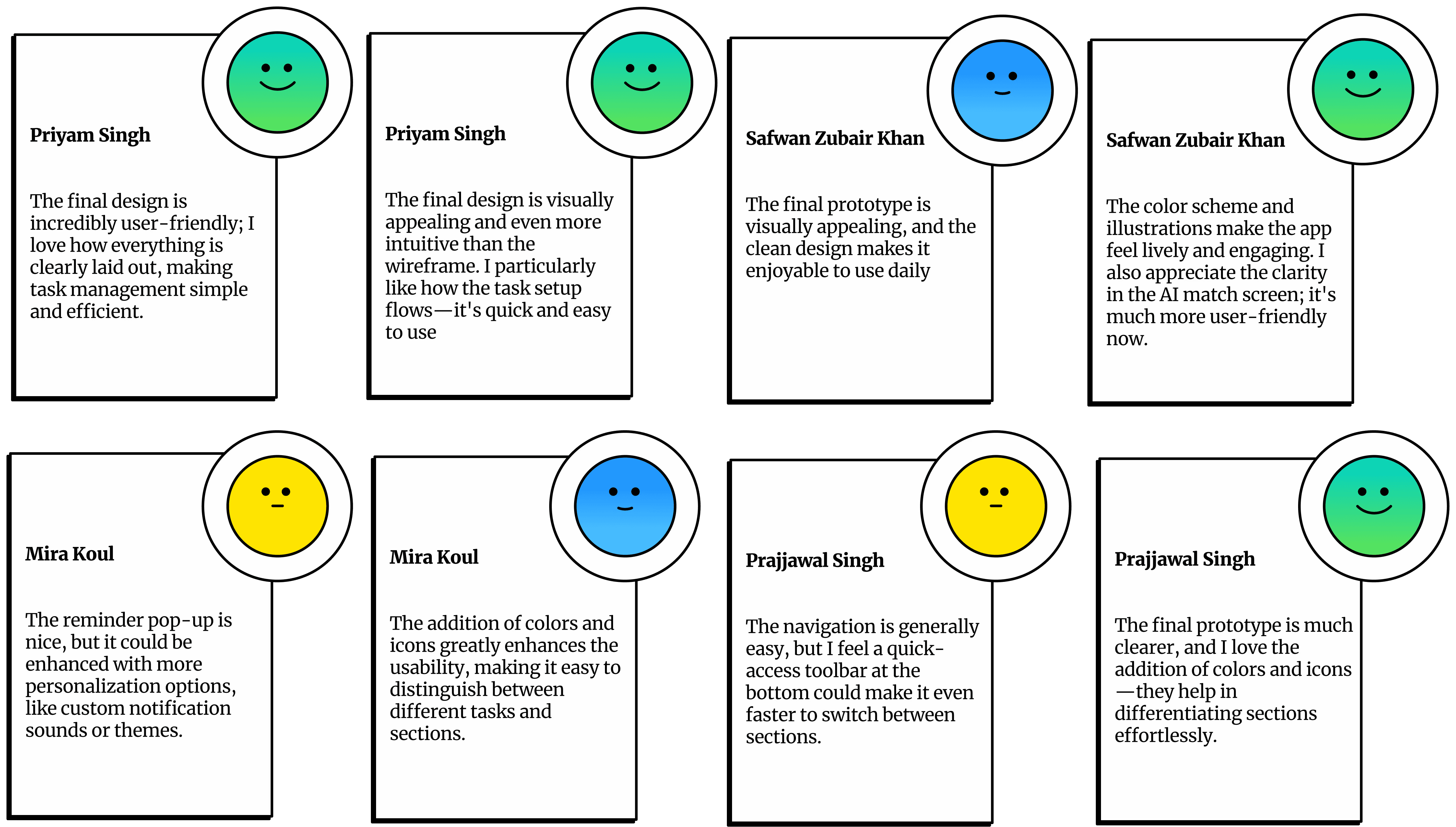
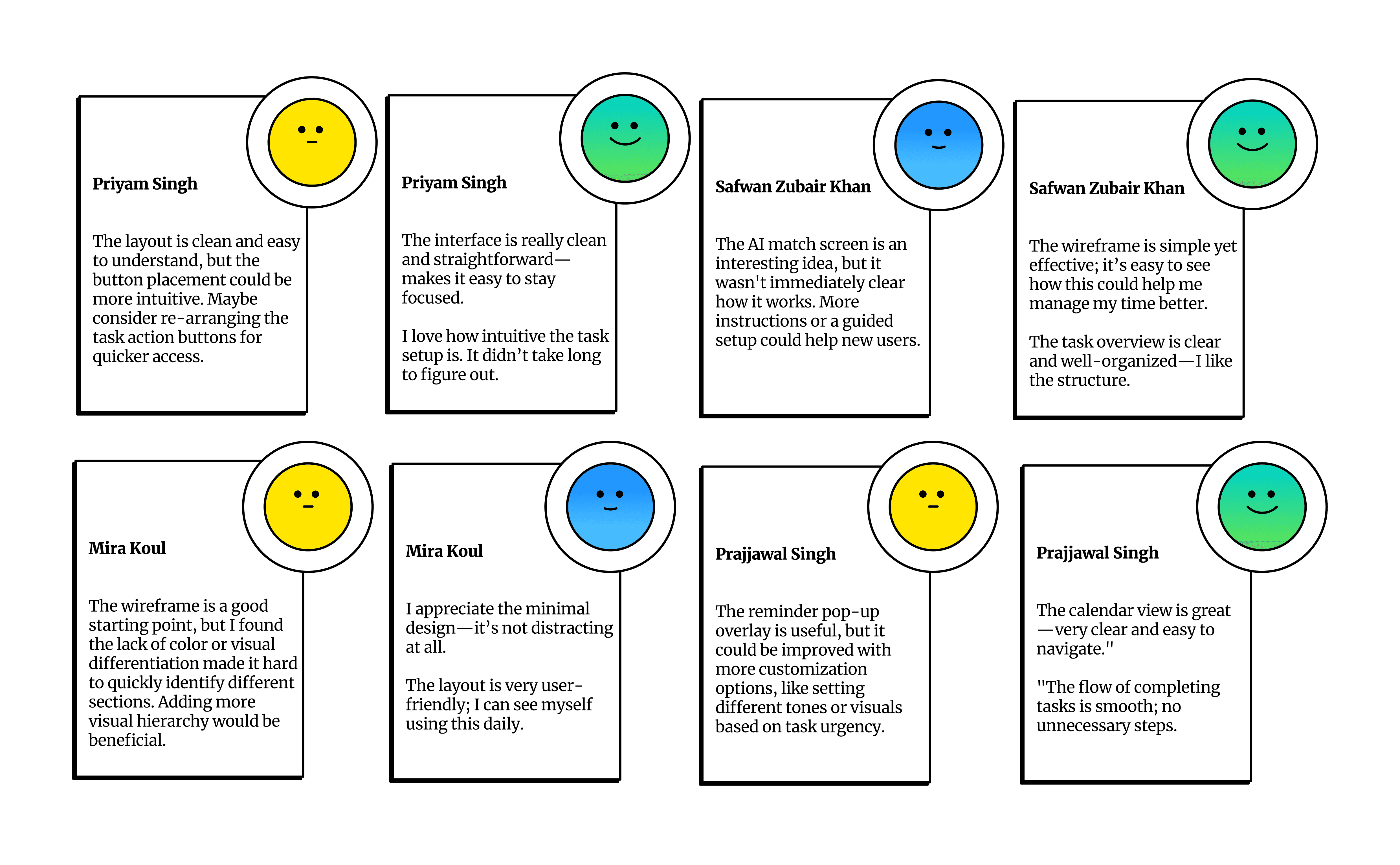
Final Prototype Feedback